The first time it broke me, I had been scrolling through Google Drive folders for forty-five minutes looking for one specific photo of a guest in a Knicks jersey holding up a cocktail. Marketing wanted it for an Instagram post. The post had to go out in an hour. I knew the photo existed. I knew it was from a watch party in November. I did not know which folder it was in. After folder seven I started questioning whether I had imagined the photo at all.
That was the moment I admitted our photo library was not really a library. It was a pile.
We had done all the responsible things. The folders were named. The subfolders were named. There was a naming convention. New folders were created from a shared template. Someone had even written a Notion page about it. And none of that mattered, because nobody, including me, remembered which folder had the Knicks-jersey-cocktail photo. The naming convention assumed I would remember what I had named things eight months ago. I did not.
I started looking at the photo tools the obvious way: which one organizes folders better? Which one has the best tagging UI? Which one auto-generates keywords? After about a week of demos and trials, I realized every tool I was looking at was answering the wrong question. They were all asking how to file the pile better. The actual question is how to stop filing it at all.
The folder mistake
Folders made sense when computers had ten files. They make less sense when computers have ten thousand. The folder is a forced choice, a single label you commit to before you know what someone will search for later. Was that photo "Q4 promos" or "watch parties" or "Knicks night" or "drink shots" or "user-generated content"? It might be all five. The folder lets you pick one.
Search does not have this problem. Search lets every relevant attribute of the photo find it. The photo can be in "watch parties" the way a chord can be in C major: that is one valid name for it, but it does not exclude the others. Search treats the photo as the thing being described instead of the place being filed.
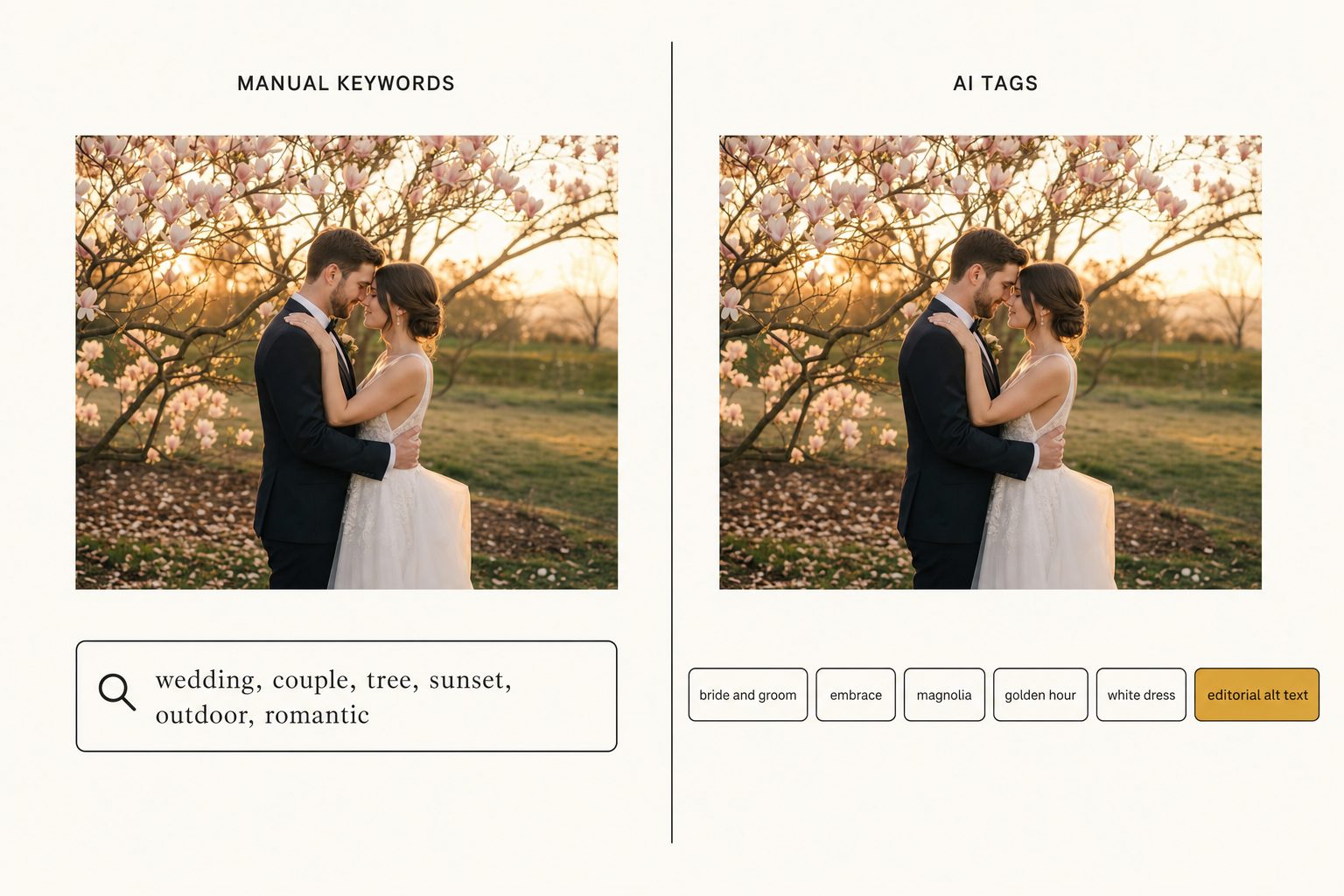
Every team I have talked to since has the same shape of problem. Real-estate brokers cannot find the photo of the kitchen with the quartz island. Wedding planners cannot find the first-dance shot from the September wedding with the magnolia tree. Restaurant marketers cannot find the burger photo from the Saturday brunch when the light was good. The photo always exists. The folder system gave up on it.
What we actually built
Tagrly started as an internal tool for our own team. The first version was twenty lines of Python and a SQL table, pointed at our Drive folder. Every photo got run through a vision model. The output was a row in a database: focal subject, scene, mood, branded items, the rough words a human would use to find the photo. A web form on top of the database let you type "Knicks jersey cocktail" and get the photo back in two seconds.
That was the proof. Once the index existed, the folder structure stopped mattering. It was still there, the photos were still in it, but I never had to think about it again. The library was searchable. The pile became a library.
Everything since has been the obvious expansion of that one insight. Tagging got more structured, the schema got richer, the analyzer learned to adapt to the kind of business shooting the photos. Real-estate workspaces get room types and selling features. Wedding workspaces get ceremony moments and floral details. Restaurant workspaces get dish-level identification. The underlying move is the same: stop thinking about where a photo lives, start describing what is in it.
What this is not
This is not magic. AI tagging is not creative judgment. It cannot tell you which photo is the right one for a campaign. It can tell you every photo that fits a description, very quickly, on a library that nobody has manually keyworded. The human still picks the hero shot. The AI just stops the human from scrolling for forty-five minutes to find the candidates.
It is also not a replacement for editorial discipline. The teams that get the most out of a tool like this are the ones who think about photos as content, not as files. They write good captions because they want to. They correct the AI's first draft on the photos that matter most. They use the tool the way a good editor uses an intern: as a force multiplier on the boring 95 percent so the human attention can land on the 5 percent that needs taste.
And it is not a folder organizer. We do not move your photos. We do not rename your files. We do not migrate you to our storage. Your Drive folder stays your Drive folder. We just build the search index next to it, the one the folder structure was never going to be.
What I expect to be true in two years
The tagging will get sharper, the verticals will multiply, the price per photo will keep falling. None of that is interesting on its own. The interesting thing is what teams will stop doing. They will stop creating a new subfolder every time a new project starts. They will stop arguing over naming conventions. They will stop emailing each other links to specific Drive paths. The shared infrastructure will be the search bar, not the file tree.
If that sounds boring, it is. The whole point of infrastructure is that it gets boring. Search beat folder navigation in email twenty years ago and now nobody thinks about it. The same thing is happening for photos right now. Tagrly is a tool to help your team get there a couple of years faster.
You can drop a photo on our homepage and see what we extract in about ten seconds. No signup, the photo is analyzed and discarded. If you have a folder of your own you want to point us at, the first 500 photos are free. Email me directly if you have a workflow we should know about: brandon@tagrly.com.
Try Tagrly on your own photo library
Connect your Google Drive or Dropbox folder and Tagrly will tag every photo in bulk. Search by what is actually in the image, share specific shots with clients, and never lose a photo again.
- Free for your first 500 photos
- Read-only access, revoke anytime
- No credit card