
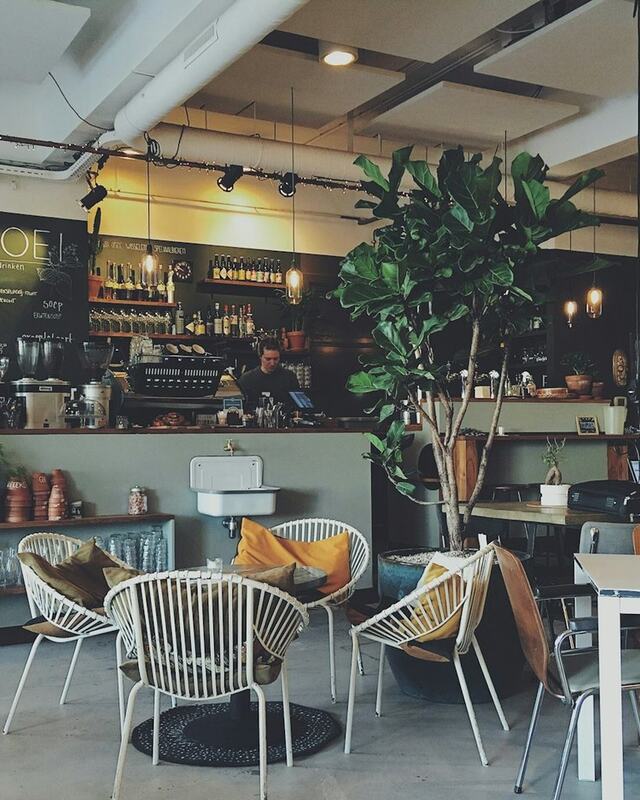




Restaurants & bars
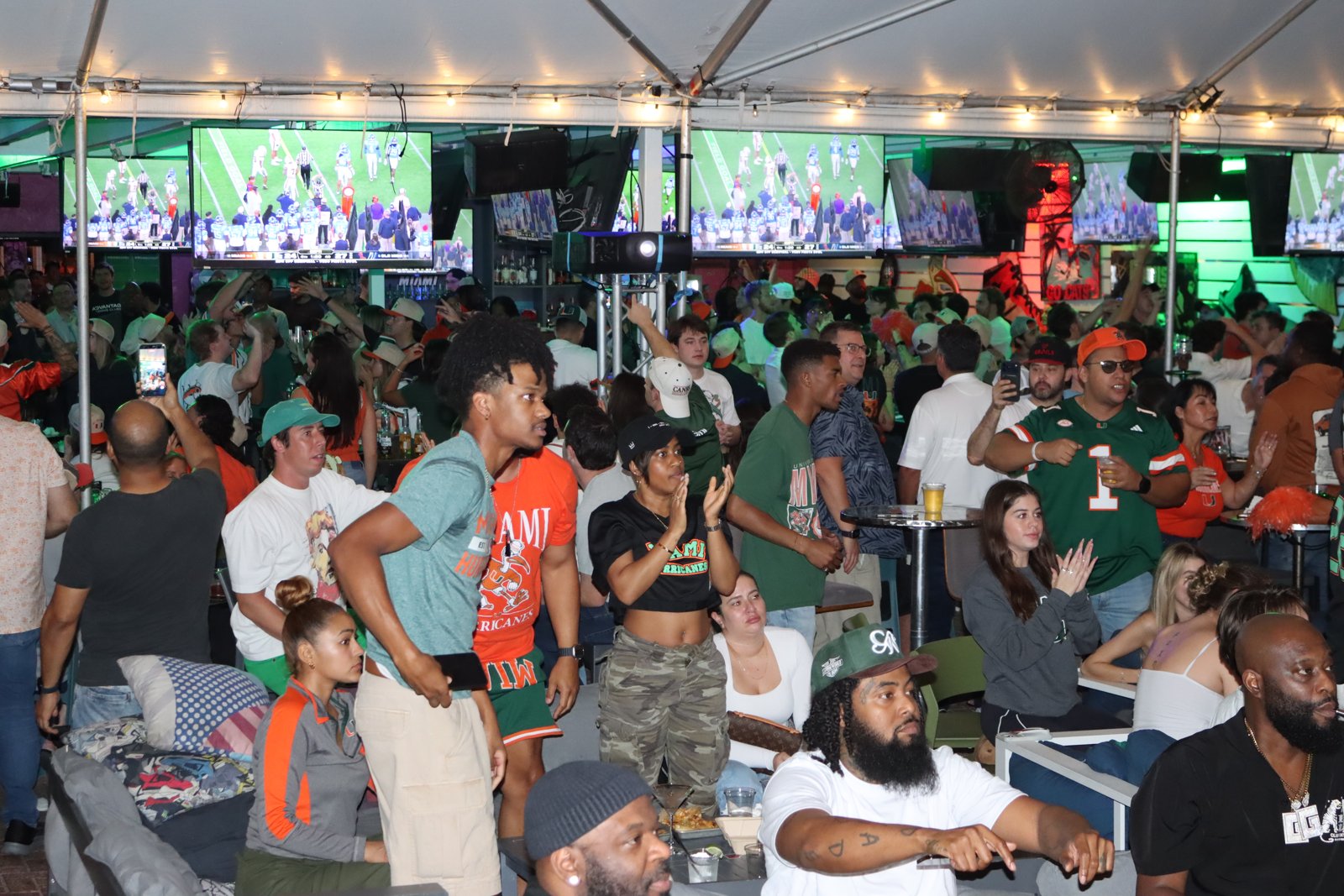
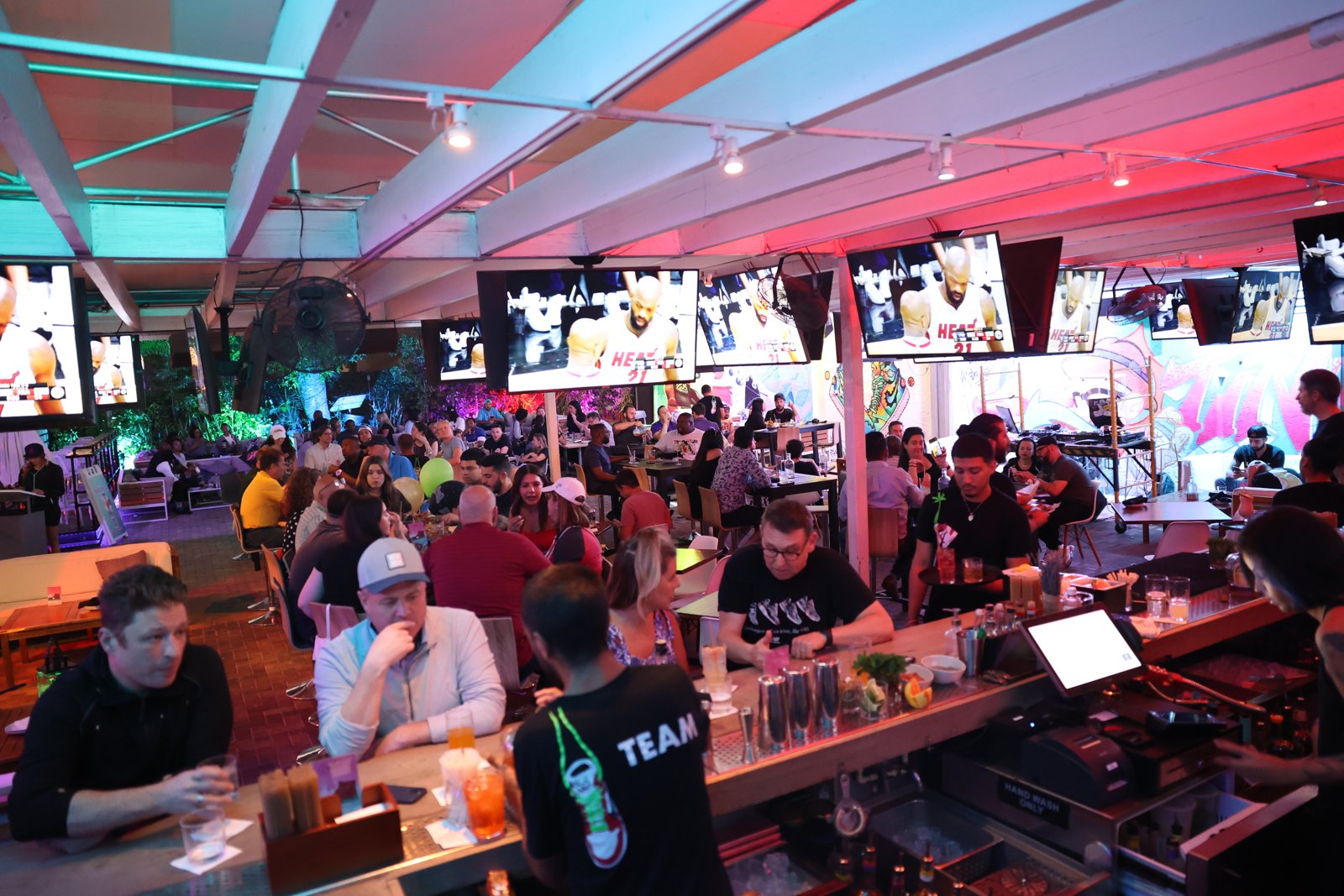
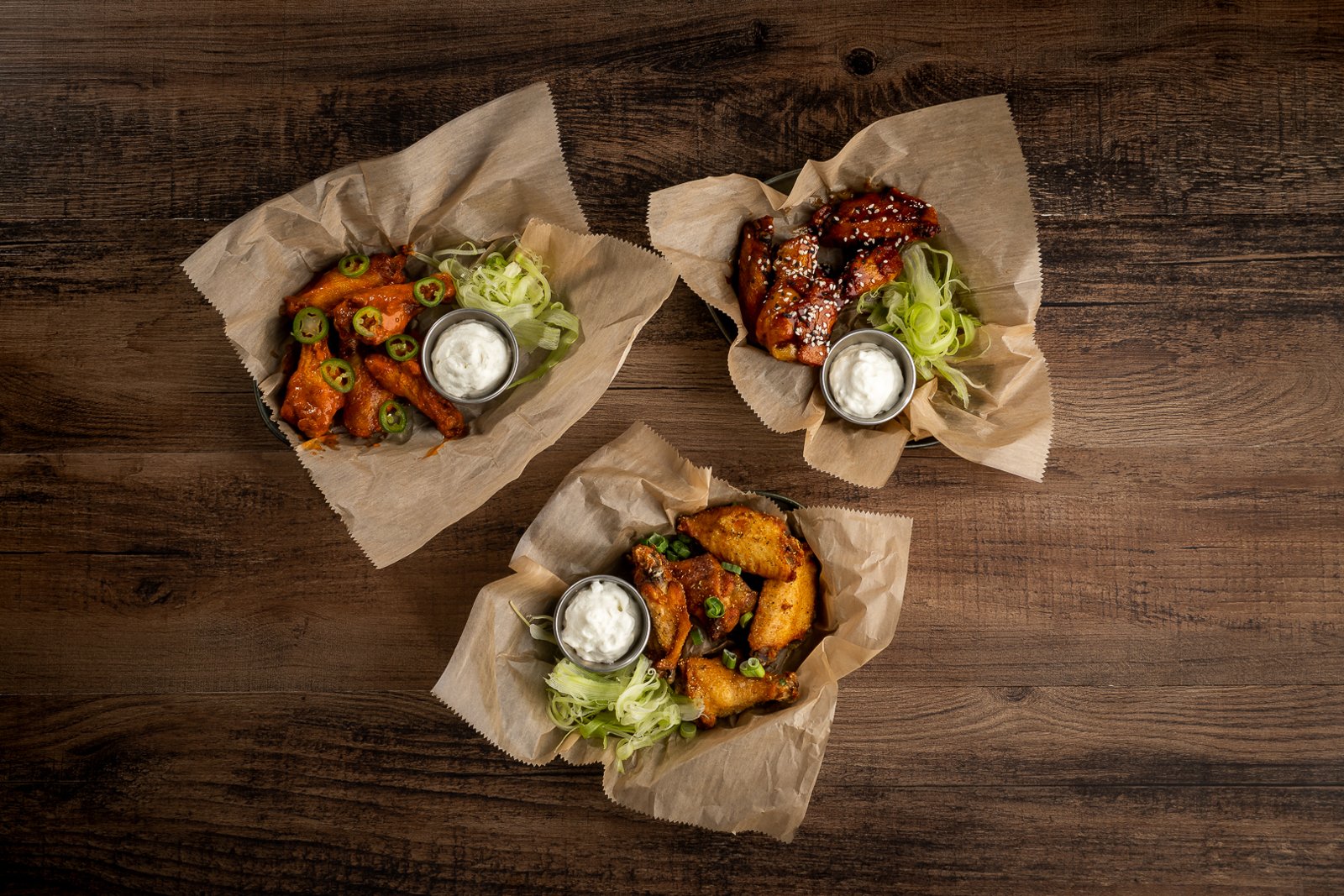
Names the dish, the crowd, the night. Knows the patio from the dining room.
One search across Drive, Dropbox, WordPress & your computer
Connect Google Drive, Dropbox, WordPress, or wherever your team keeps photos. Tagrly understands what is in every image, so you can find the exact photo you need using normal words. Nothing moves, and your folders stay exactly as they are.
Your originals never move or change. First 500 photos free, no credit card.
01
A Google Drive or Dropbox folder, top folder and every subfolder under it. Your WordPress Media Library. Or photos straight off this computer. Public folders work instantly, private ones take one click, and the folder names you already use stay searchable, so years of organizing still count.
02
Subject, setting, mood, color, objects, orientation, alt text, written down in plain words you can search. It runs on its own, in the background.

What Tagrly wrote down
Plus alt text, scene, mood and shot type, written down for every photo.
03
A word, a phrase, or half of one. The library answers with the photos that fit.
3 results for “the espresso martini pour”
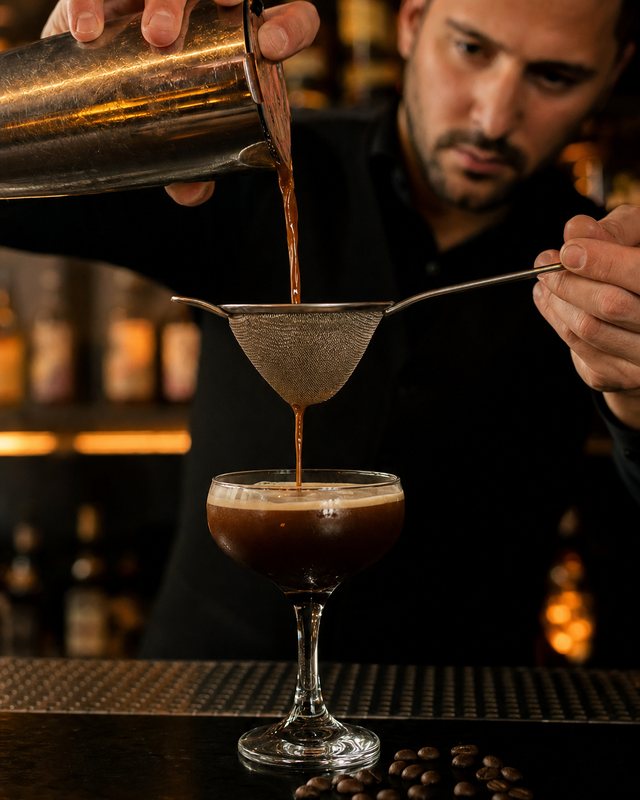 Bartender straining espresso martini through a fine mesh into a coupe glass, with coffee beans scattered on the bar.
 Espresso martini with thick crema foam and three coffee beans in a coupe glass on a dark bar counter
 Two espresso martinis with dense coffee foam and three coffee beans each, on a marble table with a lit candle and green velvet booth backdrop.
The same sentence exports as alt text.
04
Turn the shot into the crop tonight’s post needs, or the wide your website wants. Your WordPress site can pull matching photos in on its own. And when someone needs the whole set, send a searchable gallery link instead of a zip.
One photo, every use
The gallery is a private link they can search, favorite and comment on. No account, no zip file. And it all speaks API and MCP, so your site or an AI agent can pull the right photo on its own.
The analyzer reads each photo with your business in mind, so the tags are the ones you would actually search for.
Names the dish, the crowd, the night. Knows the patio from the dining room.
Knows the room, the selling features, and whether it is staged.
The lobby, the suite, the event floor, with or without people in them.
Product, colorway, and whether the crop works square or 16:9.
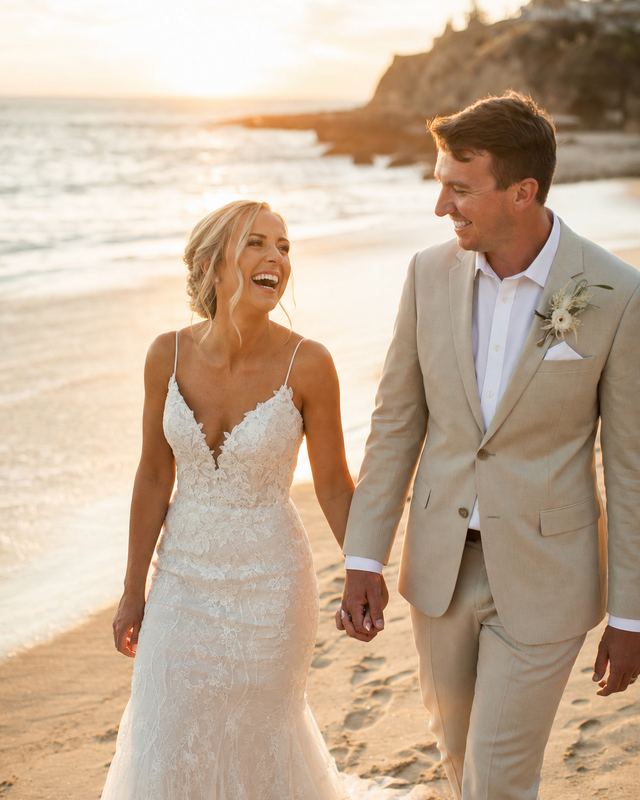
Knows the moment. Pull every first-dance shot in seconds.
A universal read: subject, scene, mood, and the details you would search for.
Years of nightlife, food, and event shoots sat across Google Drive and Dropbox. Tagrly read all of it into one searchable library.
They search in plain words, the dish, the crowd, the night, instead of scrolling folders by date.
grailsmiami.com pulls images straight from the library through the WordPress plugin. The plugin reads what the page is about and adds matching photos automatically.
Grails was voted Best Sports Bar in Miami in 2020, 2022, and 2025. The photos above are from its Tagrly library.
Three photos from the demo library, read by the same analyzer every workspace runs. Nothing below was typed by hand.
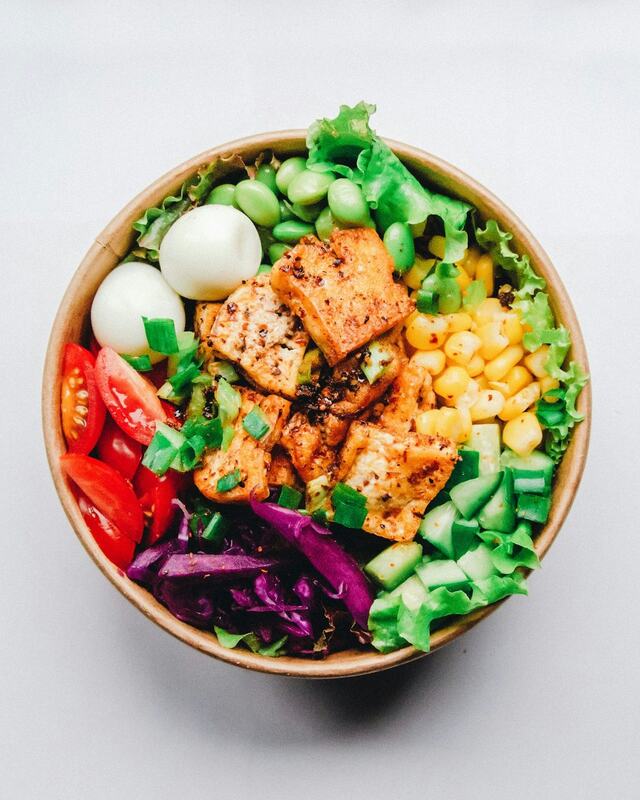
Seasoned tofu cubes centered in a colorful vegetable bowl
Alt text, ready to publishOverhead view of colorful Buddha bowl with seasoned tofu cubes, fresh vegetables, and soft-boiled eggs
36 fields on this photo. Empty ones hidden.
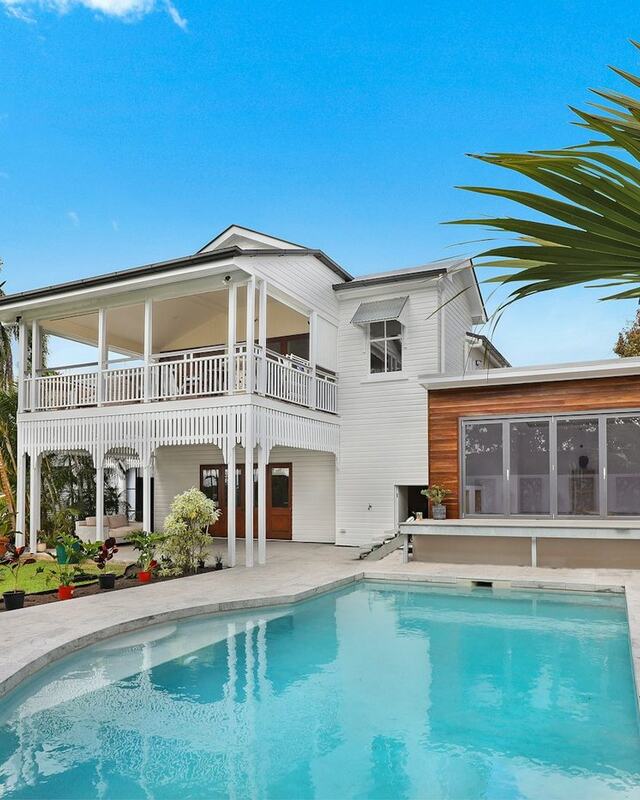
Modern elevated queenslander home with pool viewed from courtyard in clear daylight.
Alt text, ready to publishModern white queenslander-style house with upper wraparound deck overlooking sparkling pool and manicured tropical gardens under blue sky
37 fields on this photo. Empty ones hidden.
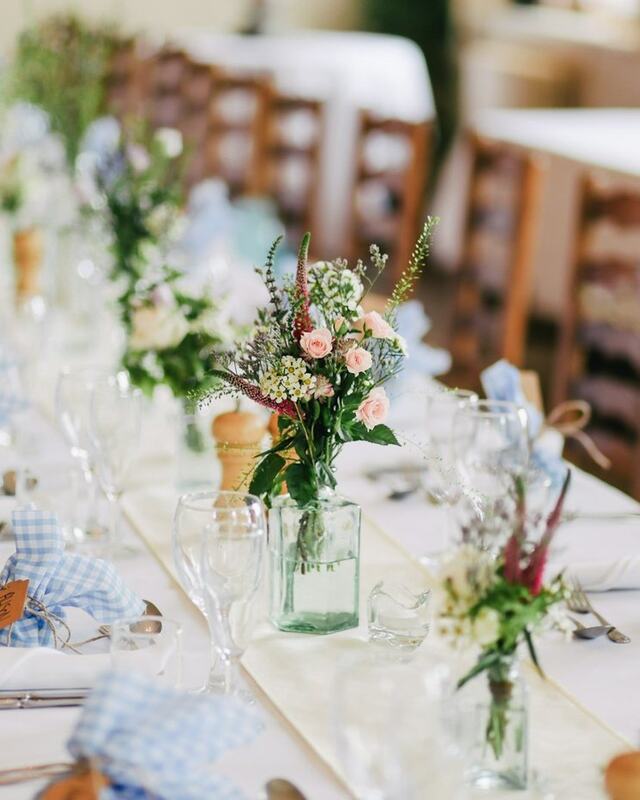
A pink and green floral centerpiece in a glass vase positioned as the focal point of a formally set wedding reception table.
Alt text, ready to publishClose-up of wedding reception table with pink and green floral centerpiece in glass vase, blue gingham napkins, and place settings
37 fields on this photo. Empty ones hidden.
Five ways to remember one photo
Every line of the record is searchable, so all five land on the same photo.
Two things to know, and that is the whole model. The photos already in your folder are a one-time job, so they have a one-time price. Your monthly plan is for what you shoot next.
$0
First 500 photos tagged, free
$19/mo
750 new photos tagged a month
Most popular
$49/mo
2,000 new photos tagged a month
$149/mo
6,500 new photos tagged a month
See what every plan includes →
Already have years of photos? Tag them once, for a one-time price.
Credits never expire, they stack, and they work on any plan including the free one. Go over your monthly plan and the extra photos simply wait their turn, so no charge ever surprises you.
For AI agents
Tagrly was built agent-first. An assistant describes the page it is building in plain English and gets back the right photographs, with alt text already written and an honest signal when your library is thin on that topic.
POST /api/page
A topic in, page-ready picks out. Layout inferred from the topic.POST /api/brief
Same engine, explicit slots. You set the counts and the must-haves.GET /api/search
Keyword search over every attribute. No model call, no cost.GET /api/image/{id}
The full analysis payload for one photo.POST /api/usage
Log what you rendered, so a fifty-post run never repeats itself.One workspace-scoped bearer token, generated in your settings. Read endpoints only: an agent can search and curate your catalog, and cannot change a file in your Drive or Dropbox.
curl https://tagrly.com/api/page \
  -H "Authorization: Bearer tagrly_pk_…" \
  -H "Content-Type: application/json" \
  -d '{"topic": "weekend brunch on the rooftop patio"}'
{
"ok": true,
"layout": "food-drink",
"slots": {
"hero": { "wanted": 1, "got": 1, "picks": [{
"hosted_url": "https://…/img/9f2c.jpg",
"alt_rewrite": "Poached eggs and greens on a rooftop table…",
"why_picked": "Overhead brunch plate, clean background, daylight",
"on_topic_score": 92, "scene": "outdoor-patio"
}] }
},
"gap_signal": { "fired": false, "shortfall_total": 0 }
}Tagrly is an AI photo tagging tool for Google Drive and Dropbox. It reads every photo in a folder you connect and writes down what is in it (focal subject, scene, mood, objects, alt text and every detail you would search for) so you can search a library of thousands by describing the shot instead of remembering a filename.
Only partly. Drive matches filenames, folder names, descriptions and text it can read inside an image, so it finds a photo only when somebody has already typed what is in it. Tagrly writes that description for every photo, which turns your Google Drive into a photo library you can search by what the picture actually shows.
Connect a Google Drive or Dropbox folder once, top folder and subfolders together. Tagrly reads every image in it and assigns the full attribute set automatically, in batches, without you selecting or uploading anything. You can search the photos it has already read while the rest are still going. A back catalog is priced as the one-time job it is: 10,000 photos for $299 in import credits, which never expire and can be bought on any plan, including the free one.
Yes, that is the point of it. Google Drive searches filenames; Tagrly searches content. Type "the mug on the wooden table" or "ceremony, golden hour" and you get the photos that actually look like that.
We never move them. Tagrly reads your folders and keeps its own hosted copy, which is what makes search results appear instantly, client galleries load anywhere, and hot-linking into your blog or CMS work. Your originals stay untouched in Google Drive or Dropbox.
Yes. Every photo gets one written alt text sentence describing the image, the same sentence Tagrly searches on, so the alt text is finished the moment the photo is tagged. Copy a whole collection out as ready to paste image tags for your blog or CMS, or pull the alt text through the API on any paid plan.
Yes. Tagrly adapts to what you shoot: a wedding photo gets the ceremony moment, a property listing gets the room type and selling features, a restaurant photo gets the dish by name, a product shot gets its style and whether it crops cleanly, and a car listing gets body style and angle.
Google Photos searches a consumer library you have to upload into. Tagrly works on the Drive or Dropbox folders your business already uses, returns structured attributes rather than a black box, lets you correct what it wrote, and turns any search into a branded gallery you can send a client.
Filter your catalog to what is relevant, generate a private link and send it. The client opens a branded gallery they can search, favorite and leave notes on, with no account and nothing to install, and they can download what they need if you leave downloads switched on.
Both. Connect either, or both at once, and everything after that is identical.
Your originals stay exactly where they are. Nothing in your Google Drive or Dropbox is ever modified, moved or renamed. Disconnect and tagging stops; remove a folder and the copies we host for it are deleted within 30 days. Cancelling a plan deletes nothing: your library stays searchable on the free tier, and only closing the account clears everything.
It depends on the size of your library, and it does not need watching: the scan runs in the background on its own. You can search what is already read while the rest is still going. Your library accumulates forever, so photos already read never get charged or processed again.
Plans are $19, $49 and $149 a month for 750, 2,000 and 6,500 new photos tagged, and unused credits roll over for a year. The library you already have is a separate one-time price, from $179 for 5,000 photos. Your first 500 photos are free on any account.
No. Your photos and their tags are never used to train any AI model, ours or anyone else's. Tagrly reads your folders read-only and never writes to them.
For most teams, yes. Instead of a filing system somebody has to maintain, Tagrly tags every photo automatically in the Google Drive or Dropbox folders you already use, and you search by what the picture shows. No migration, no enterprise contract, and you are searching the same day.
Yes. Edit the subject or the tags on any photo and your version is what search uses from then on.
JPEG, PNG, HEIC and HEIF from an iPhone, WebP and TIFF. Camera RAW is not read directly, so if you shoot RAW, point Tagrly at the JPEG exports you already make, or at the RAW and JPEG pairs most cameras write, and the JPEG carries the tags for that shot.
Yes. Invite teammates to your workspace and everyone searches the same library.
Your first hundred photos, read and searchable, free.
Rather not touch a setting? Send us the folder and we’ll set everything up for you.
Everything is read in place; nothing moves.
Google Drive
No account needed. Two steps and you will see what we can read.
2 · Press Check. It takes seconds.
Not ready? Read what Tagrly pulls out of a single photograph.
See everything Tagrly writes about one photo.
or drop it here, or
One photo, up to 8MB. JPEG, PNG, WebP, HEIC or AVIF. Start free for 100
No photo to hand? Try one of these:
Your photo is read in memory and dropped when the request ends. Nothing is stored.
Uploading your photo