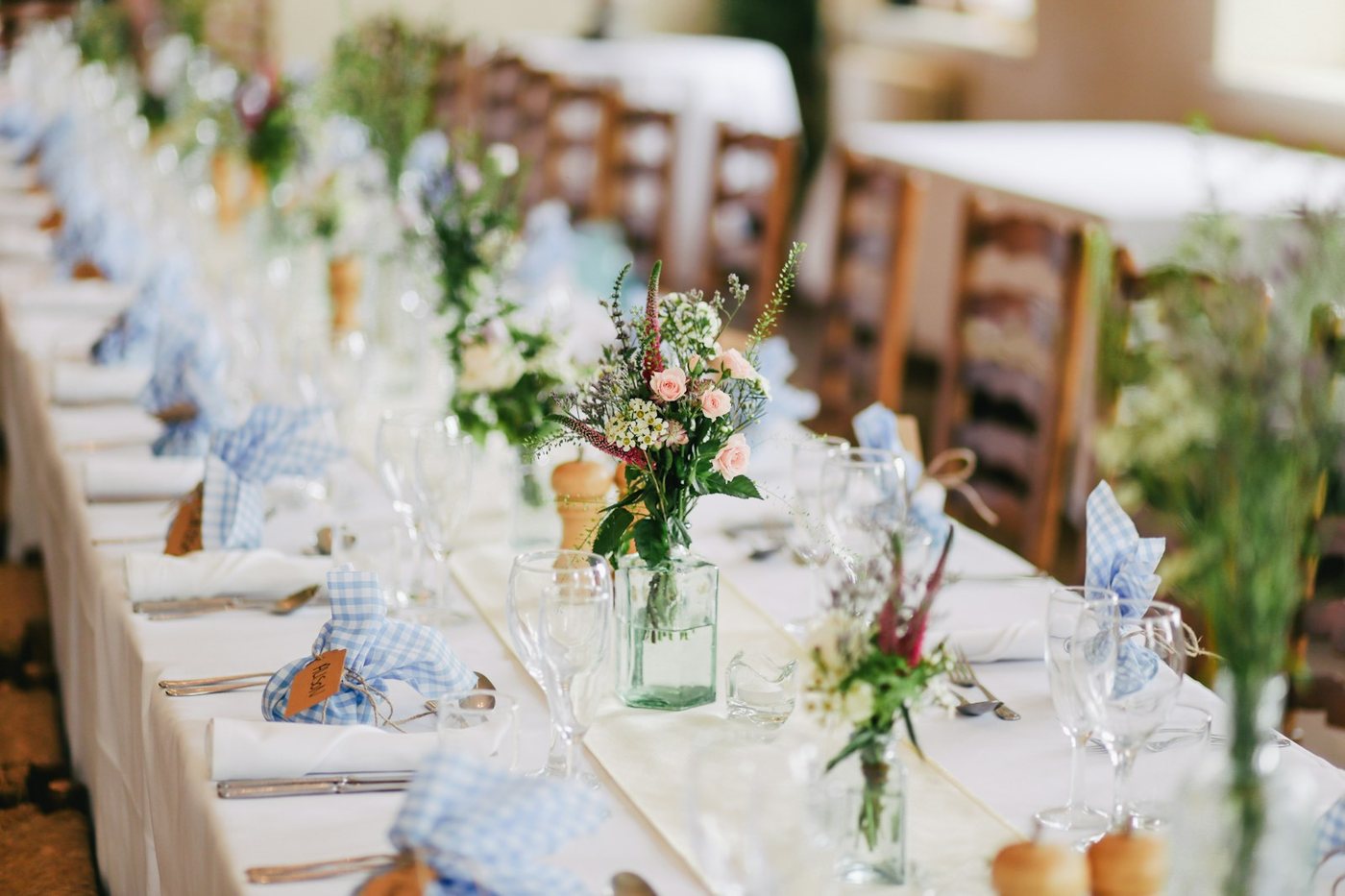
A 30-event wedding venue or a working wedding photographer is sitting on tens of thousands of photos, most of which are essentially unfindable after the wedding is over. The folder structure is "Year / Couple last name / Event date." That works the day of the event and stops working the moment somebody asks "do we have a good first-dance shot from a fall wedding for the website refresh?"
Why wedding photo archives become unsearchable
Wedding archives go unfindable because filing stops at the folder name. Every wedding venue and every wedding photographer runs the same workflow: take photos, deliver to client, file the master copy in a Drive folder, move on. The photos go into "2025 / Henderson Wedding / 2025-09-12 - Main" and then they are essentially gone until somebody needs them for marketing.
The use cases that send you back into the archive are always the same:
- The venue is refreshing the website and wants 12 hero shots that show what golden-hour ceremonies look like across the past three years.
- A vendor partner is putting together a press piece and asks for 20 shots showing florals from a specific aesthetic.
- A returning client wants their save-the-date redesigned and the venue wants to pull 8 photos from their wedding to anchor the design.
- The marketing team wants every first-dance shot from the past six months for an Instagram reel.
In every case the same thing happens. The marketing manager or the assistant opens Drive. The marketing manager or assistant starts opening folders. Forty-five minutes later they have found three out of the twelve photos they need and they are deeply tired.
The tags are what fix this. Tags do not change the photos. Tags just make the photos findable. If your problem is the photographer-side archive across many venues rather than one venue's event library, organizing a wedding photography archive covers that wider discipline.
What a wedding-vertical AI tagger writes for every photo
A wedding-vertical tagger writes three things a general tagger never will: the ceremony moment, who is in frame, and the florals and decor. A general-purpose image tagger looks at a wedding photo and emits flat labels: "people, indoor, evening, dress, smiling, flowers." A vertical-aware tagger knows it is looking at a wedding and writes its answers in the language a wedding professional would search in. The mechanics underneath are the same bulk AI photo tagging pipeline that works on any library; the wedding schema is what changes.
The three wedding-specific dimensions that turn the archive into a library:
1. Ceremony moment
The single most useful tag. Every wedding photo gets labeled with the named phase of the day:
- getting-ready
- first-look
- processional
- ceremony
- recessional
- cocktail-hour
- reception-entrance
- first-dance
- toasts
- cake-cutting
- bouquet-toss
- garter-toss
- send-off
- portraits
- detail-shot
This is what lets a venue pull "every first dance from the past two seasons" or "every send-off shot we have where sparklers are clearly visible." The folder structure could never give you this. You would have to manually keyword every photo, which nobody does.
2. Wedding party composition
For people-in-frame photos, the tagger notes which roles are present: bride, groom, wedding party, family, officiant, vendors, guests.
This is composition, not identity. The tagger is not trying to recognize specific people. It is noting that a photo is a "bride + family" frame versus a "wedding party" frame versus a "guests" candid.
The use case: a venue wants to pull 8 photos showing the wedding party for a press feature. The search is "wedding party, reception, cocktail hour" and the result is exactly those photos, across every event.
3. Florals and decor
For detail-rich photos, the tagger writes a structured list of the floral and decor elements visible in the frame. Bouquet style. Centerpiece types. Arch or chuppah or mandap or arbor identification. Dance-floor setup. Signage. Place settings.
The use case: a planner is putting together a mood board for a new couple who said "we want florals like Sarah and David's wedding." A search for "pink roses, eucalyptus, baby's breath, clear glass vase, white linens" returns the right photos in seconds. The planner curates the mood board. The couple loves it. Everyone moves on.

What the math looks like for a real wedding archive
Manual keywording never happens on a wedding archive because the math does not work, and that is the gap AI tagging closes. A working wedding venue shoots roughly 30 to 50 weddings per season. A wedding photographer shoots roughly 25 to 60. Each event produces 600 to 1,500 final selects (after the photographer culls).
A two-season archive is therefore 30,000 to 90,000 photos.
At manual keywording rates, a skilled keyworder writing IPTC-style keywords tags about 150 photos per hour at editorial depth. The math:
- 30,000 photos at 150/hour = 200 hours of keywording, $4,000 to $6,000 in keyworder time
- 90,000 photos at 150/hour = 600 hours of keywording, $12,000 to $18,000
Nobody does this. It does not happen. Wedding archives are not manually keyworded because the math is impossible.
With AI bulk tagging, the same archives run unattended in the background, no human attention required, with what is already read searchable while the rest is still going.
Per-photo cost on most modern AI tagging services lands in the half-cent to one-cent range as of writing, September 2026; check each vendor's current pricing page. At those rates the 90,000-photo archive costs $500 to $1,000 in total tagging and produces a searchable index that lasts as long as the archive does.
The comparison: AI tagging runs 30 to 60 times faster than manual keywording, costs 5 to 10 percent of the labor price, and takes no staff attention beyond connecting the folder.
How to set this up for a working venue or photographer
Setup is five steps, and none of them involve moving a photo. The shape is the same whether you are a venue with marketing staff or a solo photographer.
Step 1: pick the AI tagger that connects to where your photos live
The first decision is whether your photos already live in Google Drive, Dropbox, or your photography platform's storage. AI taggers that connect over OAuth read the photos in place; you do not have to move anything. The access grant stays under your control: you can review or revoke it any time from your Google Account's third-party access page or Dropbox's connected-apps settings.
If your photos are in Drive or Dropbox, you have many options. If your photos are inside a photo-platform's proprietary storage, you have fewer, and you should check whether the platform itself has built-in AI tagging.
Step 2: choose a tagger that supports the wedding vertical
Generic AI taggers will emit useful but generic tags ("flowers, indoor, evening"). A wedding-vertical tagger knows to emit ceremony moments, wedding-party composition, and floral details.
Tip. Ask any vendor: "Do you have a wedding-specific schema, and what fields does it include?" If they cannot list ceremony moment, wedding-party composition, and florals and decor as fields, the output will be generic and will not solve the actual search problem.
Step 3: tag your back archive in one pass
Point the tagger at your past two seasons and walk away. The scan runs unattended in the background, and what is already read is searchable while the rest is still going, so the team can start pulling photos before the back archive finishes. From this point onward, search replaces folder navigation.
Step 4: tell your team how to search
The hardest behavior change is teaching the team to search instead of click. Most marketing assistants are reflex-trained on folder navigation after years. Send them the search bar URL. Give them three real search queries that solve problems they hit weekly. After one week, the folder reflex is gone.
Step 5: turn on continuous tagging for new events
Most modern AI taggers can re-scan a folder on a schedule and tag only new photos. Connect the new-event folder once, and each new event is picked up on the next scheduled scan. No manual step.
What to actually search for after setup
For venues, the high-value search queries that pay back the entire tagging cost in the first month:
- "first dance, sunset" for marketing reels
- "bride and groom, golden hour" for the website refresh
- "ceremony, arch, white flowers" for a planner partner's mood board
- "cocktail hour, candid, guests laughing" for press releases
- "detail shot, place setting" for vendor partnership posts
For photographers, the high-value searches that change the post-shoot workflow:
- "best of the day, candid" for client previews
- "send-off, sparklers" for portfolio additions
- "every first-dance shot, past two years" for marketing materials
- "every bride getting-ready, every event" for a portfolio refresh
These are focal-subject searches: the index ranks each photo's dominant subject above its background context, so "sparklers" returns send-off shots instead of every reception frame with a candle in it. In Tagrly's own testing on a 5,000-photo set, focal-subject tagging surfaced the correct top match in roughly 9 of 10 searches.
Finding the frame is half the job for a photographer; the wedding photographer client gallery workflow covers delivering it.
Try it on your own wedding archive
If you want to see the output before committing to a paid workflow, Tagrly's homepage demo accepts a single wedding photo and returns the full output: ceremony moment, wedding-party composition, florals-and-decor identification, scene, mood, branded items, and editorial alt text. No signup. The photo is analyzed and discarded.
If you want to go further, point Tagrly at a real folder of your own: the first 500 photos in any Drive or Dropbox folder are free, no credit card. The photo library page for wedding photographers walks through the same setup for a working archive.
The folder problem stops being a folder problem the moment the index exists. Pick a tool, point it at your archive, and stop searching by clicking.
Frequently asked questions
Can AI photo tagging actually identify a first-dance shot from a ceremony shot?
Yes, when the model is vertical-aware. A general image model returns generic labels like 'people, indoor, evening, dress.' A wedding-aware analyzer returns the moment in the day: getting ready, first look, processional, ceremony, recessional, cocktail hour, reception entrance, first dance, toasts, cake cutting, bouquet toss, garter toss, send-off, portraits, or detail shot. The moment label is what lets a venue or photographer pull 'every first dance from the September wedding' as a single search instead of scrolling through a thousand photos.
Does AI tagging work on a 10,000-photo wedding archive across multiple events?
Yes. A wedding archive is exactly the use case bulk tagging is built for. The tool connects to the Drive or Dropbox folder where the events live, streams every photo through a vision model, and writes the resulting tags to a searchable index. The scan runs unattended in the background. Search across events works the same way as search within one event: typing 'first dance magnolia tree' returns first-dance photos from every wedding shot near a magnolia tree.
What does a wedding-vertical AI tagger capture that a general tagger misses?
Three categories of wedding-specific metadata. First, ceremony moment: the named phase of the wedding day from getting ready through send-off. Second, wedding party composition: bride, groom, wedding party, family, officiant, vendors, guests. Third, florals and decor: bouquet style, centerpiece elements, arch or chuppah or mandap type, dance-floor setup, signage. A general tagger would label all of these generically; a wedding-vertical tagger names them in the language a wedding professional uses to search.
Will AI tagging respect privacy for guests in wedding photos?
Yes. A well-built wedding-vertical tagger does not run facial recognition. It does not match faces to identities. It counts people in the frame and notes wedding-party roles based on attire and context (bride, groom, wedding party), but it does not identify specific named individuals. Safety flags additionally surface privacy concerns: photos with visible minors, identifiable address numbers, and similar context that a venue or photographer might want to filter before public use.
Can AI tagging handle the candid moments and not just the posed shots?
Yes, often better than a posed-shot tagger. Candid moments are where keyword search adds the most value, because candids do not get manually keyworded in practice. A vision model trained on real photos can identify the candid shot of a guest laughing during the toast, the kid running through the cocktail hour, the moment the bouquet leaves the bride's hand. Those are exactly the photos that disappear into folders and reappear two years later when someone finally remembers them. A good vertical tagger surfaces them in the first search.
Try Tagrly on your own photo library
Connect your Google Drive or Dropbox folder and Tagrly will tag every photo in bulk. Search by what is actually in the image, share specific shots with clients, and never lose a photo again.
- Free for your first 500 photos
- Read-only access, revoke anytime
- No credit card