
Your site carries 2,000 images, the files are named DSC_0481.jpg, the alt attributes are empty, and Google Images ranks almost none of them. Fixing that is what image tagging for SEO means, and most guides on it never tell you which tags Google can see.
"Image tag" means three different things
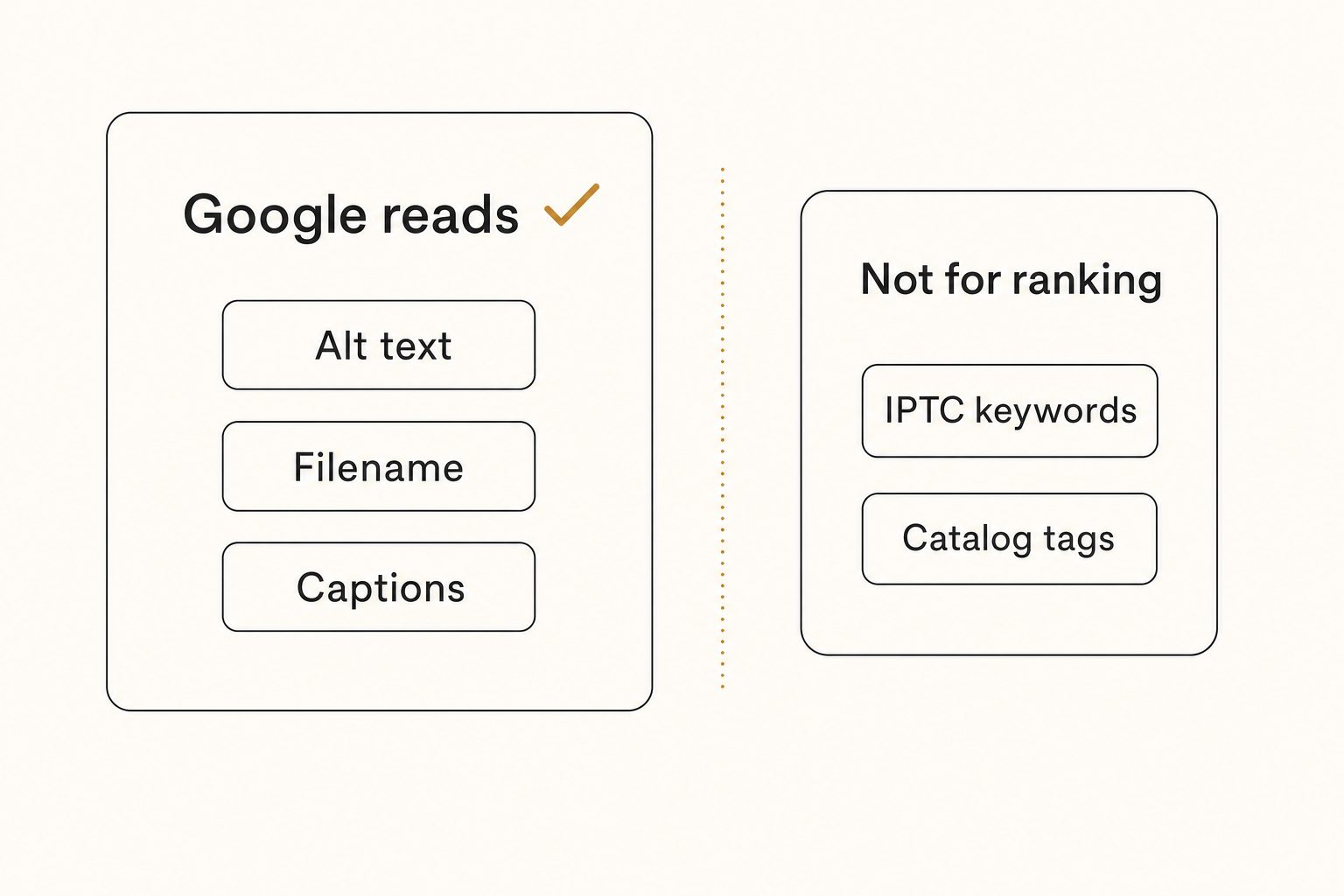
Only one of the three things people call an image tag is visible to Google: the text on the page. Most confusion about image tagging for SEO comes from one word doing three jobs.
- On-page tags. Text in your HTML: the
altattribute, the filename in the image URL, the caption, structured data. Google reads all of these. - Embedded metadata. Keywords written into the file itself, in IPTC or XMP fields. Lightroom and stock agencies search these; Google does not rank on them.
- Catalog tags. Keywords stored in a photo tool's index so your team can find shots. Invisible to Google entirely.
Blending these layers is how site owners end up keywording 2,000 files in Lightroom and wondering why search never changed. Spend your SEO effort on the first layer, and use the third to produce it faster.
The image tags Google reads
Alt text leads the list: Google's image SEO guide calls it "the most important attribute" for giving Google metadata about an image. Google also reads the photo itself with computer vision, alongside the alt text and the page around it, so your words should describe what is really in the frame.
- Alt text. The attribute most sites skip. Write one sentence describing what the photo shows, subject first: "Matte black ceramic mug on a walnut desk." It doubles as screen-reader text, and Baymard Institute found 55% of e-commerce sites fail to communicate the content of informational images through alt text.
- Filename. Google says a filename gives "very light clues about the subject matter of the image," so
black-ceramic-mug-walnut-desk.jpgbeatsIMG_2841.jpg. Set it at upload, since renaming changes the URL; our photo file naming conventions cover the pattern. - Captions and surrounding text. Google pulls subject matter from the page, "including captions and image titles," so a photo inside relevant text gets context a bare gallery grid lacks. A
titleattribute is no substitute for alt text: it shows a hover tooltip, and screen readers handle it inconsistently. - Structured data. Product, article, and recipe schema tell Google which image represents the page and can put your images in rich results, "including a prominent badge in Google Images." The schema's image property is required for that badge.
- An image sitemap. It lists images Google "might not have otherwise discovered," like photos loaded late or hidden behind galleries, and the image URLs can point at a CDN on another domain. It aids discovery rather than rank, but an image Google never finds never ranks.
- A real
<img>element. "Google doesn't index CSS images," so a photo set as a CSSbackground-imagegets none of the text above.
Note. One natural description beats five keyword variants. Alt text stuffed with synonyms reads as spam to Google and as noise to a screen-reader user. If it sounds like a search query instead of a description, rewrite it.
The tags that do nothing for your ranking
Three popular kinds of image tagging do nothing for rank, though two of them still have other jobs.
- Embedded IPTC keywords. IPTC keywords are not among the embedded fields Google extracts. Google's image metadata documentation lists Creator, Credit Line, Copyright Notice, Digital Source Type (which flags AI-generated or composite images), and licensing fields, used to show credits and a "Licensable" badge in Google Images. Keep those accurate; keywords still serve stock submission and desktop search.
- Geotagged EXIF. Writing GPS coordinates into files for "local SEO" is a persistent myth. Nothing in Google's image documentation asks for it.
- Catalog tags. Whatever your photo tool stores in its own index never renders in your HTML, so Google never sees it.
Catalog tags still earn their keep: they are how the visible text gets written at volume.
Automating image tags for SEO at volume
Volume, not the formula, is what stalls image SEO, and Google's guide says as much: "If your site has thousands of images, you might want to consider automating the naming of the images." At about a minute per photo by hand, 2,000 images means 2,000 alt texts, 2,000 filenames, and a project that dies in week two.
Past the 1,000-photo wall, typing it all yourself stops being a plan, so let an AI vision pass read each photo once and write three SEO outputs:
- Alt text. A complete sentence fit to publish, the editorial-grade alt text a page can use as written.
- A filename. A descriptive name that follows the focal subject, the single dominant element of the shot:
black-ceramic-mug-walnut-desk.jpg. - Catalog tags. Searchable labels like "ceramic mug" and "walnut desk," so the frame turns up again later.
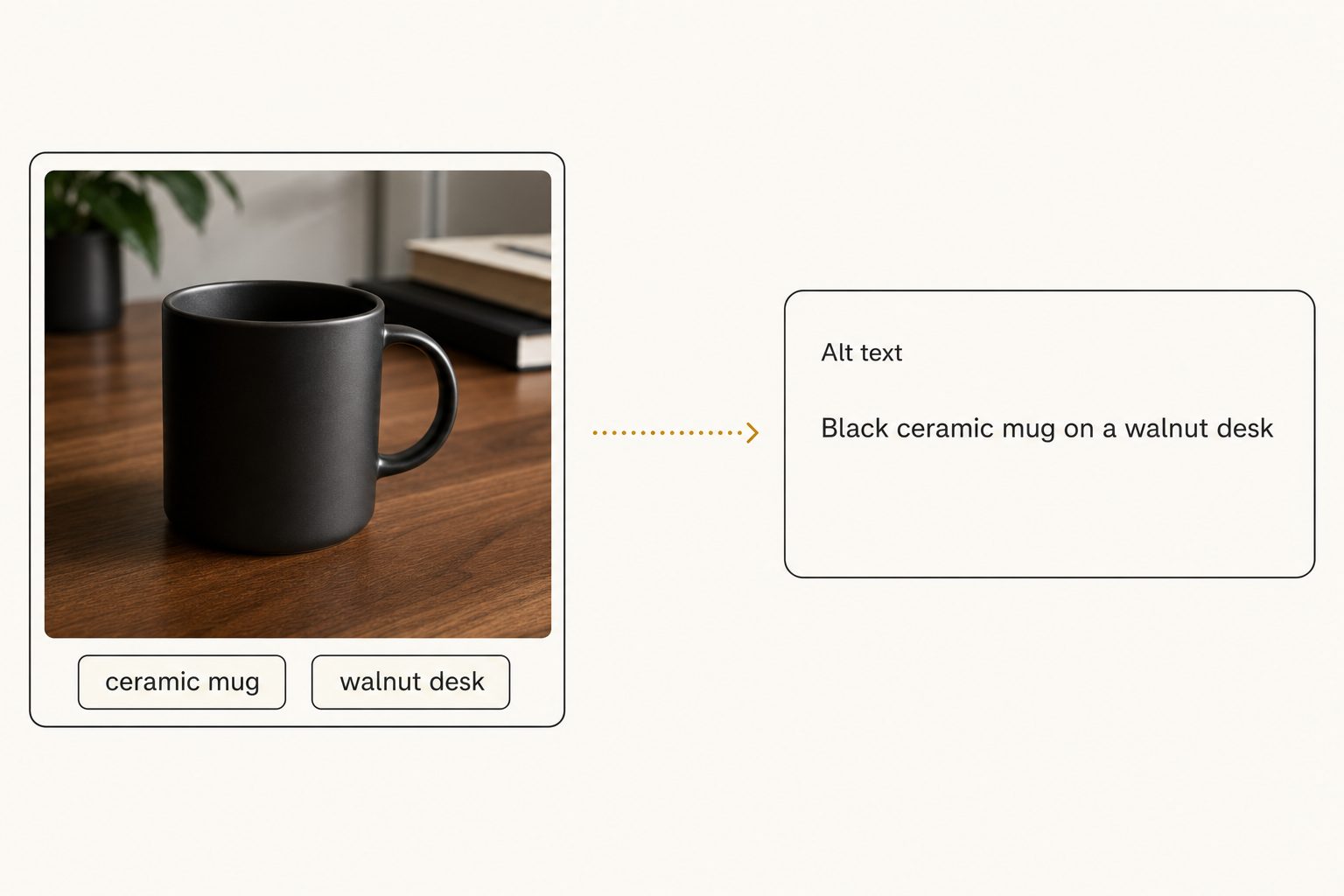
Tagrly writes all three for every photo it reads, plus a description and a focal subject. Its hosted copy of each photo carries the descriptive name plus a short ID, so similar shots never collide (black-ceramic-mug-walnut-desk-<id>.jpg), while your own Drive or Dropbox files keep their names.
The tags pay off when you go looking. In Tagrly's own testing on a 5,000-photo set, focal-subject tagging surfaced the correct top match in roughly 9 of 10 searches, against roughly 4 of 10 for the same library under a generic object detector, which is how AI photo search finds the right frame.
How to tag images for SEO at scale
Tagging images for SEO at scale comes down to two things: how many images you have, and where the originals live.
- By hand, under about 300 images. Use the sentence formula and fix filenames at upload. Our free AI alt text generator drafts a line for one photo with no sign-up, and our alt text for product images guide covers product shots.
- A CMS plugin, if photos only live in your platform. WordPress plugins and Shopify apps write alt text where the images sit. Quality varies widely, so read the output on ten of your own photos before letting one loose.
- A connected catalog, if the originals live in Drive, Dropbox, or on your computer. It reads those folders, or photos you upload, and writes alt text, a filename, and tags for every frame.
Tagrly is one example of that third path: it reads Google Drive or Dropbox with read-only access, or takes uploads from your computer, and keeps a hosted copy of each photo with its tags and alt text. The text reaches your site in one of three ways:
- WordPress. Tagrly's plugin imports a photo into the Media Library with its alt text filled in, under the hosted copy's descriptive filename. For images already in the library, its write-back button fills only empty alt fields and never overwrites alt text you wrote.
- Shopify or any other platform. Tagrly has no Shopify app, so you copy each photo's alt text from its detail panel, or a developer pulls
alt_textandsuggested_filenamethrough the API. - Hand-built pages. A collection's Export block gives ready-to-paste
<img>HTML with the alt attributes filled in, and its zip download names every file descriptively.
Tip. Judge output before you commit to any tool. Tagrly's free tier reads your first 500 photos with the same full reading every plan gets, no credit card, so you can test it on your own images and read the alt text it would hand your site.
Whichever path you pick, review the generated text on your top 20 pages by traffic yourself. A vision model can see "navy linen sofa," but it cannot know your product names.
The bottom line
Image tagging for SEO is narrower than the phrase suggests: Google reads alt text, filenames, surrounding text, structured data, and sitemaps, and nothing embedded in the file or stored in a photo tool moves rank on its own. Write one plain sentence per image and name the files like a human. Under a few hundred images, do it by hand this week. Past that, point an AI at the library and judge its output on your first 500 photos, free, before you commit.
Frequently asked questions
Do image tags help SEO?
The on-page ones do. Alt text, a descriptive filename, the caption and text around the image, structured data, and an image sitemap are the inputs Google's image guide describes, and it calls alt text the most important attribute of the set. Tags that live anywhere else do not move rank: keywords embedded in the file are not among the fields Google extracts, and tags stored in a photo tool's index never reach your HTML. The practical rule: spend your SEO effort on the text that renders on the page, and use everything else to produce that text faster.
Does Google read IPTC keywords or EXIF data embedded in image files?
Not the keywords. Google's image metadata documentation lists the embedded IPTC fields it extracts: Creator, Credit Line, Copyright Notice, Digital Source Type (which flags AI-generated or composite images), and licensing fields. Google Images uses them to show who made an image, the credit, and how it can be licensed, including a Licensable badge. IPTC keywords are not among the embedded fields Google extracts, and neither are GPS geotags. Embedded keywords still have jobs, stock agency submissions and Lightroom search, so if you keyword files for those workflows, keep doing it for those workflows.
Is alt text the same thing as an image tag?
Alt text is one specific kind of image tag: the alt attribute on the HTML img element, written as a short description of what the photo shows. Google's image guide calls it the most important attribute for describing an image, and it is also what screen readers announce to people who cannot see the photo. When SEO guides say 'tag your images,' descriptive alt text is most of what they mean. Keyword lists stored in a photo tool are also called tags, but those live in a database, not in your HTML, so Google never reads them.
Do image filenames matter for SEO?
Yes, in a small way. Google's image guide says a filename can give it 'very light clues about the subject matter of the image,' and prefers a name like my-new-black-kitten.jpg over IMG00023.JPG. A file named black-ceramic-mug-walnut-desk.jpg tells Google what the photo shows; IMG_2841.jpg tells it nothing. Set names at upload, since renaming after publication changes the URL, and translate them if you localize your images. For sites with thousands of images, Google suggests automating the naming. Filenames will not outrank good alt text and surrounding content, so treat them as an easy baseline.
How do I tag thousands of images for SEO without doing it by hand?
Use a vision model to write the text and keep a human pass for the pages that earn the most traffic. Writing it by hand runs about a minute per photo; modern AI tools read each photo once and write a publish-ready alt text sentence, a descriptive filename, and searchable tags. The options range from CMS plugins that work inside Shopify or WordPress to connected catalogs that read your photos in Google Drive or Dropbox or take uploads from your computer. Tagrly is one example: its WordPress plugin fills empty alt fields, and on other platforms you copy each photo's alt text from its detail panel or a developer pulls it through the API.
Try Tagrly on your own photo library
Connect your Google Drive or Dropbox folder and Tagrly will tag every photo in bulk. Search by what is actually in the image, share specific shots with clients, and never lose a photo again.
- Free for your first 500 photos
- Read-only access, revoke anytime
- No credit card