
Open any photo's file info panel and you'll find dozens of fields: Exposure, Creator, Keywords, Copyright, something called XMP. Most of them are empty, nobody ever explained which ones matter, and every guide on the subject reads like a standards committee wrote it.
The three photo metadata standards, in plain English
Nearly every embedded field in a photo belongs to one of three standards: EXIF is what the camera did, IPTC is what the photo is, and XMP is the box both travel in. They sound interchangeable and they are not.
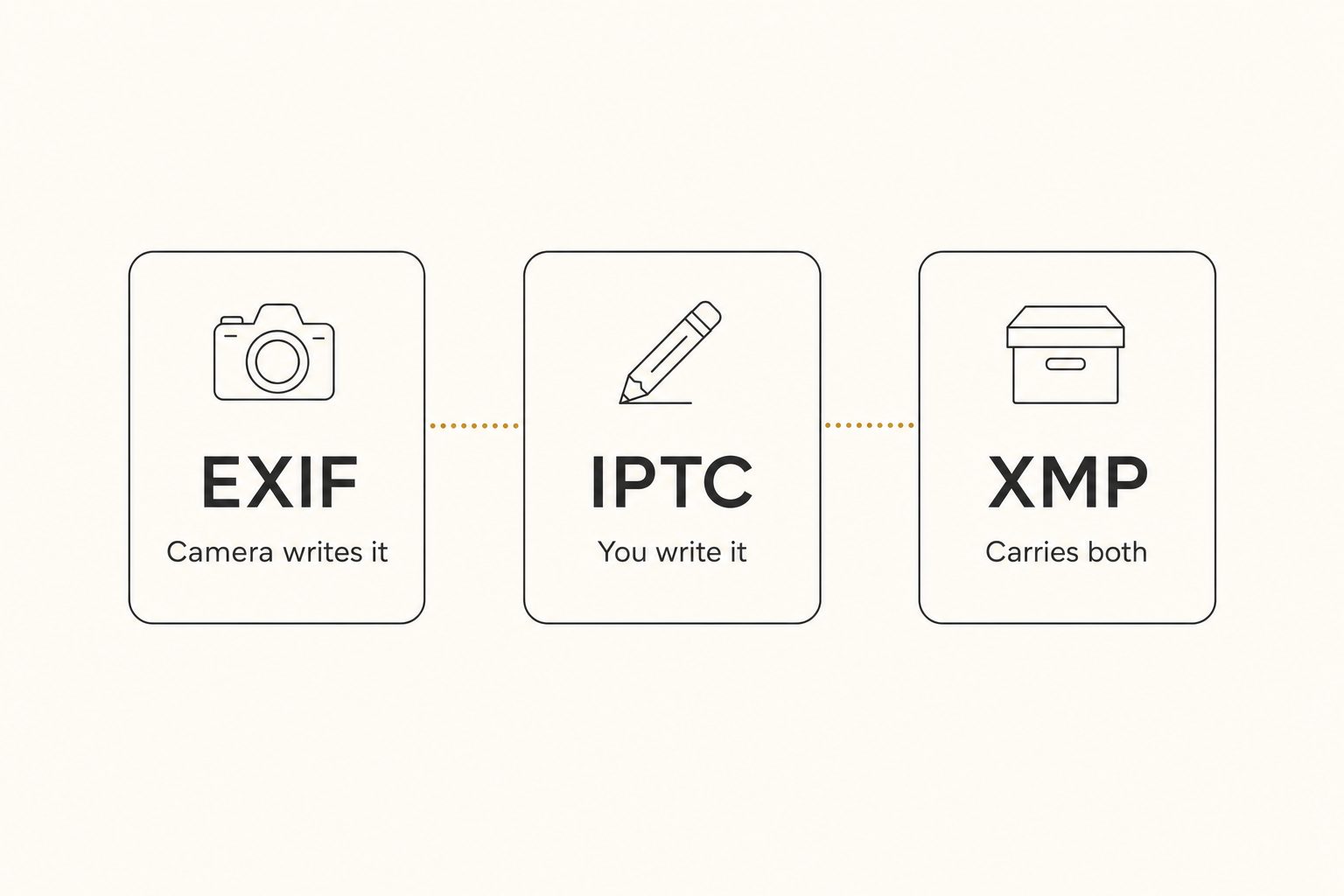
EXIF: the camera writes it
EXIF (Exchangeable Image File Format) is the technical record every digital camera and phone embeds automatically: capture date and time, camera and lens model, aperture, shutter speed, ISO, and on phones, GPS coordinates. You never fill in EXIF by hand. Its value is forensic: it answers "when was this shot, on what, and where" years after everyone has forgotten.
IPTC: a person writes it
IPTC fields come from the news industry, and the IPTC Photo Metadata Standard is still the schema Lightroom, Bridge, and stock agencies read. This is the descriptive and legal layer: caption, keywords, headline, creator name, credit line, copyright notice, usage terms. Cameras write little or none of it, so a filled-in IPTC field usually means a person, a preset, or an AI put it there.
XMP: the modern container
XMP (Extensible Metadata Platform) is Adobe's format for embedding metadata in files, an ISO standard since 2012, built to hold EXIF and IPTC values plus anything else, like edit history. It can sit inside a JPEG or in a sidecar .xmp file next to a RAW file, so a RAW photo's keywords and edits often live in that sidecar, not the RAW itself.
Where photo metadata lives, including the layer that isn't in the file
Photo metadata lives in two places: inside the file (EXIF, IPTC, XMP) and in a photo tool's own database, which is where most modern tagging ends up. Lightroom Classic's catalog, Apple Photos' library, and connected AI catalogs all keep their tags in their own index by default, not in the file.
Database tags can hold richer structure than IPTC allows, like a ranked focal subject, but they belong to the tool. They only follow the file if the tool exports them, so check the export path before you commit.
Tagrly is one example of the catalog layer:
- Where it reads. Google Drive or Dropbox with read-only access, so your files there never change, or uploads from your computer. It keeps a hosted copy of each photo with its tags and alt text.
- What it takes from the file. The camera's EXIF capture date becomes a Date taken filter in the library.
- What it writes. A focal subject, keywords, a description, and alt text, into its catalog rather than into your files.
- How the text leaves. Its WordPress plugin, its API, or a collection's Export block (ready-to-paste
<img>HTML with alt text, plus a zip download). It has no spreadsheet export.
Neither home is "correct." Embedded metadata travels with the file, indexed metadata gives a team one library to search, and our automatic photo keywords guide covers the choice in detail.
What survives export and upload
Embedded metadata survives your own storage and whatever your editor's export settings allow. It mostly disappears on social platforms.
- Your own storage keeps everything. In IPTC's last test of social sites (2019), Google Drive and Dropbox passed the original file through, so embedded EXIF, IPTC, and XMP survive.
- Editors export what you tell them to. Lightroom Classic's Include menu runs from Copyright Only up to All Metadata, with separate Remove Person Info and Remove Location Info checkboxes.
- Social platforms strip most of it. In that same test, Instagram showed no embedded metadata and offered no download, Twitter stripped it from saved files, and Facebook's saved files lost XMP and kept only a few rights fields.
- Google Images reads the ownership fields. Google's image metadata documentation lists Creator, Credit Line, Copyright Notice, and licensing fields, used to show "who the creator is, how people can use an image, and credit information." Keywords are not on that list, and Google does not guarantee any of it appears. The full signal map is in our image tagging for SEO guide.
Warning. EXIF on phone photos often includes GPS coordinates. Publish an original file shot at a client's home and you have published their address. Strip location data on export for anything public; our AI photo tagging safety guide covers the rest of the client-photo checklist.
Which photo metadata fields are worth filling in
Most of the panel can stay empty. Fill in ownership always, descriptive fields only where something reads them, and leave EXIF alone.
- Creator, credit, and copyright (IPTC), always. Set them once as an import preset in Lightroom Classic or Bridge and every new photo carries them. This is your attribution and your legal claim.
- Caption and keywords, only if something reads them. Stock agencies require them, desktop search uses them, and news wires expect them. If nothing in your workflow reads them, skip the typing.
- Alt text, embedded only if your site reads it. IPTC added an Alt Text (Accessibility) field in 2021, and WordPress 7.0 reads it at upload to fill the Media Library's alt text (photos already in the library are not backfilled). Screen readers and Google still read the alt attribute in the page's HTML, so review what lands there, and check whether your own platform reads the field at all.
- EXIF, leave alone. It is already correct, except for stripping GPS on public exports.
How to read and write photo metadata at scale
Reading photo metadata is easy at any scale; writing the descriptive layer is the bottleneck, and it is the part AI now handles. Three free ways to read it:
- File info. Every operating system shows the basic fields.
- A browser EXIF viewer. Our free EXIF viewer runs in your browser and uploads nothing. It shows camera, lens, exposure settings, capture date, and any GPS coordinates with a map link, but reads EXIF only.
- ExifTool. The free utility that reads and writes EXIF, IPTC, and XMP, including the descriptive fields the viewer skips.
Writing is harder because the descriptive layer has always needed a person. A skilled keyworder covers 100 to 200 photos per hour at editorial depth, so a library past the 1,000-photo wall costs days of typing before anyone can search it.
AI tagging closed that gap: a vision model reads each photo and writes the keywords, focal subject, description, and alt text with no one typing. In Tagrly's own testing on a 5,000-photo set, focal-subject tagging surfaced the correct top match in roughly 9 of 10 searches, against roughly 4 of 10 for the same library under a generic object detector, the ranking behind Tagrly's AI photo search.
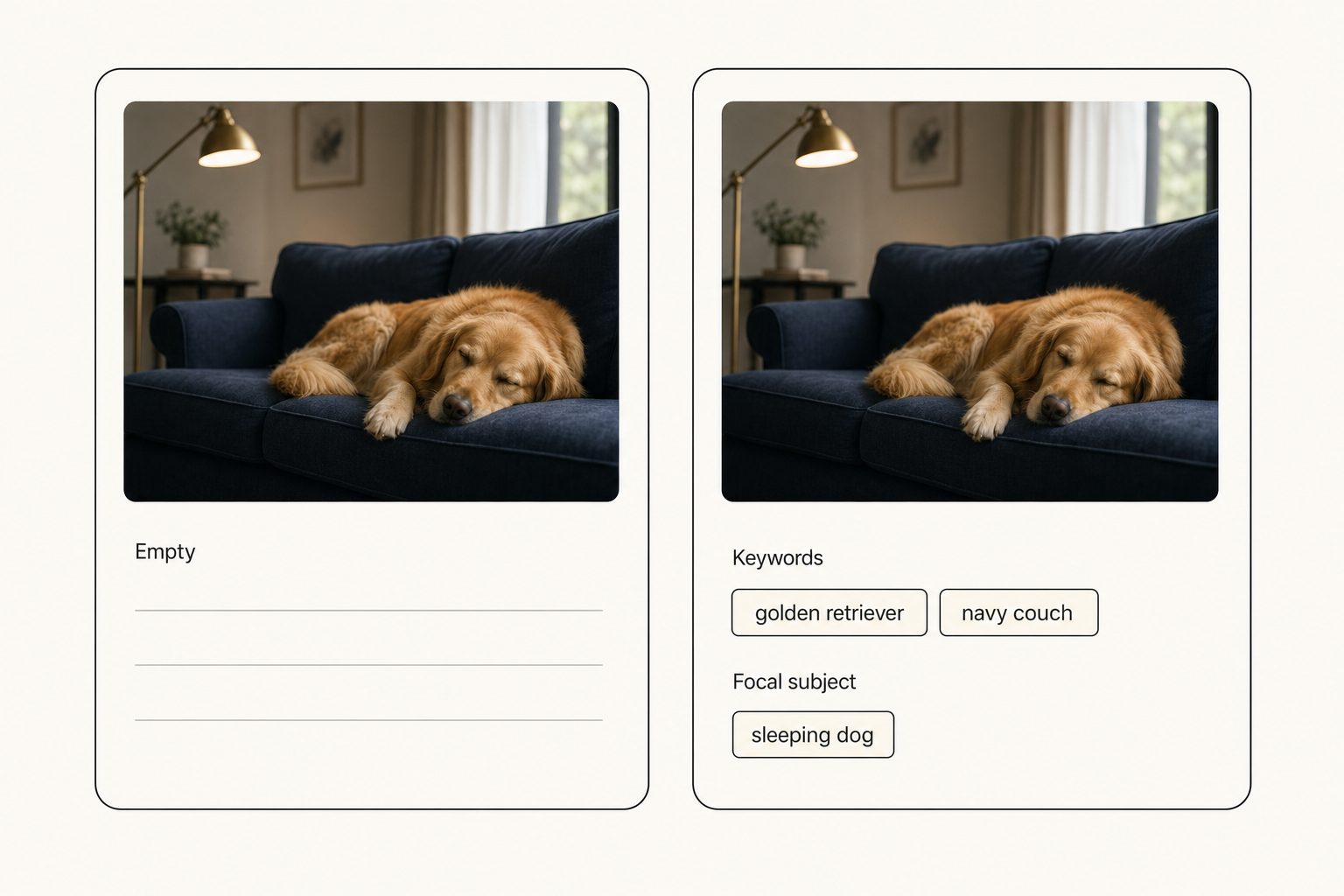
Where the AI output lands depends on the tool. Keyworders like PhotoTag.ai (a web app) and ON1 Photo Keyword AI (desktop) write into the file's IPTC or XMP fields, and our photo metadata generator comparison covers them head to head. Connected catalogs like Tagrly store it in a searchable database instead.
Tip. Pick embedded if your files must carry their own metadata to other tools (stock submission, archives, handoffs). Pick indexed if the goal is a team finding photos in a big shared library. Solo stock shooters usually want the first, often starting with the run-it-yourself embedder tier; marketing teams usually want the second.
The bottom line
Photo metadata is three standards doing three jobs: EXIF records the capture, IPTC records the meaning and the ownership, and XMP carries both through modern tools, with catalog databases as a fourth layer that makes big libraries searchable. Fill in creator and copyright once as a preset, strip GPS from anything public, and let a vision model write the descriptive layer, the part that used to cost hours per shoot. If your photos sit in Drive, Dropbox, or on your computer, Tagrly's free tier reads your first 500 photos, no credit card, enough to see machine-written descriptions on your own work.
Frequently asked questions
What is photo metadata in simple terms?
Photo metadata is text stored alongside the pixels of an image that describes the photo: when and how it was shot, who made it, what it shows, and who owns it. Some of it is written automatically by the camera (date, settings, GPS), and some of it is written by a person or a tool (caption, keywords, copyright). It is the digital version of the note on the back of a print. Metadata is what makes a photo findable and attributable later; a file with none of it is just anonymous pixels named IMG_4827.jpg.
What is the difference between EXIF, IPTC, and XMP?
EXIF is the technical record the camera writes on its own: timestamp, camera and lens model, aperture, shutter speed, ISO, and on phones, GPS coordinates. IPTC is the descriptive layer a person fills in for publishing: caption, keywords, creator name, credit line, and copyright. XMP is Adobe's container format, an ISO standard since 2012, that can hold both, either embedded in the file or as a sidecar .xmp file next to a RAW file. A useful shorthand: EXIF says what the camera did, IPTC says what the photo is and whose it is, XMP is the modern box both travel in.
Does photo metadata survive when I upload a photo to social media?
Mostly no. In IPTC's last test of social sites (2019), Instagram displayed no embedded metadata and offered no way to save the file, Twitter stripped metadata from saved files, and Facebook displayed none while its saved files lost XMP and kept only a few rights fields. Platforms change, so test your own uploads. Cloud storage behaves differently: in the same test, Google Drive and Dropbox passed the original file through, so everything embedded in it survived. Treat embedded metadata as reliable inside your own storage and archive, and unreliable anywhere a platform re-encodes the image.
Should I remove metadata from photos before publishing them?
Remove the location data, keep the ownership data. EXIF GPS coordinates on a photo taken at a client's home or your own studio are a real privacy leak if you publish the original file, so strip location on export unless the location is public and intentional. Keep creator, credit line, and copyright notice: Google recommends retaining at least those IPTC fields, notes that removing metadata may be illegal in certain jurisdictions, and can use them to show credit information in Google Images. Most editors let you choose what an export carries; Lightroom Classic has a separate Remove Location Info checkbox.
Can AI write photo metadata automatically?
The descriptive half, yes. A vision model can look at each photo and write keywords, a focal-subject label, a one-sentence description, and alt text, the part a skilled keyworder types by hand at 100 to 200 photos per hour. The technical half (EXIF) never needed a person, since the camera writes it. AI output lands in one of two places: embedded into the file's IPTC or XMP fields by keywording tools, or stored in a searchable catalog by connected tools that read Google Drive or Dropbox with read-only access or take uploads from your computer. Tagrly is the second kind, so its text reaches other tools through its WordPress plugin, API, or a collection's HTML export rather than inside the file.
Try Tagrly on your own photo library
Connect your Google Drive or Dropbox folder and Tagrly will tag every photo in bulk. Search by what is actually in the image, share specific shots with clients, and never lose a photo again.
- Free for your first 500 photos
- Read-only access, revoke anytime
- No credit card