Free AI alt text generator
Upload a photo. Get publish-ready alt text, a written description, and searchable tags, from the same AI that reads whole photo libraries. No signup.
Drop a photo here, or Add a photo to read
JPEG, PNG, WebP, or HEIC · up to 10MB
Your photo is read once and never stored.
Looking at the photo
Example · a real reading of this sample photo
<img src="your-image.jpg" alt="">
"your-image.jpg" is a placeholder: swap in the path where the image lives on your own site. We never host or keep your photo.
Something went sideways.
That's your 5 free reads for today.
They reset at midnight UTC. Or skip the daily trip entirely: Tagrly does this for every photo in your folder automatically, and your first 500 photos are free, no card needed.
Read my whole folder freeWhat a finished reading looks like
Real, unedited output on a sample photo. Yours renders the same way, in the tool above.
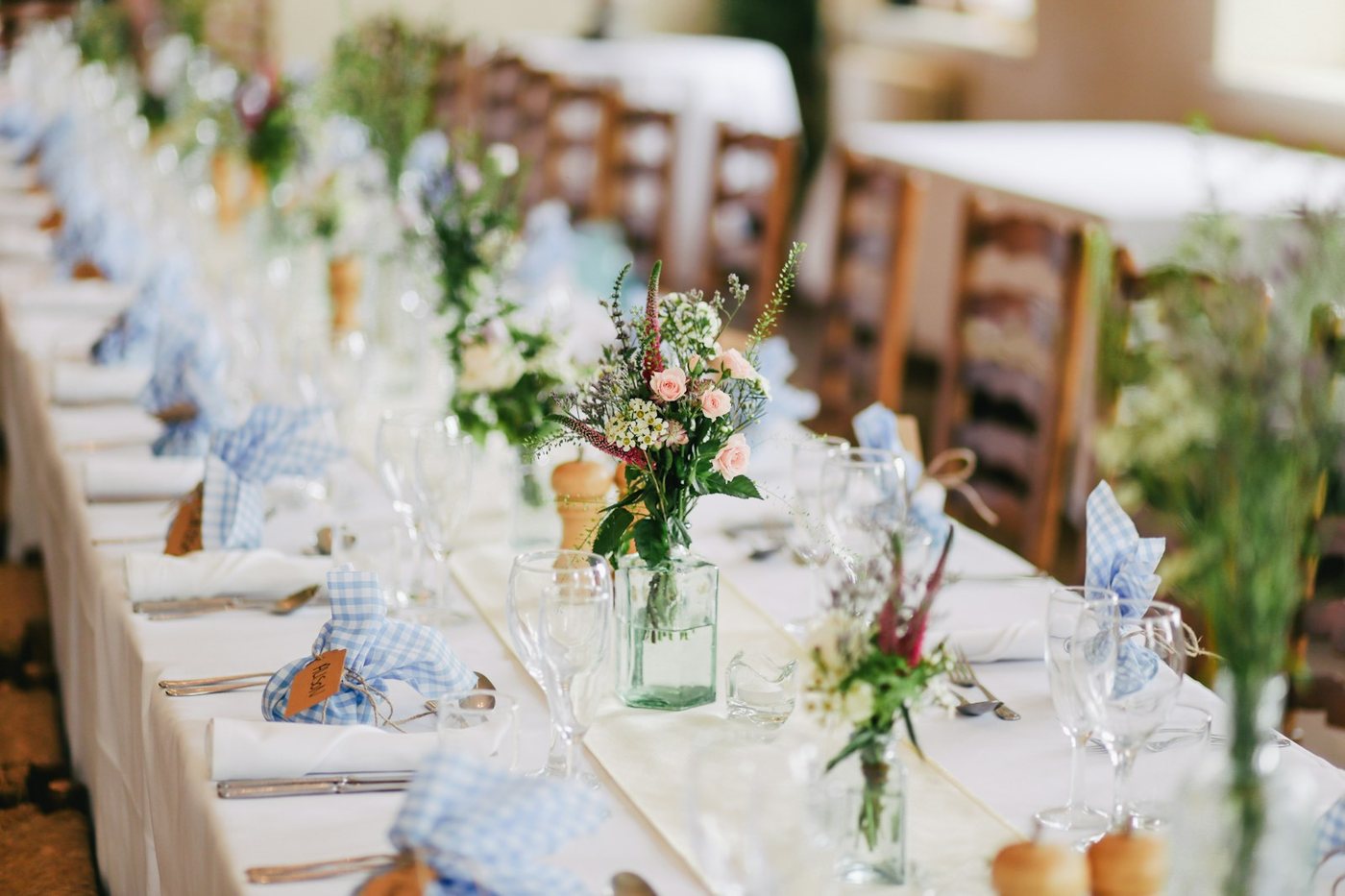
Long wedding reception table with white linens, glass jars of pink roses, and blue gingham napkins tied with name tags.
The image shows a long, elegantly set wedding reception table with a white tablecloth and a cream table runner. Small glass jars filled with delicate floral arrangements of pink roses, white wax flowers, and greenery line the center of the table at intervals. Each place setting includes folded white napkins wrapped in blue and white gingham cloth, tied with twine and paired with a small kraft paper name tag. Wine glasses, water glasses, and silverware are arranged at each setting, along with small wooden pepper grinders. Wooden ladder-back chairs are visible along the table in the blurred background, and the setting appears to be indoors with soft natural light. The foreground centerpiece is in sharp focus while the rest of the table recedes into a soft blur, creating depth.
A glass jar centerpiece with pink roses and greenery on a long banquet table.
What alt text is, and who it's for
Alt text is one string with three audiences: the browser that lost the image, the screen reader speaking to someone who cannot see it, and the search engine deciding what the photo shows.
Good alt text serves all three at once. It describes what is in the frame, plainly, the way you would describe it to someone on the phone. Nothing about that requires jargon; it requires looking at the photo and saying what matters.
How to write alt text that actually works
Four rules cover almost every case, and the counter above handles the fifth.
Describe the point, not the pixels
Say what matters about the image in its context, not every object in it.
Skip "image of" and "photo of"
Screen readers already announce it as an image; the phrase spends characters saying nothing.
Front-load the subject
"Red running shoe on a red background" beats "A background of red, upon which..."
Decorative images get empty alt
A divider flourish or background texture should carry
alt="", so screen readers skip it instead of
narrating decoration.
The convention comes from screen readers that historically cut off around 125 characters. A guideline, not a law; clarity wins over the count, and the editor above shows a live count so you can trim before you copy.
Weak vs strong, on real photos
The strong column is this page's own output, written by the same reading you get above.
| Photo | Weak | Strong |
|---|---|---|
| Wedding ceremony | "Wedding table." | "Long wedding reception table with white linens, glass jars of pink roses, and blue gingham napkins tied with name tags." |
| Plated brunch bowl | "Food in a bowl." | "Overhead view of a buddha bowl with seared tofu, edamame, corn, cherry tomatoes, red cabbage, and boiled eggs on lettuce." |
| Sneakers flat lay | "Red shoe." | "Red Nike Free RN Flyknit running shoe with a white swoosh logo, photographed on a matching red background." |
WCAG, ADA, and the European Accessibility Act
Why alt text moved from nice-to-have to a compliance line item.
WCAG
The Web Content Accessibility Guidelines require a text alternative for every meaningful image. It is the standard most laws point at.
ADA
US lawsuits routinely cite missing alt text as a barrier, and settlements keep making it a compliance line item.
European Accessibility Act
Extended similar requirements across the EU for many businesses in 2025, which moved alt text onto a lot of backlogs.
Alt text vs captions vs titles
Alt text lives in the markup and speaks for the image when the image cannot speak; it is invisible on a working page. A caption is visible text near the image, for everyone, and it can editorialize. The title attribute is a leftover most screen readers ignore. Write alt text, add a caption when readers need context, skip the title.
06 · The honest questionWhy not just paste it into a chatbot?
You can, and for one photo the result can be decent. The difference is that this tool is built for the job (the 125-character aim, publish-ready phrasing, the img tag ready to paste), and the product behind it is built for the real problem: nobody has one photo. Tagrly runs this reading on every photo in your Drive or Dropbox folder automatically, writes the alt text you never got around to, and makes the whole library searchable in plain words.
Read more in our guides to generating alt text for thousands of images and editorial-grade alt text, or see it framed for your field on our ecommerce and real estate pages. Need the whole paragraph instead of the short line? Try the free image description generator.
Fair questions.
Is this alt text generator really free?
Yes. You get 5 full reads a day with no signup and no card. The full product exists for whole folders; this page is the single-photo version of it.
Does the alt text generator store my photos?
No. Your photo is read once, in memory, and never stored. The result on your screen is the only copy of the reading.
What image formats does the alt text generator support?
JPEG, PNG, WebP, and HEIC (iPhone photos), up to 10MB. If your camera made it, it almost certainly works.
Does Google penalize AI-written alt text?
No. Google cares that alt text accurately describes the image. What gets pages in trouble is keyword-stuffed or irrelevant alt text, which is exactly what this tool avoids: it writes what is actually in the photo.
How is this different from pasting my photo into a chatbot?
For one photo, it is mostly convenience: this is built for the job, with the 125-character convention and publish-ready phrasing baked in. The real difference is scale. Tagrly runs this same reading on every photo in your folder automatically, and makes the whole library searchable.
Can it do my whole photo library?
That is exactly what Tagrly is. Connect the Google Drive or Dropbox folder your photos already live in, and every photo gets this reading: alt text, description, and searchable tags. Your first 500 photos are free.
How do I generate alt text for an image without signing up?
Right here: add the photo above and the reading starts on its own. You get 5 free reads a day, no account, no email, and the photo is never stored.
Does alt text actually help SEO?
Yes, two ways. It is one of the few signals search engines can read about what an image shows, which is how photos surface in image search, and descriptive alt text strengthens the page it sits on. It only backfires when it is stuffed with keywords that are not in the picture, which is exactly what this generator avoids.
How do I add alt text in WordPress?
Paste the sentence from above into the image block's "Alt text" field, or use the HTML snippet directly. If your photos live in a Tagrly library, our WordPress plugin inserts images with the alt text already attached.
Can AI generate alt text for many images at once?
That is the product behind this tool. Tagrly connects to the Google Drive or Dropbox folder your photos already live in and writes alt text, a description, and searchable tags for every photo automatically. Your first 500 photos are free.
How long should alt text be?
Around 125 characters is the working convention, because some screen readers historically cut off around there. The tool aims for it, and the editor shows a live count so you can trim before you copy.
This was one photo.
Tagrly reads your whole folder: alt text, descriptions, and search across everything. The first 100 photos are free. No card.