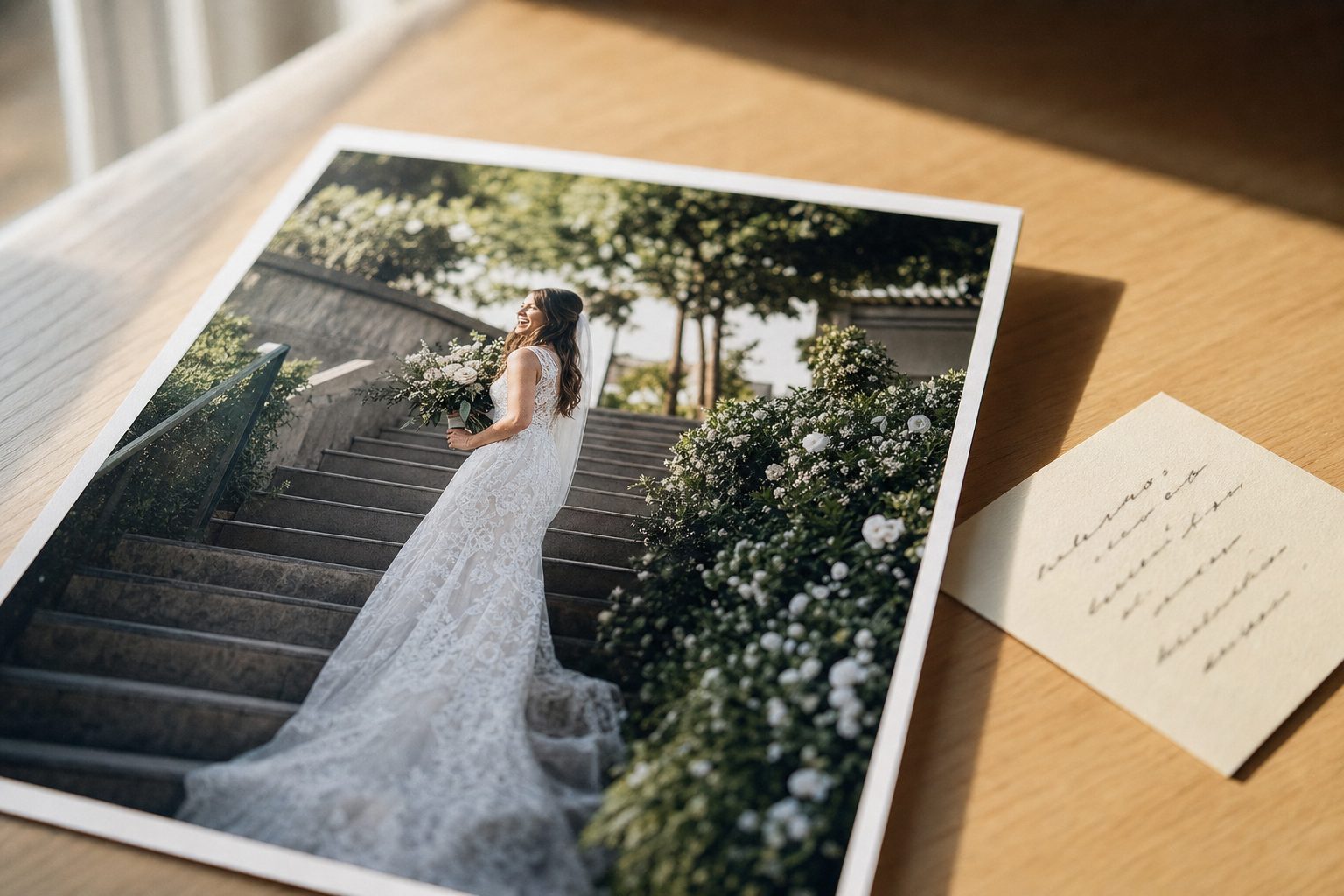
A screen-reader user lands on your portfolio page, and for the hero shot of a couple's first dance their software announces, out loud, "image of a person." That is the alt text your bulk tagging tool wrote. It filled the attribute, it passed the automated audit, and it told that visitor nothing at all. (Want to see it in action first? You can test the output yourself with the free alt text generator, free, no signup.)
What "editorial alt text" actually means
Editorial alt text is the form you could paste onto a published page without rewriting. It reads like a caption a person wrote, not a list a machine spat out.
This is one of the named frameworks from our complete guide to AI photo tagging: editorial-grade alt text is output ready for a magazine page or a portfolio, not just an internal database field. The distinction is not snobbery. It is the difference between alt text that does its job and alt text that only looks like it does.
Generic alt text comes in two flavors, both common from automated tools:
- The bare noun. "Bride." "Photo." "Image of a person." Technically present, functionally empty.
- The tag list. "wedding, bride, staircase, sunset, lace." Useful for filtering a catalog, useless read aloud.
Editorial alt text is neither. It is a single descriptive sentence, occasionally two, that a sighted reader would recognize as a fair account of the photo.
The anatomy of a strong alt-text sentence
A good alt-text sentence has four parts. Once you see them, you can write or audit alt text in seconds.
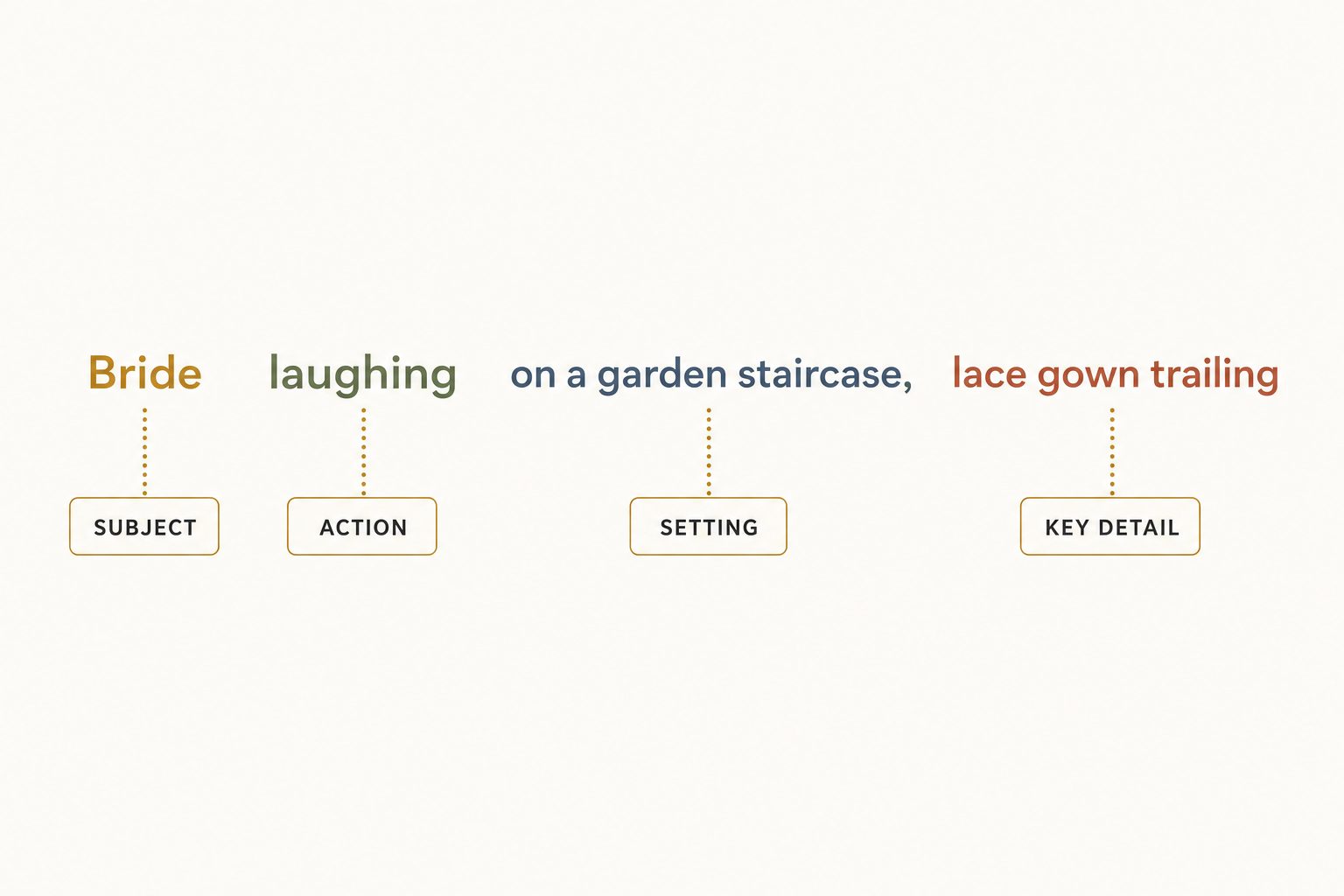
- Subject. The focal subject of the photo. Not "a person," but "a bride."
- Action. What the subject is doing. "laughing," "embracing," "stepping down."
- Setting. Where it happens. "on a sunlit garden staircase."
- The one key detail. The single specific that makes this photo this photo. "her lace gown trailing down the steps."
Put them together: "A bride laughs on a sunlit garden staircase, her lace gown trailing down the steps behind her." Subject, action, setting, detail. That sentence works for a screen reader and gives Google a clear, relevant signal at once.
Tip. Resist adding every detail. One key detail is the target, not five. Alt text that lists every object in the frame stops being a sentence and becomes a tag list again. If you are writing more than about 15 words, you are probably describing for a catalog, not a reader.
Where generic alt text fails
Generic alt text fails two audiences at once, and they happen to be the only two alt text exists to serve.
It fails accessibility
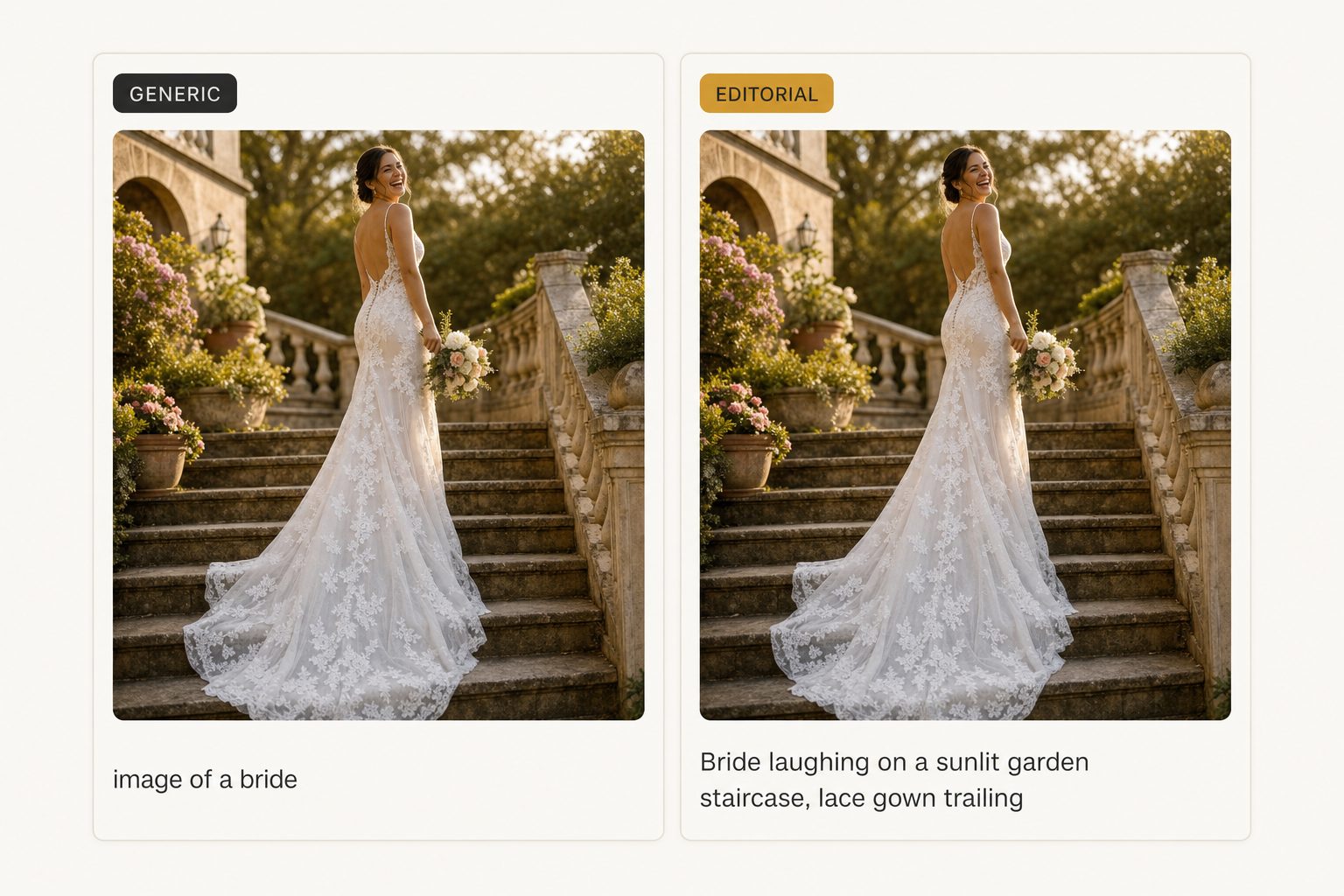
A screen reader already announces that the element is an image before it reads the alt text, so "image of a bride" says "image" twice and the useful content once. WebAIM's long-standing guidance is that good alt text presents the content and function of the image, not a label; their alternative text article is the reference most accessibility teams point to. A bare noun gives a blind user a fraction of what a sighted user gets in a glance.
The W3C maintains a short alt-text decision tree that walks you through the right call for each image, including when to leave the attribute empty.
It fails SEO
Search engines read alt text as one of the strongest signals of what an image shows. Google's image SEO guidance asks for descriptive, in-context alt text and explicitly warns against stuffing the attribute with a string of keywords. A vague noun gives the crawler nothing to rank on. A stuffed tag list can read as spam. The descriptive sentence is the form that wins image search.
One sentence serves both audiences. You do not write one alt text for screen readers and another for Google. Editorial alt text satisfies both, because both reward the same thing, a clear account of what the image shows.
When generic alt text is actually fine
Two cases call for something other than an editorial sentence: decorative images, which should get an empty alt attribute, and internal-only catalog search, which runs better on tags.
- Decorative images get an empty alt attribute. A divider line, a background texture, an ornamental flourish carries no information. The correct alt text is
alt="", which tells screen readers to skip it. A generated sentence here is noise, not help. A good bulk tool lets you mark a folder or tag as decorative so it does not invent descriptions for files that should stay silent. - Internal-only search runs on tags, not sentences. If the output never touches a public page and exists only so your team can find a photo in a catalog, short structured tags are the better tool. "outdoor, sunset, bride, staircase" finds the shot faster than prose. The mistake is shipping those tags into a live alt attribute.
Note. The deciding question is simple: will this alt text appear on a public-facing page? If yes, you want editorial-grade sentences. If it lives only in an internal catalog for your team to search, structured tags are fine and faster. Many libraries need both, on different subsets of the same photos.
How to get editorial alt text at scale
Writing one good sentence is easy. Writing fifty thousand is the problem. Three realistic paths, and the right one depends on volume.
Write it by hand
The highest quality, and it does not scale. A fluent writer manages 60 to 120 alt-text sentences per hour at editorial depth. That is fine for a 200-image portfolio and a non-starter for a 20,000-image archive. Reserve manual writing for hero images and anything where a name or brand term has to be exactly right.
Use a cheap bulk keyword tool
Low-cost tools and Lightroom plugins emit short keyword lists fast and cheap, which is genuinely useful for internal search. They are the wrong tool for public alt text, because their tag-list output means you rewrite every alt text by hand anyway. We compare this terse-tags-versus-sentences split in our guide to auto-generating alt text for thousands of images.
Use an AI vision tool that writes sentences
The only option that produces publishable alt text at volume is a vision model that returns full descriptive sentences by default, not noun lists. It reads the photo, identifies the focal subject and context, and emits a sentence shaped like the anatomy above. The quality gap between vision models on this task is real, which is why we wrote a breakdown of what Claude vision sees that object detectors miss. (If you are choosing among specific generators rather than auditing output quality, the guide to choosing an AI alt text generator surveys the four kinds of tool.)
An editorial-grade pass runs unattended in the background, producing focal-subject labels and full alt-text sentences ready to export as a CSV keyed by filename; what is already read is searchable while the rest is still going. In Tagrly's own testing on a 5,000-photo set, focal-subject tagging surfaced the correct top match in roughly 9 of 10 searches, and the alt-text sentence comes out of the same per-photo reading. A human writer at 120 sentences per hour would need multiple weeks of focused work for the same library.
Tagrly is one tool in this last category. Every photo it reads gets both an editorial-grade sentence for public alt text and structured tags that power AI photo search inside the catalog. To see what your photos would get, run a free pass on your own folder: the free tier tags the first 500 photos in any Google Drive or Dropbox folder, no credit card. Other tools connect to Drive too, so try a few and compare the actual sentences.
Pick the approach that fits
For most libraries above a few thousand images, the hybrid wins: AI sentences on everything, human edits only where a name or product must be exact. The full decision:
- Write by hand if you have fewer than a few hundred images and the brand voice has to be exact on every one.
- Use a cheap keyword tool if the alt text is for internal catalog search only and never goes on a public page.
- Use an AI vision tool that writes sentences if you have more than a few hundred public-facing images and want output you can ship without rewriting.
- Use a hybrid for almost everyone above a few thousand images: AI sentences for the whole library, then a light human edit on the small share of photos where a named person or product makes accuracy non-negotiable.
The costliest mistake is not the wrong tool. It is letting a bulk tool write "image of a person" into every alt attribute, passing the audit, and never noticing the alt text you shipped helps no one. Editorial alt text is the version that does the job, and in 2026 you can produce it at the scale of a real library.
Frequently asked questions
What is editorial alt text?
Editorial alt text is a complete descriptive sentence that names the focal subject, what it is doing, and the setting it sits in, written the way a human editor would write it. An example: 'A bride laughs on a sunlit garden staircase, her lace gown trailing down the steps behind her.' It contrasts with generic alt text, which is a short noun or a comma-strung tag list like 'image of a bride' or 'wedding, bride, stairs.' Editorial alt text is what you can publish on a public page without rewriting, because it conveys the information a sighted reader gets from the image. Generic alt text technically fills the attribute but tells a screen-reader user almost nothing and gives search engines little to index.
Why is 'image of a person' bad alt text?
It fails on two fronts. For accessibility, a screen reader announces the alt text out loud, so 'image of a person' tells a blind user there is a person and nothing else, which is no more useful than silence. Screen readers already announce that the element is an image, so the words 'image of' are wasted. For SEO, search engines read alt text as a signal of what the image shows, and a vague noun gives Google nothing to rank on. Replace it with a sentence that names the subject, the action, and the setting, and drop the 'image of' prefix entirely.
When is generic alt text actually fine?
Two cases. Decorative images that carry no information (dividers, background textures, ornamental icons) should use an empty alt attribute, alt equals quote-quote, so screen readers skip them entirely. Inventing a description for a decorative image is worse than leaving it blank. The second case is purely internal search, where short structured tags like 'outdoor, sunset, bride' help your team find a photo in a catalog and never appear on a public page. Tags are great for internal lookup and poor as public alt text. The trouble starts when a tag list gets pasted into a live alt attribute, where it reads as a robotic fragment to both screen readers and search engines.
Does Google care about the quality of alt text?
Yes. Google's own image SEO guidance asks for alt text that describes the image accurately and in context, and warns against keyword stuffing the attribute with a string of terms. Descriptive sentence-form alt text helps Google understand the image, improves the odds of ranking in image search, and gives the page more relevant context overall. Generic single-word alt text or stuffed tag lists give Google little to work with and can read as spammy. The same sentence that serves a screen-reader user also serves the search crawler, which is why editorial alt text is the form that satisfies both audiences at once.
How do I write editorial alt text at scale for thousands of images?
Three realistic paths. Write by hand, which produces the best results but caps out around 60 to 120 images per hour and does not scale past a few hundred. Use a cheap bulk tool that emits terse keyword lists, which is fast and fine for internal search but leaves you rewriting every public alt text. Or use an AI vision tool that emits full descriptive sentences, which is the only option that produces publishable alt text at volume. The practical workflow is an AI pass on the whole library to generate editorial-grade sentences, then a light human edit on the small share of images where identity or brand names matter. That replaces weeks of focused typing with a light review pass.
What is the difference between alt text and a caption?
Alt text lives in the image's alt attribute and is read aloud by screen readers or shown when the image fails to load; it should describe what the image shows for someone who cannot see it. A caption is visible body text printed near the image for everyone, and it usually adds context the image does not show on its own, like a name, a date, or a credit. The two should not duplicate each other word for word. Editorial alt text describes the visible scene; the caption can supply the facts a sighted viewer would not know from looking.
Try Tagrly on your own photo library
Connect your Google Drive or Dropbox folder and Tagrly will tag every photo in bulk. Search by what is actually in the image, share specific shots with clients, and never lose a photo again.
- Free for your first 500 photos
- Read-only access, revoke anytime
- No credit card