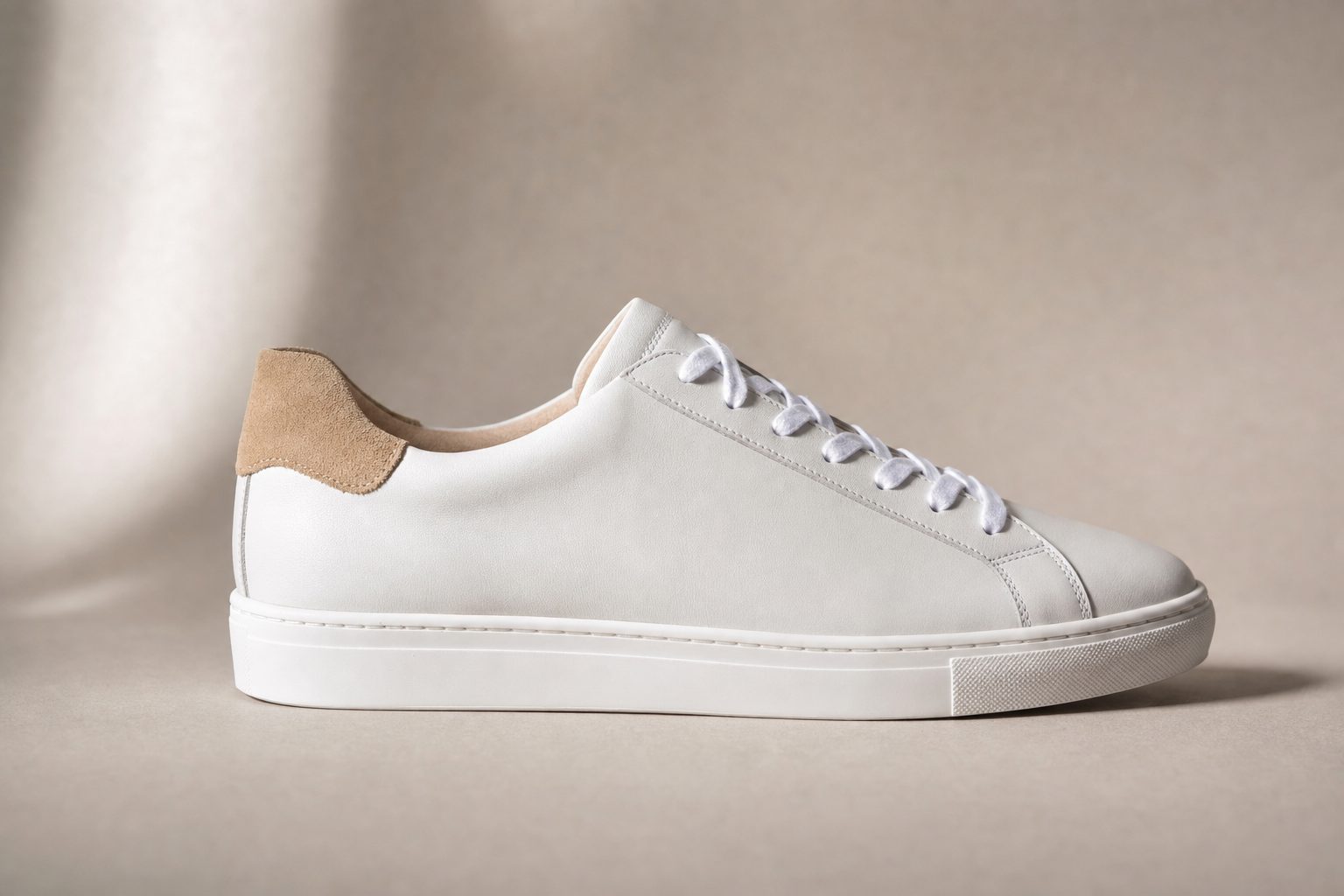
You have 8,400 product photos on a Shopify store, the alt-text field is empty on every one, and the accessibility audit lands next Friday. By hand at editorial depth that is 70 to 140 hours of focused work before review. (Want to see it in action first? You can see the per-photo output in the free alt text generator, free, no signup.)
Why manual alt text breaks above a few hundred images
Manual alt text stops scaling somewhere past a few hundred images: the hours, the inconsistency between writers, and the constant inflow of new files all grow faster than one person can type. Most teams discover the gap during a compliance audit, an SEO review, or right after a screen-reader user complains. By then the library has 5,000 to 50,000 images and the alt fields are mostly empty.
A fluent writer manages 60 to 120 alt-text sentences per hour at editorial depth, so a 10,000-image library is 80 to 170 hours of focused work. Two writers describing the same photo produce different alt text, and search engines and screen readers both punish that inconsistency. Any image added after the bulk pass starts the gap over, so a one-time push gets back to empty alt fields inside a year.
The better workflow is to point an AI service at the whole library, generate alt text in one pass, then refresh on a schedule. The harder question is which service and which output quality.
What "good" alt text looks like
There is a real quality gap between two kinds of automated alt text, and most tools sit on the wrong side of it.
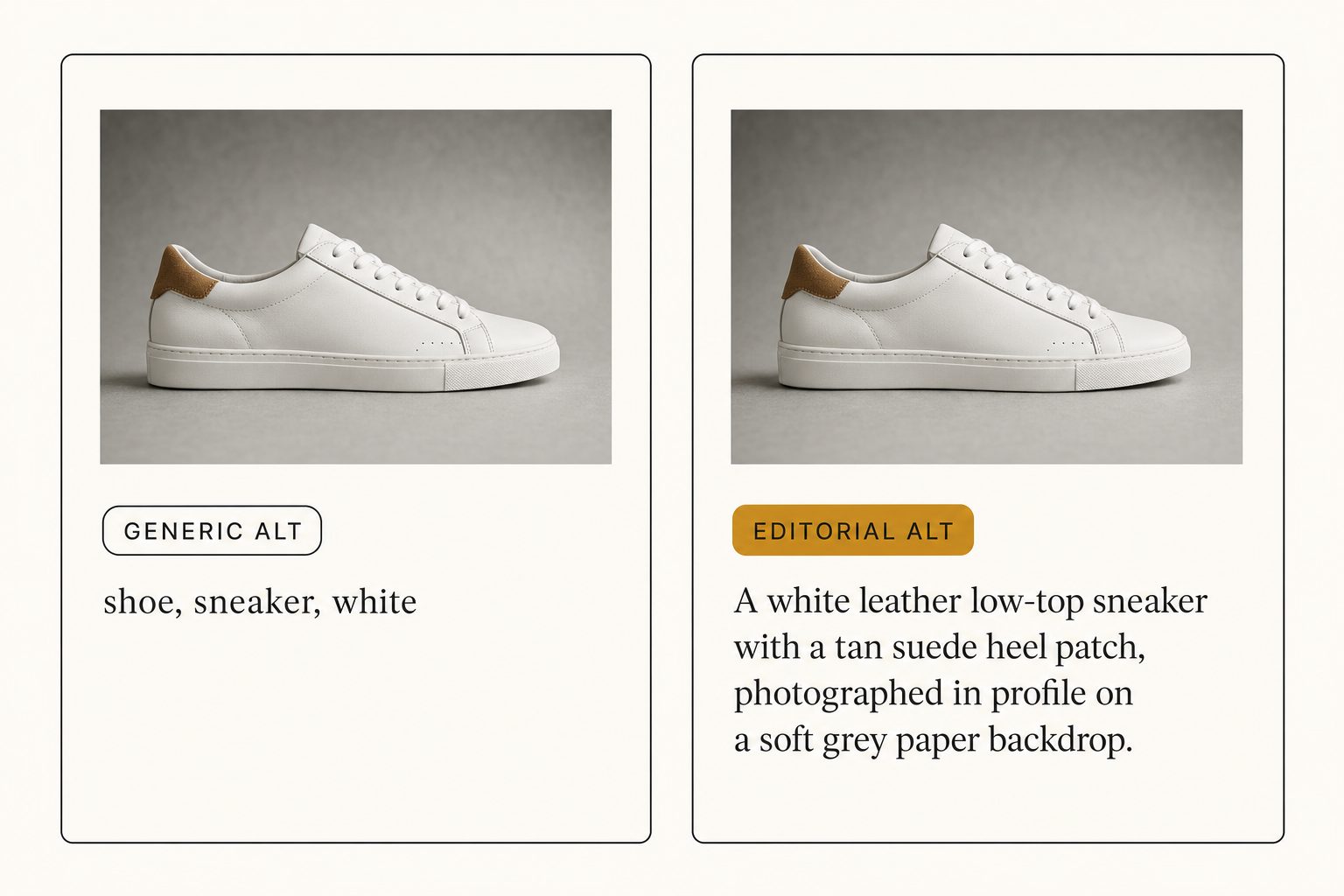
Generic alt text reads like a tag list strung together with commas. "Bride, groom, tree, sunset." Search engines tolerate it; screen readers do not. The Web Content Accessibility Guidelines ask for descriptive text that conveys the information a sighted reader gets from the image, and a comma list does not clear that bar.
Editorial-grade alt text is a complete sentence describing the focal subject and the surrounding context. Same image, different output:
| Generic alt | Editorial-grade alt |
|---|---|
| "wedding, bride, groom" | "A bride and groom embrace under a flowering magnolia tree at golden hour, surrounded by family seated on white folding chairs." |
| "food, plate, restaurant" | "A roast chicken on a hand-painted ceramic plate, garnished with pomegranate and parsley, photographed from above on a marble table." |
| "shoe, sneaker, white" | "A white leather low-top sneaker with a tan suede heel patch, photographed in profile on a soft grey paper backdrop." |
The right-hand column is what you can paste into a CMS without rewriting. The left-hand column is what most automatic tools give you, which means every alt text gets manually rewritten anyway. We compare the two output styles in depth in editorial vs. generic alt text; for the tagging method behind it, see the complete guide to AI photo tagging.
Note. Decorative images (separators, ornamental icons) should carry an empty alt attribute (
alt=""), not a generated description. A good bulk tool lets you mark a folder or a tag as decorative so it skips those files instead of inventing alt text for them.
Three ways to auto-generate alt text in bulk
Three workflows cover the whole market: a free single-image tool, a custom script against a vision API, or a bulk tagging service that connects to your storage. Which one fits depends on library size and how much engineering time you have. (If you are comparing specific vendors rather than workflow categories, our AI alt text generator guide does that survey.)
Option 1: A free single-image AI tool
A handful of free tools take one image and return an alt-text suggestion. Single-image AI services, Microsoft's image describer, and a few browser extensions live here. They are fine for under 50 images.
Above that, the upload-copy-paste cycle costs roughly 30 seconds per image, more than 8 hours of mechanical work for 1,000 images. Pick this only to evaluate output quality before committing to a paid workflow.
Option 2: A custom script against a vision API
If you have engineering time, the cheapest per-image path is a script that walks your library and sends each photo to a vision API. Three to consider:
- Google Vision API. Mature object and label detection; descriptive captioning is improving but the default reads as a tag list. See the Cloud Vision API reference.
- AWS Rekognition. Strong on object and scene detection. Descriptive captioning needs Bedrock vision models on top of Rekognition's native labels.
- Claude vision API. Output reads as full sentences by default and follows prompt instructions closely. See the Anthropic vision documentation.
Per-image cost is $0.001 to $0.01. Cheap. The price is 1 to 2 days of engineering to write the orchestration (rate limits, retries, CSV export, decorative-image handling) plus the ongoing maintenance. For one-time runs this is fine. For an ongoing workflow, a service is usually faster.
Option 3: A bulk tagging service with alt-text export
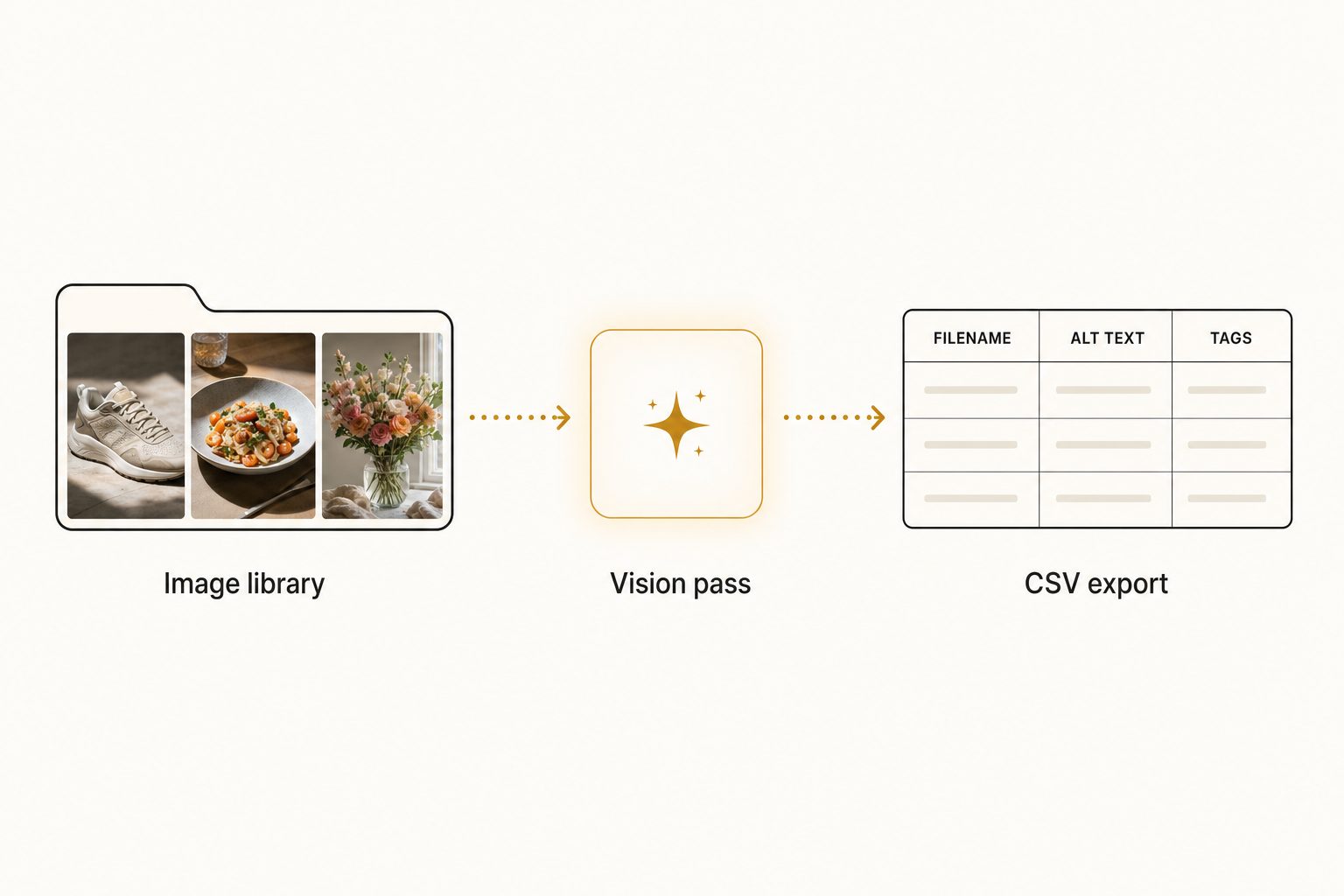
A small handful of services connect to Google Drive, Dropbox, or your CMS over OAuth, walk every image, generate one-to-two-sentence alt text in place, and export a CSV keyed by filename. This is the category that turns alt-text generation from a writing project into a review pass.
The competitive picture for bulk alt-text generation, as of writing in August 2026:
| Tool category | Bulk scan? | Editorial alt text? | Export | Best for |
|---|---|---|---|---|
| Cloud image catalog (Tagrly) | Yes (Drive, Dropbox) | Yes (every photo) | CSV, JSON | Teams; first 500 images free |
| Single-image AI service | No (single upload) | Partial | Copy-paste | Spot checks, not bulk |
| Lightroom plugin | Yes, in Lightroom | No (tag lists) | Lightroom or XMP | Solo Lightroom users |
| Desktop photo organizer | Yes, locally | No (tag lists) | Local catalog | Solo desktop |
| Enterprise asset platform | Yes | Vendor-specific | Vendor-managed | 100+ person teams |
| Custom Vision API script | If you build it | Depends on prompt | Whatever you write | Engineering-heavy teams |
Pricing varies by vendor; check each one's current page before committing.
In production use, an editorial-grade alt-text pass runs unattended in the background, producing focal-subject labels, alt-text sentences, and a CSV ready to paste into the team's CMS. In Tagrly's own testing on a 5,000-photo set, focal-subject tagging surfaced the correct top match in roughly 9 of 10 searches; the alt-text sentence comes out of the same per-photo reading. A human writer at 120 sentences per hour would have needed multiple weeks of focused work for what the AI completes in one unattended pass.
A pragmatic workflow for a real CMS
The pattern that actually ships alt text into WordPress, Shopify, or Webflow:
- Run the bulk service against the whole library. Let it run unattended; it needs no attention while it works.
- Export the CSV. Skim the first 50 rows; most issues needing a human pass surface there.
- Mark decorative images for empty alt.
- Import the CSV. WordPress accepts CSV via plugins like Media Library Assistant, or a WordPress Media Library alt-text integration can write alt text into the Media Library directly, skipping the CSV step. Shopify accepts the product CSV or the API. Webflow takes alt text via the Asset Manager API.
- Spot-check 20 to 30 images on public pages with a screen reader.
- Schedule a recurring refresh so new uploads pick up alt text on the next scan.
The bulk service replaces the multi-week manual project; the spot check replaces the consistency audit at the end.
Tip. If you want to see editorial-grade alt text on your own images before paying anyone, run a free bulk pass on the first 500 photos in a Drive or Dropbox folder, no credit card. The same workflow scales straight to 100,000 photos if it works on the first 500.
How to decide which option fits
- Pick a free single-image tool if you have fewer than 50 images and a one-time gap to close.
- Pick a custom Vision API script if you have engineering time and a library on storage the off-the-shelf tools do not connect to.
- Pick a bulk tagging service with editorial alt text if you have more than 500 images, want output you can ship straight into a CMS, and need a refresh as new images arrive.
For most teams above 500 images, option 3 pays back its first month on the very first scan. One filter settles the which-service question quickly: if your images live in Drive or Dropbox, the services that connect there directly will start faster than the ones that ask you to upload to their own storage. For more, see our Google Drive bulk tagging guide, the Dropbox bulk tagging guide, and the AI vs. manual keywording comparison.
The alt-text gap on most large libraries is a workflow problem, not a writing problem. Pick the tool that turns it into an unattended pass plus a light review, not a one-quarter typing project.
Frequently asked questions
Can AI really generate usable alt text for thousands of images?
Yes, for the majority of images, and well enough that a light human pass on the rest finishes the job in a fraction of the time of writing every alt text by hand. Modern vision models read a photo and produce a one-to-two sentence description of the focal subject and the scene, which is what the Web Content Accessibility Guidelines ask for. The tradeoff: AI does not know your private vocabulary (client names, internal product names, branded scene names), so the best workflow is AI for the base layer and a quick human edit for the 5 to 10 percent of photos where that matters. For a 10,000-image library, that replaces weeks of focused typing with a light review pass.
What is the difference between editorial-grade alt text and generic alt text?
Generic alt text is a tag list strung together with commas: 'wedding, bride, tree, sunset.' Most automated tools stop there. Editorial-grade alt text is a complete sentence describing the focal subject and surrounding context, written in the cadence a human would write: 'A bride and groom embrace under a flowering magnolia tree at golden hour, surrounded by family seated on white folding chairs.' That sentence is fit to publish on a blog post or in a press release without editing. The WCAG specification asks for descriptive text that conveys the information a sighted reader gets from the image, and only the second form meets that bar.
Will Google AI alt text or Adobe Sensei generate alt text in bulk for a Drive folder?
Not directly. Google Photos surfaces an automatic descriptive label for screen-reader users, but those labels are not exported, not visible to the file owner, and not tied to filenames you can paste into a content management system. Adobe Sensei in Lightroom Classic produces keyword suggestions per photo, but suggests short generic keywords, not descriptive alt-text sentences, and only runs on photos already imported into a Lightroom catalog. For a bulk run that exports alt text you can actually use on a website, you want a dedicated tagging service or a custom script against a vision API.
What format do I need the alt text in to paste it into WordPress, Shopify, or Webflow?
Most content management systems expect a flat list keyed by filename: one row per image, with the filename in one column and the alt text in another. Tagrly exports a CSV in exactly that shape: filename, focal subject, alt text, tags. WordPress accepts a CSV import via plugins like Media Library Assistant. Shopify accepts a CSV via its admin product CSV format or via the API. Webflow accepts alt text on the Asset Manager via the API or by editing each image card. Most services that auto-generate alt text in bulk export to CSV or JSON for exactly this reason.
How long does it take to generate alt text for 10,000 images?
The scan runs unattended in the background, and what is already read is searchable while the rest is still going. The human-time cost is the bigger gap: a person typing one alt-text sentence per image at editorial depth manages 60 to 120 images per hour, which is 80 to 170 hours of focused work on the same 10,000 images.
Is AI-generated alt text good enough for ADA or WCAG compliance?
It can be, provided the output is descriptive sentences and not concatenated tags. The Web Content Accessibility Guidelines do not require human-written alt text; they require alt text that conveys the information a sighted reader gets from the image. Editorial-grade AI alt text (one-to-two complete sentences naming the focal subject and key context) meets that bar for the vast majority of editorial and product images. Two exceptions worth a human pass: photos where the meaning depends on a person's identity (named individuals, branded products) and photos used decoratively, which should carry an empty alt attribute, not a generated description.
Try Tagrly on your own photo library
Connect your Google Drive or Dropbox folder and Tagrly will tag every photo in bulk. Search by what is actually in the image, share specific shots with clients, and never lose a photo again.
- Free for your first 500 photos
- Read-only access, revoke anytime
- No credit card