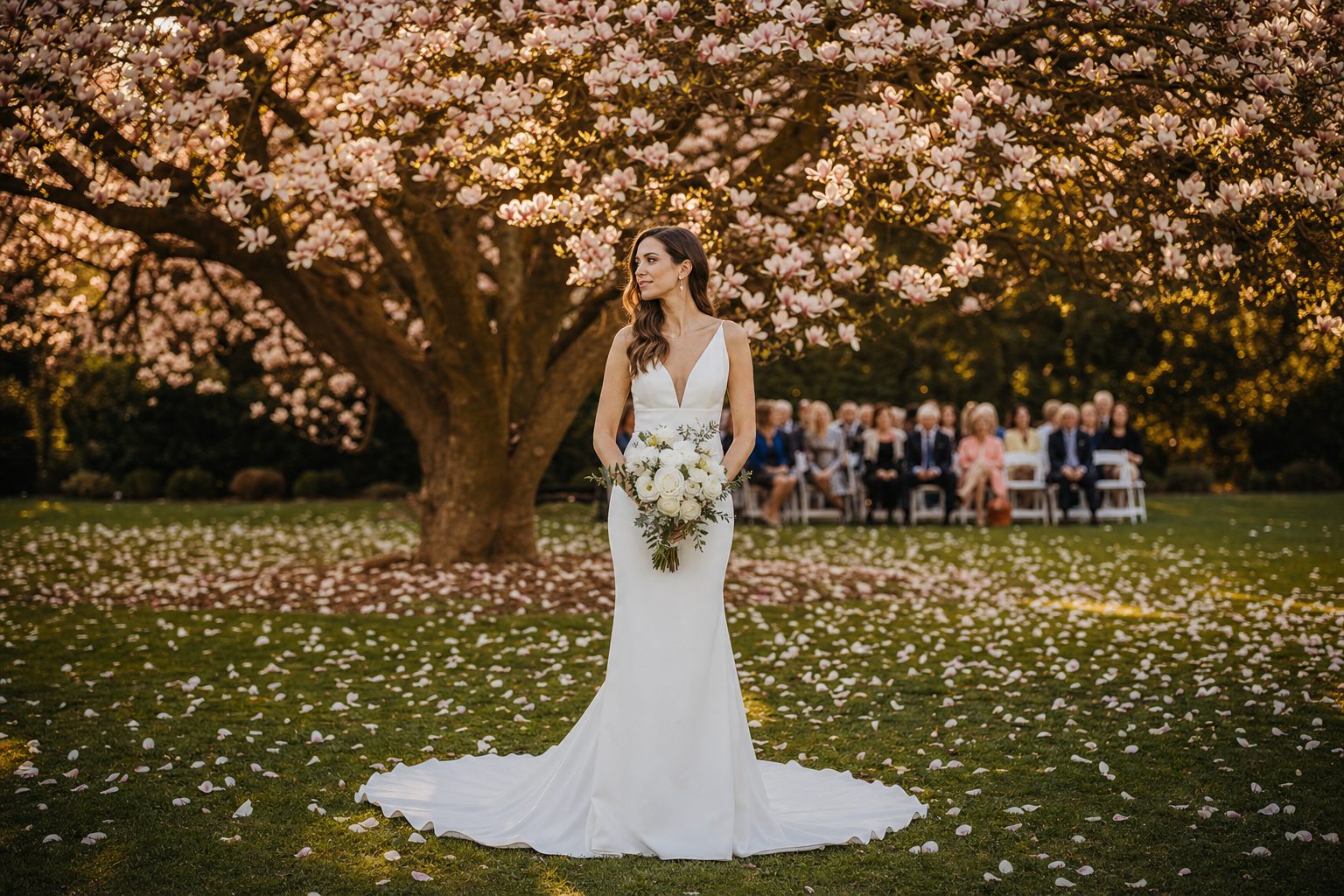
You search your catalog for "magnolia tree" and get back 240 wedding photos, because every one of them has a magnolia somewhere in the frame. The one shot you actually wanted, the bride standing under the tree at sunset, is buried on the fourth screen. Your photos are tagged. They are just not tagged in a way that search can use.
Why flat tagging breaks at scale
Flat tagging breaks at scale because every common noun matches hundreds of photos and nothing tells search which tag is the subject. A flat list treats every word as equal: a single wedding photo gets "person, dress, tree, chairs, lights, grass, sky" with no signal about which one is the point of the photo.
That works fine on 200 photos, where you remember roughly where things are. It collapses at the 1,000-photo wall, the point where most photographers and marketing teams lose the thread of their own library. Above a few thousand photos, a search for "tree" returns every photo with foliage, so the library is tagged and still unsearchable: you paid for the tags and you still scroll.
The problem is not the tags. Focal subject photo tagging keeps them and adds the one missing signal, a promoted subject label that search can rank first.
The three tiers, in order
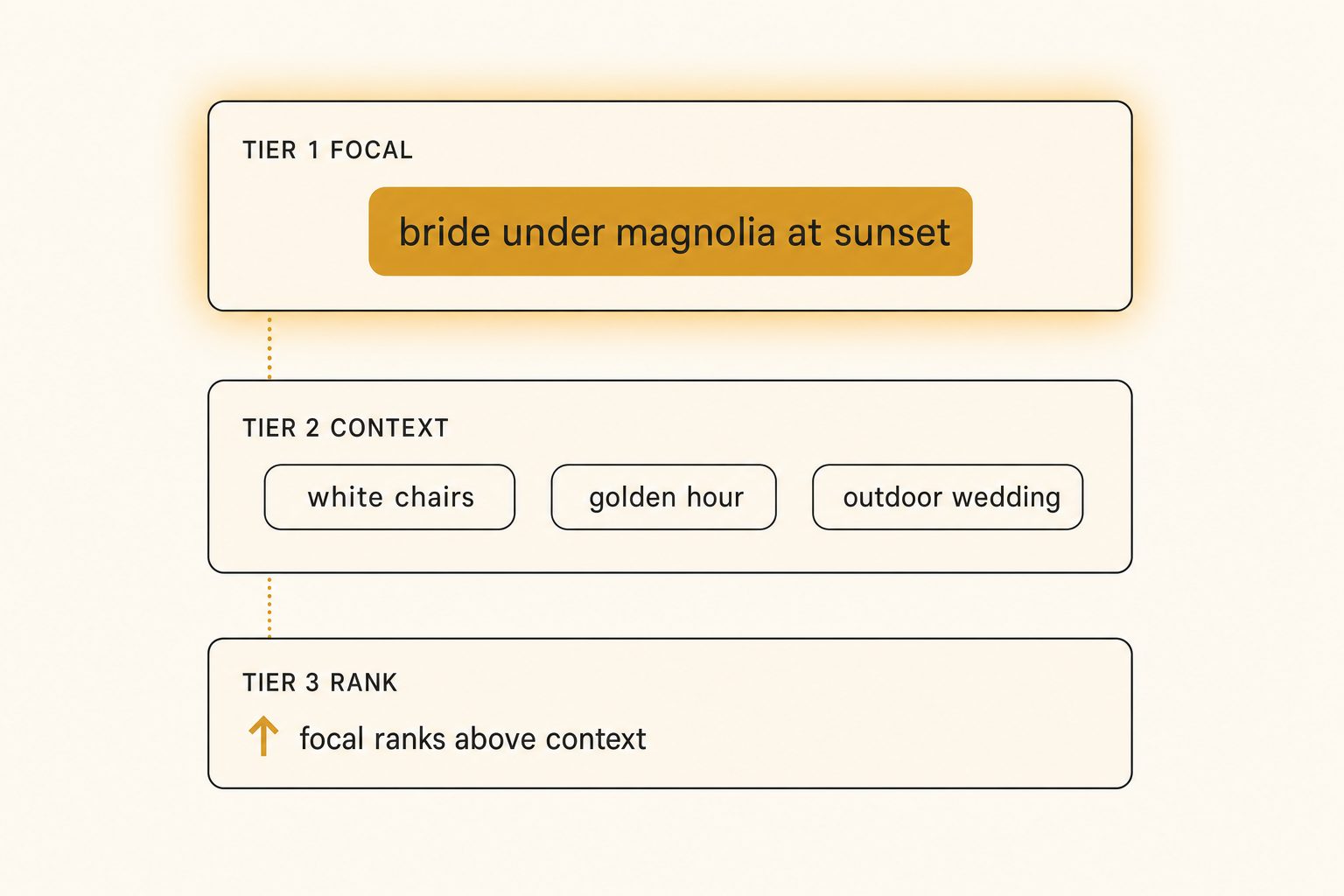
The whole method is three moves, in order: record one focal label, keep the flat keyword list as context, and weight the focal label above context in the search index.
Tier 1: focal first
Identify the single dominant element of the scene and record it as one focal label. Not the most common object, the most important one. For a first-dance shot that is "bride and groom mid first-dance", not "people" and not "dance floor".
The discipline is one photo, one focal label. If you find yourself writing two, the photo probably has a clear subject and a near-subject, and you should pick the one a person searching would name. The focal label is a short phrase, three to six words, that answers "what is this a photo of?"
Tier 2: context second
Now tag everything else as supporting context. "White folding chairs", "family seated", "golden hour", "outdoor wedding". This is the flat keyword list you would have written anyway, and it is genuinely useful. It is just not the subject.
Context tags make filtering work. They let you narrow "all outdoor weddings" or "every golden-hour shot" without pretending any one of them is what the photo is about. Keep them; just do not let them outrank the subject.
Tier 3: rank focal above context
This is the tier almost every tool skips, and it is the one that makes the method work. In the search index, weight the focal label higher than the context tags. A query for "magnolia tree" then surfaces photos whose focal subject is the magnolia tree before photos that merely list it as background context.
Without this ranking step, tiers one and two are just a slightly nicer flat list. With it, search distinguishes a photo of a thing from a photo containing a thing.
The payoff is measurable. In Tagrly's own testing on a 5,000-photo set, focal-subject tagging surfaced the correct top match in roughly 9 of 10 searches, against roughly 4 of 10 for a flat list from a generic detector; the hand-scoring behind those figures is in how accurate AI photo tagging is. The same focal-above-context rule is what AI photo search ranks on across Drive and Dropbox.
Tip. When you evaluate any tagging tool, ask it to tag five of your own photos and look at the first tag it returns. If the first tag is the focal subject, the tool thinks in tiers. If the first tag is a generic noun like "person" or "indoor", it is giving you a flat list and you will be fighting its search forever.
What focal-subject output looks like
Focal-subject output adds one promoted subject line above the flat keyword list, and that one line is the difference search can use. Here is the same wedding photo tagged both ways, so the difference is concrete rather than abstract.
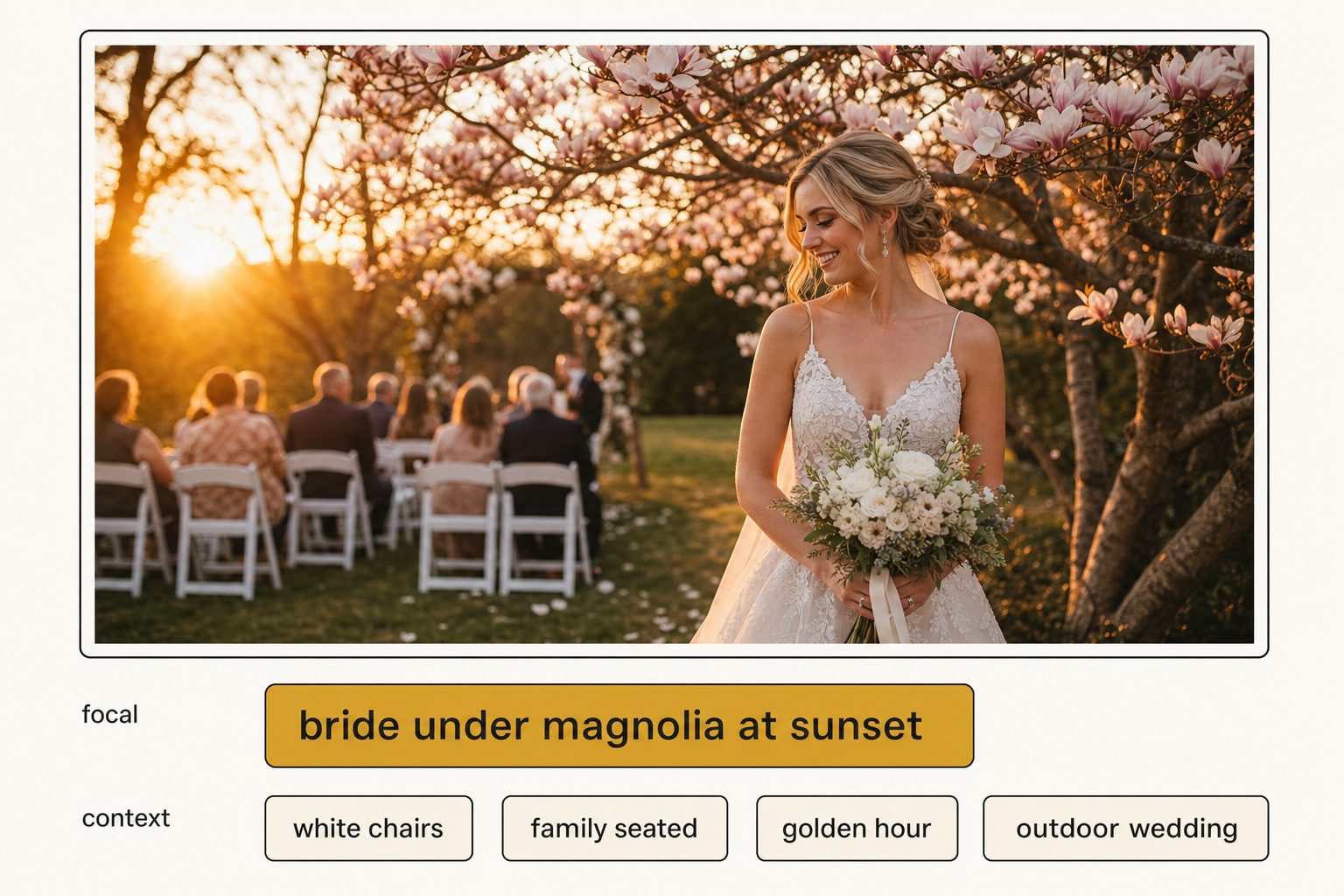
Flat tagging gives you this:
tags: person, dress, tree, chairs, family, sunset, grass, lights
Focal-subject tagging gives you this:
focal:   bride under magnolia tree at sunset
context: white folding chairs, family seated, golden hour,
         outdoor wedding, string lights
The focal line is also the seed of strong alt text. "Bride under magnolia tree at sunset" expands naturally into the editorial-grade sentence "A bride stands under a flowering magnolia tree at golden hour, family seated on white folding chairs behind her." That is the link between this method and editorial-grade alt text: the focal label leads, the context fills in, and you get a publishable sentence instead of a comma list.
That subject-first shape is exactly what the W3C's alt-text guidance asks for, and what Google's image SEO documentation rewards over a stuffed string of keywords.
Why a description-first vision model does this naturally
Description-first vision models name the dominant subject of a photo directly, which is tier one done for you. You can apply the focal-subject method by hand, and for a few hundred hero images that is worth doing, but at library scale you need a model that returns the focal subject on its own.
Object detectors cannot. They emit a flat list of every noun they recognize, with confidence scores that rank by detection certainty, not by importance. A clear shot of a sneaker against a busy desk might rank "desk" above "sneaker" because there is more desk in the frame. To fake a focal label from a detector you have to post-process the list with heuristics, and the heuristics break on exactly the ambiguous photos where you needed help.
Description-first models read the photo and describe it, which maps onto tier one with no post-processing. The canonical example prompt in Anthropic's vision documentation is "Describe this image", a request for a description with a subject, not an object inventory. That is the gap we cover in what Claude vision sees that other models miss: the model returns "bride and groom mid first-dance" where a detector returns "person, person, floor, lights". A focal-subject pass runs unattended in the background, emitting one focal label plus context tags per photo, and what is already read is searchable while the rest is still going.
Note. Focal-subject tagging is a method, not a product. Any tool that returns a promoted subject label and ranks it above context tags is doing it. The reason we name the framework is that most tools do not, and naming it gives you a precise question to ask a vendor: "Do you rank a focal subject above context tags, or is every tag equal?"
Where the method needs a human
Three kinds of photos need a person to check the focal label; the rest of the library the model can carry on its own.
- Genuinely subjectless photos. A wide establishing shot or a flat-lay of many objects has no single subject. Tag the scene as the focal label ("reception hall before guests arrive") or mark it context-only. Do not force a fake subject.
- Named individuals. A vision model does not know your client roster, so it writes "a bride" where you need "the Henderson wedding". A quick human pass adds the names that matter for the photos that matter.
- Brand-specific products. A model returns "a white low-top sneaker", not the exact product name. For an e-commerce catalog, a light edit on the focal label fixes the handful of cases where the exact product name matters.
The realistic workflow is an AI pass for the focal layer across the whole library, then a human edit on the 5 to 10 percent of photos where identity or a brand term makes accuracy non-negotiable. That is the same hybrid pattern we recommend for auto-generating alt text at scale.
Put the method to work
Focal subject photo tagging is three steps you can hold in your head: focal first, context second, rank focal above context. The first two are common sense. The third is the one that turns a tagged library into a searchable one, and it is the one most tools skip.
If you want to see focal-subject tagging on your own photos before committing to anything, Tagrly's free tier tags the first 500 photos in any Google Drive or Dropbox folder, no credit card. Run a focal-subject pass on a sample folder and look at whether the first tag on each photo is the subject or a generic noun. Every plan runs the same full analysis, structured tags plus an editorial sentence for each photo, so a sample folder shows exactly what the rest of the library would get. Other tools connect to Drive too, so tag the same five photos in a few and compare which one names your subject first.
Frequently asked questions
What is focal subject photo tagging?
Focal subject photo tagging is the practice of tagging the single dominant element of a photo as its primary label, then tagging everything else as supporting context, and ranking the focal label above the context tags in search. Most tagging tools treat every tag as equal, so a search for 'magnolia tree' returns every photo that contains one anywhere in the frame. Focal-subject tagging fixes that by recording one focal label per photo, like 'bride under magnolia tree at sunset', and weighting it higher than background tags. The result is search that returns photos of your subject before photos that merely contain it. It is the method that makes a large library actually searchable instead of just tagged.
How is focal subject tagging different from regular keyword tagging?
Regular keyword tagging lists every object a model or a person can see in the frame, with no ranking between them. A wedding photo might get 'person, dress, tree, chairs, lights, grass, sky' as a flat list. Every term carries equal weight, so search cannot tell the subject from the backdrop. Focal subject tagging adds two things on top of that flat list: a single focal label that names the dominant subject, and a ranking rule that surfaces focal matches above context matches. The flat keyword list still exists as the context layer underneath. The difference is that one of those terms is promoted to first-class status, which is exactly the information a search query needs to return the right photo first.
Can AI do focal subject tagging automatically?
Yes, with the right vision model and prompt. Object detectors return a flat list of nouns and cannot tell which one is the subject, so they need post-processing to fake a focal label. Description-first vision models read the photo and name the dominant subject directly, which maps cleanly onto the focal layer. The practical workflow is an AI pass that emits a focal label plus context tags for every photo, then a light human edit on the small share where the subject is ambiguous or a name has to be exact. A vision model that returns a focal subject by default does the first tier for you unattended in the background, which is what makes the method usable on a real library instead of a theory.
Does focal subject tagging help with image SEO and alt text?
Directly. The focal label is the seed of a strong alt-text sentence, because alt text should lead with the subject and what it is doing, not a comma list of every object. A focal label of 'bride laughing on a garden staircase' becomes the editorial-grade alt text 'A bride laughs on a sunlit garden staircase, her lace gown trailing down the steps' with the context tags filling in the detail. Search engines reward alt text that names a clear subject, and screen readers need it. So the same focal-first discipline that makes internal search work also produces the public-facing alt text you can publish without rewriting.
What happens if a photo has no single focal subject?
Some photos genuinely have no dominant subject: a wide establishing shot of a venue, a flat-lay of many objects, an abstract texture. For those, you have two workable options. Tag the photo with the scene as its focal label ('reception hall before guests arrive') so search still has something to rank, or mark it as a context-only photo with no promoted focal tag. The mistake is forcing a focal subject onto a photo that does not have one, which pollutes search with false top matches. A good tagging tool flags low-confidence focal labels so you can review them rather than trusting a guess.
Try Tagrly on your own photo library
Connect your Google Drive or Dropbox folder and Tagrly will tag every photo in bulk. Search by what is actually in the image, share specific shots with clients, and never lose a photo again.
- Free for your first 500 photos
- Read-only access, revoke anytime
- No credit card