You point a tagging tool at a Drive folder with 100,000 photos in it, hit scan, and then you want to know one thing before you commit: is this done in an hour, or is it a three-day job that pins your computer? That question, how fast is AI photo tagging on a library that size, has a real answer, and it is more reassuring than most people expect.
How fast is AI photo tagging, measured in hands-on time
Hands-on time is the only clock that costs you anything, and for an AI scan it is a few minutes of setup. There are two clocks running during a scan, and they measure very different things.
- The machine clock. The wall-clock time from hitting scan to the last photo landing in the index. Because tagging runs as batch processing, that number is genuinely variable: it moves with library size and with how busy the underlying vision model is on a given run. Any tool that quotes you a fixed minutes-per-thousand rate is quoting a benchmark run, not your library.
- The human clock. How long you sit at a keyboard. For an AI scan, that is a few minutes of connecting a folder and clicking start. Against manual keywording, which runs 5 to 8 hours per 1,000 photos at editorial depth, that is the whole story.
What you can say about the machine clock with a straight face is the shape of it: the scan runs unattended in the background, and what is already read is searchable while the rest is still going. The machine does the work without you; the alternative is you at the keyboard for all of it.
Note. Ignore any tool that quotes a "photos per second" number from a tiny demo folder. Throughput on the first ten photos is meaningless. What matters is the sustained behavior across tens of thousands of images, which is always lumpier because of rate limits and retries on the occasional slow request.
What actually dominates the scan time
The vision pass dominates scan time; storage reads barely register. Most people assume downloading 100,000 photos is the slow part, but reading one photo from Google Drive or Dropbox takes a fraction of a second, and a tagger reads many photos in parallel, so storage is a thin slice of the total.
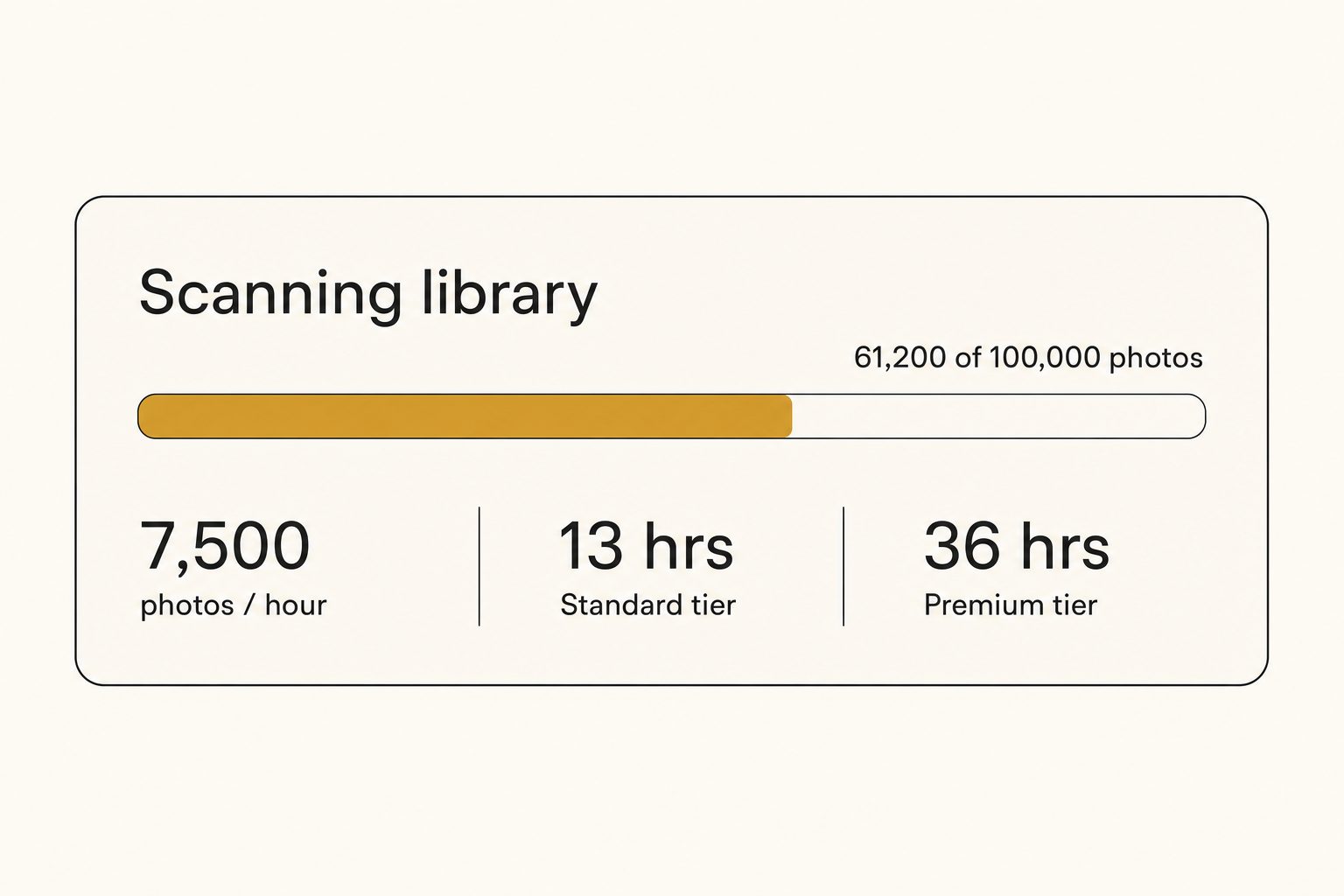
The vision pass is what governs the pace. Generating tags and alt text is the expensive step, and it repeats once per photo. So the total time is almost entirely "number of photos times per-photo vision work," divided by how much of that work the tool can run at once.
That leaves two levers, and only two:
- Batch scheduling. How much vision work the tool can run at once, which is capped by the model's rate limits and varies with load. This lever belongs to the tool, not to you.
- Library size. The one variable you cannot change, but the one the scheduling is measured against.
Network speed, your laptop, and which storage provider you use barely move the number. We go deeper on why the model choice matters most in our guide to what Claude vision sees that other models miss.
One reading per photo: what the scan produces
Every photo gets the same full reading, on every plan, so there is no output choice to make before you hit scan.
That reading includes short structured tags meant for internal search: "outdoor wedding, sunset, magnolia tree, candid." This is what makes every photo in the library findable.
It also includes editorial-grade alt text, a full sentence you can paste straight onto a public page: "A bride and groom embrace under a flowering magnolia tree at golden hour, surrounded by family seated on white folding chairs."
The search half is measurable. In Tagrly's own testing on a 5,000-photo set, focal-subject tagging surfaced the correct top match in roughly 9 of 10 searches, which is what the per-photo reading buys you once the scan is done.
Tip. The cost model is as uniform as the output: 1 credit reads 1 photo or runs 1 AI search, on every plan. There is no separate editorial pass to budget for, so the only planning number is your library size against your monthly credits. Plan sizes are on the pricing page.
Because the reading is uniform, the realistic first scan of a 100,000-photo library is one shape: one unattended background pass.
Rate limits and why parallelism is capped
Parallelism is capped by the vision model's rate limit, which is why throughput plateaus no matter how aggressive the tool is. Vision models enforce a ceiling on requests per minute; a well-built tagger runs right up against that ceiling and no further, fanning out many photos at once, then backing off and retrying when it hits the cap.
This is why "just run more in parallel" is not infinite free speed. Past a point, more parallel requests get throttled, the tool waits, and throughput plateaus. It is also why careful tools describe scan time as a shape rather than a fixed rate: batch scheduling against a shared rate limit makes every run's wall-clock time a little different. You can read more about how the underlying model handles image inputs in Anthropic's vision documentation.
Storage providers have rate limits too, but they are generous. The Google Drive API reference and the Dropbox performance guide both allow comfortably more parallel reads than the vision model can keep up with, so storage almost never becomes the bottleneck. The vision rate limit is the real ceiling, and it is the same whether your photos live in Drive or Dropbox.
Incremental re-scans: you only pay the big scan once
The big first scan happens exactly once: every scan after it touches only new or changed photos. After the first full pass, a good tool never re-tags a photo it has already seen.
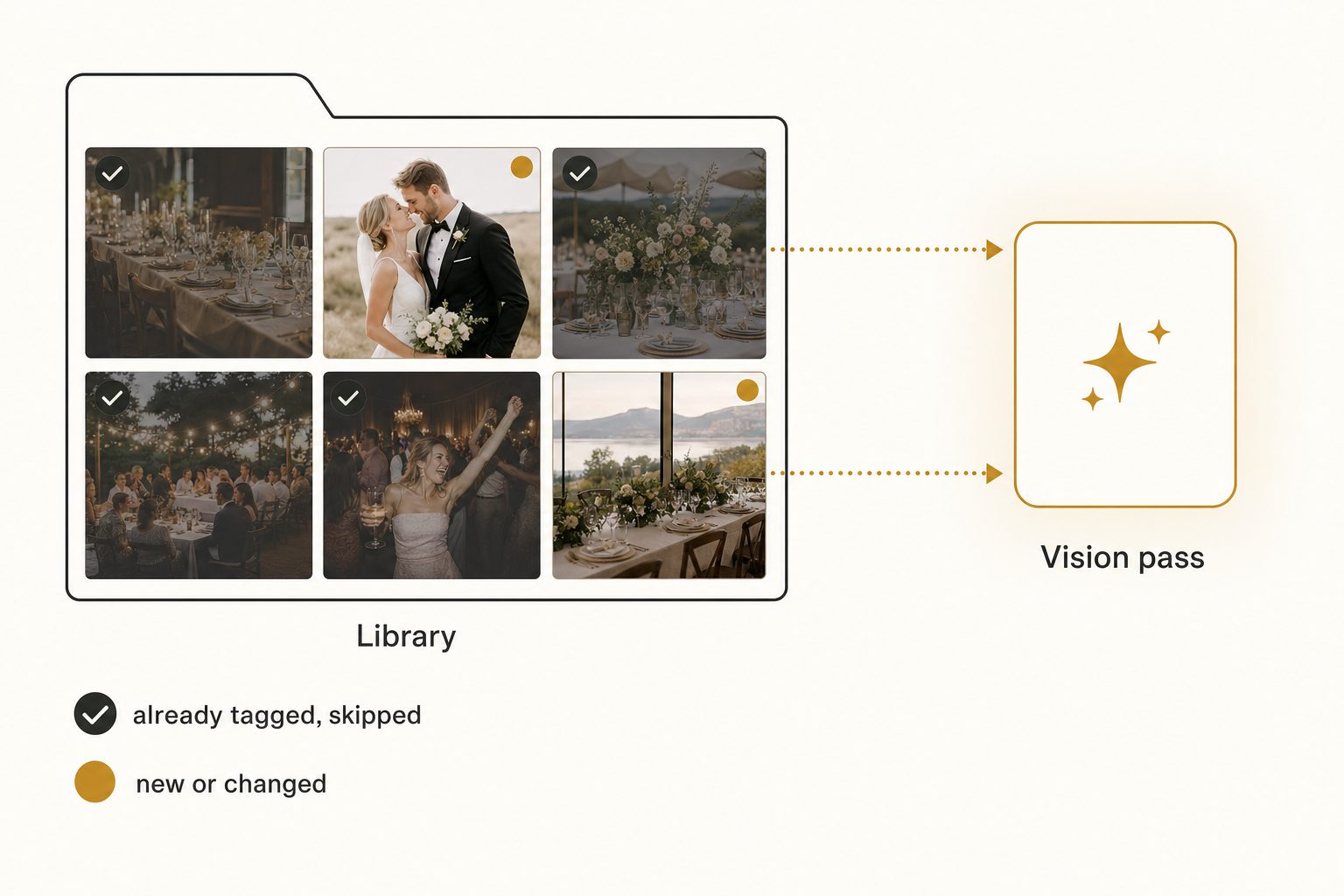
During ingest, the tool records a content hash for every photo, a short fingerprint of the file's pixels. On the next scan it walks the library again, recomputes the hashes, and compares. Anything it has already tagged gets skipped instantly, and only files that are new or changed go through the vision pass.
So adding 500 photos to a 100,000-photo library means tagging 500 photos, a tiny fraction of the original job. The math is simple:
- First scan: every photo runs the vision pass. This is the one unattended pass over everything.
- Every scan after: only new or changed photos run the vision pass, a small slice of the first scan's work.
This is also why you can use the library while it is still tagging. Each photo becomes searchable the moment its vision pass writes to the database, so the catalog fills in progressively rather than appearing all at once at the end. Your originals never move out of Google Drive or Dropbox at any point. And once a photo is tagged, the speed question moves to the search side, which we measured separately in how fast AI image search is across 100,000 photos.
How that compares to tagging by hand
AI bulk tagging replaces hundreds of hours of human keywording with one unattended background scan. A skilled human keyworder, typing into Lightroom or Bridge at editorial depth, produces 100 to 200 photos per hour, so a 100,000-photo library is roughly 667 hours of human work.
That is the gap: hundreds of hours of paid attention versus a scan you start and walk away from. The AI also wins on consistency, because one model uses the same vocabulary across the whole library, where two human keyworders rarely choose the same words for the same photo. We break down the quality side of that tradeoff in AI photo tagging vs manual keywording.
Tip. If you want to feel the speed on your own photos instead of trusting a claim, try it on a sample folder. Tagrly's free tier tags the first 500 photos in any Drive or Dropbox folder, no credit card, so you can watch the first results land on your real images before deciding anything.
So, how fast is AI photo tagging for you?
For most teams the answer is: the first scan of a large library is an unattended background job, your hands-on time is a few minutes of setup, and everything after that first pass touches only new or changed photos. Start the scan when you are about to step away; photos become searchable as they are read, so the library is useful long before the scan ends.
The bottleneck is the vision model, not your connection or your storage, so Drive and Dropbox finish in about the same time, and AI photo search reads across both the same way. Because re-scans only touch new or changed photos, you pay the big scan exactly once. If you want a real feel for it, the fastest way is to point Tagrly at a folder and judge the first tags against your own photos, then read the complete guide to bulk AI photo tagging for the full picture of how the category works.
Frequently asked questions
How long does it take to AI-tag 100,000 photos?
The scan runs unattended in the background as a batch job, so wall-clock time varies from run to run, and the number that matters is hands-on time, which is close to zero: you connect the folder, start the scan, and walk away. What is already read is searchable while the rest is still going, so you do not wait for the end of the scan to start searching.
What slows an AI photo tagging scan down the most?
The vision model is the bottleneck, not your internet connection and not the storage provider's API. Reading a photo from Google Drive or Dropbox takes a fraction of a second; understanding it takes far longer, and an editorial alt-text pass spends more time per photo than a structured-tag pass. Because the work runs as batch processing, wall-clock time also varies with load from one run to the next. None of it needs you at the keyboard: the scan runs unattended in the background either way.
Is AI photo tagging faster on Dropbox or Google Drive?
It is roughly the same. Dropbox tends to return a full-resolution image slightly faster per request, while Google Drive's API allows generous parallel reads, so the two even out over a large library. Either way, storage read time is a small slice of the total. The vision pass dominates, so a 100,000-photo library takes about the same wall-clock time whether it lives in Drive or Dropbox. Pick whichever your photos are already in instead of moving them to chase speed.
Do I have to re-scan my whole library every time I add photos?
No. A good tool records a content hash for every photo it has already tagged, so on the next scan it skips everything it has seen and only runs the vision pass on new or changed files. Adding 500 photos to a 100,000-photo library means tagging 500 photos, not 100,500, a tiny fraction of the first pass. This is why the big first scan only happens once. After the first full pass, ongoing scans are cheap and quick.
Can I use my library while it is still being tagged?
Yes. Tagging writes results photo by photo, so a photo becomes searchable the moment its vision pass finishes, while the rest of the library is still in the queue. You do not have to wait for the whole scan to complete before searching. On a large first scan you will see the catalog fill in progressively, with the photos at the front of the queue searchable first. Your originals stay in Google Drive or Dropbox untouched the entire time.
How does AI photo tagging speed compare to doing it by hand?
It is not close, and the right measure is hands-on time. A skilled human keyworder produces 100 to 200 photos per hour at editorial depth, so a 100,000-photo library is 500 to 1,000 hours of manual work, hundreds of hours of somebody's paid attention. AI bulk tagging does the same library as an unattended background scan, with no human sitting at a keyboard, and the output is internally consistent, which manual keywording across multiple people never is. The tradeoff is a light human review pass on the small fraction of photos the model misreads.
Try Tagrly on your own photo library
Connect your Google Drive or Dropbox folder and Tagrly will tag every photo in bulk. Search by what is actually in the image, share specific shots with clients, and never lose a photo again.
- Free for your first 500 photos
- Read-only access, revoke anytime
- No credit card