
You shot a Saturday wedding, 2,400 frames are on a card, and the couple wants their gallery by month's end. Eighteen months later they will email asking for the one shot under the oak tree for a canvas print, and you will be scrolling a folder named after a surname you half remember. A wedding photographer client gallery workflow handles both moments: the delivery now, and the find later.
The four stages every wedding shoot moves through
The galleries are only one stage. A workflow that holds up across hundreds of weddings has the same four steps every time, so each shoot lands in a predictable shape.
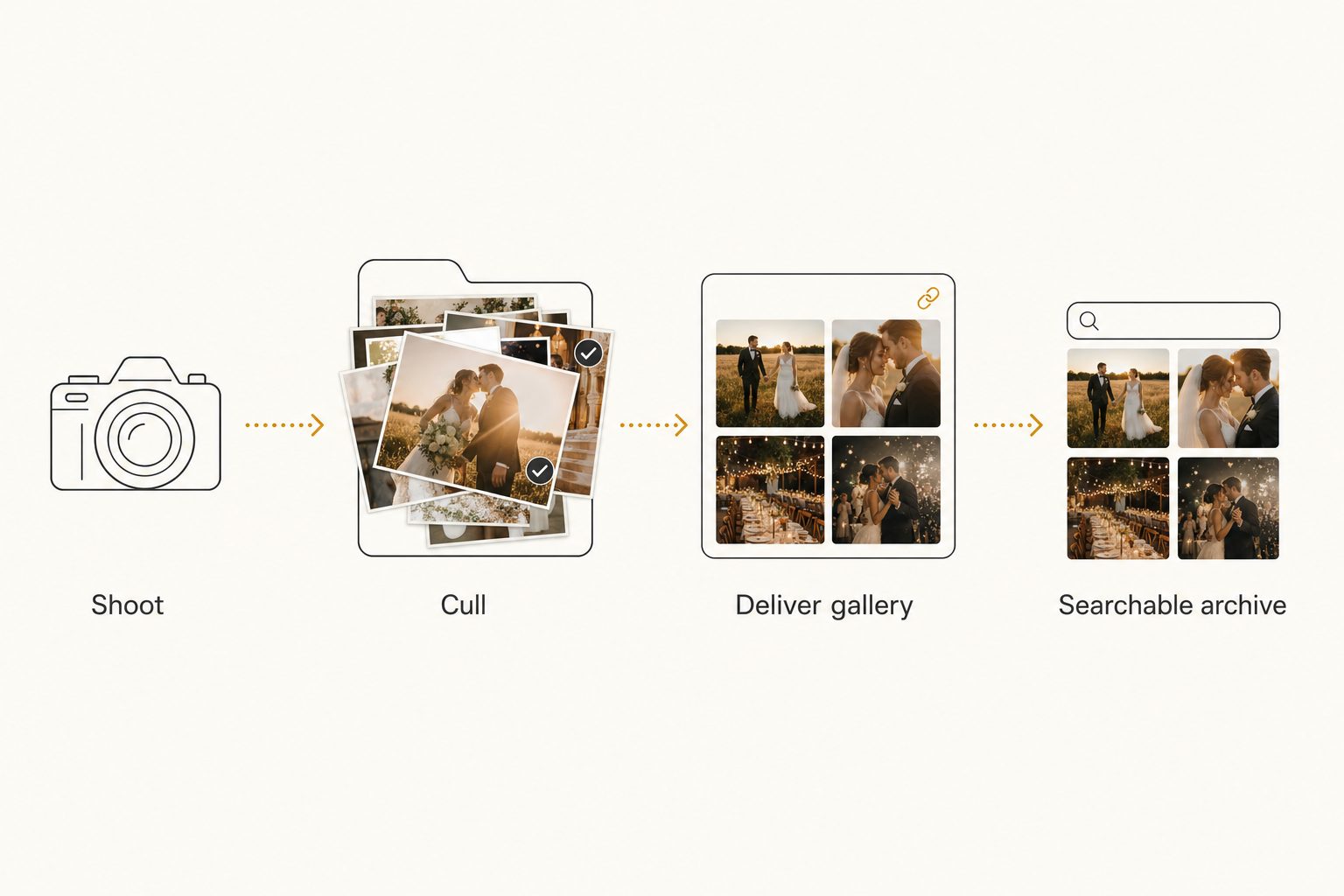
- Shoot. Capture the day, then back up the full take to one home you own before you touch anything.
- Cull. Cut 2,400 frames down to the 400 to 800 selects you will actually edit and show.
- Deliver. Send the couple a client gallery of the finished selects, with downloads and expiry under your control.
- Archive. Keep the whole shoot somewhere searchable, so a request a year later is a quick lookup, not a folder hunt.
Most photographers run the first three stages well and skip the fourth. That skipped step is the one that costs an afternoon every time an old client comes back.
Stage 1: back up the full take first
Before culling, before delivery, the originals go in one safe home. This is the stage that protects everything downstream.
A common setup is three copies: the working files on a fast local drive, a second copy on an external drive, and a third in cloud storage like Google Drive. A single drive failure then never takes a wedding with it.
Warning. The delivery gallery is not a backup. Proofing galleries expire, downsize the files, and are built to present one wedding, not to safeguard your originals. The couple's download is not a backup either. Your archive is the master copy, and the gallery, the catalog, and the social crops are all just views built from it.
Stage 2: cull down to the selects
Culling is choosing which frames the couple ever sees. It is also the habit that makes everything later easier, because the selects are a small, clean set instead of a wall of near-duplicates.
Dedicated culling tools (Aftershoot, Narrative Select, Photo Mechanic) speed up the first pass on a big take, rating and rejecting frames far faster than scrolling in your editor. Many photographers do a rough cull there, then a final cull during editing.
The output of this stage is one folder of finished selects per wedding, separate from the raw take. That separation is what lets you deliver the selects without exposing every blink and test frame, a problem we cover in how to share specific photos with clients.
Stage 3: deliver through a client gallery
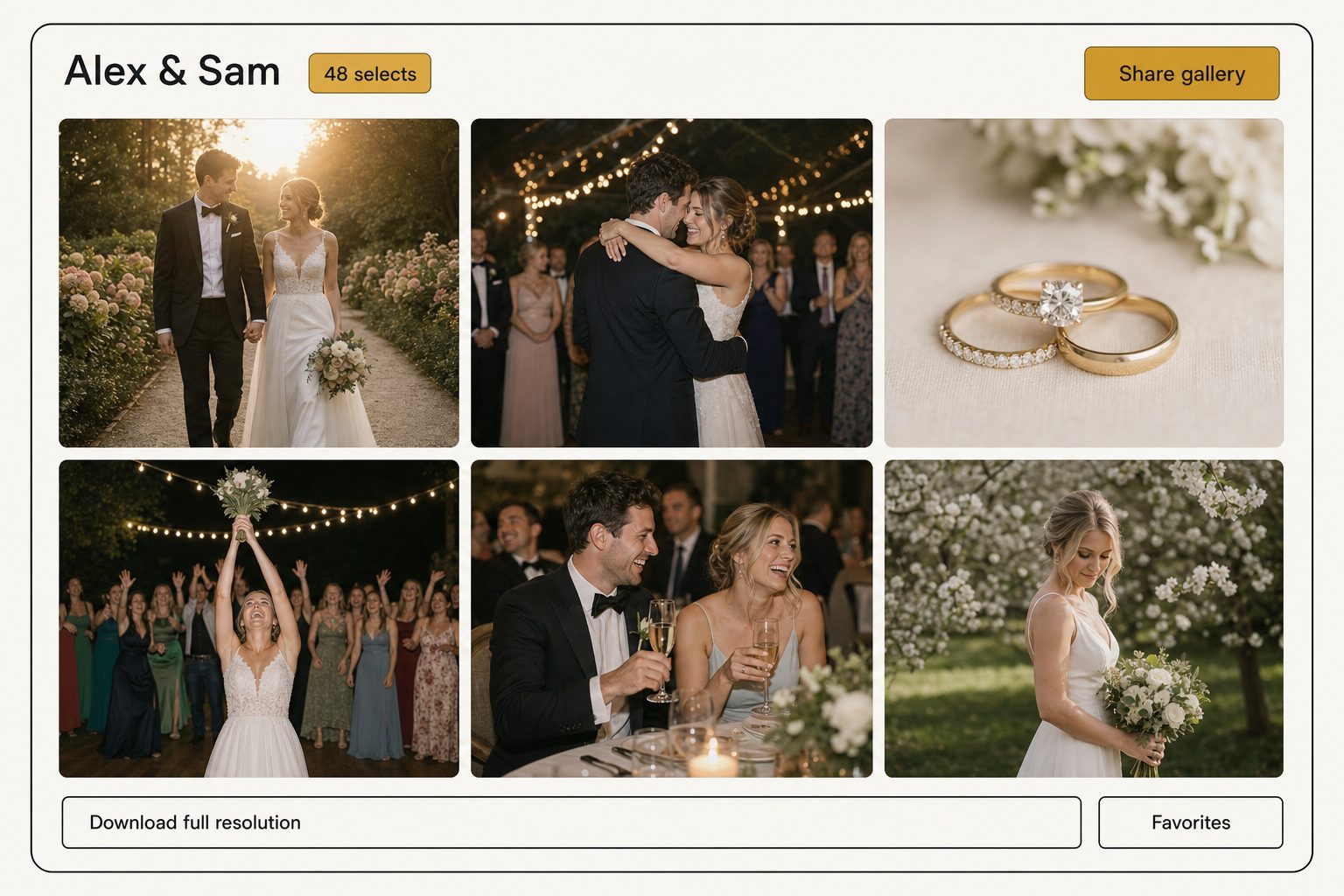
This is the stage most photographers mean when they say "client gallery workflow." A proofing gallery gives the couple a branded page where they view the selects, mark favorites, and download the sizes you allow, while your full take stays private.
Pixieset, Pic-Time, ShootProof, and CloudSpot all do this well. The features that matter day to day are the same across them: download pins so the couple cannot grab full-resolution files unless you let them, optional watermarks on proofs, favoriting so they tell you which images they want printed, and link expiry. Pricing runs from free starter tiers up to monthly plans for working studios, but the limits and prices change often, so check each vendor's current page rather than a number in a blog post.
Tip. Set a generous expiry, not no expiry. A gallery that lapses after a year nudges the couple to download promptly and keeps an old forwarded link from staying open forever. Keep your own archived copy regardless, because the reprint request always arrives after the gallery has closed.
A proofing gallery is built for one wedding at a time. It presents the Reyes wedding beautifully, but it cannot answer "find the barn-door exit shot from any wedding I shot in 2024." For that you need the next stage.
Stage 4: make the archive searchable
Here is where most workflows quietly break. Delivery is solved. Retrieval is not.
A year after delivery, the gallery has expired and the only copy you control is a folder named after the couple. Finding a specific shot means remembering the right wedding, opening the right folder, and scrolling. Across a few hundred weddings, that is the slow tax on every reprint, anniversary repost, and portfolio cull.
The free version of this stage is discipline: a strict folder structure (year, then couple, then a selects subfolder) and a naming convention every file follows. That carries a solo photographer a long way at no cost, and we lay it out in setting up a shared photo library for a small team.
The stage it stops covering is searching by what a photo actually shows. Folder and filename search only finds a shot if you remember which wedding it came from. Past a few thousand photos, an image catalog closes that gap: it connects to your Drive or Dropbox with read-only access, reads each photo with a vision model, and stores a sentence and tags describing every shot, without moving your originals.
From then on you search a plain description across every wedding at once. "Couple under a flowering tree, golden hour" or "barn-door exit, sparklers" pulls the matching frames in milliseconds, ranked by the focal-subject tagging method so the closest match is first. In Tagrly's own testing on a 5,000-photo set, focal-subject tagging surfaced the correct top match in roughly 9 of 10 searches, the hit rate that makes a plain-description search worth running over a folder hunt. We go deeper on this in how to search photos by description in Google Drive, and on the read-only connection it relies on in the complete guide to bulk image tagging.
A full scan runs unattended in the background. After it, finding the oak-tree shot from a wedding two years ago is a search, not an afternoon.
The gallery and the catalog are two different tools because they serve opposite users. The gallery faces outward to the couple: branded, download-controlled, built to present one wedding. The catalog faces inward to you: built to search your whole archive by what each photo shows, across every wedding at once.
Pairing them is common, because the gallery handles the couple's experience this month and the catalog handles every reprint and license request for years afterward. Tagrly is one option for that retrieval layer, and not the only one that connects directly to a drive, so judge any of them on whether a plain description actually pulls the right shot.
Tip. Want to see this on your own archive? Tagrly's free tier tags the first 500 photos in any Drive or Dropbox folder, no credit card. Try it on one old wedding folder and search the results before you commit the whole archive.
Which workflow fits you
There is no single right setup, only the one that matches how many weddings you shoot and how often old clients come back.
- A solo photographer, a handful of weddings a year. A proofing gallery for delivery plus a strict folder-and-naming system for the archive. Free to cheap, and genuinely enough. Do not add a catalog before the archive gets big enough to be slow to search.
- A busy solo or a two-person studio. Keep the gallery for delivery, add an image catalog over your Drive or Dropbox so finding old shots stops eating your week. The reprint and repost requests are where this pays off.
- A studio shooting dozens of weddings a year. A gallery for the client experience plus a searchable archive for the team, with per-collection sharing so any photographer on staff can pull a set without exposing the rest of the library.
A wedding photographer client gallery workflow comes down to keeping delivery and retrieval as two clean stages. Deliver the selects through a proofing gallery the couple loves, and archive the full shoot somewhere you can search years later.
Galleries have been solved for a decade. The searchable archive is the half most photographers still do by scrolling, and the easiest way to test the alternative is to run a catalog on one old wedding folder. For the bigger picture, see our guide to finding any photo in your library.
Frequently asked questions
What is the best client gallery workflow for a wedding photographer?
Move every shoot through the same four stages: shoot, cull, deliver, and archive. Back up the full take to one home first, cull down to the selects you will actually show, deliver those selects to the couple through a proofing gallery that controls downloads and expiry, then archive the whole shoot somewhere you can search it later. Most photographers nail the first three stages and skip the fourth, which is why finding a shot from a wedding two years ago means scrolling a folder named after the couple you half remember. A repeatable workflow means every wedding lands in the same shape, so the print order that comes in next spring takes two minutes instead of an afternoon.
What is the best way to deliver wedding photos to a client?
Through a client gallery, not a raw folder dump. Proofing-gallery tools built for photographers (Pixieset, Pic-Time, ShootProof, CloudSpot) give the couple a branded page where they view the selects, mark favorites, and download the resolutions you allow, while your full take stays private. They add the controls a shared folder lacks: download pins, optional watermarks on proofs, favoriting, and link expiry. Pricing and limits change often, so check each vendor's current page rather than trusting a number in a blog post. The rule is the same whichever tool you pick: deliver the curated selects and hold back the rest of the take.
How do wedding photographers organize old galleries so they can find shots later?
The galleries solve delivery, not retrieval. A proofing gallery is built to show a couple their photos once, not to answer 'find the barn-door exit shot from a wedding in 2024' across hundreds of weddings. For that you need the archive searchable by what each photo shows, not just by folder name. The free version is a strict folder and naming convention. Past a few thousand photos, an image catalog reads each shot and lets you search by plain description across every wedding at once, so a print order or an anniversary repost is a quick search instead of a folder hunt.
Should wedding client galleries expire?
For most deliveries, yes, with a generous window. An expiring gallery means a link you sent in June is not still openly downloadable by anyone it was forwarded to years later, and it nudges the couple to download their photos promptly instead of treating your gallery as permanent free storage. Most proofing tools let you set an expiry date, send a reminder before it lapses, or offer paid extensions. Keep your own archived copy regardless, because the couple will ask for a reprint long after any gallery has expired. The expiry protects the delivery link, not your master archive.
Do I need both a proofing gallery and a photo catalog?
Often, because they do different jobs. A proofing gallery is the delivery layer the couple sees: branded, download-controlled, and built to present one wedding beautifully. A photo catalog is the retrieval layer you use: it makes your whole archive searchable by what each photo shows, across every wedding you have ever shot. Solo photographers who deliver a handful of weddings a year may only need the gallery and a tidy folder system. Studios shooting dozens of weddings, or anyone who fields reprint and licensing requests months later, get the most from pairing a gallery for delivery with a searchable archive for everything that comes after.
How should a wedding photographer back up the full take?
Keep the originals in one home you own before you cull or deliver anything. A common setup is the working copy on a fast local drive, a second copy on an external drive, and a third in cloud storage like Google Drive or Dropbox, so a single failure never takes the wedding with it. The delivery gallery is not a backup, because galleries expire and downsize the files. Neither is the couple's download. Your archive is the master, and everything else (the gallery, the catalog, the social crops) is a view built from it. Back up the full take first, then build the selects and the gallery from that safe copy.
Try Tagrly on your own photo library
Connect your Google Drive or Dropbox folder and Tagrly will tag every photo in bulk. Search by what is actually in the image, share specific shots with clients, and never lose a photo again.
- Free for your first 500 photos
- Read-only access, revoke anytime
- No credit card