
You need tags for 12,000 photos sitting in a Drive folder, and every option calls itself a photo tagging API. Some of them return five labels for one upload, and some of them hand your AI agent a finished, searchable library, and the pricing pages will not tell you which is which.
The three layers of photo tagging APIs
The fastest way to cut through the category is to sort every option into one of three layers. Each layer answers a different question.
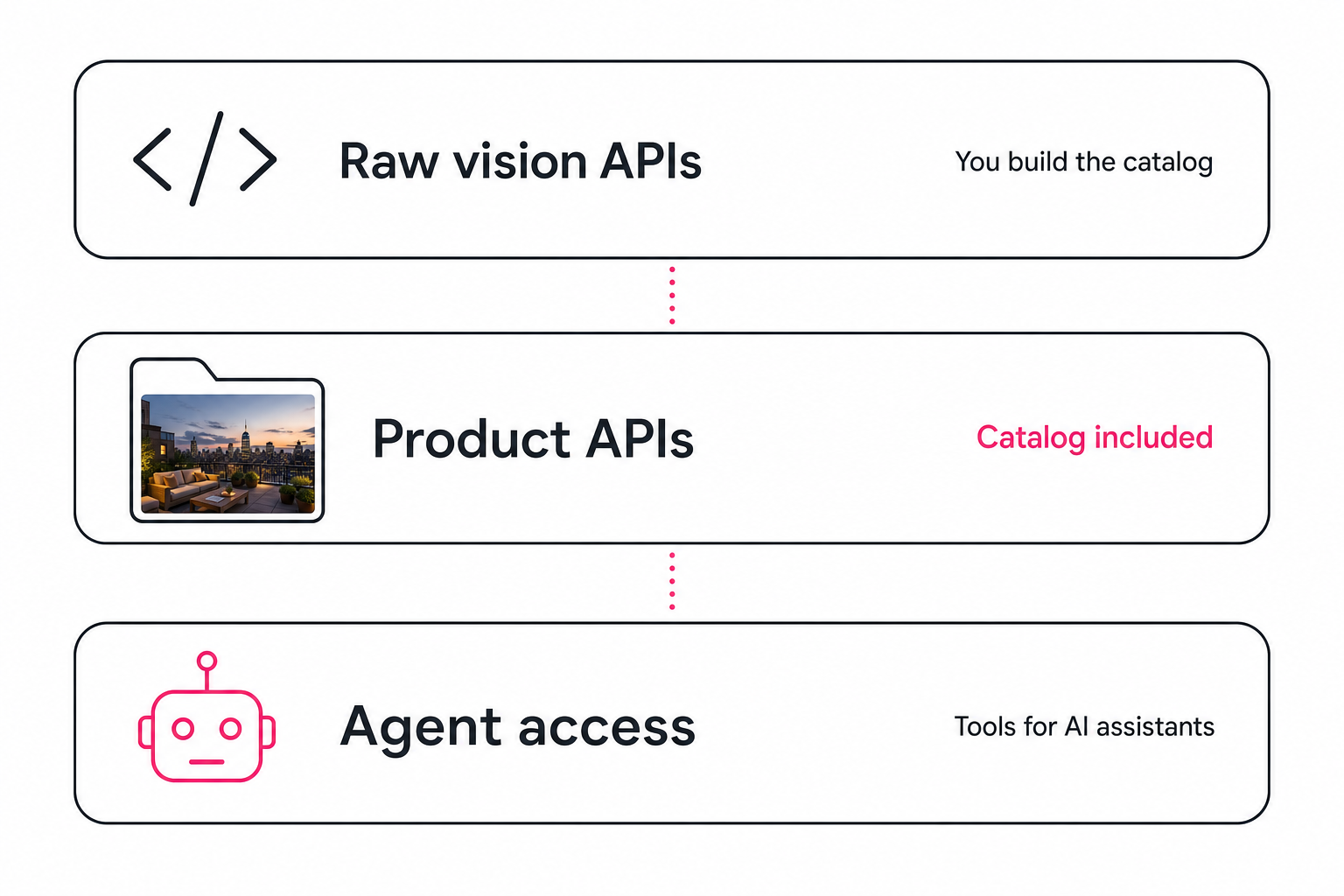
- Raw vision APIs answer "what is in this one image?" You send a photo, you get labels back, and everything else is your job.
- Product APIs answer "which of my photos fits this need?" The service has already scanned and tagged your library; the API queries the finished catalog.
- Agent access answers "can my AI tools use the library without me in the loop?" The same catalog, exposed as tools an assistant calls directly.
Most buying mistakes in this category are layer mismatches. A marketing team that buys a raw vision API ends up owning a database project, and a developer who needs three labels for an upload form overpays for a catalog.
Raw vision APIs: labels per request, catalog not included
A raw vision API is infrastructure. Google Cloud Vision returns label, object, and text detections per image. Amazon Rekognition does the same inside AWS. Claude vision is the general-purpose option: you write the prompt, so you control the schema and the editorial voice of the output.
The strength is control and per-request pricing. The catch is the list of things the API does not do, because a real library needs all of them:
- A scanner that walks your Drive, Dropbox, or bucket and queues every image.
- A database that stores results keyed to file paths and content hashes.
- A search index that ranks a focal subject above background context.
- Deduplication, retries, rate-limit handling, and re-scan logic for new files.
That is weeks of engineering before the first useful search, which is fine if tagging is a feature of the product you are building. If the goal is "my team can find our photos," you are at the wrong layer. Model quality still matters here, and we covered why in what Claude vision sees that other models miss.
Product APIs: tagging plus a searchable catalog
A product API sits on top of a finished pipeline. The service connects to your storage, runs the scan unattended in the background, and the API queries the result. You skip the scanner, the database, and the search index, because they already exist.
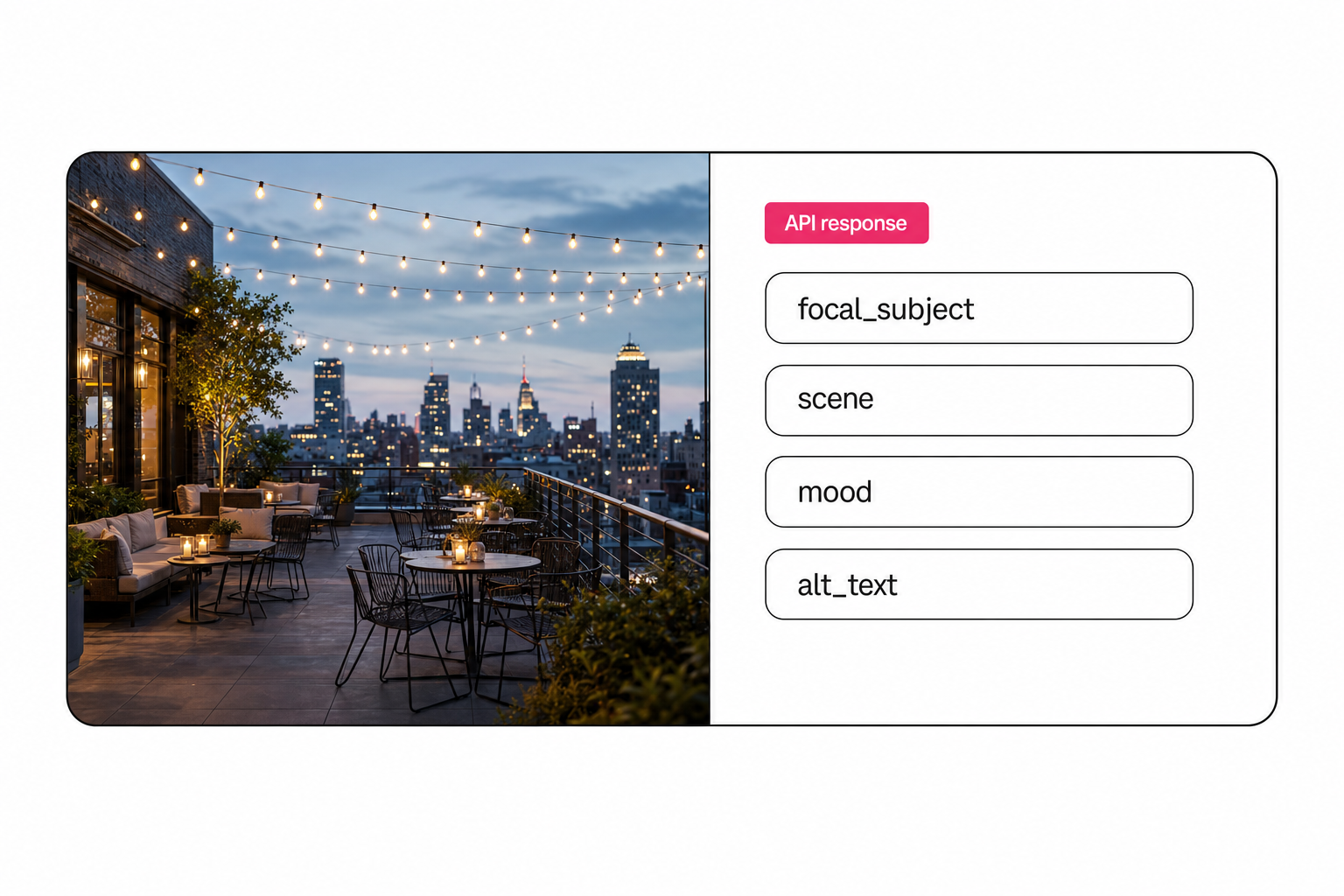
Tagrly is the example we know best, so the concrete numbers below come from it. Every photo gets one full reading into 34 structured fields, covering the focal subject, scene, mood, lighting, people count, quality, and publish-ready alt text. The developer reference documents every endpoint; the shape of the main ones:
GET /api/searchruns keyword and facet search over the tagged library, free on every plan.POST /api/pagetakes a plain-English topic like "rooftop dinner at dusk" and returns page-ready picks with alt text rewritten for the topic, plus an honest gap signal naming the shots your library does not contain.GET /api/image/{id}returns one photo's full analysis.
Authentication is one Bearer key per workspace, created self-serve in Settings, shown once, and revocable instantly. Metering is flat: one credit reads one photo, one credit runs one AI search, on every plan.
Other products live at this layer too; Cloudinary sells auto-tagging add-ons on its media pipeline, aimed at developers who already deliver images through it. For how the products compare head to head, see photo metadata generators compared.
Note. The tell that separates the layers is what a request returns. If the response describes the image you just uploaded, it is raw vision. If it returns photos you did not attach to the request, there is a catalog behind it.
Agent access: the MCP layer
The newest layer exists because AI agents became API consumers. MCP (Model Context Protocol) is the open standard that lets assistants like Claude call external services as tools, and a photo library is a natural fit: the agent writing your landing page can also pull the photos for it.
Tagrly serves this layer at tagrly.com/mcp: six tools backed by the same endpoints, the same key, and the same metering as the HTTP API. An agent can search the library free, spend a metered ask on an AI-planned pick, fetch one image's analysis, and log what it used so the next run avoids repeats. The agent guide is the same reference written for the agent itself to read.
This layer matters even if you never write code. When an agent picks from a tagged catalog, it uses your real photos with correct alt text, and it can tell you honestly when the library lacks a shot instead of forcing a weak match.
How to test a photo tagging API in five minutes
Start with output quality on your own photos, because that is the layer-independent question. Two free paths:
Tip. Tagrly's
POST /api/try/analyze-photoendpoint takes no account at all. Send one image withcurl -F "photo=@kitchen.jpg" https://tagrly.com/api/try/analyze-photoand the full structured reading comes back: focal subject, scene, mood, alt text. Nothing is stored, and the limits are 5 reads per hour and 8MB per file.
For the catalog layers, connect a Drive or Dropbox folder and the first 500 photos are tagged free, no credit card. That is enough to run real searches against your own library before any money moves. Raw vision providers offer free monthly request allowances as well; the amounts change, so check their current pricing pages rather than a blog's memory of them.
Whichever you test, judge the same two things: is the first tag the focal subject or a generic noun, and is the alt text a sentence you would publish? The complete guide to bulk AI photo tagging covers both bars in depth.
Which layer should you pick
The honest matrix, by situation:
| Your situation | Pick this layer |
|---|---|
| Building a product that needs tags as a feature | Raw vision API (Vision, Rekognition, or Claude vision) |
| A team that needs to find photos in Drive or Dropbox | Product API with a catalog (Tagrly is one; see the buyer's guide) |
| AI agents building pages, posts, or listings | The MCP layer on top of a tagged catalog |
| Solo photographer living in Lightroom | No API at all; a Lightroom plugin fits better |
Pick raw vision if you have engineers and the tagging is part of something bigger you are building. Pick a product API if the photos are the point and a team needs to search them. Add the MCP layer when agents do the publishing.
The category finally has clean seams in 2026. Name your layer first, and the shortlist mostly writes itself. If your layer is the catalog, try it on a real folder: the first 500 photos are free, and the API and MCP server come with every workspace.
Frequently asked questions
What is a photo tagging API?
A photo tagging API is an HTTP endpoint that accepts an image, or a pointer to one, and returns structured metadata: tags, a focal subject, scene, mood, and usually alt text. Developers call it from scripts, websites, and automations instead of tagging photos by hand in an app. The term covers three different layers in 2026: raw vision APIs like Google Cloud Vision and Amazon Rekognition that return labels per request, product APIs like Tagrly's that tag photos and store the results in a searchable catalog, and agent-native access where AI assistants call the same catalog as tools.
What is the difference between a raw vision API and a photo tagging product API?
A raw vision API returns labels for one image per request and stops there. You build everything else: the queue that walks your folders, the database that stores results, the search index, deduplication, and retries. A product API bundles those pieces. Tagrly's API, for example, returns photos that were already tagged during a background scan of your Google Drive or Dropbox folder, so a single request like 'rooftop dinner photos for a landing page' returns finished picks with alt text. Raw vision is a component; a product API is the finished system.
Can I test a photo tagging API without creating an account?
Yes. Tagrly exposes one endpoint that takes no authentication at all: POST /api/try/analyze-photo. You send a single image as multipart form data and get back the same structured reading a paying workspace gets, including the focal subject, scene, mood, and alt text. Nothing is stored; the photo is dropped when the request ends. The limits are 5 reads per hour and 8MB per upload. Raw vision providers also offer free monthly allowances; check their current pricing pages since the numbers change.
What is an MCP server for photo tagging?
MCP (Model Context Protocol) is an open standard that lets AI assistants like Claude call external services as tools. A photo tagging MCP server turns a tagged photo library into tools an agent can use directly: search the library, pick images for a page, fetch one photo's full analysis. Tagrly serves one at tagrly.com/mcp with six tools backed by the same API endpoints and the same key. The practical effect is that an AI agent building a web page can pull real, correctly tagged photos from your own library instead of asking you to find them.
How much does a photo tagging API cost?
Raw vision APIs price per request, usually quoted per 1,000 images, with free monthly allowances; the exact rates change, so check the vendor pricing pages before you budget. Product APIs usually price per photo or by subscription. Tagrly's model is one credit reads one photo and one credit runs one AI search, the same on every plan, and the first 500 photos in any folder are free with no credit card. For a one-off script against a few hundred images, raw vision is cheap; for a library a team searches every week, the catalog usually costs less than maintaining your own.
Try Tagrly on your own photo library
Connect your Google Drive or Dropbox folder and Tagrly will tag every photo in bulk. Search by what is actually in the image, share specific shots with clients, and never lose a photo again.
- Free for your first 500 photos
- Read-only access, revoke anytime
- No credit card