
You are comparing a cheaper tool, or just tightening the budget, and one question stops you before you click cancel: what happens to the 12,000 tagged photos? If you stop paying, do you lose them, does the vendor hold your catalog hostage, and can you get your data out? The answer is knowable, and for a connected catalog it is better than most people fear.
What happens to your photos if you cancel a photo catalog service
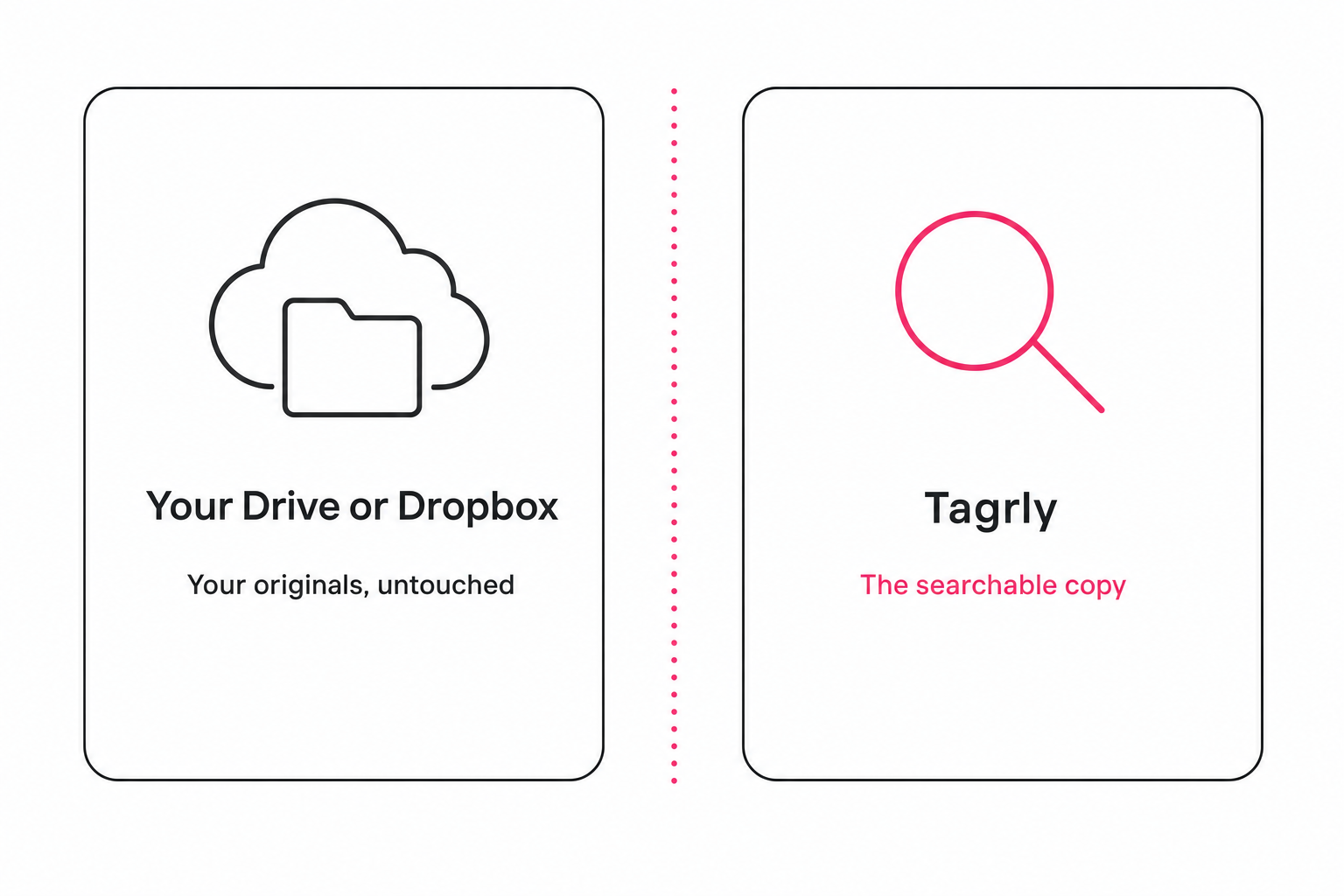
The most important fact is where your original photos actually live, and it is not where most people assume. In the connected-catalog model Tagrly uses, your full-resolution originals never enter the product. Tagrly streams each photo read-only from your own Google Drive or Dropbox and writes the results to its own searchable index. What it stores is the derived layer: the tags, the alt text, and a small preview copy.
That shape is what makes cancellation low-stakes. Tagrly is connected read-only, with the drive.readonly scope on Google and the equivalent on Dropbox, so it can view the folders you authorize but cannot write to, modify, or delete anything. The privacy page states it plainly: Tagrly reads only the folders you authorize, and never writes to, modifies, or deletes from your Drive. Compare that to a platform you migrated your library into, where cancelling raises a real "how do I get my files back" question because the vendor holds the only copy.
The category splits three ways on exactly this point, and the differences decide what cancellation costs you.
- Local catalogs you own outright. Lightroom Classic and digiKam keep the catalog file on your own machine. Nothing to cancel and nothing to hold hostage, but you carry the whole backup burden and there is no shared search for a team.
- Connected catalogs. Tagrly and Pics.io read the storage you already use and build the searchable layer on top. Your originals stay in your Drive or Dropbox; only the vendor-built catalog is affected by cancelling.
- Enterprise asset platforms. Brandfolder and Bynder typically store your assets inside their system, which makes offboarding a contract question you settle before you sign, not after you cancel.
You can verify the read-only grant yourself. The consent screen you saw when you connected spelled out what you were granting: "view your files" is read-only, while "see, edit, create, and delete" would be full write access that a tagging tool has no reason to request. This post covers the exit; for what happens during normal use, our guide to whether AI photo tagging is safe walks the scopes, the training-data question, and the checks to run before you connect anything.
Note. In our own testing on a 5,000-photo set, the correct shot landed in the top three results about nine times in ten. That search accuracy is what you give up by cancelling. The photos themselves are never at risk, because the search layer and the originals live in two separate places.
The deletion timeline: what gets removed and when
Everything Tagrly built on top of your photos is deleted on a published schedule, and your originals are not on it because they were never Tagrly's to delete. The timelines below come from the privacy page, the live page Tagrly maintains for GDPR and CCPA compliance. Check there for the current wording; here is what it commits to.
| What | When it is deleted |
|---|---|
| OAuth tokens | Within 24 hours of revocation, account closure, or token expiry |
| Account data | Within 30 days of account closure or token revocation |
| Photo copies and derivatives | Within 30 days of source removal or account closure |
| Backups | Aged out within 90 days; after that window, unrecoverable |
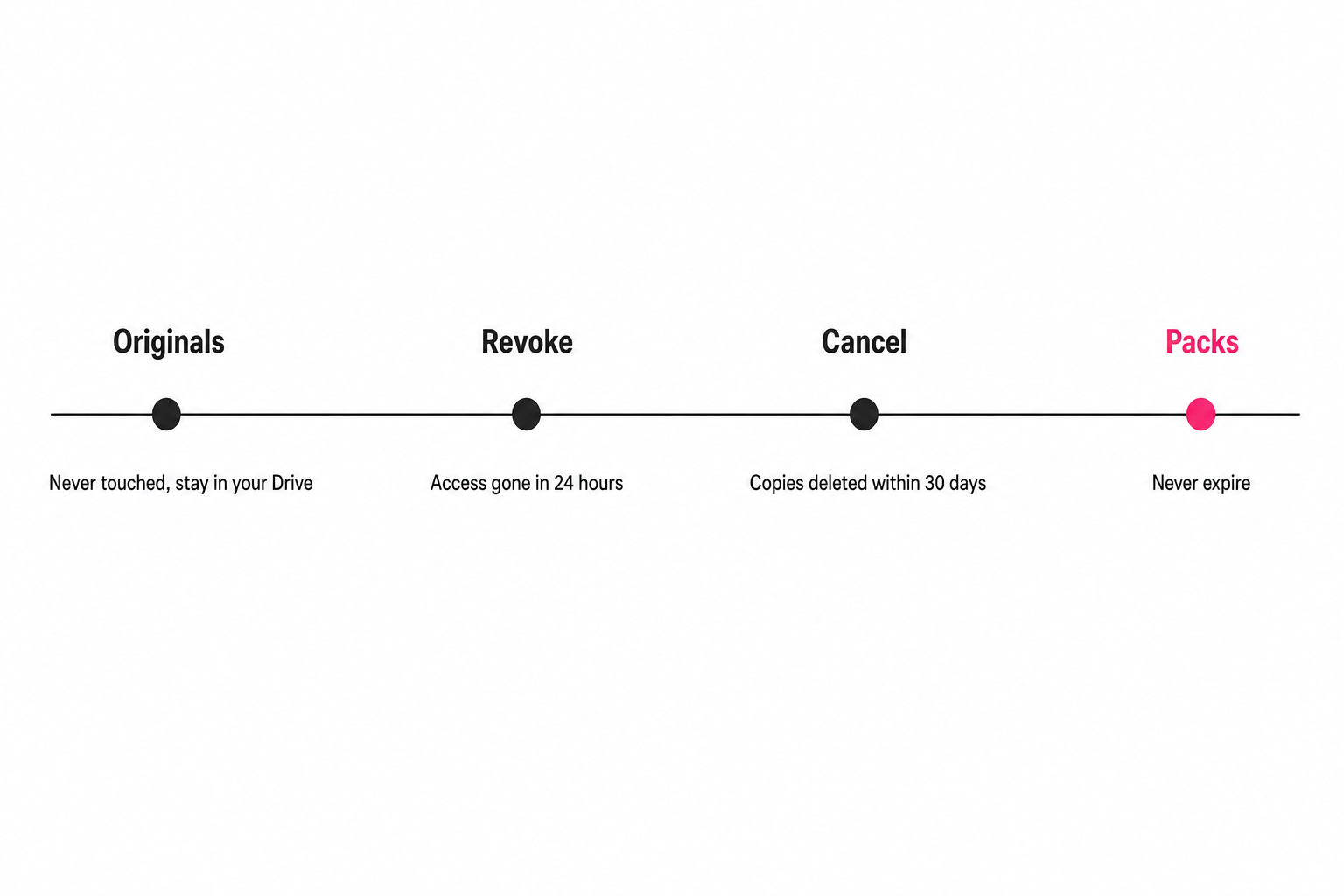
Two things follow. The searchable catalog is genuinely gone within a month of closure, not sitting on a server forever. And once the 90-day backup window passes, deleted data cannot be brought back, so if you change your mind after three months the catalog is rebuilt by re-scanning, not restored.
The privacy page also lists your standing rights: request a copy of every record held about you, request deletion, and revoke OAuth grants. Requests are acknowledged within five business days and completed within 30 days, the kind of timeline the GDPR right to erasure sets as the standard.
What happens to your credits and billing on cancel
Cancelling is a plainly named click, and the two kinds of credit behave differently, so know which you hold. You cancel any time from the billing settings page, and the action runs through Stripe's customer portal as a plainly labeled click-to-cancel link, the kind of easy-exit design the FTC's negative option rule now requires of recurring subscriptions. Here is how the money side resolves, per the disclosure on that settings page.
- Your plan stays active until period end. Cancelling does not cut you off mid-cycle. The settings copy says so directly: "It stays active until the end of this billing period; unused plan credits expire then."
- Unused plan credits lapse. Monthly plan credits live with the plan, so the ones you did not use expire at period end. The settings page puts it bluntly: "Unused plan credits live with the plan; cancel and they lapse."
- Import packs never expire. Import credit packs you paid for survive cancellation and do not expire either way. A pack balance is yours to keep whether or not you stay subscribed.
For current plan and pack numbers, the pricing page is the source of truth. At cancellation time the shape is what matters: nothing you paid for in a pack disappears, and the only thing you forfeit is plan credits you had not spent.
Warning. Do not cancel first and then try to grab your tags. The catalog is deleted after closure. If you want to keep the metadata you generated, pull it while your account is still active, using one of the two methods in the next section.
How to keep your tags before you cancel
Keep your metadata through the API or a GDPR access request, not a spreadsheet button, because there is no self-serve CSV export. Two real paths exist for taking the tags and alt text you generated, and your originals need no export at all.
- Pull your metadata through the API. With a self-serve API key you can read your catalog programmatically before you cancel, all 34 structured fields per photo. The developer docs and the agent guide show the endpoints. This is the route if you want the data in a form you can load into another system.
- File a GDPR access request. You can request a full copy of every record Tagrly holds about you, acknowledged within five business days and completed within 30 days. This is the route if you want a human-handled copy rather than writing code.
- Leave your originals where they are. They never left your Drive or Dropbox, so there is nothing to export. That is the whole point of the connected-catalog model: the files you care about most are already yours.
If you are leaving because you want the search and sharing layer somewhere else, the image catalog software buyer's guide sorts the alternatives by team size and where your photos live, and the best photo organization software for teams roundup goes deeper on team search and sharing tradeoffs.
How to revoke access instantly
If you want the connection cut right now rather than at period end, revoke it from Google or Dropbox and it takes effect immediately, whether or not you have formally cancelled. The moment you revoke, Tagrly loses the ability to read your storage, and the copies it made are deleted.
- On Google. Open your account's third-party access page, find Tagrly in the list of connected apps, and remove it.
- On Dropbox. Open the connected apps page, find Tagrly, and disconnect it.
- What happens next. Access ends on the spot, the photo copies are deleted, and the OAuth tokens are removed within 24 hours. No support ticket, no waiting.
You can test the whole exit before you ever depend on it. Tagrly's free tier reads the first 500 photos in any Drive or Dropbox folder, no credit card, so you can connect a scratch folder, watch the read-only consent screen, and revoke it a minute later to see how clean the exit is.
The honest decision, by situation
The right catalog depends on how much you want to own the search layer versus how little you want to maintain it, so pick by situation. All three shapes leave your originals safe; they differ on who holds the searchable catalog and what leaving costs.
- Pick a local catalog (Lightroom Classic, digiKam) if you want to own the catalog file forever with no vendor, and you accept the backup burden and no team search. Nothing to cancel and nothing to export; the file is already on your machine.
- Pick a connected catalog (Tagrly, Pics.io) if you want your originals to stay in your own Drive or Dropbox and only the searchable layer to live with a vendor. Cancelling is low-stakes: originals untouched, catalog deleted within 30 days, packs kept, access revocable in seconds. Try AI photo search on a real folder to judge the layer you would be paying for.
- Pick an enterprise platform (Brandfolder, Bynder) only if you have a procurement process and a contract with a written offboarding and export clause. Check their current terms before signing, because with these platforms your assets live inside the system and getting them back is contractual, not a settings toggle.
For how the tagging itself works, the complete guide to AI photo tagging is the hub. Whatever you choose, the test of a fair photo tool is simple: your originals should be yours the whole time, and leaving should be as easy as arriving.
Frequently asked questions
Do I lose my photos if I cancel Tagrly?
No. Your original photos were never inside Tagrly to begin with. Tagrly streams them read-only from your own Google Drive or Dropbox and only ever stores copies plus the tags and alt text it generates. When you cancel, those originals stay exactly where they have always been, in your own cloud storage, untouched. What gets deleted is the searchable catalog Tagrly built on top of them: the tags, the alt text, and the small preview copies. Cancelling cannot delete, lock, or hold your originals hostage, because they never left your account. If you want proof before you commit, the read-only scope is described on the privacy page and you can revoke access from Google or Dropbox at any moment.
Does Tagrly delete my original photos when I cancel?
Tagrly cannot touch your originals at cancellation or at any other time. Google Drive is connected with the read-only scope only, which means Tagrly can view the folders you authorize but cannot write to, modify, or delete anything in your Drive. Dropbox is connected the same read-only way. The privacy page states it plainly: Tagrly reads only the folders you authorize and never writes to, modifies, or deletes from your Drive. So there is nothing in your original storage for a cancellation to delete. The only things deleted are Tagrly's own copies and the metadata it derived, on the timeline in the deletion section below.
Do my credits expire when I cancel Tagrly?
It depends on which kind of credit you mean. Unused monthly plan credits lapse at the end of your current billing period when you cancel, because they live with the plan. Import credit packs are different: packs you paid for never expire and survive cancellation, so buying a pack is not a use-it-or-lose-it decision tied to your subscription. The billing settings page states both rules where you actually cancel. If you have a pack balance and you are on the fence about staying subscribed, the pack sticks around regardless. Current plan and pack details live on the pricing page.
How do I export my tags before cancelling?
There is no one-click spreadsheet button, so plan the export around the two things that genuinely exist. First, the API: with a self-serve API key you can pull your metadata programmatically, all 34 structured fields per photo, before you cancel. The developer and agent guides show the endpoints. Second, the GDPR access right: you can request a full copy of every record Tagrly holds about you, acknowledged within five business days and completed within 30 days. Your originals need no export at all, because they never left your Drive or Dropbox. Do the API pull or the access request while your account is still active, since the catalog is deleted after closure.
How do I revoke Tagrly's access to my photos?
You revoke access from Google or Dropbox directly, and it takes effect immediately. On Google, open your account's third-party access page, find Tagrly, and remove it. On Dropbox, open the connected apps page and disconnect it. The moment you do, Tagrly loses the ability to read your Drive or Dropbox, and the copies it made are deleted. The OAuth tokens themselves are deleted within 24 hours of revocation, closure, or expiry. You do not need to file a support ticket or wait for anyone. Revocation is the fastest way to cut the connection, and it works whether or not you have formally cancelled the subscription.
How long does Tagrly keep my data after I close my account?
The timelines are published on the privacy page, which is the live GDPR and CCPA page. Account data is deleted within 30 days of account closure or token revocation. The photo copies and derivatives Tagrly stored are deleted within 30 days of source removal or account closure. Backups age out within 90 days, and after that window the deleted data is unrecoverable. OAuth tokens go within 24 hours. You also have the right to request access to a copy of everything held about you, and the right to deletion, both handled within 30 days. Because the catalog is deleted after closure, do any metadata export while your account is still open.
Try Tagrly on your own photo library
Connect your Google Drive or Dropbox folder and Tagrly will tag every photo in bulk. Search by what is actually in the image, share specific shots with clients, and never lose a photo again.
- Free for your first 500 photos
- Read-only access, revoke anytime
- No credit card