
You bought PhotoAITagger for the price of a coffee, pasted in your own OpenAI API key, and let it write titles, descriptions, and keywords into a whole folder of photos. The metadata is genuinely yours, embedded in every file. Then the library moved to a shared Google Drive, a teammate typed one of those keywords into the search box, and nothing useful came back.
What PhotoAITagger actually is
PhotoAITagger is a small desktop tool that runs locally on your computer. You point it at a folder, pick one of 120+ output languages, and it sends each photo to OpenAI's vision models through your own API key, then writes the generated title, description, and keywords into the file's IPTC and XMP metadata fields. The PhotoAITagger site leads with exactly that promise: metadata embedded in the file, in the standard stock agencies read.
The pricing model is the unusual part. The app is a one-time purchase, listed at roughly 6 euros as of writing in August 2026 (check their site for the current price and system requirements, which are not published in detail). After that you pay OpenAI directly for API usage, which the vendor estimates at about $1.50 per 1,000 photos. There is no subscription and no vendor cloud; photos travel to OpenAI over an encrypted connection and the results land straight back in your files.
Credit where due: for a solo photographer who wants agency-readable metadata inside the files at near-zero cost, this shape is close to unbeatable. None of the alternatives below win by being cheaper. When they win, they win by putting the metadata somewhere a team can actually search.
Note. "Bring your own key" means you become the operator. You create an API key in OpenAI's developer platform, fund the account, store the key safely, and re-run the app after every shoot. Fine for one technical user; a real obstacle to hand to a marketing coordinator.
Embedded metadata vs. a connected catalog: the real split
The choice between PhotoAITagger and its alternatives is not cheap versus expensive. It is a choice about where the metadata lives, and each home has real consequences.
Embedded metadata lives inside the photo file, in the IPTC fields that Lightroom, Bridge, stock agencies, and news wires all read. It travels wherever the file goes, needs no ongoing vendor, and survives even if the tool that wrote it disappears tomorrow. If your files leave your control, embedded metadata is the only kind that follows them.
The limits show up in shared cloud storage. Google Drive and Dropbox sync files byte for byte, so embedded keywords survive upload untouched, but neither search box reads the IPTC keyword field. The tags are in the file and invisible to the people searching the folder.
Every keyword also carries equal weight, so a photo's actual subject cannot outrank its background details in any search.
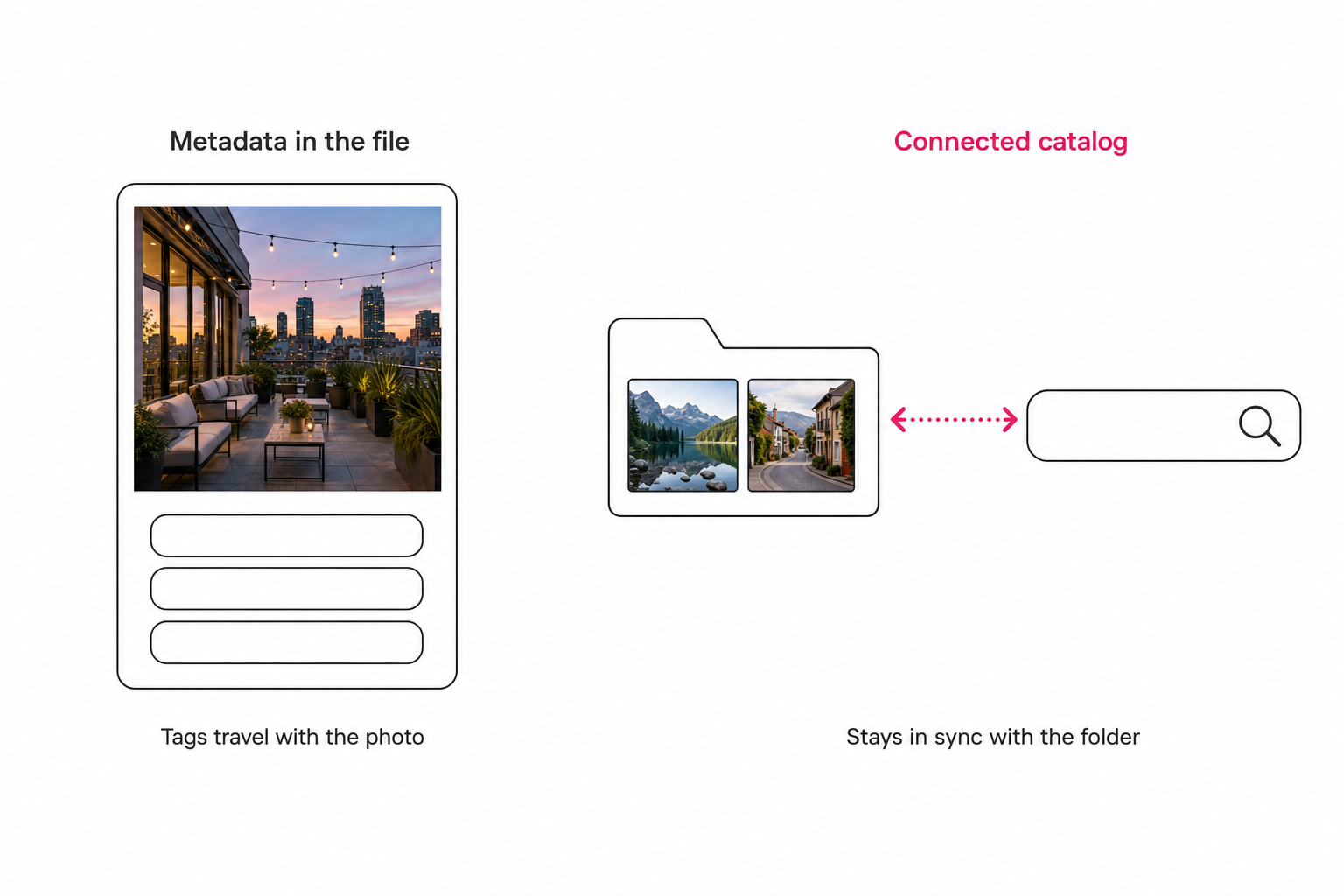
A connected catalog flips the location. The tags live in a database that points back at your files in Drive or Dropbox, the tool re-scans as the folder grows, and the whole team searches one surface. The tradeoff runs the other way: the tags belong to the tool unless you export them, so check the export path before you commit to anything.
Why people search for PhotoAITagger alternatives
People leave PhotoAITagger over location and audience, not output quality. Three patterns cover nearly everyone:
- The library lives in shared cloud storage. The keywords are embedded, but Drive and Dropbox search cannot see them, so teammates are back to scrolling thumbnails. Our breakdown of why Google Drive photo search misses most photos covers how little the built-in search actually reads.
- The folder will not stop growing. Embedding happens when someone remembers to run the app. A library that gains photos every week needs tagging that happens on its own schedule, not on yours.
- The output goes on a website, not to an agency. Keyword lists read stiff as alt text, which wants a full sentence about the photo's focal subject. Embedded keyword fields were never designed for that job.
If none of the three describes you, PhotoAITagger is still the right tool and the cheapest way to own your metadata. If one does, the fix is usually not a better embedder. It is a different home for the tags.
The three kinds of PhotoAITagger alternatives
Desktop keyworders that also embed
ON1 Photo Keyword AI and Excire Foto are buy-once desktop apps that generate keywords locally and write them into XMP, no API key to manage, with plugins for Lightroom Classic and Capture One. This is a lateral move: same embedded destination, different operator experience. It is the right move when the missing piece is an editing-app integration, not a different metadata home. We compare the desktop tier in detail in our photo metadata generators comparison.
Pay-per-image web tools
PhotoTag.ai is the best-known example: upload a batch to a web app, get agency-formatted keywords, titles, and CSV export, pay per image. It trades PhotoAITagger's own-key economics for convenience, and it is shaped for stock contributors preparing submissions. Our Tagrly vs. PhotoTag.ai comparison covers that tier head to head. Note that it is still batch-shaped: photos go up, metadata comes back, and no folder stays connected.
Connected catalogs
Tagrly and Pics.io sit in a different category: they read your cloud storage in place and maintain a searchable database a whole team shares. This is not a lateral move, it is a change of destination for the metadata, and it is the right one when the job has shifted from "write keywords into these files" to "let five people find any photo on a Thursday." The wider field, including the enterprise platforms, is mapped in our image catalog software buyer's guide.
Where Tagrly fits as a PhotoAITagger alternative
Tagrly connects read-only to the Google Drive or Dropbox you already use, walks the folders you pick, runs every photo through a vision model, and writes the results to a shared searchable catalog. Originals never move and nothing downloads to anyone's machine.
Two things separate the output from an embedded keyword list. First, focal-subject tagging: each photo gets one dominant-subject label ranked above its context tags, so a search for "rooftop sunset" surfaces photos that are about a rooftop sunset rather than every frame containing sky. Second, editorial-grade alt text: every photo gets a full publishable sentence for public web pages. Both frameworks, and the 1,000-photo wall that makes them matter, are defined in our complete guide to AI photo tagging.
Sync is the practical difference from any run-it-yourself embedder. In our own operation, a re-scan computes a content hash for every file and skips anything unchanged, so keeping the catalog current with a growing folder only spends anything on the new photos. Scans run unattended, and what is already read is searchable while the rest is still going.
The honest limits: Tagrly does not write IPTC back into your files. Tags live in the catalog and export on demand, so if your workflow requires self-describing files headed out the door, PhotoAITagger keeps that advantage outright. Tagrly is also a monthly subscription rather than a one-time purchase, and it is not an editor: no RAW conversion, no develop module.
| PhotoAITagger | Tagrly | |
|---|---|---|
| Shape | Local desktop app | Connected cloud catalog |
| Where tags live | Embedded IPTC/XMP in the file | Searchable database (export on demand) |
| Connects to Drive / Dropbox | No, local folders | Yes (read-only) |
| Who runs the AI | You, via your own OpenAI key | The service, in the background |
| Pricing model | One-time purchase + your own API usage | Monthly subscription + free first 500 photos |
| Team-shareable search | No | Yes |
| Alt text for web pages | Keyword and description style | Editorial sentences (every photo) |
| Best audience | Solo shooters whose files leave | Teams with growing cloud libraries |
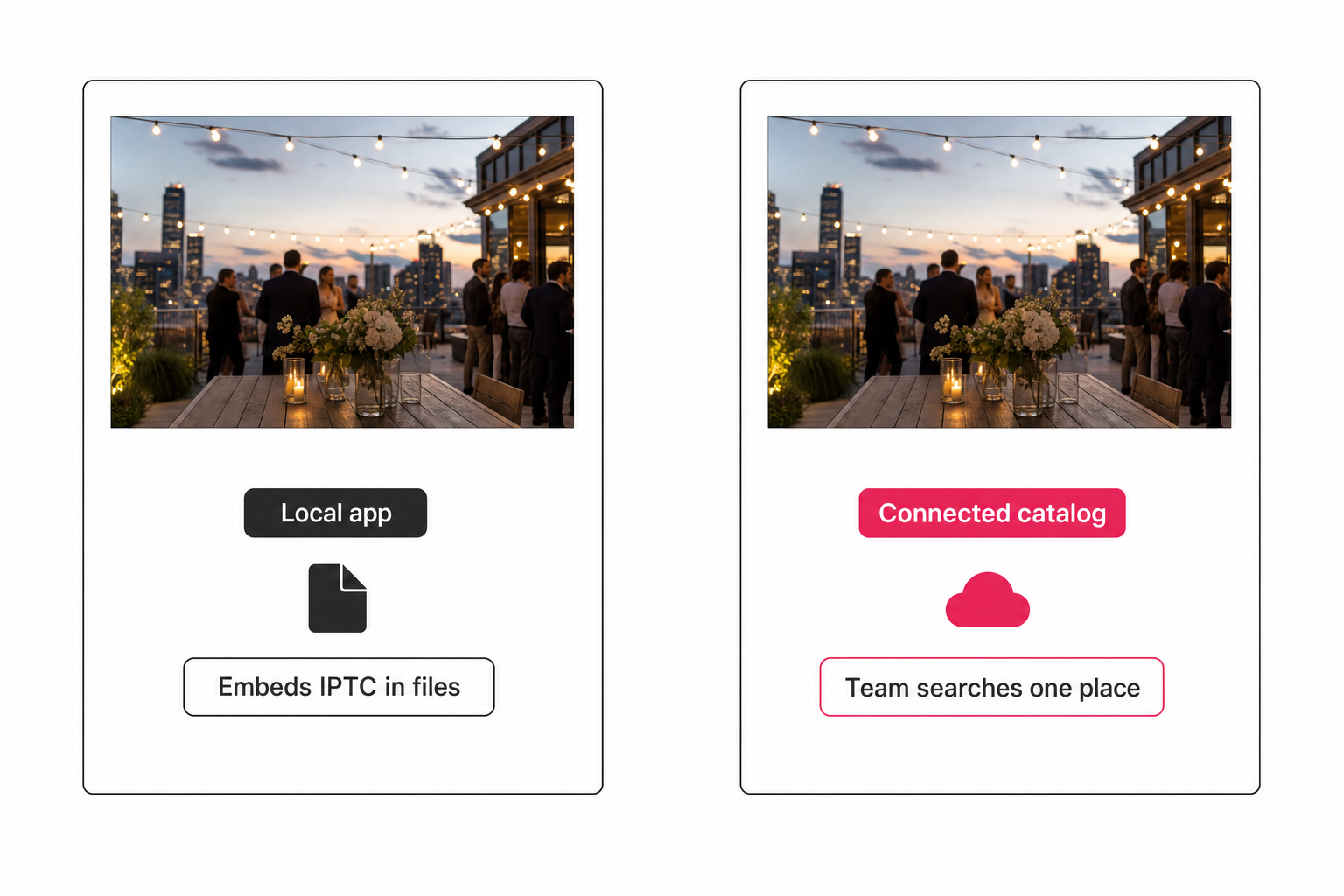
Tip. The output is the thing to judge, not the feature table. Tagrly's free tier tags the first 500 photos in any Drive or Dropbox folder, no credit card, so you can run it on one real folder and compare the results against your embedded keywords side by side.
How to choose: pick X if Y
Answer one question before any feature comparison: does the metadata need to live in the file, or in front of a team?
- Stay with PhotoAITagger if you are solo, comfortable managing an OpenAI key, and your files leave your control: stock submissions, client handoffs, long-term archives. Only embedded IPTC follows the file out the door, and nothing produces it cheaper.
- Pick ON1 Photo Keyword AI or Excire Foto if you live in Lightroom or Capture One and want buy-once keywording inside that editing workflow, without operating an API key.
- Pick PhotoTag.ai if you are a stock contributor who wants agency-formatted keywords and CSVs from a web app and would rather pay per image than run your own key.
- Pick Tagrly if the photos live in Google Drive or Dropbox, more than one person searches them, and the library keeps growing. The free first-100-photos tier is enough to judge the tagging on your own shots.
The search for PhotoAITagger alternatives is rarely about finding a better tagger. The app already writes solid metadata for very little money, and switching to another embedder mostly reshuffles the same result. It is about noticing when the metadata is in the right files but the wrong place.
For a solo shooter whose photos go out the door, staying put is the honest answer. For a team living out of a shared, growing cloud folder, the answer is a catalog that stays in sync with it.
Frequently asked questions
What is the best alternative to PhotoAITagger?
It depends on why you are leaving, because it is almost never the price. PhotoAITagger is a one-time purchase that tags photos through your own OpenAI API key, so nothing undercuts it on cost. If you want keyword embedding inside an editing workflow without managing an API key, ON1 Photo Keyword AI and Excire Foto are buy-once desktop keyworders that write XMP keywords and plug into Lightroom Classic. If you are a stock contributor who wants agency-formatted keywords and CSV export from a web app, PhotoTag.ai fits. If the real problem is a team searching a growing Google Drive or Dropbox library, the better-shaped alternative is a connected catalog such as Tagrly, which reads your storage in place and gives everyone one searchable surface. Match the alternative to where the metadata needs to live: in the file, or in front of a team.
What is the main difference between PhotoAITagger and Tagrly?
Where the metadata lives, and who operates the tagging. PhotoAITagger is a desktop app that runs locally: you supply your own OpenAI API key, point it at a folder, and it embeds the generated titles, descriptions, and keywords into each file's IPTC and XMP fields. The tags travel with the files and belong to you outright, but nothing gives a team a shared search box. Tagrly is a connected catalog: it reads the Google Drive or Dropbox you already use over read-only access, tags every photo in bulk with focal-subject labels and alt text, and stores the results in a searchable database the whole team shares. Tagrly does not write IPTC back into your files; tags are exportable on demand instead. One embeds metadata you own, the other maintains a catalog that stays in sync with the folder.
How much does PhotoAITagger cost to run?
Two separate costs. The app itself is a one-time purchase, listed at roughly 6 euros as of writing in August 2026, with no subscription and no account on their side; check the vendor's site for the current price. The ongoing cost is OpenAI API usage billed directly by OpenAI against your own key, which PhotoAITagger estimates at about $1.50 per 1,000 photos. That is genuinely cheap. The hidden cost is operational: you create and fund the OpenAI account, keep the key safe, and re-run the app yourself whenever the folder gains new photos. For one technical user that is a few minutes of setup. For a team that wants tagging to just happen in the background, it is the main reason to look at alternatives.
Can Google Drive or Dropbox search read the keywords PhotoAITagger writes?
No. Drive and Dropbox sync files byte for byte, so the embedded IPTC and XMP keywords survive upload completely intact, but neither product's search box reads the IPTC keyword field inside an image. The keywords are in the file and invisible to anyone searching the shared folder. IPTC-aware tools do read them: Lightroom, Adobe Bridge, stock agency ingest systems, and most desktop photo managers. So embedded keywords work well when the file's next stop is an agency or an editing app, and do nothing for a team that searches its library through a cloud drive's own interface. That gap is the single most common reason people move from an embedding tool to a connected catalog.
When is PhotoAITagger the right choice over a catalog like Tagrly?
When you are solo, your files leave your control, and you are comfortable operating an OpenAI API key. If you submit to stock agencies, hand originals to clients, or archive photos that must stay self-describing for decades, embedded IPTC metadata is the only kind that follows the file, and PhotoAITagger produces it for a one-time purchase plus a few dollars of API usage per thousand photos. A catalog would add a subscription without adding anything those workflows need. You outgrow the embedding approach when the photos stop leaving and start accumulating in a shared cloud folder that several people search every week. At that point the metadata is in the right files but the wrong place, and a connected catalog becomes the better fit.
Try Tagrly on your own photo library
Connect your Google Drive or Dropbox folder and Tagrly will tag every photo in bulk. Search by what is actually in the image, share specific shots with clients, and never lose a photo again.
- Free for your first 500 photos
- Read-only access, revoke anytime
- No credit card