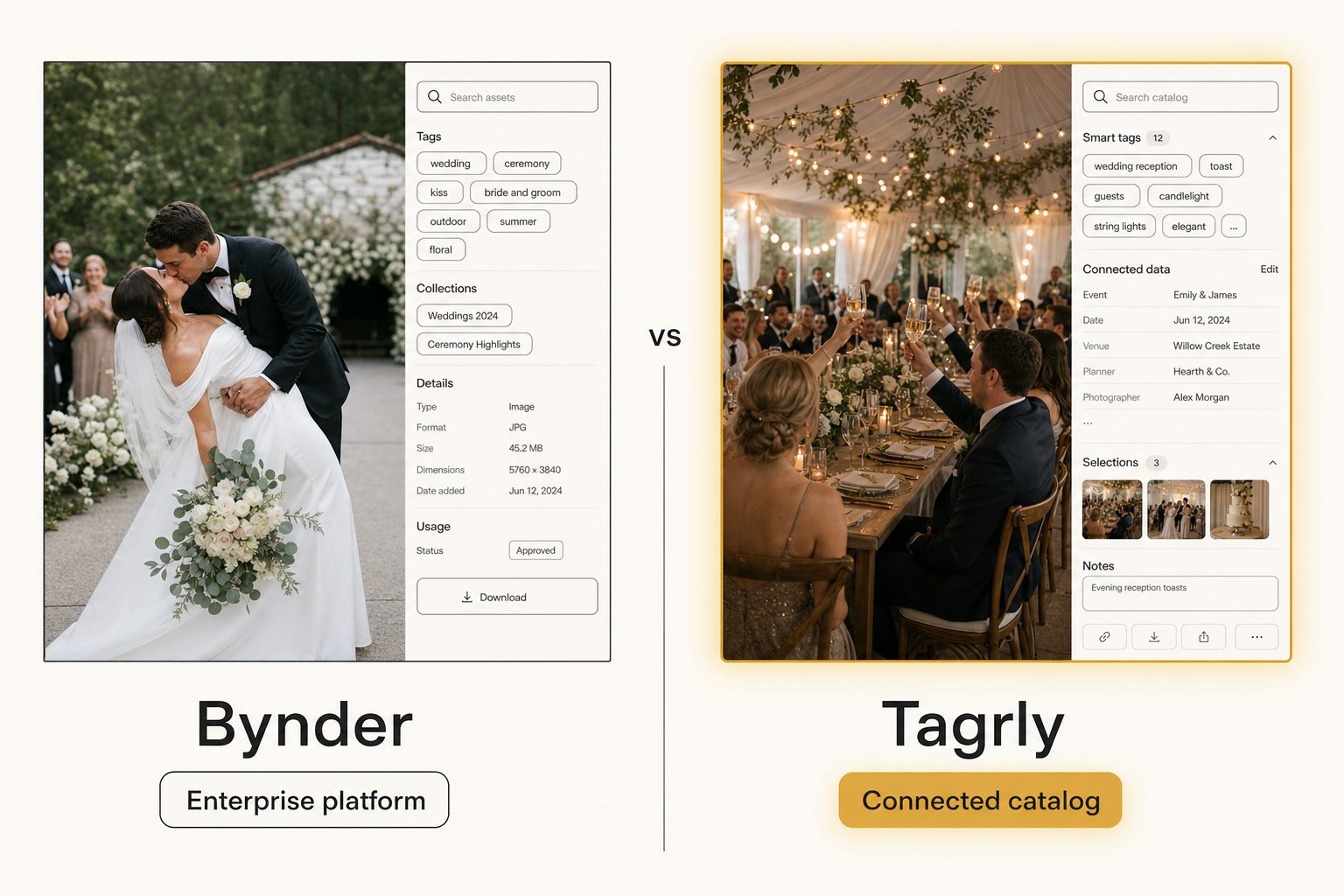
Your creative director needs the six rooftop-sunset shots from last quarter's product launch, the team's 22,000 photos live in a shared Google Drive, and somebody in the meeting said "we should just get Bynder." Then the sales call put a quote in front of you with a comma in it. This is the post for the moment right after that, when you are searching for Bynder alternatives and trying to work out whether you need the enterprise platform at all or just a faster way to find and share photos.
What Bynder actually is
Bynder is an enterprise photo and brand-asset platform, founded in Amsterdam in 2013, now used by 4,000-plus customers including names like Spotify, Lacoste, and Five Guys. It is built for organizations that treat brand assets as something to operate at scale, not just store.
The platform does a lot. You upload assets into Bynder's own storage, then get a brand portal, asset and content workflow modules, templated creative through its Studio product, usage analytics, an integration marketplace, single sign-on, and AI-powered auto-tagging across many file types. The module list is long, and most of it exists to run brand operations at scale, not to find a photo.
That breadth is the point. A global company with regional marketing teams, agency partners, and a legal team that cares who used which asset where needs all of it. The portals, workflow, and analytics are the product; photo search is one feature among many.
Note. An enterprise photo platform in this sense is the system of record for your brand's assets. You move files in, you manage them there, and the platform's job is control, distribution, and creative production at scale. That is a different problem from "I have a folder of photos and I cannot find anything."
What Bynder costs (and why the quote is the real answer)
Bynder does not publish prices, which is itself a signal about who it is for. Its own pricing page says every customer gets a custom package and a unique price point, and points you to a sales conversation. Enterprise platforms quote per deployment based on users, storage, and which modules you add.
As of writing in September 2026, third-party contract trackers put Bynder's median annual price around $41,000, with a typical range from roughly $9,000 to $78,000 a year across dozens of tracked purchases, and 100-plus-user rollouts running past six figures once you add seats and modules. Those are secondhand numbers, so treat them as a range, not a fact, and request a current quote from Bynder before you budget anything.
For a small team, the useful tell is this: if you have to book a sales demo to learn the price, the product is priced for a buyer with a procurement process. That is a sign you might be shopping in the wrong aisle, not a knock on the tool.
Why teams look for Bynder alternatives
Most people searching for Bynder alternatives are not enterprise buyers at all. The 2026 search results are full of other enterprise platforms, Acquia, Canto, Frontify, Air, Brandfolder, and similar, and most "alternatives" listicles just swap one five-figure platform for another. That is the right move if you genuinely need the enterprise tier and only want a better fit within it.
But a large share of people searching this term got quoted enterprise money for a small-team problem. Written plainly, that problem is: "our photos are scattered, search is useless, and sending a client the right shots is a chore." For that crowd, three things push them to look elsewhere:
- Price. A five-figure annual platform is a real line item for a team of six.
- Onboarding. Migrating every asset into a new platform, then keeping it in sync, is weeks of work nobody scheduled.
- Overkill. Brand portals, templated creative, and module after module go unused when the actual need is fast photo search.
If that describes you, the useful question is not "which enterprise platform is cheaper than Bynder," it is "do I need an enterprise platform at all."
The four tiers of Bynder alternatives
Bynder alternatives fall into four real tiers, and the right pick depends entirely on which problem you have.
Free and DIY
Shared Google Drive or Dropbox folders, careful naming, and a spreadsheet index cost nothing and work up to a point. Below roughly 1,000 to 2,000 photos, a disciplined folder structure plus the cloud's own search is genuinely enough. The wall comes when the library outgrows anyone's memory and native search starts returning nothing useful, a problem we cover in our guide to setting up a shared photo library.
Cheap paid, roughly $10 to $30 a month
This is where most small teams belong and where the enterprise listicles never look. Single-image tagging tools, Lightroom keyword plugins, and connected catalogs all live here. Tagrly sits in this tier as a connected catalog: it reads your Drive or Dropbox, tags everything in bulk, and gives the team a shared searchable surface, for a monthly subscription rather than a yearly contract.
Enterprise platforms like Bynder and Brandfolder
Quote-based, governance-first, built for hundreds or thousands of users and mixed asset types. Worth it when brand operations are a mandate; expensive overkill when they are not. If you are weighing the enterprise tier specifically, our Tagrly vs. Brandfolder comparison covers Bynder's closest enterprise peer with the same fair breakdown.
Stock and contributor tools
If your real job is exporting keyworded photos to a stock agency, a per-image metadata tool is cheaper and better-shaped than any platform. We compare three head to head in photo metadata generators compared.
Most people searching for Bynder alternatives have been shown only the enterprise tier when their problem, and its solution, sit one tier down.
Where Tagrly fits as a Bynder alternative
Tagrly is narrower than Bynder on purpose, and that narrowness is the value for a small team.
Instead of migrating assets into a new platform, Tagrly connects read-only to the Google Drive or Dropbox you already use, walks the folders you pick, sends each photo through a vision model, and writes the results to a searchable catalog. Your originals never move, and the team searches one shared surface. You set it up in an afternoon instead of a quarter.
Two things it specializes in that broad enterprise platforms do not. First, focal-subject tagging: every photo gets one dominant-subject label ranked above its background context, so a search for "rooftop sunset" surfaces photos that are about a rooftop sunset, not every photo that happens to contain a sky. In Tagrly's own testing on a 5,000-photo set, that focal-subject method surfaced the correct top match in roughly 9 of 10 AI photo searches. Second, editorial-grade alt text that writes a full publishable sentence per photo instead of a comma-separated keyword dump, which matters when the photos end up on a website. We define both frameworks in the complete guide to AI photo tagging.
Point Tagrly at the folders and the first AI scan runs unattended in the background; what it has already read is searchable while the rest is still going. A human keywording the same library at 150 photos per hour would spend multiple weeks to reach the same place. That is the practical gap between a connected catalog and manual organization, whether your tool of record is Bynder or a folder named assets_final_v4.
Tip. Want to judge the tagging on your own photos instead of a marketing screenshot? Tagrly's free tier tags the first 500 photos in any Drive or Dropbox folder, no credit card. Point it at a sample folder and look at the focal-subject labels before you commit to anything.
The limits matter too, and they are worth stating plainly. Tagrly is not a brand-operations platform. It does not do brand portals, templated creative, workflow modules, usage analytics, or the long list of file types a global team manages.
If those are on your requirements list, Tagrly will not replace Bynder. It tags, searches, and shares photographs for a team, and is deliberately not the system of record for your entire brand.
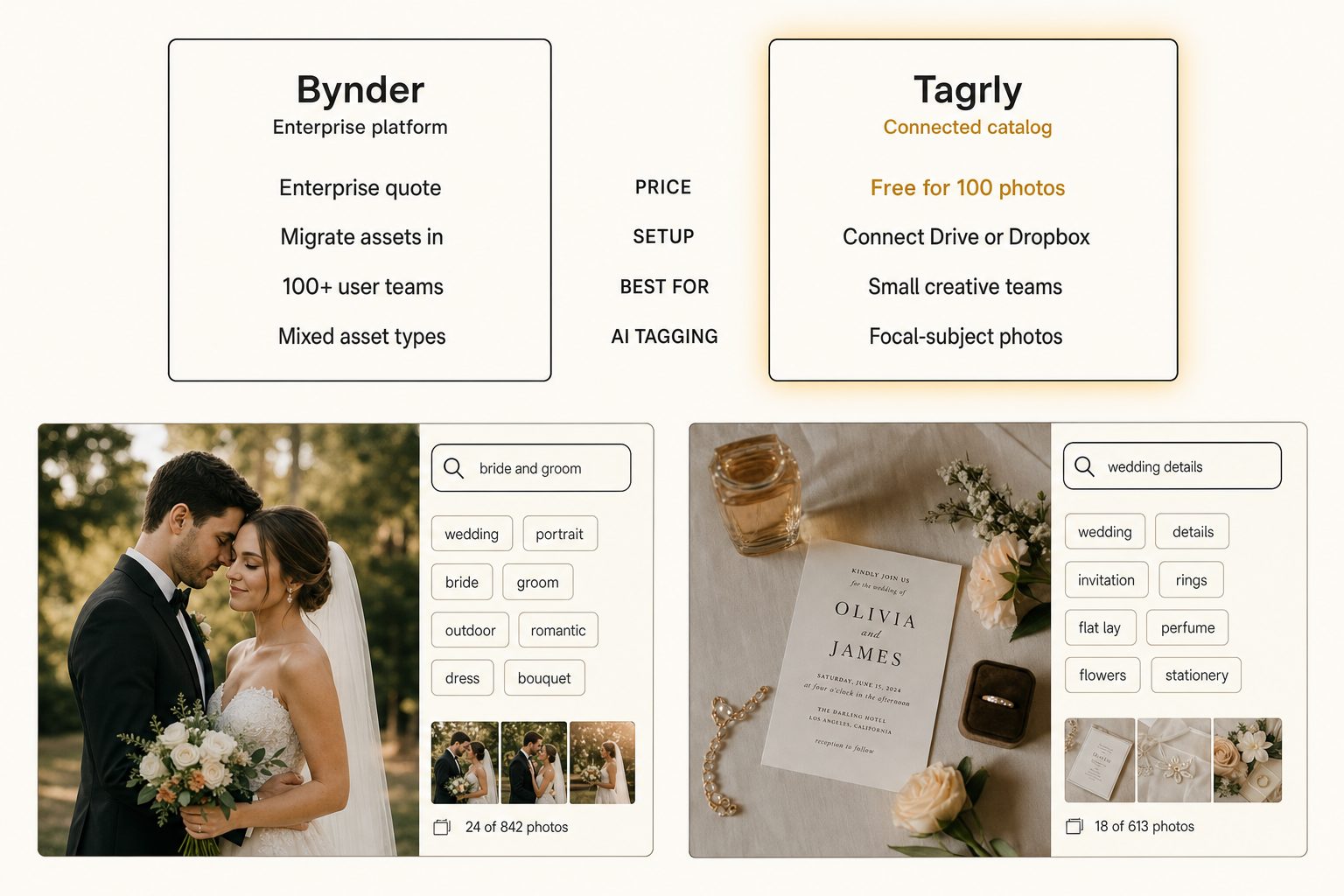
Tagrly vs. Bynder, side by side
The two tools answer different questions, so the table is less "who wins" and more "which problem are you solving."
| Bynder | Tagrly | |
|---|---|---|
| Category | Enterprise brand-asset platform | Connected photo catalog |
| Pricing | Quote-based, tens of thousands to six figures / yr | Monthly subscription + free first 500 photos |
| Setup | Migrate assets into the platform | Read-only connect to Drive or Dropbox, no migration |
| Where assets live | In Bynder's storage | Stay in your Google Drive or Dropbox |
| Asset types | Photos, video, documents, creative templates | Photographs |
| AI tagging | Yes, across asset types | Yes, focal-subject method + editorial alt text |
| Brand portals, templating, workflow modules | Yes | No |
| Single sign-on, access controls | Yes | Workspace-level sharing |
| Best for | 100+ users, brand-operations mandate | 1 to 10-person creative teams |
A few things worth saying plainly. Bynder holds your assets, which gives it brand-operations power and makes leaving a migration project; Tagrly only reads your storage, so it cannot run your brand but leaving is low-stakes. Bynder covers every asset type across global teams; Tagrly covers photographs and goes deeper on photo-specific search and alt text.
Neither is the universal answer, and anyone who tells you one of them is "simply better" is not paying attention to your team size.
Warning. When you compare any enterprise platform against a lightweight catalog, compare against your actual requirements, not the platform's full module list. It is easy to be talked into portals, analytics, and workflow automation you will never switch on. Write down the three things your team needs to do every week, then see which tool does those three for the lowest total cost.
How to choose: pick X if Y
Skip the module checklists and answer one question: do you have a brand-operations problem, or a find-my-photo problem?
- Pick Bynder if you have hundreds or thousands of users, global creative teams that need brand portals and templated creative, formal brand guidelines to enforce, single sign-on and access-control requirements, asset types well beyond photos, and a budget that supports a five or six-figure annual platform. The brand operations are the product, and a catalog will not replace them.
- Pick Brandfolder or Canto if you need the enterprise tier but want a different fit or price point than Bynder. These are peers, not downgrades, and the choice between them is about workflow fit, not capability.
- Pick Tagrly if your photos already live in Google Drive or Dropbox, you have a small team that needs AI tagging and fast search, you want editorial-grade alt text for public pages, and you would rather pay a small monthly fee than sign a yearly contract. The free tier reads the first 500 photos, so you can check the output before committing. See how the plans compare once you have a sense of your library size.
- Pick a per-image stock tool if your real job is exporting keyworded photos to a stock agency. A catalog is the wrong shape for one-and-done batches; the comparison in photo metadata generators compared covers those.
- Stay free if your library is under a couple thousand photos and a disciplined folder structure still works. Do not buy any tool until search actually breaks.
If you are torn specifically between Bynder and Tagrly, the deciding question is almost always team size and mandate. A 500-person company running global brand operations should buy the platform. A 6-person studio that just lost an afternoon hunting for a sunset shot should connect a catalog and move on. The split is not about which AI is smarter; it is about whether you need to run a brand or just find a photo.
For the wider category, see our 2026 image catalog software buyer's guide, the complete guide to AI photo tagging, and our Tagrly vs. Brandfolder comparison for Bynder's closest enterprise peer. The short version: the best Bynder alternative is the cheapest tool that solves the problem you actually have, and for most small teams that problem is finding a photo on a Thursday afternoon, not running a brand.
Frequently asked questions
Is there a cheaper alternative to Bynder?
Yes, several. Bynder is a large enterprise photo platform with quote-based pricing that, as of writing in September 2026, third-party contract trackers put in the tens of thousands of dollars per year (a median around $41,000), with bigger deployments climbing past six figures (check their site for a current quote). If you want most of the day-to-day value, finding, tagging, and sharing photos, for a fraction of that, look at connected catalogs that work on the Google Drive or Dropbox you already use. Tagrly is one example, priced as a monthly subscription with a free tier that reads the first 500 photos. Other cheaper options include single-image tagging tools and lightweight asset libraries. The tradeoff is that you give up brand portals, multi-module workflow automation, and procurement-grade support, which most teams under about 25 people never switch on.
What is the main difference between Tagrly and Bynder?
Bynder is a full enterprise brand-asset platform built in Amsterdam since 2013 and used by large marketing organizations: you migrate your assets into its storage, then get brand portals, content workflow, templated creative, analytics, single sign-on, and support across many file types and modules. Tagrly is narrower on purpose. It connects read-only to the Google Drive or Dropbox you already use, tags every photo in bulk with AI, and gives a small team a shared searchable catalog without moving anything. Bynder is built for large brands with global creative teams and a brand-governance mandate. Tagrly is built for 1 to 10-person creative teams who just need to find and share photos fast.
Does Bynder have AI tagging, and is Tagrly's better?
Both have AI tagging. Bynder ships AI-powered auto-tagging and search as part of a broad platform spanning many asset types. Neither is universally better, they are tuned for different jobs. Bynder's tagging serves a governed enterprise library of mixed assets across global teams. Tagrly focuses specifically on photo libraries and uses a focal-subject method that ranks the single dominant subject of each photo above its background context, plus an editorial-grade alt-text tier for public-facing pages. If your assets are mostly photographs and you care about search precision and publishable alt text, evaluate both on a sample of your own photos before deciding.
Do I have to migrate my photos to use a Bynder alternative?
It depends on the alternative. Enterprise platforms like Bynder, Brandfolder, and Canto expect you to upload your assets into their storage, which is a one-time migration plus ongoing sync. Connected catalogs take the opposite approach: they read your photos where they already live. Tagrly connects to Google Drive or Dropbox using read-only access, walks the folders you choose, and builds a searchable index without copying or moving a single original. For a small team that already keeps everything in shared cloud storage, skipping the migration is often the biggest practical difference.
When is Bynder actually the right choice over a cheaper tool?
When you have a brand-operations problem, not just a find-my-photo problem. Pick Bynder if you have hundreds or thousands of users, global creative teams that need brand portals and templated creative, formal brand guidelines to enforce, single sign-on and access-control requirements, mixed asset types well beyond photos, and a budget that supports a five or six-figure annual platform. In that situation the portals, workflow modules, analytics, and support are the product, and a lightweight catalog will not replace them. If you do not have those needs, you are likely paying enterprise prices for modules you will never switch on.
What happens to my photos and tags if I leave a Bynder alternative like Tagrly?
With Tagrly specifically, your originals never move in the first place, so leaving does not touch them. Your tags and metadata stay exportable as CSV or JSON for 30 days after cancellation, then the workspace database row is deleted and your Drive or Dropbox is untouched. This is worth checking with any tool you evaluate: enterprise platforms that hold your only copy of an asset can make leaving a real migration project, while a connected catalog that only reads your storage makes leaving low-stakes. Always confirm the export path before you commit.
Try Tagrly on your own photo library
Connect your Google Drive or Dropbox folder and Tagrly will tag every photo in bulk. Search by what is actually in the image, share specific shots with clients, and never lose a photo again.
- Free for your first 500 photos
- Read-only access, revoke anytime
- No credit card