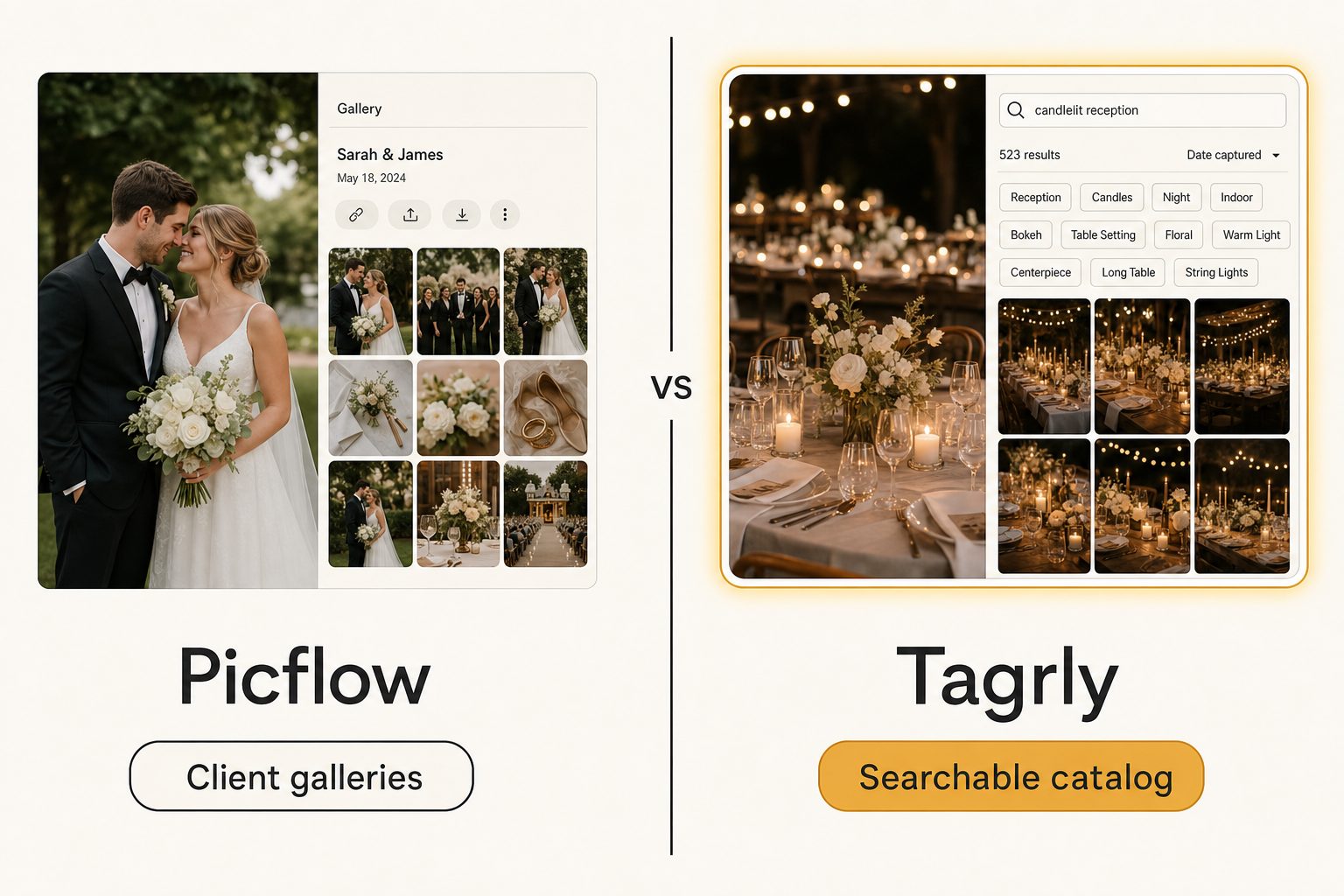
You shot a brand campaign last week, the selects are in a Picflow gallery, and the client is already leaving color labels and approving frames. That part works.
Then on Monday the marketing director asks for "the four rooftop shots with the blue step-and-repeat" from across the last three years of projects, and there is no gallery to open because nobody remembers which project they were in. This is the post for that moment, when you are looking at Picflow alternatives and trying to work out whether you need a different gallery tool or a different kind of tool entirely.
What Picflow actually is
Picflow is a gallery-and-proofing platform built around the client review. You upload a project's photos, design a branded gallery, and share a link so the client can favorite, flag, color-label, comment on, and annotate each frame, then approve the final set and download or transfer it. The Picflow homepage makes the audience clear: photographers, video editors, creative directors, and agencies who present finished or near-finished work to clients and need a tidy review-and-approval loop.
The intelligence under the hood is workflow, and it is the good kind. Picflow does review filters, bulk actions, side-by-side comparison, version control, and approval tracking, which is exactly what a commercial shoot or a video project with multiple rounds of feedback needs. On top of that it layers custom branding, custom domains on higher tiers, and fast media transfer so a heavy delivery lands cleanly.
Reviewers consistently call it a true collaboration tool rather than a print-sales storefront, and Shotkit's hands-on review is a good neutral look at how the proofing holds up in practice.
That project focus is the point. A creative who needs to turn a shoot into a branded gallery, collect structured client feedback, and deliver the approved set gets exactly that. Picflow does that one job well and does not pretend to be a general photo-organization tool.
Note. "Gallery," "proofing," and "catalog" sound similar but name different jobs. A gallery is what one client sees, scoped to one project. Proofing is the review loop inside that gallery. A catalog is the searchable index a team keeps behind the scenes across every project. Picflow is squarely a gallery-and-proofing tool built around the client review. A catalog is built around finding any photo by what it shows. The word tells you the audience: "gallery," "proof," and "approve" lean client delivery, "library" and "search" lean team catalog.
What Picflow costs
Picflow prices as a creative-workflow tool, with a free plan and several paid tiers scaled by storage, included seats, and a workflow-credit allowance rather than by photo count. As of September 2026 the plan list looks like this:
- Free: 2 GB of storage, one seat, and 50 workflow credits, a low-friction way to try the proofing before paying.
- Plus: 100 GB of storage, one seat, and 400 credits.
- Pro: 1 TB of storage, two seats, and 1,000 credits.
- Biz: 5 TB of storage, ten seats, and 5,000 credits, with Enterprise above it for larger teams.
Exact figures and the credit math move around, so check Picflow's current pricing rather than trusting a number that may be stale by the time you read this. Either way, the shape of the cost is "pay for storage and team size," which makes sense for a tool whose value is presenting and delivering projects.
The math is genuinely in Picflow's favor for its job. If your work is delivering client projects, you want cost that scales with how much you store and how many people collaborate, and that is what it sells. The cost question only changes shape when the job stops being delivery and becomes search, because then you are no longer paying to present and hand off one project, you are paying for a team to find any photo across a whole archive, and a gallery-and-proofing tool does not sell that.
Why people look for Picflow alternatives
Most creatives who use Picflow are happy with the galleries and the proofing. The reasons they go looking for an alternative cluster into three, and none of them is "the review tools are bad."
- The job is search, not delivery. The photos are not for one client's review, they are a years-deep archive in Google Drive or Dropbox, and the team needs to find a specific shot by scene or subject. Gallery filters do not answer "find the rooftop sunset shots from any project."
- They also want to sell, or build a website. Picflow is a pure collaboration and delivery tool with no store, no website builder, and no print fulfillment. Photographers who need to sell prints often look at Pixieset or ShootProof instead, which is a lateral move inside the gallery tier.
- A whole team needs the library, not one client. Picflow is built around the client reviewing one project. When the people who need the photos are coworkers searching one shared surface every week, the project-gallery shape stops fitting.
If none of those describe you, Picflow is probably still the right tool and you can stop reading. If one or more do, the useful question is not "which gallery tool is better than Picflow," it is "do I need a gallery tool at all, or a searchable catalog."
Three kinds of Picflow alternatives
The alternatives split into three groups, and the right pick depends on which of the three reasons above sent you looking.
Other client-gallery and proofing tools
If your job has not changed and you just want a different gallery-and-proofing platform, you stay in Picflow's own tier. Tools like Pixieset, ShootProof, Zenfolio, and Format live here: they take a project's photos, build a branded gallery, collect client picks, and deliver the set, with some adding a store and a website builder Picflow leaves out. This is a lateral move, swapping one delivery tool for another, and it is the right move when the job is still "present this project to this client and hand it off."
Proofing-plus-sales platforms
If you mostly need a branded space to deliver a finished set, collect selects, and sell prints or downloads, the sales-oriented gallery tools (Pixieset, ShootProof, Zenfolio) cover delivery and proofing while adding the storefront Picflow does not. They are built for the photographer-to-client handoff that ends in a purchase. We cover where dedicated proofing galleries fit in our guide to sharing specific photos with clients.
Searchable catalogs
If the photos live in Drive or Dropbox and a team searches them repeatedly by what is in each shot, the better-shaped alternative is a catalog that reads your storage and builds one searchable surface. Tagrly sits here. Instead of presenting one project for review, it connects read-only to the cloud folder you already have, tags everything in bulk with scene and subject descriptions, and lets the whole team search one place. This is not a lateral move from Picflow, it is a change of category, and it is the right one when the job has shifted from "deliver this project" to "let the team find any photo on a Thursday."
Where Tagrly fits as a Picflow alternative
Tagrly answers a different question than Picflow, and that difference is the reason to consider it.
Instead of presenting one project's photos for client review, Tagrly connects read-only to the Google Drive or Dropbox you already use, walks the folders you pick, sends each photo through a vision model, and writes the results to a searchable catalog. Your originals never move, nothing is installed, and the team searches one shared surface in a browser. The Drive connection uses the drive.readonly scope, so the tool can read your photos but never change or delete them.
Two things it does that a gallery-and-proofing tool does not. First, focal-subject tagging: every photo gets one dominant-subject label ranked above its background context, so a search for "rooftop sunset" surfaces photos that are about a rooftop sunset, not every photo that happens to contain a sky. Second, an editorial-grade alt text tier that writes a full publishable sentence per photo instead of waiting for a client to label it, which matters when the photos end up on a website rather than in a download. We define both frameworks in the complete guide to AI photo tagging, the named methods Tagrly recommends across the category.
In Tagrly's own testing on a 5,000-photo set, focal-subject tagging returned the right photo as the correct top search result in roughly 9 of 10 queries. The first scan left a fully searchable catalog, with focal-subject labels and alt text on every photo, with nobody typing keywords by hand.
The difference from a gallery-and-proofing tool is not the photos, both handle real shoots. It is the question you can ask afterward. With Picflow you finish with a client who has reviewed and approved their project. With a catalog you finish with a surface the whole team types a query into and gets the right shot back, across every project you ever shot.
Tip. Want to judge the tagging on your own photos instead of a marketing screenshot? Tagrly's free tier tags the first 500 photos in any Drive or Dropbox folder, no credit card. Connect a sample folder and read the tags it writes back before you commit to anything.
The limits matter too. Tagrly is not a client-gallery or proofing tool. It does not build branded galleries, it does not collect client favorites, comments, color labels, or approvals, and it does not run a structured review-and-delivery loop.
If your whole job is "present this project to a client and collect their feedback," Picflow is the better fit and a catalog would not solve the problem you actually have. Tagrly earns its keep when the library is shared, growing, mixed across many projects, and searched by content rather than reviewed project by project.
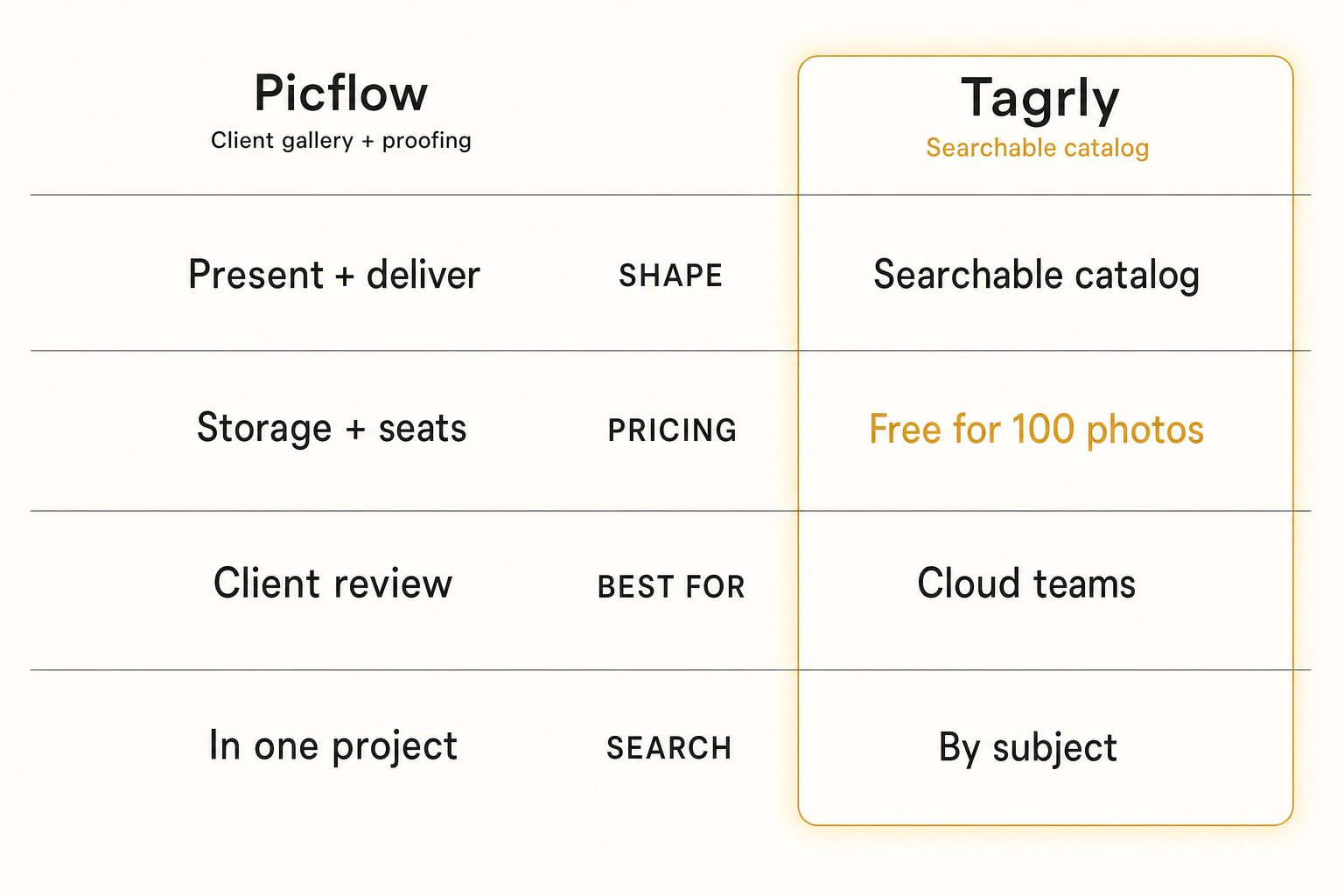
Tagrly vs. Picflow, side by side
The two tools are not really competing on the same axis. They are two answers to "what do I need to do with a pile of project photos."
| Picflow | Tagrly | |
|---|---|---|
| Shape | Client gallery + proofing | Searchable catalog |
| Core job | Present and deliver one project | Find any photo across a library |
| Connects to Drive / Dropbox | Upload per project | Yes (read-only, in place) |
| Primary user | A client reviewing a project | A team |
| Search by scene or subject | No (project-scoped filters only) | Yes (focal-subject tagging) |
| Editorial alt text for publishing | No | Yes (every photo) |
| Client review (favorites, comments, approval) | Yes | No |
| Pricing model | Storage + seats + workflow credits | Monthly subscription + free first 500 photos |
| Best audience | Creatives delivering work to clients | Teams searching a mixed cloud library |
A few things worth saying plainly. Picflow runs a branded review-and-approval loop with favorites, comments, color labels, and annotations, which Tagrly does not do at all, and that is a real point in its favor if your job is client delivery. On the other side, Picflow does not turn a mixed Drive into a surface a team can search by scene or subject across every project, and it does not write alt text for public pages, which is the entire reason a searchable catalog exists. Neither is "better," they are shaped for different jobs. For the deeper version of the search problem they each leave on the table, see why Google Drive's built-in search misses most of your photos once a library grows past a few thousand frames.
Warning. Watch the word "organize." Picflow helps you organize the photos inside one project so a client can review them, which is project-scoped curation. A catalog helps a team find a subject across every project at once, which is library-wide search. Both are legitimate, but they are not the same thing. If the question you keep asking is "where is the photo of the X," not "what does this client think of this set," a project-gallery tool will keep coming up short no matter how polished its review loop is.
How to choose: pick X if Y
Skip the feature checklist and answer one question: do you need to present and deliver one project to a client, or find any photo across a growing library a team shares?
- Pick Picflow if you shoot or produce for clients, you want a branded gallery where they leave favorites, comments, color labels, and annotations, and you want a clean review-and-approval loop ending in a download or transfer. For per-project, per-client delivery it is the right shape and a catalog would not solve it.
- Pick Pixieset, ShootProof, or Zenfolio if you want the same client-gallery delivery but you also need a store, print fulfillment, or a website builder Picflow leaves out. That is a lateral swap inside the gallery-and-delivery tier, not a category change.
- Pick Tagrly if your photos live in Google Drive or Dropbox, a team needs to search them by what is in each shot, the archive keeps growing across many projects, and you want editorial-grade alt text for public pages. The free first-500-photo tier lets you check the output before committing; see how the plans compare once you have a sense of your library size.
If you are torn specifically between Picflow and Tagrly, the deciding question is almost never which tool is slicker. It is what you do with the photos next. Presenting and delivering one project to a client is a delivery job, and Picflow owns it. Finding any photo across a years-deep shared archive is a search job, and that is a catalog. Many busy studios run both: Picflow to proof and deliver the shoot to the client, and a catalog behind the scenes so the team can find anything later.
For the wider category, see the complete guide to AI photo tagging, our Tagrly vs. Foto Owl comparison if you are weighing AI event-delivery platforms, and our Tagrly vs. ON1 Photo Keyword AI comparison if a desktop keyworder is also on your list. The short version: the best Picflow alternative is the one shaped for what your photos do next, and for a team that needs to search a mixed cloud library that turns out to be a catalog rather than another gallery-and-proofing tool.
Frequently asked questions
What is the best alternative to Picflow?
It depends on what is pushing you off Picflow. If you still want to build branded galleries, collect client feedback, and deliver finished projects, the closest alternatives are other client-gallery and proofing tools like Pixieset, ShootProof, Zenfolio, or Format, and you stay in that gallery-and-delivery tier. If the real problem is that you have a large mixed library in Google Drive or Dropbox that a team needs to search by what is in each photo, that is a different job and a different category. Tagrly is one example of the searchable-catalog approach, priced as a monthly subscription with a free first-500-photo tier. Match the alternative to the task: presenting and delivering one project to a client keeps you on a gallery tool, finding any photo across a growing shared archive moves you to a catalog.
What is the main difference between Tagrly and Picflow?
What they do with a photo. Picflow is a client-gallery and online-proofing platform. You upload a project's photos into a branded gallery, share a link, and the client reviews them with favorites, flags, color labels, comments, and annotations, then approves the set and downloads it. The product is built around presenting and delivering one project to one client. Tagrly is a searchable catalog for a team. It connects read-only to the Google Drive or Dropbox you already use, tags every photo in bulk with AI descriptions and editorial alt text, and gives a team one shared surface to search and pull any shot from. Picflow answers 'show this client their photos and collect their picks.' Tagrly answers 'let our team find any photo in a 20,000-image archive.'
Does Picflow connect to Google Drive or Dropbox to tag a whole library?
Not in the way a catalog does. Picflow is built around uploading a project's photos into a Picflow gallery, where a client reviews, comments on, and approves them. It is not designed to walk a years-deep Google Drive or Dropbox folder of mixed shoots and build one searchable index you can query by scene, object, or focal subject. Picflow does offer tagging and metadata fields inside a project for organizing the assets you upload, but that is project-scoped curation, not an AI pass that reads every photo and makes a whole cloud library searchable. If your photos already live in cloud storage and the job is team-wide search rather than per-project delivery, a connected catalog like Tagrly is the better-shaped tool, because it reads your existing folders in place and tags everything for search.
How much does Picflow cost?
Picflow publishes tiered pricing with a free plan and several paid tiers, scaled by storage, included seats, and a workflow-credit allowance rather than by photo count. As of September 2026 the free plan includes 2 GB of storage, one seat, and 50 workflow credits, and the paid Plus, Pro, and Biz tiers scale from 100 GB to 5 TB of storage and up to 10 seats, with a discount for annual billing. The exact prices and the credit math move around, so check Picflow's current pricing page before you budget rather than trusting a figure that may be stale by the time you read this. The short summary: it is priced as a creative-workflow and delivery tool, where cost scales with storage and team size, not as a flat per-photo tagging charge.
Can Picflow search a photo by what is in it, like 'rooftop sunset'?
That is not what it is built for. Picflow lets you tag and label the assets inside a project and filter within that project, which helps you organize one gallery. It is not a content-aware search engine that reads every photo across a whole library and lets you query it by scene or subject, so a query like 'rooftop sunset' or 'the three shots of the blue dress' across years of shoots is outside its core job. A searchable catalog is built for exactly that kind of content query. Tagrly tags each photo with a focal subject, context tags, and a descriptive sentence, so the library can be searched by what a photo shows rather than browsed gallery by gallery.
When is Picflow the right choice over a catalog like Tagrly?
When your job is presenting and delivering work to a client. Pick Picflow if you shoot or produce for clients, you want a branded gallery where they leave favorites, comments, color labels, and annotations, and you want a clean review-and-approval loop ending in a download or transfer. A searchable catalog does not do branded client proofing, and Picflow does it well. You only outgrow Picflow when the problem stops being 'present this project to this client' and becomes 'our team needs to find any photo across a large, mixed, always-growing archive,' which is a catalog's job, not a delivery tool's. Plenty of studios run both: Picflow to proof and deliver, a catalog behind the scenes to find anything later.
Try Tagrly on your own photo library
Connect your Google Drive or Dropbox folder and Tagrly will tag every photo in bulk. Search by what is actually in the image, share specific shots with clients, and never lose a photo again.
- Free for your first 500 photos
- Read-only access, revoke anytime
- No credit card