
The delivery email went out an hour ago. Your client is now looking at your best work of the year inside a page that says Dropbox in the browser tab, Dropbox in the corner, and nothing about your studio anywhere.
What branding a client photo gallery actually covers
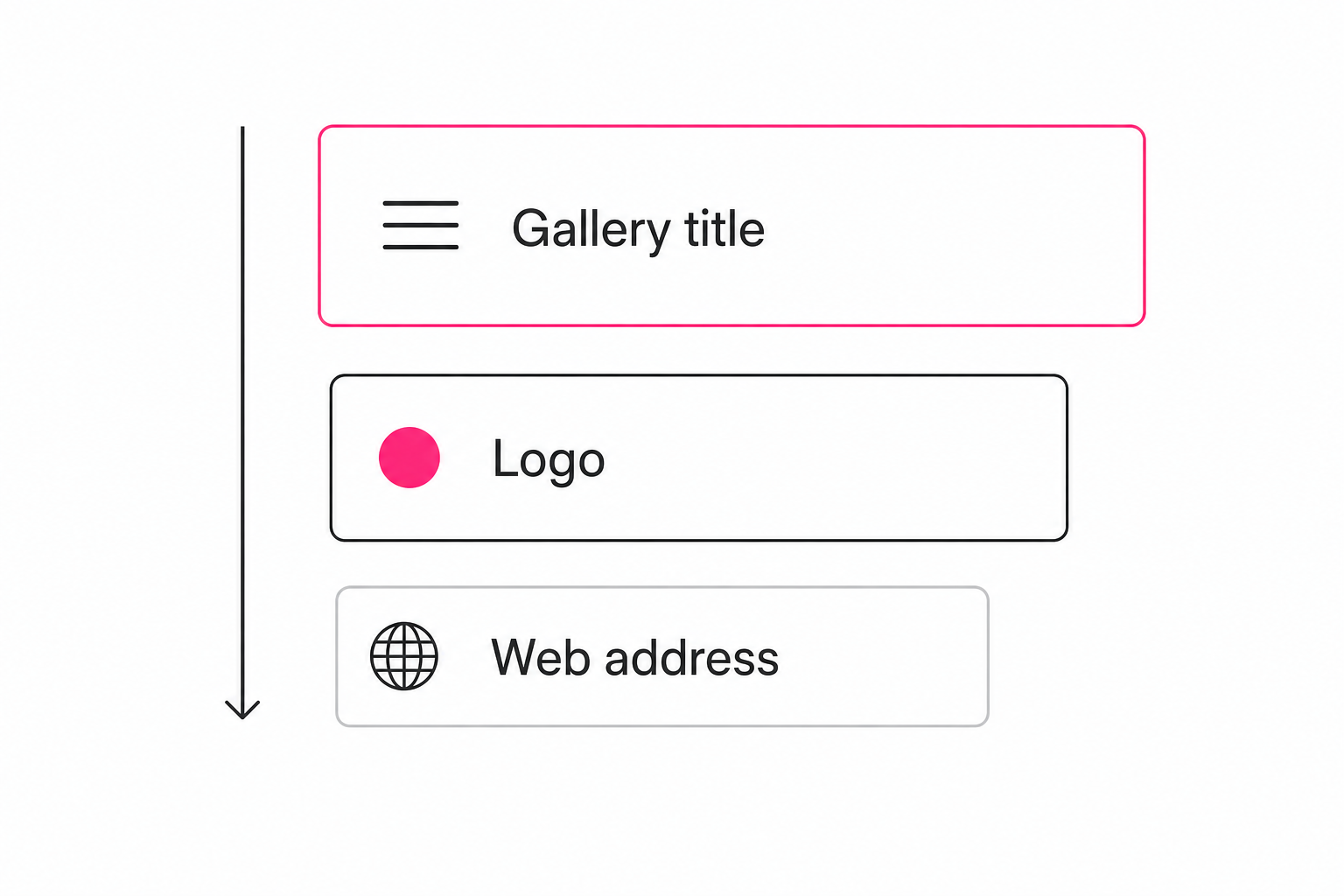
Gallery branding is five separate layers, and clients only register about three of them. Ranked by how hard each one lands:
- The gallery title. The heading on the page and the name in the browser tab. It is the first thing a client reads, and the layer every paid tool gets right.
- Your logo. On the gallery header, and on the password screen in front of it if you use one.
- The interface itself. Whose product does the page feel like? A storage tool's file list reads as storage, however good the photos are.
- The web address. photos.yourstudio.com instead of a vendor domain. Clients rarely read the address bar, but a forwarded link shows it.
- Design controls. Fonts, colors, cover layouts. The deepest layer, and the one only dedicated gallery tools offer.
Match the depth to the delivery. A campaign selects round needs layers one to three. A wedding gallery that doubles as your portfolio wants all five, and that difference decides which tool category you should be shopping in.
Free storage links put someone else's brand first
A free storage link brands the tool, not you. That is the honest starting point, with one useful exception.
Google Drive has no branding controls on a shared link. The client lands in Drive's own interface: Google's sharing screen sets permissions, not presentation, so the tab shows a folder name and the page shows a file grid. The mechanics of doing Drive delivery well anyway live in our Drive client-delivery guide.
Google Photos albums carry your album title, which covers the top branding layer. Everything around it is Google's chrome, and there is nowhere to put a logo.
Dropbox is the exception. On its team plans, an admin can add an organization logo and a background image to shared link pages, and the branding shows when recipients preview images, as of writing in August 2026 (see Dropbox's custom branding page). It is still Dropbox's interface around the preview, but the logo layer is real.
For an internal handoff where brand does not matter, none of this is a problem. When the link is the client's whole experience of the work, the wrapper undercuts it.
Proofing galleries offer the deepest gallery branding
If the gallery is part of the product you sell, proofing galleries own this category, and they earned it. Pixieset, Pic-Time, ShootProof, and CloudSpot are built for photographers whose delivery is a brand moment: cover layouts, font choices, color themes, watermarks, and custom domains, with vendor-badge removal typically reserved for higher plans. Specifics shift by vendor and plan, so check their current pages.
For shoot-by-shoot work, weddings, portraits, and events sold as sessions, this is the right depth. Buy one and skip ahead to the decision list at the end.
The model has one structural limit worth knowing before you commit. A proofing gallery is a hand-built set of one shoot's finals, so the branded experience is scroll, admire, download. When the thing you deliver is a library, two years of campaigns or a venue's whole event history, the client's first problem is finding the photo, and no amount of cover typography helps with that.
How to brand a searchable catalog gallery
A catalog gallery brands lighter than a proofing gallery, and puts the brand moment somewhere the other categories cannot: the client finds the photo themselves.
The setup is two layers. First, an AI tagging pass reads every photo in your Google Drive or Dropbox and records what each one shows; the method is covered in our complete guide to AI photo tagging, it runs unattended in the background, and vision models like Claude vision are what made it practical at library scale. Then a share link draws a boundary over that catalog and presents it as a gallery with a search box, the setup covered in building a searchable client gallery.
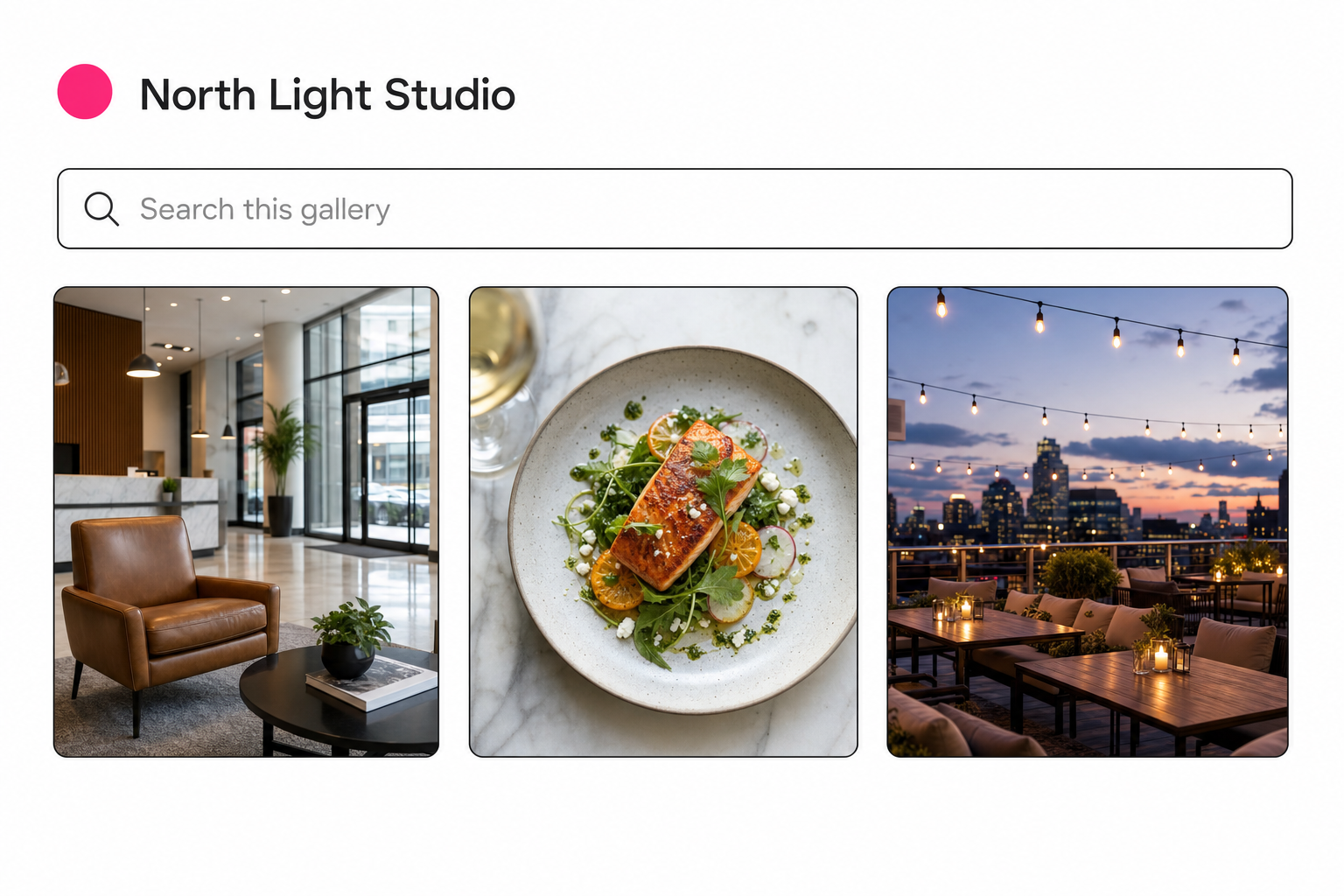
The branding layer in Tagrly specifically ladders by plan; galleries themselves publish on every plan, including the free one. On the Pro plan you upload a logo once in workspace settings, PNG, JPEG, or WebP up to 5 MB; it gets re-encoded, hosted on the gallery's own CDN, and from then on it renders on every gallery header and on the password and email screens in front of gated galleries (the access layer has its own guide).
Each share link sets its own headline and subtitle, so the venue client sees "Event archive, 2024 to 2026" while the agency sees "Spring campaign selects." The browser tab carries the gallery's title, and the tab icon is generated from the gallery's own initial rather than a vendor mark.
The honest limits: no custom domains, no font or color controls, and a ladder on the rest. Free and Hobby galleries carry a small "Made with Tagrly" footer line, the Pro plan adds the logo alongside passwords, email gates, and client favorites, and the Business plan takes the Tagrly line off entirely. Existing gallery links keep working if the plan ever changes; the ladder gates what you can set up, never what a client can open.
The trade for the lighter design controls is the search box. A client can type "terrace at dusk" into a gallery with your name on it and get the photo by what is in it, without emailing you, which does more for how your studio is perceived than a cover font.
Tip. You can see a gallery on your own photos before a client does. Tagrly's free tier tags the first 500 photos in any Drive or Dropbox folder, no credit card, and every plan can publish a share link, so connect a folder and send a test gallery to yourself.
Which branded client gallery fits your work
Pick by what the delivery has to do, not by feature count:
- Internal handoff, brand irrelevant. A plain Drive or Dropbox link. Free, instant, done.
- Your photos already live in a Dropbox team plan. Turn on custom branding for the logo layer. It is the cheapest real branding upgrade because you already pay for it.
- Shoot-by-shoot delivery where the gallery is the product. A proofing gallery like Pixieset or Pic-Time. Deepest branding in the category, custom domain included, watermarks if you need them.
- A library a client team searches on their own. A catalog gallery with your logo and titles over a searchable index. Tagrly is one option; Pics.io also connects to Drive and covers similar ground.
Branding your client photo gallery is a layered decision, not a yes-or-no toggle. The three layers clients actually register are the title, the logo, and whose product the page feels like, and every route above clears a different number of them.
Get those three right on the tool that matches your delivery shape, and save the custom domain for the day the gallery becomes the product itself. The wider discipline of making the library behind that gallery findable lives in our pillar guide to finding any photo in your library.
Frequently asked questions
Can I put my logo on a Google Drive or Dropbox shared link?
Not on Drive. Google Drive shared links open in Drive's own interface, and the standard sharing screen has no branding controls, so the client sees Google's chrome and your file names. Dropbox is the partial exception: on its team plans, an admin can add an organization logo and a background image to shared link pages, and the branding shows when recipients preview images and documents, as of writing in August 2026. Google Photos albums carry your album title but offer nowhere to put a logo. If the logo layer matters and your photos already live in Dropbox under a team plan, turning on custom branding is the cheapest upgrade available. Otherwise a logo needs a gallery layer on top of the storage.
What branding does a Tagrly client gallery carry?
Your logo, your gallery title, and your subtitle, laddered by plan. Galleries publish on every plan, and free and Hobby galleries carry a small 'Made with Tagrly' line linking home. The Pro plan adds the client-work controls: you upload the logo once in workspace settings (PNG, JPEG, or WebP up to 5 MB; Tagrly re-encodes it and hosts it on the gallery's own CDN), and it renders on the gallery header and on the password and email screens in front of gated galleries. Each share link sets its own headline and subtitle, so one client can see 'Spring campaign selects' while another sees 'Event archive', and the browser tab shows the gallery's title with a tab icon built from the gallery's own initial rather than a vendor mark. The Business plan is white-label: the Tagrly line comes off. No plan offers custom domains, fonts, or color themes.
Do I need a custom domain for my client gallery?
Only if the gallery is part of your public brand surface, the kind of page a client might forward to their own audience. Wedding and portrait photographers often want galleries living at photos.theirstudio.com, and proofing galleries like Pixieset and Pic-Time sell exactly that, with plan-dependent limits, so check their current pages. For working deliveries, campaign selects or an archive a client team searches, clients judge the title, the logo, and how fast they find their photo. They rarely read the address bar. If a custom domain is a hard requirement, choose a proofing gallery; no free storage link offers one at all.
Can I remove the gallery tool's own branding completely?
Usually only on the tool's top plan, whatever the category. Pixieset, Pic-Time, ShootProof and similar proofing tools generally reserve vendor-badge removal for their higher plans, while entry plans keep a visible credit; placement changes often, so verify against the vendor's current pricing page before you commit. Free storage links cannot remove the tool's interface at all, because the interface is the product. Tagrly follows the same ladder: free and Hobby galleries carry a small 'Made with Tagrly' footer line, and the Business plan removes it entirely, leaving your logo and title as the only identity on the page. If the vendor must be invisible for less than a top plan costs, you are shopping for a custom-built website, not a gallery tool.
Are watermarks part of gallery branding?
They do a different job. A watermark marks the photo itself, usually to discourage downloads of unpaid proofs, and proofing galleries offer it because their model is built around selects rounds and print sales. Gallery branding marks the page around the photos. If you need watermarking, that is a strong signal the proofing category fits your work; it is standard equipment there. Catalog-style galleries typically skip watermarks and control access at the door instead, using passwords, email gates, and links you can revoke, so the photos stay clean and the boundary does the protecting.
Try Tagrly on your own photo library
Connect your Google Drive or Dropbox folder and Tagrly will tag every photo in bulk. Search by what is actually in the image, share specific shots with clients, and never lose a photo again.
- Free for your first 500 photos
- Read-only access, revoke anytime
- No credit card