
It is the third email this month from the same retainer client: "can you send over the rooftop shots from the spring launch?" The April gallery holds 600 photos, the client has the link, and the only way through it is scrolling.
What makes a photo gallery searchable for clients
A searchable photo gallery for clients needs two parts: a link the client opens without an account, and an index behind it that knows what each photo shows. The search box is the easy half; what it searches against decides whether it answers anything.
Client gallery search comes in three levels, and vendors rarely say which:
- Typed text. Matches file names like
DSC_0481.jpg, or keywords you typed yourself, which cover only what you predicted. - Faces. Selfie search finds one person across a gallery, ideal for a wedding guest.
- Content. An AI pass describes every photo, so "string lights" finds string lights, even when nobody predicted the question.
Scope matters as much as level. One delivered gallery answers questions about that shoot; a library answers the month-eight question, in the client's words, about last spring's shoot.
What clients can search in Drive, Dropbox, and Google Photos links
The free links move photos reliably, but a client who opens one in a browser gets a page to scroll, not a search box that knows the photos.
Google Drive and Dropbox links
A Drive folder shared as "Anyone with the link" opens without signing in, as Google's sharing and access guide spells out. The client gets a file listing: thumbnails, file names, and your folder structure, and DSC_0481.jpg says nothing about the photo.
Dropbox shared links behave the same way. The clean free setup is in sharing photos with clients from Google Drive; it delivers well and answers no questions.
Google Photos shared albums
A Google Photos shared album is the friendlier free gallery: from its link, a scrolling page where anyone can view the photos and add to the album.
If the client joins the album with a Google account, Google says the photos may appear in their own search results. That helps a client who already lives in Google Photos and does nothing for one who opens the link in a browser.
Where scrolling breaks
Scrolling is fine at 40 photos, a chore at 600, and hopeless at a few thousand, so the client gives up or emails you. For small curated sets, stay free and see how to share specific photos with clients.
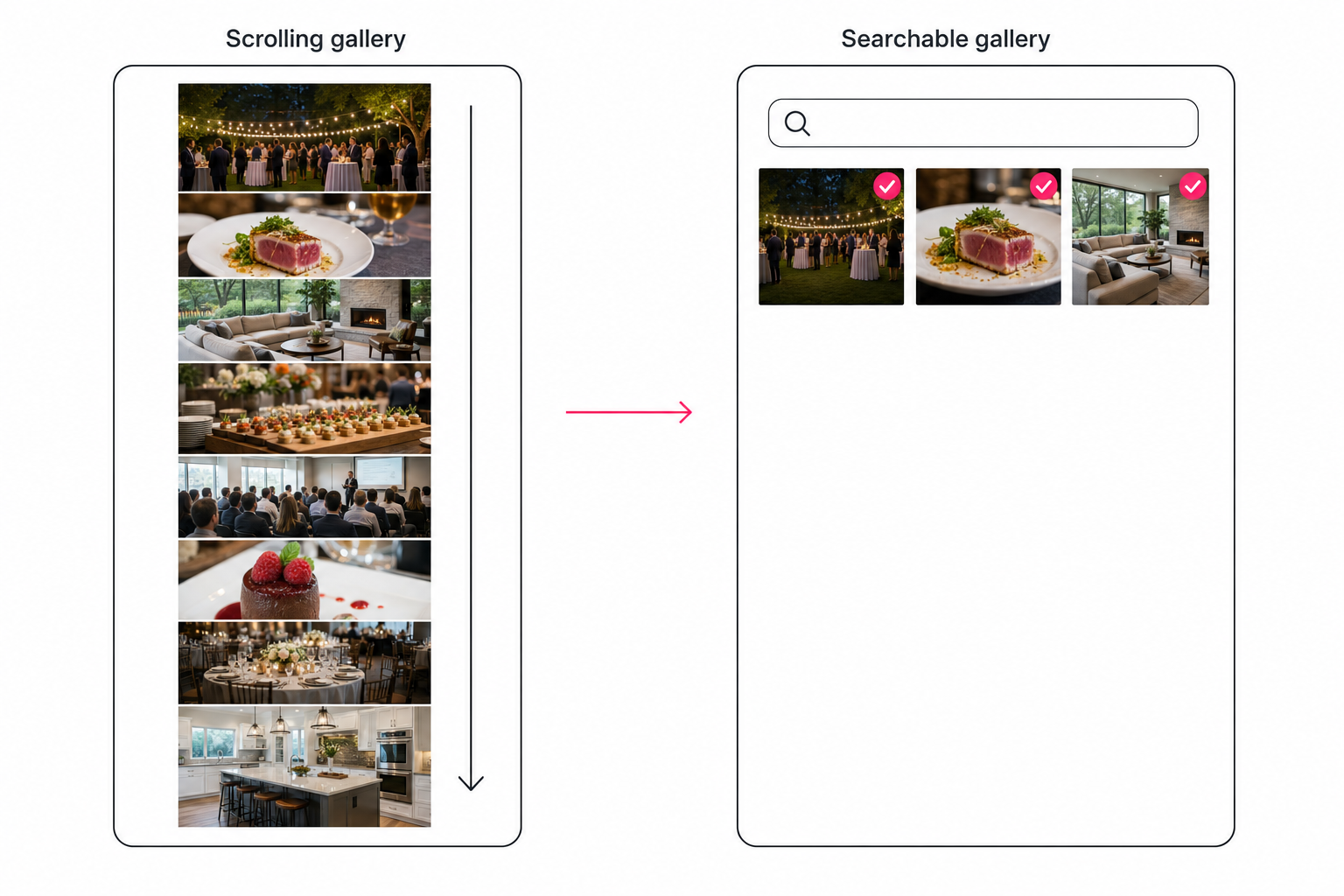
Proofing galleries now search, inside one delivered gallery
Some proofing galleries now let clients search by content or by face, but each search covers one delivered gallery. As of October 2026:
- Pic-Time. Its AI Photo Search for Clients lets guests search by free-text keyword ("dance", "pets"), a suggested person, or a selfie, and combine keyword and face. It uses Pic-Time's own model, cannot search keyword metadata embedded in files, and needs the Advanced plan (US$42 a month billed annually, or $50 monthly).
- ShootProof. Its help center says galleries have no general search. Support can enable an EXIF search that matches only keyword and description text you added, indexing the first 250 characters.
- Zenfolio. Face Finder lets a guest search a gallery with a selfie.
- Pixieset, CloudSpot, and others. Features change often, so check their current pages.
For an event, that is exactly right: a guest finds themselves, the cake, or the speech. It stops at the gallery's edge, though, and a retainer client's two years of campaigns span dozens of galleries.
Proofing galleries also cover the other half of the job: once the client can find the photo, favorites and notes record the decision.
How a searchable client gallery works in a catalog
A catalog tags every photo in your library once, then a share link puts a search box over the part of the library you choose, across shoots and months.
The tagging pass records one focal subject, context tags, and a line of editorial-grade alt text per photo. Tagrly is one example. It connects read-only to Google Drive and Dropbox, so the files there never change; it keeps a hosted copy of each photo with its tags and alt text, and it takes direct uploads too.
Tagrly's AI photo search runs on focal-subject tagging, which ranks the main subject above the background, so "rooftop at dusk" returns rooftops, not every frame with sky. In Tagrly's own testing on a 5,000-photo set, focal-subject tagging surfaced the correct top match in roughly 9 of 10 searches.
Tagrly has two kinds of share link, and only one carries a search box:
- A whole-library link. The share screen sums it up: "Search access to everything. Hidden photos stay hidden." The client gets a search box plus topic, mood, people-count, and quality filters. You can narrow it to chosen collections, a pinned search phrase, or a minimum quality, and the client's search runs inside the pinned search, never past it.
- A collection link. You search, select, choose "Add selected to collection", and share it as a gallery with your workspace logo. It has no search box.
The client's words are matched against the tags, focal subject, and description the AI wrote. Short phrases like "plated desserts" work; it is keyword search, not a chat box.
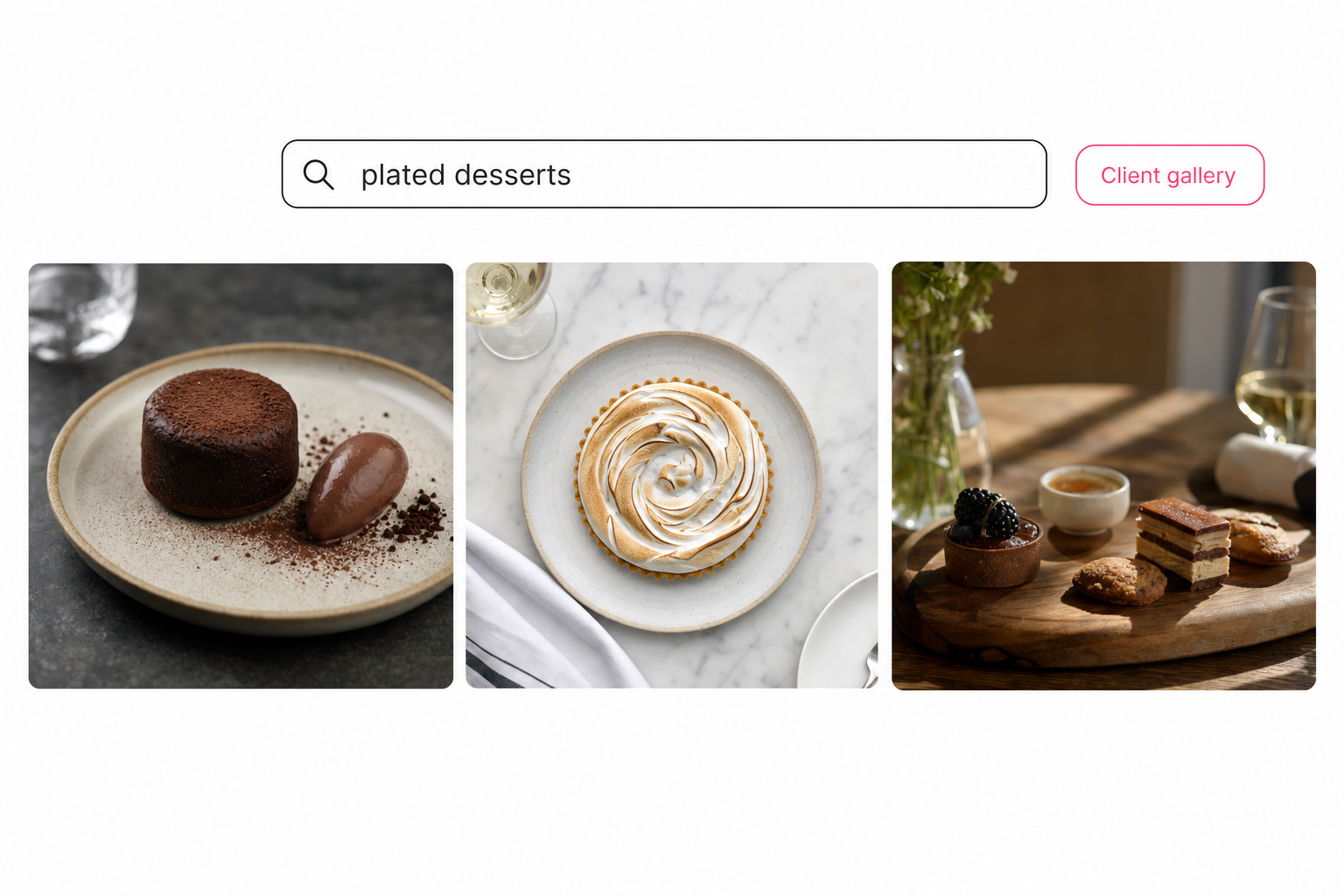
A whole-library link also stays current. Every time it is opened, it shows each tagged, unhidden photo that fits its narrowing, so a new shoot that matches appears without a new link.
Warning. A whole-library link with nothing narrowed shows your whole library, minus hidden photos. For one client, narrow it to their collections or a pinned search, and open it in a private window before sending. Near-duplicate burst frames stay out of view either way.
Links open without an account; controls depend on the plan:
- Every plan. Your workspace logo, an expiry date, downloads on or off, and an off switch that closes the gallery.
- Pro and Business. A password (see our password-protected gallery guide), an email gate, and client favorites. Business also removes the "Made with Tagrly" line.
A share link is access, not a bulk copy: downloads go one photo at a time, and "Download all" zips only favorites or a collection of up to 200 photos.
Tip. Tagrly is free for your first 500 photos, no credit card. Build a test gallery from your own photos and search it the way your client would.
Which searchable photo gallery for clients fits you
The right setup depends on whether the client's questions stay inside one shoot or cross your whole library.
| Option | How the client finds photos | Scope | New photos appear | Cost |
|---|---|---|---|---|
| Drive or Dropbox link | Browsing a list of file names | One folder | Yes, anything added | Free |
| Google Photos shared album | Scrolling; a joined album may show in their own search | One album | Yes, anything added | Free |
| Proofing gallery (ShootProof default) | Scrolling; optional EXIF search of text you typed | One gallery | What you add to it | Varies; see their site |
| Pic-Time AI search | Keywords, suggested people, selfies | One gallery | What you add to it | Advanced plan, US$42 a month billed annually |
| Catalog whole-library link (Tagrly) | Words in AI-written tags, plus topic, mood, people, and quality filters | The library slice you choose | Yes, newly tagged matches | First 500 photos free, then credits |
- A few finals, now and then. A Drive delivery folder or a Google Photos album. Nobody needs search at 40 photos.
- One event, many guests. Pic-Time's AI search or Zenfolio's Face Finder, so guests find themselves.
- Shoot-by-shoot proofing. A proofing gallery, where favorites and proofs matter more than search.
- Retainer clients, venues, and agencies with archive questions. A catalog whole-library link narrowed to that client. Tagrly is one option.
- A full-library handoff at contract end. A transfer, not a gallery; see how to send a photo library to a client.
A searchable photo gallery for clients earns its keep on one signal: repeated "can you find me" emails about photos you already delivered. If the questions stay inside one event, a proofing gallery with search covers them; if they cross shoots and months, give the client an index over the part of your library you choose. To make a big library findable in the first place, see our guide to finding any photo in your library.
Frequently asked questions
What is a searchable photo gallery for clients?
A searchable photo gallery for clients is a shared gallery with a search box that reads what each photo shows, not just its file name. The client types 'rooftop at dusk' or 'plated desserts' and gets the matching shots without emailing you. It takes two parts: a link the client can open without an account, and an index behind it that knows what every photo shows. The link is the easy half, and most tools have one. The index is the hard half. Some proofing galleries now search inside one delivered gallery, while a catalog link searches the part of your library you choose, across shoots and months.
Can clients search a shared Google Drive folder or Google Photos album?
Only in limited ways. A Drive folder shared as Anyone with the link opens without signing in, but the client gets a file listing with file names, and a name like DSC_0481.jpg says nothing about the photo. Dropbox shared links work the same way. A Google Photos shared album opened from its link is a scrolling page, and anyone with the link can view the photos and add to the album. If the client joins the album with a Google account, Google says the shared photos may appear in their own Google Photos search results. That helps a client who already uses Google Photos and does nothing for one who opens the link in a browser.
Do proofing galleries like Pic-Time or ShootProof have content search?
Some do now, inside one gallery. Pic-Time's AI Photo Search for Clients lets guests search by free-text keyword, a suggested person, or a selfie, and combine a keyword with a face; it is on the Advanced plan only and does not search keyword metadata you embedded in the files. ShootProof says there is no general search function for its galleries; its support team can turn on an EXIF search that matches only the keyword and description text you added, indexing the first 250 characters. Zenfolio's Face Finder is a selfie search. For other vendors, check their current pages. Each of these searches one delivered gallery, which is ideal for an event and stops at that gallery's edge.
How do photos become searchable in a client gallery?
An AI tagging pass reads every photo and writes down what it shows: a focal subject, supporting context tags, and a line of alt text, all stored in an index. The gallery's search box matches the client's words against that index, so 'terrace at sunset' finds terraces even when the file name is a camera counter. The pass runs unattended in the background, and photos already read are searchable while the rest is still going. Doing the same work by hand is slow: a skilled keyworder tags 100 to 200 photos an hour, which is why almost nobody keywords a whole archive manually.
Does a searchable client gallery update when I add new photos?
A catalog link can. A Tagrly whole-library link shows, every time it is opened, each tagged and unhidden photo that fits its narrowing, so a new shoot that matches the pinned search or lands in an allowed collection appears without sending a new link. A collection link shows whatever is in that collection, so adding photos to the collection adds them to the gallery. Drive folder links stay live too, which cuts both ways: anything you file in the folder later is shared with everyone holding the link. Proofing galleries show the photos you add to that particular gallery, so a new shoot usually means a new gallery and a new link.
Is a searchable client gallery safe for the rest of my library?
It is as safe as the boundary you set. In Tagrly, a whole-library link with nothing narrowed shows your whole library minus hidden photos, so for one client you narrow it to that client's collections or a pinned search phrase, and the client's own searches cannot reach past it. A collection link shows only that collection and has no search box. The connection to Google Drive and Dropbox is read-only, so the files there never change, and Tagrly keeps a hosted copy of each photo with its tags. Every plan adds an expiry date, a downloads switch, and an off switch that closes the gallery. Open the link in a private browser window before you send it.
Try Tagrly on your own photo library
Connect your Google Drive or Dropbox folder and Tagrly will tag every photo in bulk. Search by what is actually in the image, share specific shots with clients, and never lose a photo again.
- Free for your first 500 photos
- Read-only access, revoke anytime
- No credit card