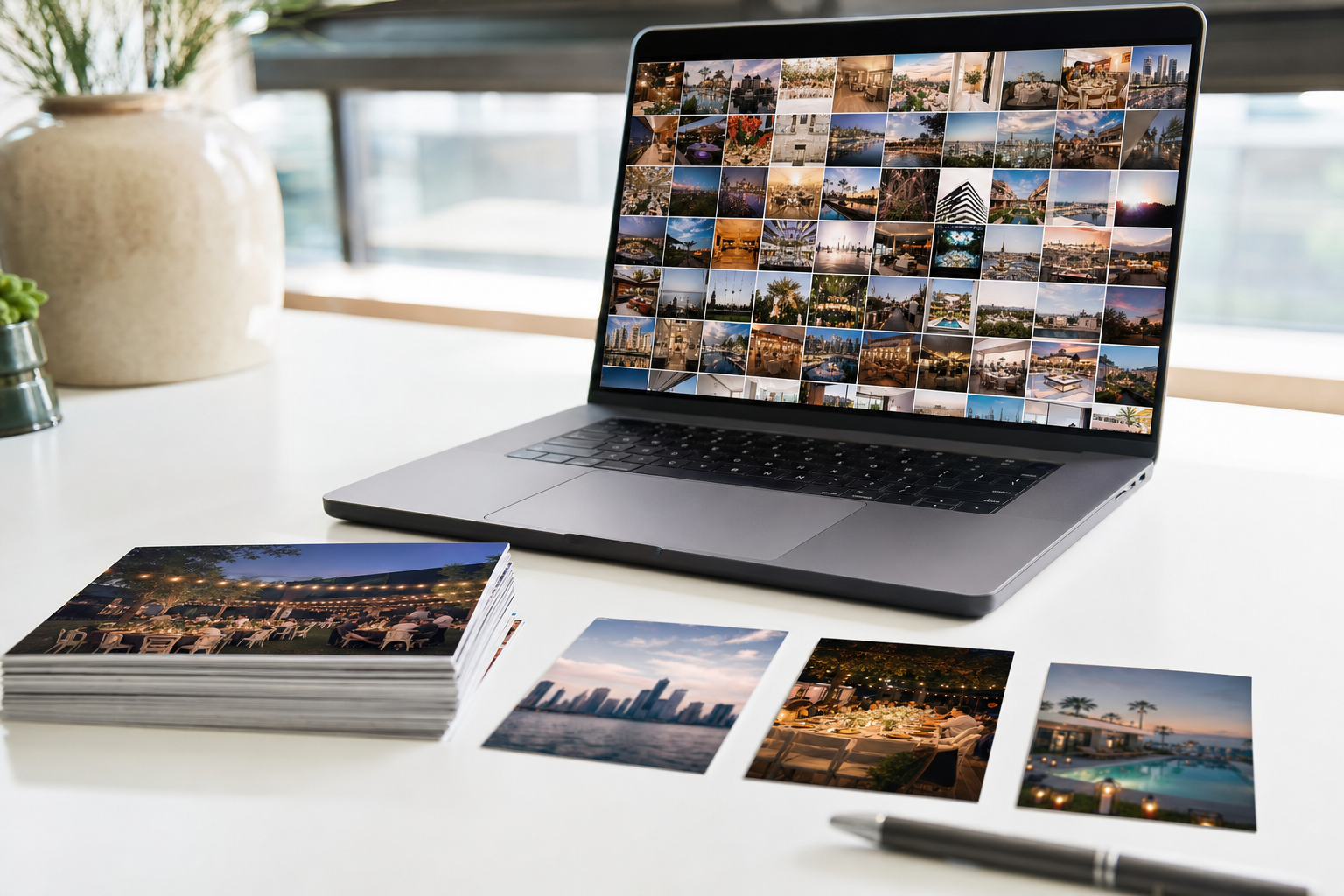
The launch shoot wrapped on Friday. 2,300 frames sit in a Google Drive folder called 2026-04-brand-shoot, the client wants the 25 approved images today, and the same folder holds the outtakes, two unapproved edits, and another client's campaign one subfolder over.
What happens when you share photos from Google Drive
A Google Drive folder link hands its role to everything inside the folder, including files you add later. That single fact drives every rule in this guide.
Drive gives you three roles:
- Viewer. Can open every file in the folder. The client delivery role.
- Commenter. Viewer access plus comments on files.
- Editor. Can edit, delete, or move any file and add new ones. Never give it to a client.
Access comes in two modes. "Restricted" opens only for people you add by email, signed in with a Google account. "Anyone with the link" opens for anyone who has the URL, no sign-in needed, the usual choice for client delivery.
Google's guide to sharing and managing access in Drive is blunt about inheritance: you cannot give someone less access to a file than they have to its parent folder. So a folder link is all-or-nothing, the same rule behind how to share specific photos with clients in any tool.
How to share client photos from Google Drive, step by step
The safe method is a disposable delivery folder that holds only the approved photos and nothing else:
- Cull first. Pick the approved finals before you touch any sharing setting.
- Create a fresh delivery folder outside your working folders, named for the client and job, like
Acme spring launch, finals. - Copy, don't move. Duplicating the finals keeps your working structure intact and the shared folder disposable.
- Share the delivery folder with "Anyone with the link" as Viewer. Viewer is enough; Editor lets a stray click delete a final.
- Block downloads if these are proofs. In the Share dialog, open Settings and uncheck the option that lets people download, copy, and print. Leave it on for paid finals.
- Unshare when the job closes. Switch General access back to Restricted in the same Share dialog. A calendar reminder works better than memory.
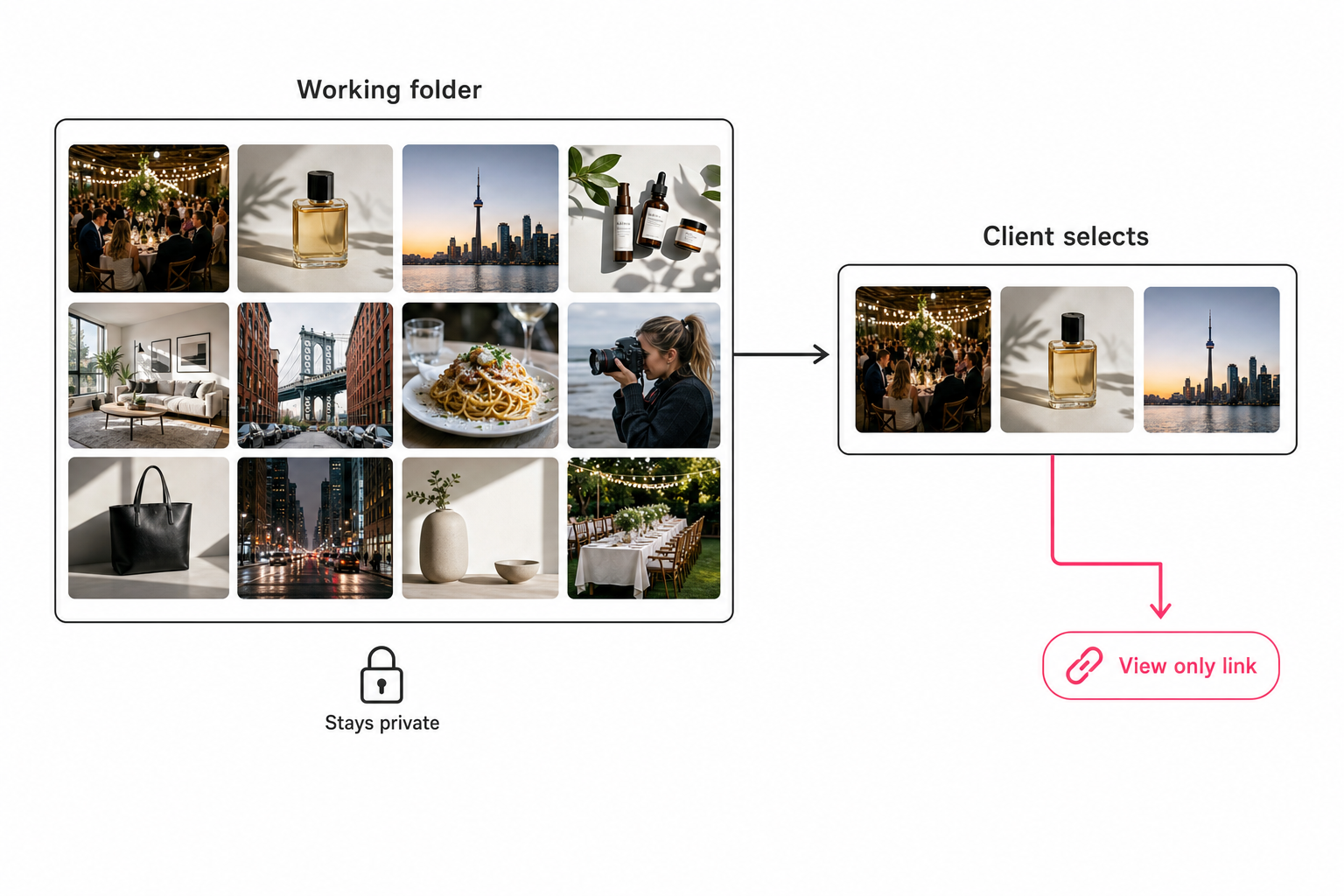
Warning. Never share the working folder or any parent folder. A folder link covers everything inside it, so the reject frames you file there next month are exposed the moment you save them. Drive's "Limit access" folder setting is a good backstop: only people you give permission to can open that folder.
Where Google Drive falls short for client photo delivery
Drive moves the files, but it does not present them, control them over time, or help you find them. Six gaps show up in client work:
- No gallery presentation. The client lands in a file manager: filenames, plain thumbnails, your folder structure, no branding.
- No proofing tools. No favorites button and no per-photo approval flow. Commenter notes work for a dozen photos and collapse past that.
- No expiry on an open link. As of October 2026, Google's expiration dates cover one named person at a time, on work and school accounts only (for folders, only the Viewer role). An anyone-with-the-link URL never expires, so March's link is still open in December.
- The folder stays live. Anything added later is visible to everyone holding the link. Fine for a retainer client, a hazard for everyone else.
- Popular files get throttled. A file with heavy traffic can show "Too many users have viewed or downloaded this file recently." Google's download help page says the block typically resets within 24 hours and suggests sharing with specific Google Groups instead of public links.
- Bulk downloads get clunky. Drive packs a multi-file or folder download into zip files, and a big folder can arrive as several zips. If the zip is the problem, see what to send instead.
One more gap hits before delivery starts: finding the 25 approved shots. Drive search is built around filenames and text, which is why Drive photo search misses most of a library. When the client needs everything, that is a different job: a full-library handoff at contract end.
Adding a gallery or catalog layer on top of Google Drive
Once you deliver often, the fix is a layer on top of Drive rather than a better folder. Three layers cover most needs:
- A Google Photos album (free). Upload copies of the finals and send a shared album link, a scrolling gallery where people can like and comment. The cost is a second copy, since Photos and Drive stopped syncing automatically in 2019.
- A proofing gallery (mostly paid). Pixieset, Pic-Time, ShootProof, and CloudSpot give shoot-by-shoot photographers branded pages, favorites, watermarked proofs, and print sales. Pricing varies, so check their current pages.
- An image catalog (search, then share). For teams whose slow step is finding the shots.
Sharing from a search with an image catalog
Once a library passes the 1,000-photo wall, the slow step for marketing teams and agencies is finding the shots, not sending them. Tagrly's Google Drive image search connects with read-only access (the drive.readonly scope), so the files in your Drive never change. It keeps a hosted copy of each photo alongside its tags and alt text.
Focal-subject tagging ranks the main subject first, so "rooftop at dusk" finds rooftops, not every frame with sky in it. In Tagrly's own testing on a 5,000-photo set, focal-subject tagging surfaced the correct top match in roughly 9 of 10 searches, against roughly 4 of 10 for the same library under a generic object detector.
Sharing then starts from the search result:
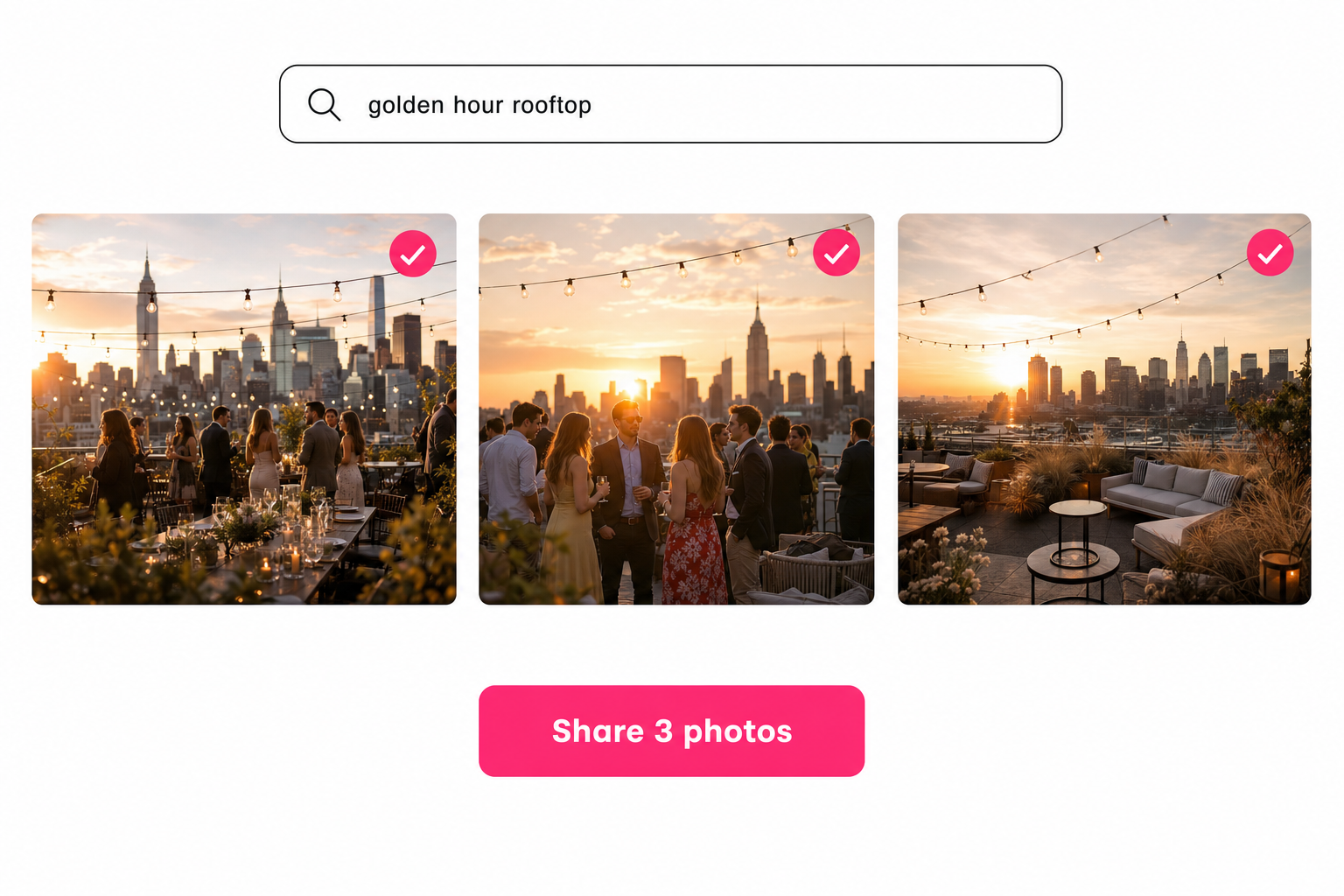
- Search the library in plain words, such as "golden hour rooftop".
- Select the photos and choose "Add selected to collection".
- Create a share link for that collection. The client gets a gallery page with your workspace logo, and it opens without an account.
A second kind of link shares the whole library behind a search box, optionally narrowed to chosen collections, a pinned search phrase, or a minimum photo quality. Hidden photos stay hidden, and the result is a gallery the client can search themselves.
Which link controls you get depends on the plan:
- On every plan. An expiry date, downloads on or off, and an off switch that closes the gallery whenever you choose, with no folder to remember to unshare.
- On Pro and Business. A password, an email gate before viewing, and client favorites (the client hearts picks, you see them). Business also drops the "Made with Tagrly" line.
Tip. If your finals already live in Drive, test the search-and-share flow on your own photos. Tagrly is free for your first 500 photos, no credit card, so you can send yourself a link before a client sees one.
Which way to share photos with clients from Google Drive fits you
For most people the delivery folder is enough; the answer changes with how often you deliver and how big the library is. How the four options compare:
| Drive link | Google Photos album | Proofing gallery | Tagrly share link | |
|---|---|---|---|---|
| Expiry date | Named people on work or school accounts only | No | Typically yes | Yes, every plan |
| Password | No | No | Typically yes | Pro and Business |
| Client favorites | No | Likes and comments | Typically yes | Pro and Business |
| Client can search | Filenames only | Only if they join the album | Varies | Yes, on a whole-library link |
| Cost | Free | Free | Mostly paid | Free for your first 500 photos, then credits |
- A few finals, now and then. The delivery-folder method above. Free and enough.
- Shoot-by-shoot client photography. A proofing gallery like Pixieset, Pic-Time, or ShootProof. Watermarked proofs and print sales are worth paying for.
- A team or agency with a big mixed Drive. An image catalog with searchable share links, such as Tagrly, so delivery starts from a search, not from copying files.
- Brand governance and a procurement process. An enterprise photo platform with approval flows. Below roughly 25 people it is usually overkill.
Sharing photos with clients from Google Drive is safe and free once you flip one habit: share a purpose-built selection, never a working container. When deliveries turn weekly, or finding the shots is the slow part, add a gallery or catalog layer. For the bigger job of taming the library itself, see our guide to finding any photo in your library.
Frequently asked questions
Can I share photos with a client from Google Drive without sharing the whole folder?
Yes, but you have to build the boundary yourself. You can share two or three individual files directly, but a folder link is all-or-nothing: every file inside it, including ones you add later, gets the same access. There is no folder setting that shares 25 photos out of 2,300. The clean method is to create a brand-new delivery folder, copy only the approved photos into it, and share that folder with Anyone with the link set to Viewer. Your working folder never gets a link, so raw frames, rejected edits, and other clients' work stay private. If you deliver selects from a large library every week, a catalog tool that turns a search result into one share link removes the copy-and-prune step entirely.
Do Google Drive share links expire?
Not on their own. An Anyone with the link URL has no expiry date, so a gallery you sent in March is still open to anyone holding the URL a year later. As of October 2026, Google lets you add an expiration date to one specific person's access from the Share menu, set to a date within one year. That option is available for work and school accounts only, and on folders only for the Viewer role, so personal accounts get no expiry at all. The practical habit is a calendar reminder to switch the delivery folder back to Restricted when the project closes. Proofing galleries and image catalogs such as Tagrly put an expiry date on the link itself, which is one of the main reasons frequent senders outgrow plain Drive links.
Can I stop clients from downloading my photos in Google Drive?
Partly. In the Share dialog, open Settings and uncheck the option that lets people download, copy, and print. That is useful when you are sharing proofs the client has not paid for yet, and the setting now covers editors as well as commenters and viewers. It blocks the obvious save paths, not screenshots, so treat it as a speed bump rather than protection. Drive also has no watermarking, no download PIN, and no per-photo download limits. If watermarked proofing with controlled final delivery is the workflow you actually need, that is the core feature set of dedicated proofing galleries like Pixieset or ShootProof, and it is worth paying for rather than improvising in Drive.
Do clients need a Google account to view photos shared from Drive?
Not if you share with Anyone with the link. That mode lets anyone who has the URL open it without signing in to a Google account, which is why it is the default choice for client delivery. The alternative, Restricted sharing to specific email addresses, requires each recipient to sign in with a matching Google account, which is more secure but regularly produces access-request emails when a client opens the link from a personal address. The tradeoff to remember with anyone-with-the-link: the URL is the only credential, so anyone the client forwards it to can also open it. Keep the delivery folder small and unshare it when the job is done.
Is Google Drive good enough for delivering photos to clients?
For a handful of finals a few times a year, yes, and it is free. The delivery-folder method gives the client a working link with nothing new to sign up for. Drive falls short when you need presentation and branding, client favorites or proofing, links that expire on their own, or repeated deliveries selected out of a large mixed library. At that point the answer is a layer on top: a Google Photos album for a friendlier free gallery, a proofing tool for shoot-by-shoot client photography, or an image catalog with searchable share links for teams sharing from tens of thousands of photos.
Try Tagrly on your own photo library
Connect your Google Drive or Dropbox folder and Tagrly will tag every photo in bulk. Search by what is actually in the image, share specific shots with clients, and never lose a photo again.
- Free for your first 500 photos
- Read-only access, revoke anytime
- No credit card