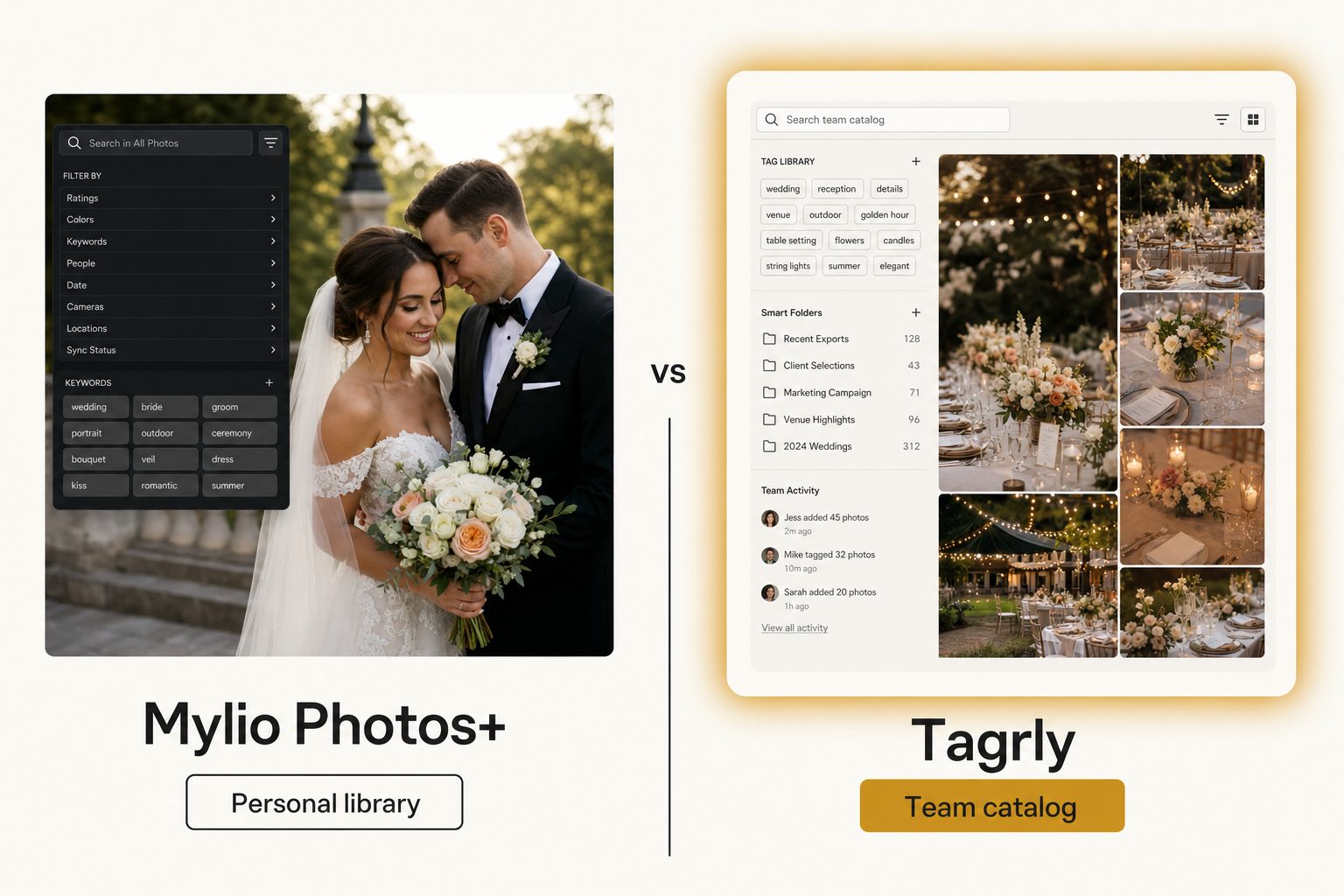
Your whole photo collection finally lives in one Mylio library, in sync on your laptop and your phone, and you can scroll twelve years of family and work shots from the couch. That part works.
Then on Monday a coworker asks for "the four rooftop sunset shots with the blue step-and-repeat" from the shared Dropbox the team actually shoots into, and there is no Mylio library on their machine to search. This post is for that moment, when you are weighing Mylio alternatives and trying to work out whether you need a different organizer or a different kind of tool.
What Mylio Photos+ is and what it costs
Mylio Photos+ is a photo organizer built around your devices, not a cloud. It builds one library that stays in sync across Mac, Windows, iPhone, iPad, and Android, peer-to-peer across your devices or through optional Mylio cloud storage. The pitch on the Mylio Photos site is local-first: your originals stay on hardware you control, and search works even offline.
The organizing tools are strong for a personal library:
- AI SmartTags. Recognize objects, scenes, and text so you can search by what is in a photo.
- Face recognition. Groups people across the whole library.
- Calendar and map views. Find a photo by when or where it was taken.
- Business and Team plans. A newer edition, Mylio Business, shares one synced library across a small team's devices.
Reviewers frame it as the privacy-minded answer to iCloud and Google Photos, and Shotkit's hands-on Mylio review is a good neutral look at how that local-first promise holds up.
What Mylio costs
Mylio charges per person, per household, or per team for the synced library. As of September 2026, Mylio's pricing FAQ lists these plans:
- Individual (Mylio Photos+). $25 per month or $240 per year.
- Duo and Family. Household plans for several people, priced above Individual.
- Business Pro. One business user, $40 per month or $480 per year.
- Business Team. Several users, with custom plans above five people.
There is a 7-day free trial, and prices have moved more than once since 2025, so check the page before you budget. For its job the math is fair: you pay for people keeping a library in sync, not per photo tagged.
Note. "Organizer," "library," and "catalog" sound similar but name different jobs. An organizer keeps a library in sync across the devices of the people who use it. A team catalog is the searchable index a whole group queries from a browser, over files that stay where they already live. Mylio is an organizer, even on its Team plan.
Why people look for Mylio alternatives
Most people who leave Mylio are not unhappy with the device sync. The reasons cluster into three:
- The library already lives in the cloud. The team's photos sit in a shared Drive or Dropbox, and the goal is to search them in place. Mylio's model brings files into its own library and syncs them onto each person's devices, which fights that workflow.
- Not everyone will install an app. Clients, freelancers, and coworkers on borrowed laptops need to find a shot from a browser. Mylio, even on Business plans, is used through the app on each device.
- The photos end up on a website. A synced library is for browsing, not publishing. When the photos go on a blog or press page, you need descriptive alt text per photo, which Mylio does not generate.
If none of those describe you, Mylio is probably still the right tool. If one or more do, the real question is not "which organizer beats Mylio," it is "do I need an organizer at all, or a team catalog."
Three kinds of Mylio alternatives
The alternatives split into three groups, and the right pick depends on which reason above sent you looking.
Other local-first personal organizers
If your job has not changed and you want a different library that lives on your devices, stay in Mylio's tier:
- Apple Photos. Covers the Apple-only case for free.
- digiKam. A capable open-source option across Windows, Mac, and Linux.
- Excire Foto. Adds strong AI search to a buy-once desktop library.
This is a lateral move, and it is the right one when the job is still "keep my own collection in sync and searchable on my devices."
Self-hosted, privacy-first libraries
If the appeal of Mylio is mostly "do not make me depend on a subscription cloud," self-hosted tools go further. Immich is a free library you run on a home server, with face recognition, smart search, and mobile apps, and Ente offers an end-to-end encrypted option.
These keep your originals fully under your control with no recurring vendor fee, at the cost of running the server yourself. They suit the privacy-minded individual, not a team searching a shared work archive.
Team catalogs
If the photos live in Drive or Dropbox and a team searches them by what is in each shot, the better-shaped alternative is a catalog that reads your storage and builds one shared, searchable surface. Tagrly sits here. It connects read-only to the folders the team already has, tags everything in bulk, and lets anyone search from a browser.
This is not a lateral move from Mylio, it is a change of category. Our image catalog software buyer's guide maps every tier, from free folders to enterprise platforms.
Where Tagrly fits as a Mylio alternative
Tagrly fits when the photos already live in Google Drive or Dropbox and a team needs to find them without moving anything. It walks the folders you pick, reads each photo with a vision model, and writes the results to a searchable catalog. The Drive connection uses the drive.readonly scope, so it can read your photos but never change or delete them.
Two things it does that a device-synced organizer does not:
- Focal-subject tagging. Every photo gets one dominant-subject label ranked above its background context, so "rooftop sunset" surfaces photos that are about a rooftop sunset, not every photo with a sky in it. In Tagrly's own testing on a 5,000-photo set, focal-subject tagging surfaced the correct top match in roughly 9 of 10 searches, which is what AI photo search runs on.
- Editorial-grade alt text. A full, publishable sentence per photo, which matters when the photos end up on a website rather than on your phone.
We define both methods in the complete guide to AI photo tagging. The scan runs unattended in the background, and what is already read is searchable while the rest is still going.
Tip. Want to judge the tagging on your own photos instead of a marketing screenshot? Tagrly's free tier tags the first 500 photos in any Drive or Dropbox folder, no credit card. Connect a sample folder and read the tags it writes back.
The limits matter too. Tagrly does not copy your collection onto your laptop and phone for offline browsing, does not keep a local-first library in sync across devices, and has no calendar or map views of your photos.
If your whole job is "keep my photos with me on every device without renting a cloud," Mylio is the better fit. Tagrly earns its keep when the library is shared, growing, mixed across many projects, already in cloud storage, and searched by a team.
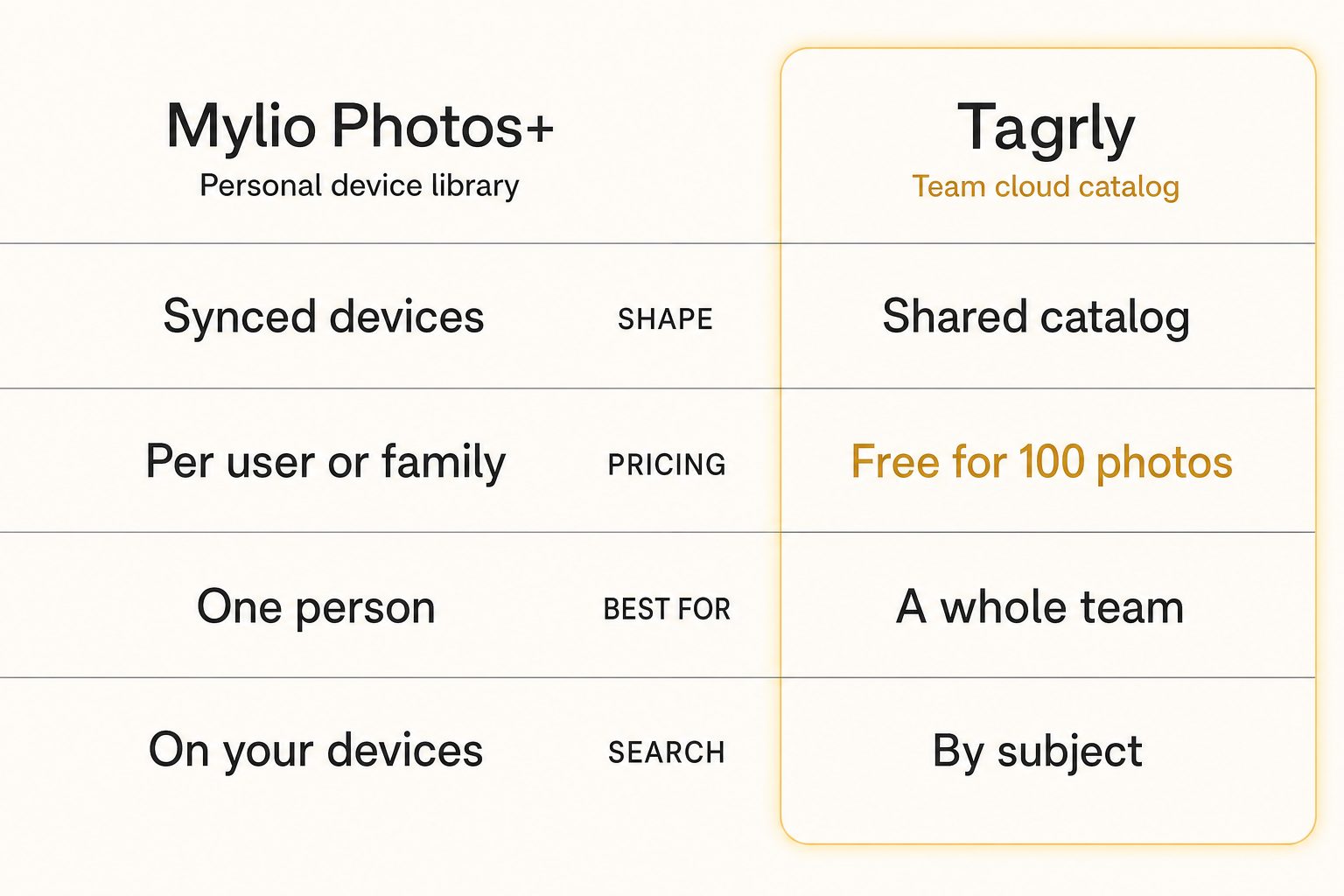
Tagrly vs. Mylio, side by side
Mylio wins on offline, device-synced browsing, and Tagrly wins on in-place team search and publishing. The table shows where each one lands.
| Mylio Photos+ | Tagrly | |
|---|---|---|
| Shape | Device-synced library | Team searchable catalog |
| Where the library lives | On each user's devices (local-first) | In your existing Drive or Dropbox (in place) |
| Connects to Drive / Dropbox | Brings files into Mylio's library | Yes (read-only, in place) |
| How people search | Mylio app on each device, works offline | Any browser, no install |
| Primary user | Individuals and families; small teams on Business plans | A whole team |
| Search by scene or subject | Yes, in the synced library | Yes, in the shared catalog (focal-subject tagging) |
| Editorial alt text for publishing | No | Yes (every photo) |
| Face recognition + calendar / map views | Yes | No |
| Pricing model | Per person, household, or team | Monthly subscription, first 500 photos free |
Neither is "better," they are shaped for different jobs. For the deeper version of the shared-library problem, see our guide to setting up a shared photo library for a small team.
Warning. Watch the word "shared." Mylio shares a library by syncing it onto every member's devices. A catalog shares a search surface over files that stay in cloud storage. If the question you keep asking is "how does the whole team find the photo of the X from wherever they are," device sync will keep coming up short.
How to choose: pick X if Y
The deciding question is whether you need the library on your devices or a team needs to search cloud storage in place.
- Pick Mylio Photos+ if you are one person or a family, you want your whole collection in sync on your own Mac, phone, and tablet, and you do not want a subscription cloud holding your originals.
- Pick Mylio Business if a small team wants that same offline, device-synced model for a shared library and everyone will run the app.
- Pick Immich or another self-hosted option if privacy and no recurring fee draw you to Mylio and you can run a small home server.
- Pick Apple Photos, digiKam, or Excire Foto if you want a simpler or cheaper personal organizer and live mostly on one platform.
- Pick Tagrly if your photos live in Google Drive or Dropbox, a team searches them by what is in each shot from a browser, and you want editorial-grade alt text for public pages. The first 500 photos are free, so you can check the output before committing; see how the plans compare once you know your library size.
For most readers weighing Mylio alternatives for a team, the answer comes down to where the files already sit. If they sit in Drive or Dropbox and nobody wants to move them, that is a catalog. Some studios run both: Mylio for the owner's personal library, and a catalog so the team can find anything in the shared archive.
For more options, see our Tagrly vs. Picflow comparison if a client-gallery tool is on your list, and our Tagrly vs. ON1 Photo Keyword AI comparison if a desktop keyworder is in the running. The best Mylio alternative is the one shaped for whose photos these are and where they live.
Frequently asked questions
What is the best alternative to Mylio?
It depends on what is pushing you off Mylio. If you still want one personal library that syncs across your own Mac, Windows, phone, and tablet without forced cloud upload, the closest alternatives stay in that local-first organizer tier: Apple Photos, digiKam, Excire Foto, or a self-hosted option like Immich. If the real problem is that your photos live in a shared Google Drive or Dropbox and a whole team needs to search them by what is in each shot, that is a different job and a different category. Tagrly is one example of the team-catalog approach, priced as a monthly subscription with the first 500 photos free. Match the alternative to the task: keeping a library in sync across devices keeps you on an organizer like Mylio, and giving a team one searchable surface over the cloud storage it already uses moves you to a catalog.
What is the main difference between Tagrly and Mylio?
Where the library lives and how people reach it. Mylio Photos+ pulls your photos into a Mylio library and keeps that library in sync across Mac, Windows, iPhone, iPad, and Android, through peer-to-peer sync or optional Mylio cloud storage. It adds AI SmartTags, face recognition, and calendar and map views, and every person uses the Mylio app on their own devices. Tagrly is a searchable catalog for a team. It connects read-only to the Google Drive or Dropbox you already use, tags every photo in bulk with AI descriptions and editorial alt text, and gives the team one shared surface to search from a browser. Mylio answers 'keep the library with me on every device.' Tagrly answers 'let our team find any photo in a 20,000-image cloud archive.'
Does Mylio work for teams, and does it connect to Google Drive or Dropbox?
Mylio now sells Business plans, including a Team plan, that share one library across several people's computers, phones, and tablets. The model is still device sync: each teammate runs the Mylio app and the shared library syncs onto their devices, with cloud volumes, drives, or network storage as places the files can live. It is not built to sit read-only on top of an existing shared Google Drive or Dropbox folder and give everyone a browser search over it in place. If your photos already live in cloud storage and the job is team-wide search without installing an app or moving files, a connected catalog like Tagrly is the better-shaped tool, because it reads your existing folders where they are and tags everything for search.
How much does Mylio cost?
As of September 2026, Mylio's support page lists the Individual Mylio Photos+ plan at $25 per month or $240 per year, and the single-user Business Pro plan at $40 per month or $480 per year. Duo and Family plans for households, and Team plans for businesses, cost more depending on how many people share them, and there is a 7-day free trial. Prices have moved more than once since 2025, so check Mylio's current pricing before you budget. The shape matters more than the figure: Mylio charges per person, household, or team for a synced library, not per photo tagged.
Can Mylio search a photo by what is in it, like 'rooftop sunset'?
Yes, inside the Mylio app. Mylio's AI SmartTags recognize objects, scenes, text, and faces, so you can search a synced Mylio library by what is in a photo, and that works well on your devices, even offline. What it does not do is give a team a browser search over a cloud folder nobody imported into Mylio. So a query like 'the four rooftop sunset shots from the launch' is answerable inside a synced Mylio library, but not against the shared Drive the team shoots into unless those files are brought into Mylio first. Tagrly tags each photo in that Drive with a focal subject, context tags, and a descriptive sentence, and the whole team searches the same index.
When is Mylio the right choice over a catalog like Tagrly?
When you want the library on your own devices and working offline. Pick Mylio if you are one person or a family who wants the whole collection in sync on your Mac, phone, and tablet, and you specifically do not want to depend on a subscription cloud holding your originals. A small team that wants that same device-synced, offline model for a shared library can look at Mylio's Business plans. A team catalog does not give you a local-first library on every device, and Mylio does that well. You outgrow it when the job becomes 'a team needs to search a growing cloud archive in place from a browser, and publish alt text,' which is a catalog's job.
Try Tagrly on your own photo library
Connect your Google Drive or Dropbox folder and Tagrly will tag every photo in bulk. Search by what is actually in the image, share specific shots with clients, and never lose a photo again.
- Free for your first 500 photos
- Read-only access, revoke anytime
- No credit card