
You inherit a photo library with 12,000 images, an accessibility audit is coming, and every alt-text field is empty. Someone suggests "just use an AI tool," and the search returns dozens of them, all promising the same thing. (To see one work first, run our free AI alt text generator on a single photo, no signup.)
What an AI alt text generator does
An AI alt text generator points a vision model at a photo and returns a short description for the image's alt attribute. The good ones name the focal subject, what it is doing, and the setting.
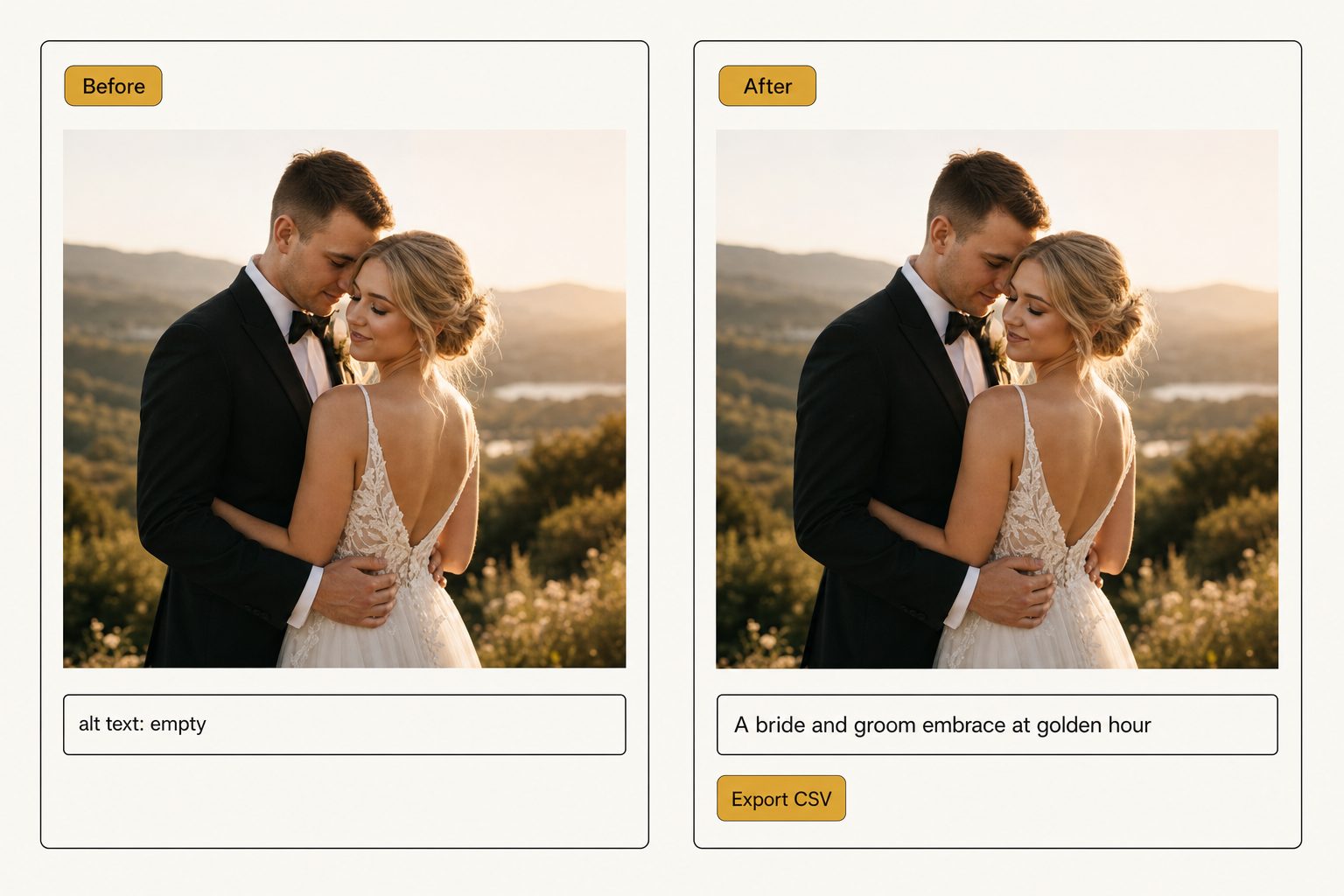
Output quality is where these tools split. Some return a bare tag list ("bride, tree, sunset"); others return a sentence ("A bride and groom embrace at golden hour"). Only the sentence is publishable without a rewrite, a gap we cover in editorial alt text vs. generic alt text.
The four kinds of AI alt text generator
Almost every tool you will find fits one of four kinds, sorted by how many images it handles and where they live.
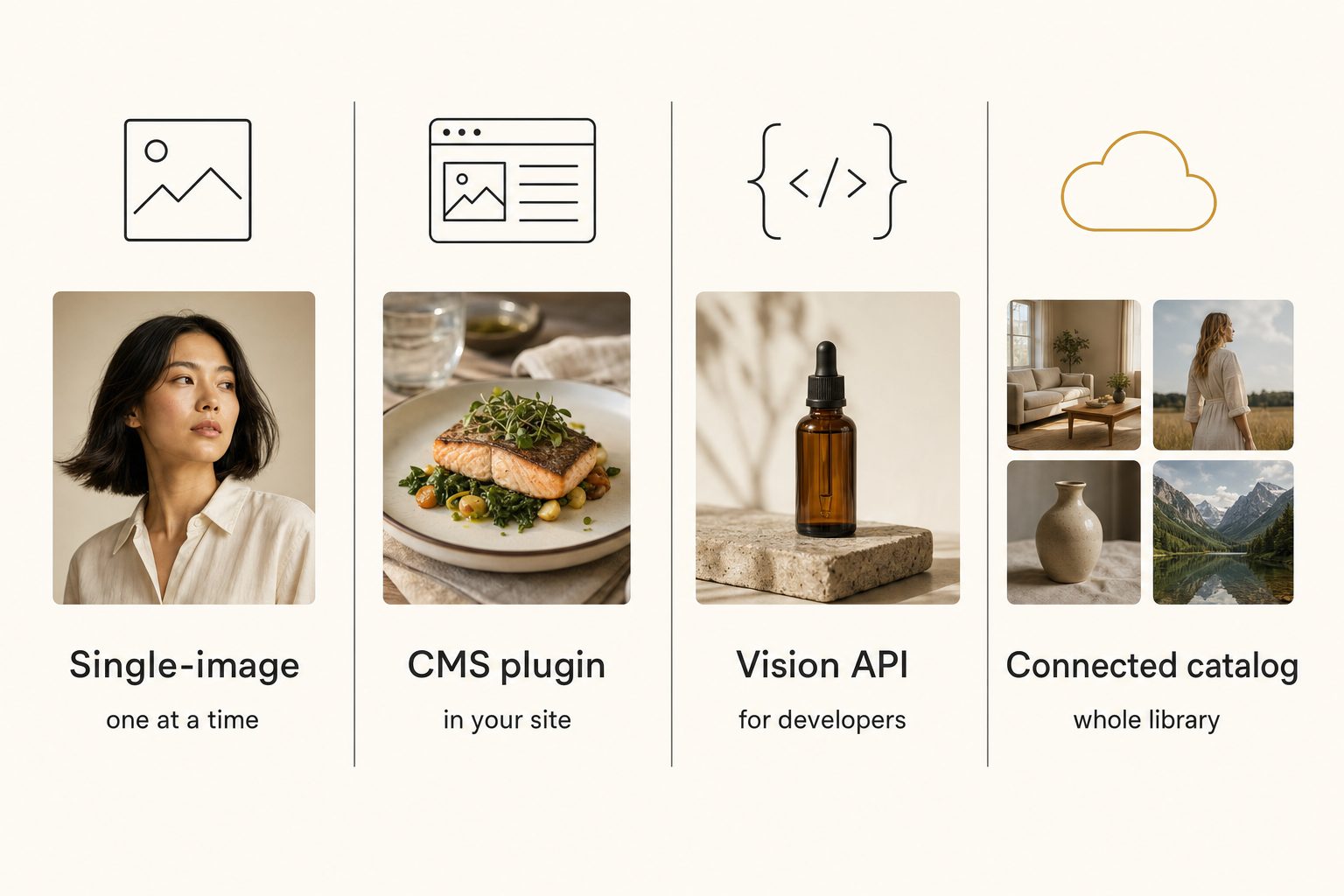
Free single-image tools and platform auto-descriptions
Free web tools, browser extensions, and one-photo services take one image and return one description. They are the right place to judge output quality before you commit.
Two platforms also describe images automatically, but neither puts text on your own site:
- Chrome. With a screen reader on, Chrome can ask Google to describe images that lack alt text. The description is spoken or sent to braille, never shown on screen or to the site owner.
- Facebook. Automatic alt text describes photos posted without any, for people using a screen reader, and the poster can edit it.
Note. In a single-image tool, every photo is its own upload, copy, and paste. That works for a few dozen images; past the 1,000-photo wall it becomes a job nobody finishes. Use this kind to judge quality, not to do volume.
CMS plugins and alt-text services
If your images already live in a content management system, the closest fix is a plugin that writes alt text in place:
- WordPress plugins. Several run a vision pass over the Media Library and fill empty alt fields.
- Shopify apps. The same job across product images; our guide to alt text for product images covers what a shopper-facing description needs.
- AltText.ai. Lists more than 20 integrations, including WordPress (with a bulk updater for existing images), Shopify, Dropbox, and Google Drive, where it writes alt text into each file's description.
- Tagrly's WordPress plugin. Inserts photos into posts with finished alt text, and can import your existing Media Library (each image read like any photo, on your plan's credits). Its "Write Tagrly alt text back" button then fills only images that have none; alt text a person wrote is never overwritten. See how it works on a Media Library.
PhotoTag.ai often appears beside these, but it writes keywords, titles, and descriptions saved into file metadata, a stock-contributor workflow, rather than website alt text.
Vision APIs for developers
A script against a vision API is the cheapest per image, if you have engineering time. Three worth knowing:
- Google Cloud Vision. Returns labels, landmarks, faces, and any text in the image. Labels, not sentences.
- Amazon Rekognition. Detects objects, scenes, activities, and landmarks, each label with a confidence score, and still no sentences.
- Claude vision. Answers in plain language, so a "describe this image" prompt returns prose you can shape into alt text. We compare it with the label-based APIs in Claude vision for image catalogs, and Anthropic's vision guide lists the per-image token cost and known limits, such as mistakes on low-quality, rotated, or very small images.
The API bill per image is usually a fraction of a cent. The real cost is the code you maintain: walking the folder, retries, skipping decorative images, and getting the text onto your site.
Connected catalog tools
Connected catalogs are built for the folder problem: they read a whole Google Drive or Dropbox library where it already sits and write alt text for every photo. Tagrly is one example, and it fits two of these kinds: this one and the WordPress plugin above.
Tagrly connects with read-only permission, organizes in place, and never moves or renames a file. Every photo it reads gets structured tags for search and a full alt-text sentence for public pages. In Tagrly's own testing on a 5,000-photo set, focal-subject tagging surfaced the correct top match in roughly 9 of 10 searches, and the alt-text sentence comes out of that same per-photo reading.
The scan runs unattended in the background, and what is already read is searchable while the rest is still going. The text reaches your site through the WordPress plugin, or through the API, which can also rewrite a photo's alt text for the page it lands on.
The free tier reads the first 500 photos with no credit card, so you can test it on your own library before deciding. Other tools reach Drive and Dropbox too (AltText.ai has integrations for both), so compare the sentences side by side.
How the four kinds compare
The more images you have, and the more they sit outside a single CMS, the further down this table your answer lands.
| Kind of generator | Handles a whole folder? | Writes sentences? | How the text reaches your site | Best for |
|---|---|---|---|---|
| Free single-image tool | No, one at a time | Varies by tool | Copy and paste | Under 50 images; quality checks |
| CMS plugin or alt-text service | Yes, inside the platform | Varies by tool | Written into the CMS | Images already in one platform |
| Vision API (DIY script) | If you build it | Claude yes; label APIs no | Whatever your script does | Teams with engineering time |
| Connected catalog | Yes (Drive, Dropbox) | Varies by tool; Tagrly yes | Tagrly: WordPress plugin or API | Hundreds to 100,000+ photos in cloud folders |
Pricing varies in every row; confirm each vendor's current page before committing.
What to check before you commit
Four questions sort the field better than any feature list:
- Does it handle your image count? If onboarding is "drag a photo here," it is a single-image tool, and it will not clear a folder of thousands.
- Does it write sentences or tag lists? Ask for ten sample outputs on your own photos. Sentences are publishable; tag lists mean you rewrite everything.
- How does the text get onto your site? Written into the CMS directly, a CSV you import, or an API your developer calls. Pick the route your site accepts; text stuck inside a tool helps no one.
- Does it handle decorative images? The W3C's alt decision tree gives an informative photo a brief description that conveys its meaning, and a purely decorative image an empty alt attribute. A good tool lets you mark dividers and background textures as decorative.
Search rewards the same sentence. Google's image SEO guidance asks for useful, information-rich alt text in the context of the page and warns against keyword stuffing; we cover which other tags Google reads in image tagging for SEO.
Warning. Some tools advertise "AI alt text" but return comma-strung tag lists dressed up as descriptions. The word "sentence" in the marketing is not proof; ten outputs on your own photos are.
For a step-by-step bulk run across a large library, see how to auto-generate alt text for thousands of images.
Pick the AI alt text generator that fits
Match the tool to your library size and to where the images live, not to whichever one ranks first:
- Pick a free single-image tool if you have under 50 images or want to judge output quality first.
- Pick a WordPress or Shopify alt-text plugin if your images already live in that platform.
- Pick a vision API if you have engineering time and storage the ready-made tools do not reach.
- Pick a connected catalog if you have hundreds of photos or more in Drive or Dropbox and want alt text plus a library your team can search.
The best AI alt text generator is the one that matches your library and writes sentences you can publish without a rewrite. Read ten of its outputs on your own photos before you decide.
Frequently asked questions
What is an AI alt text generator?
An AI alt text generator is a tool that looks at an image and writes the alt text for you, so you do not have to describe each photo by hand. It runs a vision model over the picture, identifies the focal subject and the surrounding scene, and returns a short description for the image's alt attribute. The category spans four kinds of tool: free single-image tools that handle one photo at a time, plugins and services that write alt text inside a content management system like WordPress or Shopify, vision APIs that developers script against, and connected catalogs that read a whole Google Drive or Dropbox library where it sits. They differ mostly on how many images they handle at once, how publishable the sentences are, and how the text reaches your site.
What is the best AI alt text generator?
There is no single best one; the right pick depends on how many images you have and where they live. For under 50 images and a one-time fix, a free single-image tool is enough. If your images already live in WordPress or Shopify, an alt-text plugin writes descriptions in place: AltText.ai lists more than 20 platform integrations, and Tagrly's WordPress plugin fills only the images that have no alt text. If you have engineering time and an unusual storage setup, a vision API is the cheapest per image; of Google Cloud Vision, Amazon Rekognition and Claude vision, only Claude answers in sentences rather than labels. For hundreds of photos or more in Google Drive or Dropbox, a connected catalog reads the whole library in place. Match the tool to your library first, then compare the sentences each one writes on your own photos.
Are AI alt text generators free?
Some are, with limits. Single-image web tools are often free for occasional use because you handle one photo at a time; Tagrly's own free alt text generator gives you five photos a day with no signup. Two platforms also describe images automatically at no cost: Chrome can describe unlabeled images for people using a screen reader, and Facebook's automatic alt text describes photos posted without any. Both are free and automatic, but neither gives you text you can put on your own site. Tools that handle bulk or write publishable sentences usually charge a subscription or a per-image fee; check each vendor's current page, since pricing changes. Many offer a free start: Tagrly reads your first 500 photos free, with no credit card, which is enough to judge the output before paying.
Can an AI alt text generator do a whole folder at once?
Only some kinds can. Free single-image tools and most browser extensions handle one photo per upload, so a folder of 5,000 images means 5,000 manual cycles. Vision APIs can process a whole folder, but only if you write the script that walks the files, calls the API, handles retries, and gets the text onto your site. CMS plugins handle a whole media library inside one platform. Connected catalogs are built for the folder case: Tagrly, for example, connects to Google Drive or Dropbox with read-only permission, reads every image where it sits without moving or renaming anything, and writes alt text for each one. That text reaches a website through Tagrly's WordPress plugin, which fills only empty alt fields, or through its API.
Is AI-generated alt text good enough for accessibility compliance?
It can be, as long as the tool writes descriptive sentences rather than strung-together tag lists. The W3C's accessibility guidance asks for text alternatives that describe the information an image carries, and a full sentence naming the subject, action, and setting meets that bar for most editorial and product photos. A comma-strung list like 'wedding, bride, tree' does not. Two cases still want a human pass: photos whose meaning depends on a named person or a specific product, and decorative images, which should carry an empty alt attribute instead of a generated description. A sentence-writing generator gets you most of the way, and a light human review finishes the rest.
Does an AI alt text generator help with image SEO?
Yes, when the output is descriptive. Google calls alt text the most important attribute for giving an image metadata, asks for useful, information-rich text in the context of the page, and warns that stuffing the attribute with keywords can get a site flagged as spam. A generator that writes a real sentence gives the crawler something to rank on. A generator that dumps a keyword list gives Google little and can read as spam. The same sentence that helps a screen-reader user also helps search, so you are not writing two versions; you are writing one good one at scale.
Try Tagrly on your own photo library
Connect your Google Drive or Dropbox folder and Tagrly will tag every photo in bulk. Search by what is actually in the image, share specific shots with clients, and never lose a photo again.
- Free for your first 500 photos
- Read-only access, revoke anytime
- No credit card