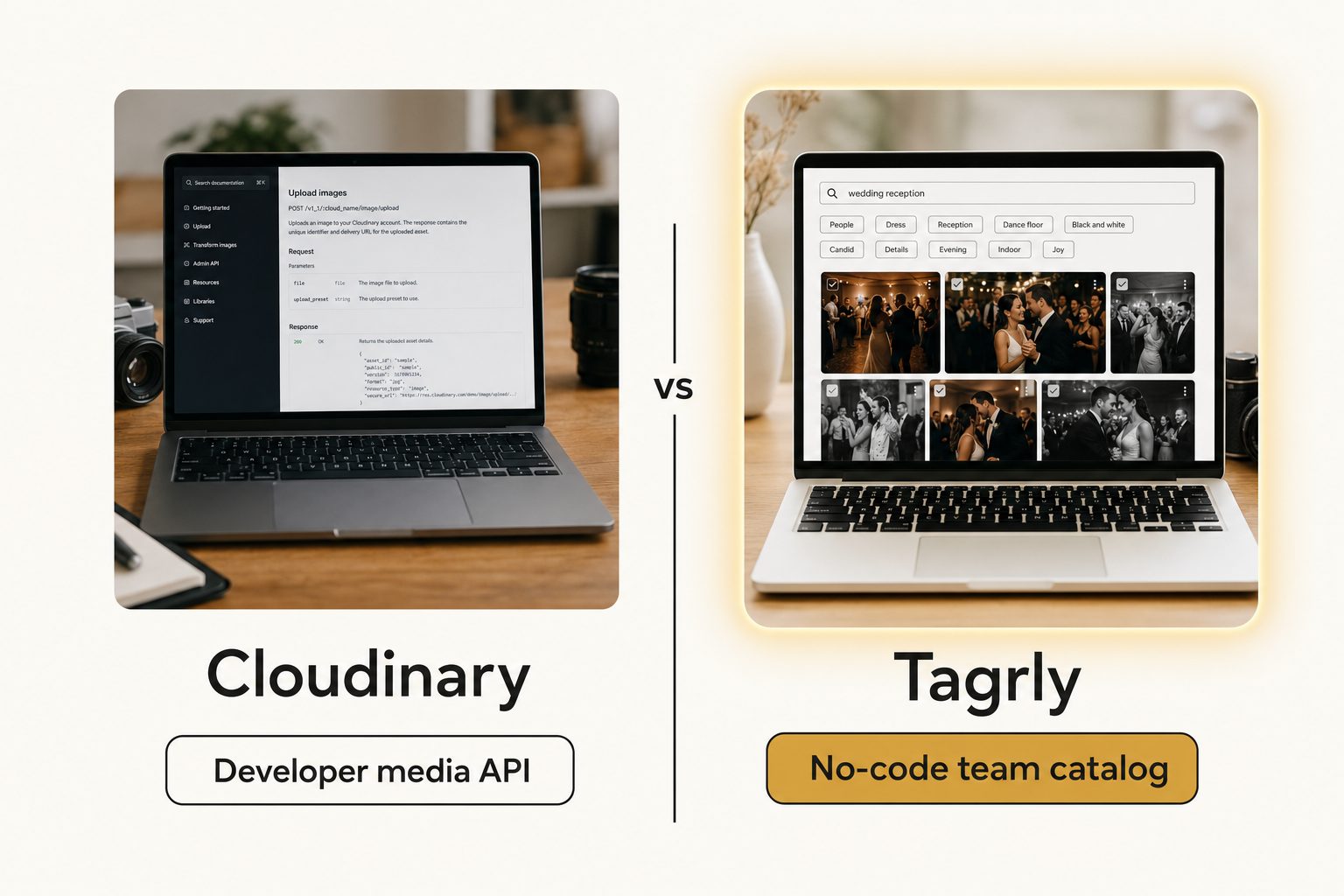
A developer on your team set up Cloudinary two years ago, then left. Now you are a marketing coordinator with 12,000 product and event photos in a Google Drive folder, a press request due Friday, and a Cloudinary dashboard full of API keys and code snippets. You do not write code. You just need to find four photos and send them to someone.
If that sounds familiar, you are looking for Cloudinary alternatives for a different reason than most lists assume. This guide sorts out which kind of tool you actually need.
What Cloudinary actually is (and what it costs)
Cloudinary is built for developers who deliver images inside an app, not for people organizing a photo library. Your code uploads an image, Cloudinary stores it, and your site requests it back through a URL that can resize, crop, compress, or reformat it on the fly. Its developer documentation is a wall of code libraries for Node, Python, PHP, and React, which tells you who the core product serves.
That is powerful for the job it does. A storefront that needs one product photo in nine sizes for phones, tablets, and desktops, optimized and cached on a global network, is exactly what Cloudinary is good at.
What Cloudinary costs
The pricing follows the same developer shape: usage credits, not seats. As of September 2026, Cloudinary's pricing page lists:
- Free: 25 monthly credits, 3 users, no credit card.
- Plus: 99 dollars a month, or 89 billed yearly, with 225 credits. This is the first tier with auto-tagging for search.
- Advanced: 249 dollars a month, or 224 billed yearly, with 600 credits.
- Enterprise: custom pricing through sales.
One credit covers 1,000 transformations, 1 GB of storage, or 1 GB of image bandwidth. Storage, edits, and traffic all draw from the same pool, so a busy month costs more than a quiet one, and that unpredictability is one reason teams start shopping around.
Cloudinary Assets, the non-developer product
Cloudinary does sell something aimed at marketers. Cloudinary Assets is a separate asset-management product with AI tagging, natural-language search, user roles, and review workflows, pitched at developers, marketers, and operations teams alike.
Two things make it a different purchase from the self-serve plans above. It is priced through Cloudinary's sales team, with no public price. And like the core product, it keeps your files inside Cloudinary's storage, so a library that lives in Drive or Dropbox has to be moved in first.
Note. "Media management" means two different jobs depending on who says it. To a developer it means a pipeline that delivers optimized images into a product. To a marketer or photographer it means finding the right photo and sending it to someone. Most people searching for a non-developer alternative want the second job.
Why non-developers go looking for Cloudinary alternatives
Non-developers leave Cloudinary for one of three reasons, and only one of them calls for another developer tool.
- There is no developer anymore. The person who integrated Cloudinary moved on, and nobody left can write the code that drives it. A team that just needs to browse and download photos gets nothing from transformation URLs.
- The bill stopped making sense. Credits get eaten by transformations and bandwidth in ways that are hard to predict. A team that mostly stores and occasionally shares photos is paying for a delivery pipeline it barely uses.
- The real job was never delivery. Many teams were pointed at Cloudinary because it was the media tool someone had heard of. What they needed was to organize a growing library and find a specific shot months later, which is a search problem, not a delivery problem.
If you still need image delivery from your code, you want a lateral move to another developer platform. If the bill or the job is the problem, you need a different category of tool.
Three kinds of Cloudinary alternatives
The alternatives split into three lanes, and the right one depends on which reason above sent you here.
Other developer media platforms
If you write code and the only problem is cost or complexity, swap one media API for another. ImageKit, imgix, Bytescale, Uploadcare, and Cloudflare Images all store images, transform them through URLs, and deliver them fast, usually with simpler pricing than Cloudinary's credits. A team catalog is not in this lane and will not replace it.
Brand asset managers
If you are a brand team that needs approval workflows, brand portals, and a home for finished assets, a brand asset manager fits better. Canto, Brandfolder, Bynder, Air, and Filecamp live here, alongside Cloudinary's own Assets product. They expect you to upload everything into their storage and add permissions and review around it. We cover two in depth in Tagrly vs. Brandfolder and Tagrly vs. Bynder, and the cheaper options in Brandfolder alternatives for small teams.
Team catalogs over your existing storage
If your photos already live in Google Drive or Dropbox and you mostly need to find a shot and share it, the lightest option is a catalog that reads the storage you already have. It connects to your existing folders, tags every photo by what is in it, and gives the team one search box, with no upload step. Tagrly sits in this lane, and our image catalog software buyer's guide maps every tier around it.
Where Tagrly fits as a Cloudinary alternative
Tagrly solves the non-developer version of the problem and does not pretend to replace Cloudinary for the developer version. It connects read-only to the Google Drive or Dropbox you already use, reads each photo with a vision model, and writes the results to a catalog the whole team searches in a browser. The Drive connection uses the drive.readonly scope, so it can read your photos but never change, move, or delete them.
Two methods from our complete guide to AI photo tagging do the heavy lifting:
- Focal-subject tagging. Every photo gets one dominant-subject label ranked above its background, so "rooftop sunset" surfaces photos that are about a rooftop sunset, not every photo with a sky in it. In Tagrly's own testing on a 5,000-photo set, focal-subject tagging returned the right photo as the top search result in roughly 9 of 10 queries, and that is what AI photo search runs on.
- Editorial-grade alt text. Every photo gets a full publishable sentence, which matters when a shot lands on a press page and needs alt text that meets the W3C's accessibility guidance rather than a keyword list.
When the press request comes in, you search, pick four photos, and share just those photos through a link, without handing over the whole folder.
Tip. Want to judge the tagging on your own photos instead of a marketing screenshot? Tagrly's free tier tags the first 500 photos in any Drive or Dropbox folder, no credit card. Connect a sample folder and read the tags it writes back.
The limits matter just as much. Tagrly does not deliver optimized images to a website, does not transform images through a URL, and has no code library. If your job is serving a product photo in nine sizes to a storefront, a developer media platform is the right tool.
Cloudinary vs. Tagrly, side by side
The two tools barely overlap, because they answer different questions: "how does my app deliver images" versus "how does my team find a photo."
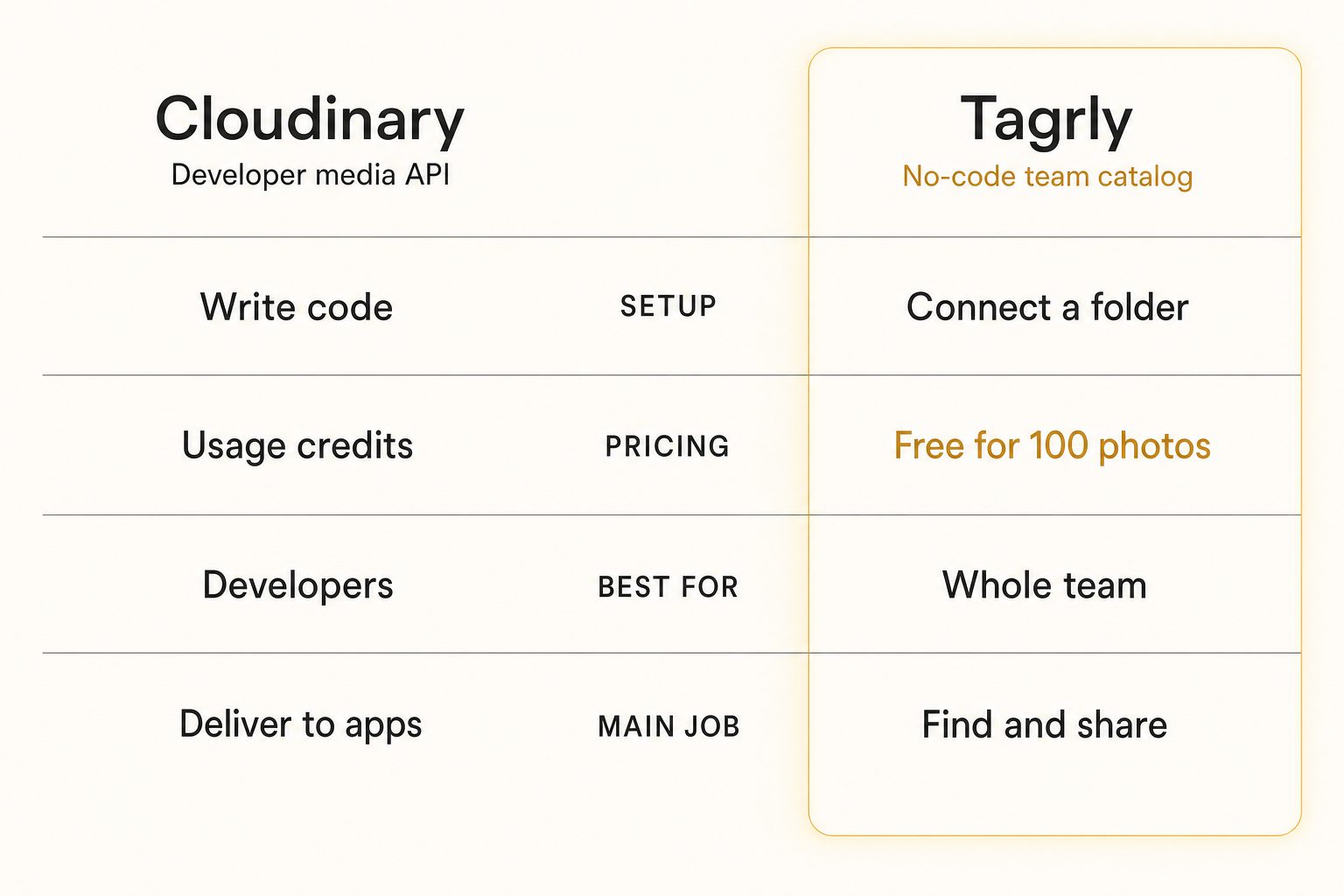
| Cloudinary | Tagrly | |
|---|---|---|
| Shape | Developer media API and delivery network | No-code team catalog |
| Setup | Write code, add libraries | Connect a Drive or Dropbox folder |
| Main job | Deliver optimized images to apps | Find and share photos by content |
| Transformations and delivery | Yes | No |
| Reads Drive / Dropbox in place | No (files move into Cloudinary) | Yes (read-only) |
| AI search by what is in a photo | Auto-tagging from Plus up; Assets via sales | Built in, focal-subject tagging |
| Editorial alt text for publishing | No | Yes (every photo) |
| Pricing model | Usage credits, from free to 249 dollars a month | Monthly subscription, first 500 photos free |
| Best audience | Developers building image delivery | Non-technical teams with a shared library |
Cloudinary does real-time transformation and global delivery that a catalog does not, and nothing in the catalog lane replaces it. Cloudinary, in turn, asks for code or a sales call plus a move into its storage, and does not read your existing Drive or write a publishable sentence per photo. For the wider shared-library problem, see our guide to setting up a shared photo library for a small team.
Warning. Watch for tools that call themselves a simpler Cloudinary but are still developer platforms underneath. If the setup guide starts with an API key and a code snippet, it is in the developer lane no matter how friendly the marketing page looks. Test whether a non-technical teammate can get a photo in and out without asking an engineer.
How to choose: pick X if Y
Answer one question first: is a program delivering images into an app, or is a person looking for a photo?
- Pick Cloudinary (or stay on it) if you have developers and need optimized, transformed images delivered into a website or app at scale. The credits are the cost of a real delivery pipeline.
- Pick ImageKit, imgix, or Cloudflare Images if you want the same pipeline with simpler or cheaper pricing. That is a lateral swap inside the developer lane.
- Pick Cloudinary Assets, Canto, Brandfolder, or Bynder if you are a brand team that needs approval workflows and a managed home for finished assets, and you are fine moving everything into a new system and talking to sales.
- Pick Tagrly if you do not write code, your photos already live in Google Drive or Dropbox, and the job is finding a specific shot and sharing it without migrating anything. The first 500 photos are free, and the pricing page shows the plans once you know your library size.
A program delivering images should keep a developer media platform. A person hunting for the right shot in a shared cloud library should connect a catalog and stop scrolling. For the wider category, see the complete guide to AI photo tagging and the three-way photo metadata generators comparison.
Frequently asked questions
What is the best Cloudinary alternative for non-developers?
It depends on the job a photo has to do. If you write code and need images delivered into a website or app, stay in the developer lane with ImageKit, imgix, Bytescale, or Cloudflare Images. If you do not write code and the real job is finding and sharing photos, pick a brand asset tool like Canto or Brandfolder for approval workflows, or a team catalog like Tagrly when the photos already live in Google Drive or Dropbox.
Is Cloudinary good for non-developers?
Its core product is not. The self-serve plans are a developer media API: code uploads images and requests them back through transformation URLs, and the dashboard shows API keys and credits. Cloudinary does sell a separate asset-management product, Cloudinary Assets, with AI tagging, search, and review workflows for marketers, but it is priced through its sales team and keeps your files inside Cloudinary's own storage.
What is the main difference between Cloudinary and Tagrly?
Who asks for the photo. Cloudinary is built for a program: your code uploads images, and Cloudinary stores, transforms, and delivers them to apps and websites. Tagrly is built for a person: it connects read-only to the Google Drive or Dropbox you already use, tags every photo with AI descriptions and alt text, and gives a team one searchable place to find and share any shot. A company can run both, one serving the website and one helping the marketing team pick photos for it.
How much does Cloudinary cost in 2026?
As of September 2026, Cloudinary's free plan includes 25 monthly credits and 3 users with no credit card. Plus is 99 dollars a month (89 billed yearly) with 225 credits, Advanced is 249 dollars a month (224 billed yearly) with 600 credits, and Enterprise is custom. One credit covers 1,000 transformations, 1 GB of storage, or 1 GB of image bandwidth, so the bill moves with usage. Tagrly is a monthly subscription with the first 500 photos free.
Can Tagrly deliver and resize images for my website like Cloudinary?
No. Tagrly does not transform images through a URL, does not resize or reformat on the fly, has no code library for your app, and is not a delivery network for a website. If you need that, a developer media platform like Cloudinary, ImageKit, imgix, or Cloudflare Images is the right tool. Tagrly does the other job: it reads the photos already in your Drive or Dropbox, tags them so a non-technical team can find any shot by what is in it, and shares specific photos without code.
Try Tagrly on your own photo library
Connect your Google Drive or Dropbox folder and Tagrly will tag every photo in bulk. Search by what is actually in the image, share specific shots with clients, and never lose a photo again.
- Free for your first 500 photos
- Read-only access, revoke anytime
- No credit card