
You have a Dropbox folder of 12,000 photos named IMG_0492.jpg, and you need the four shots of the rooftop toast at sunset. A tagging tool promises that typing "rooftop toast" will find them, so it is worth knowing what happens between the folder and the search box before you trust it.
The four steps: how AI photo tagging works
Every AI photo tagging tool, desktop app or online catalog, runs the same four steps: connect, read, index, search. Once you can name them, you can judge any tool by how well it does each one.
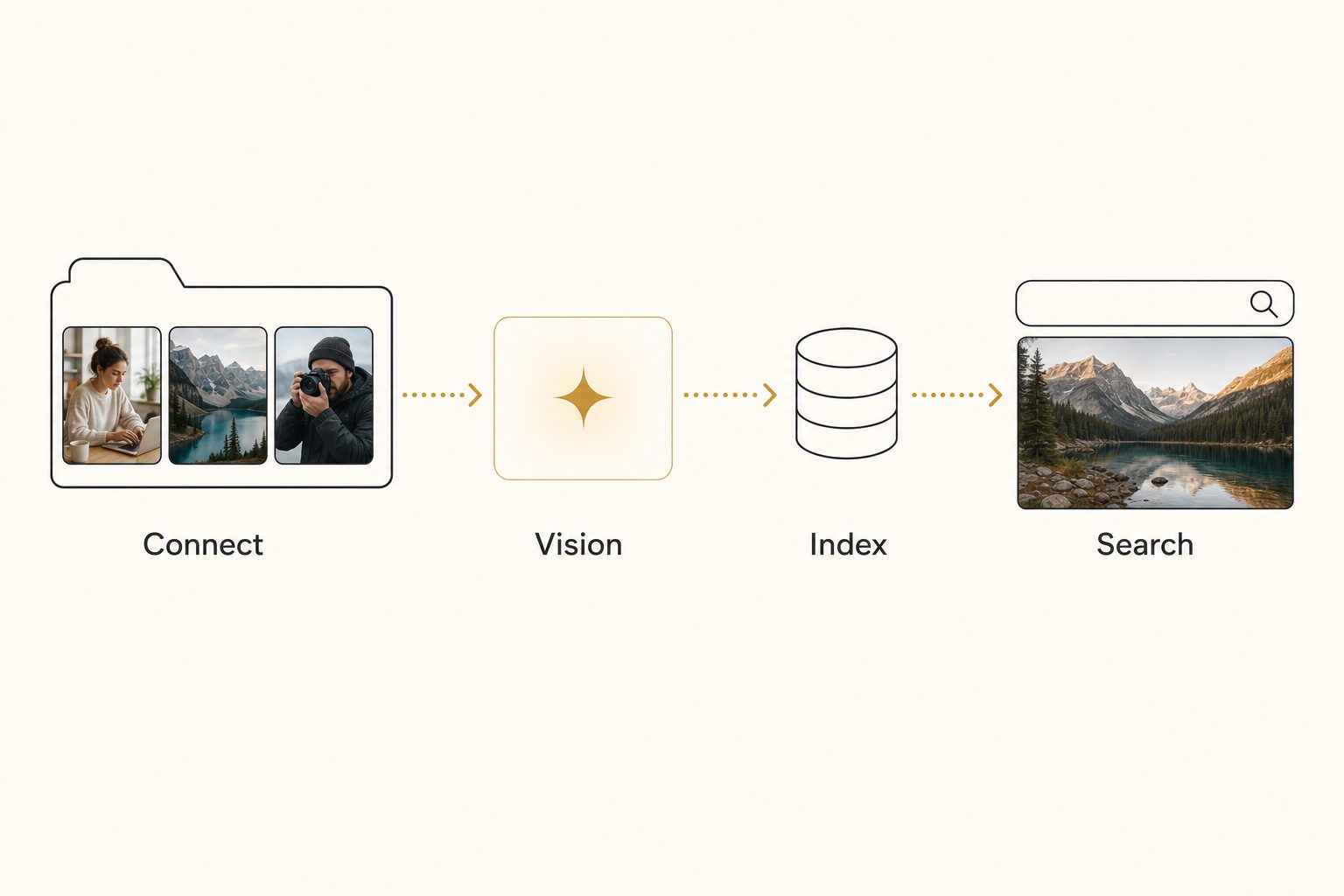
- Connect. The tool reaches your photos in a Google Drive or Dropbox folder, a folder on your computer, or files you upload. It records each file's path and a content fingerprint, which is how it avoids reading the same photo twice on a later scan.
- Vision pass. Each photo goes to a vision model, the software that reads the pixels and writes the words. This step decides the quality of everything after it.
- Index. The model's output, a short description plus keywords, is saved to a database next to the file path and a preview copy.
- Search. You type what you remember, like "rooftop toast," and the matching shots come back. Past the 1,000-photo wall, where you can no longer remember roughly where a photo lives, search is the only way back to it.
When a tool connects to Google Drive or Dropbox read-only, your originals never move and never change. It reads each photo over the provider's API instead of moving your library into its own storage, so size stops being a limit, even for a 100,000-photo library that runs to hundreds of gigabytes. Google's drive.readonly scope lets a tool view and download your files with no ability to change or delete anything.
Tagrly connects both Drive and Dropbox read-only. For each connected photo it keeps the description, keywords, a hosted copy of the photo, and the editorial-grade alt text it writes for every photo it reads.
Warning. Read any tool's data handling before you send it client work. Uploading is the other route in, and it hands the tool a copy of every file, whether that tool is Tagrly, which stores your uploads, or a single-image web tool.
What the vision model does, and why it matters most
The vision model decides whether your search works, because it is the step that turns pixels into the words you will search later. It is software trained on millions of images people had already labeled, so it predicts the words most likely to describe a new photo. That is pattern matching, not understanding, but on ordinary subjects the prediction is right most of the time.
Tagrly reads photos with Anthropic's Claude vision. Anthropic's vision documentation and Google's Cloud Vision docs both explain what these systems return once a photo arrives.
Models come in two kinds, and only one helps search:
- Object detector. Answers "what objects are in this image" with a flat list:
person, table, plant, indoor. That is accurate and nearly useless, because every wedding photo returns "person." - Descriptive vision model. Answers "what is this a photo of" by naming the focal subject, the one thing the photo is of:
a bride laughing during a toast, family seated in the background.
We measured the gap on 30 photographs from a working library, scored against a hand-written ground truth, and two generic object detectors got under half right:
- Google Vision labels. The correct focal subject on 11 of 30.
- AWS Rekognition. 13 of 30.
- A descriptive model with a focal-subject prompt (Claude vision). 26 of 30.
The same pattern held at scale. In Tagrly's own testing on a 5,000-photo set, focal-subject tagging surfaced the correct top match in roughly 9 of 10 searches, against roughly 4 of 10 for the same library under a generic object detector. That ranking is what Tagrly's AI photo search runs on, and the full breakdowns are in how accurate AI photo tagging is and what Claude vision sees that other models miss.
Tip. Ask any tool to tag five of your own photos and read the first tag it returns. A descriptive focal subject means good search. A generic noun like "person" or "indoor" means an object detector is underneath, and your search will show it.
The focal-subject method: how good tagging structures its output
Good tagging returns the right shot first because it ranks the focal subject above everything else in the frame. We use and recommend focal-subject tagging, in three steps.
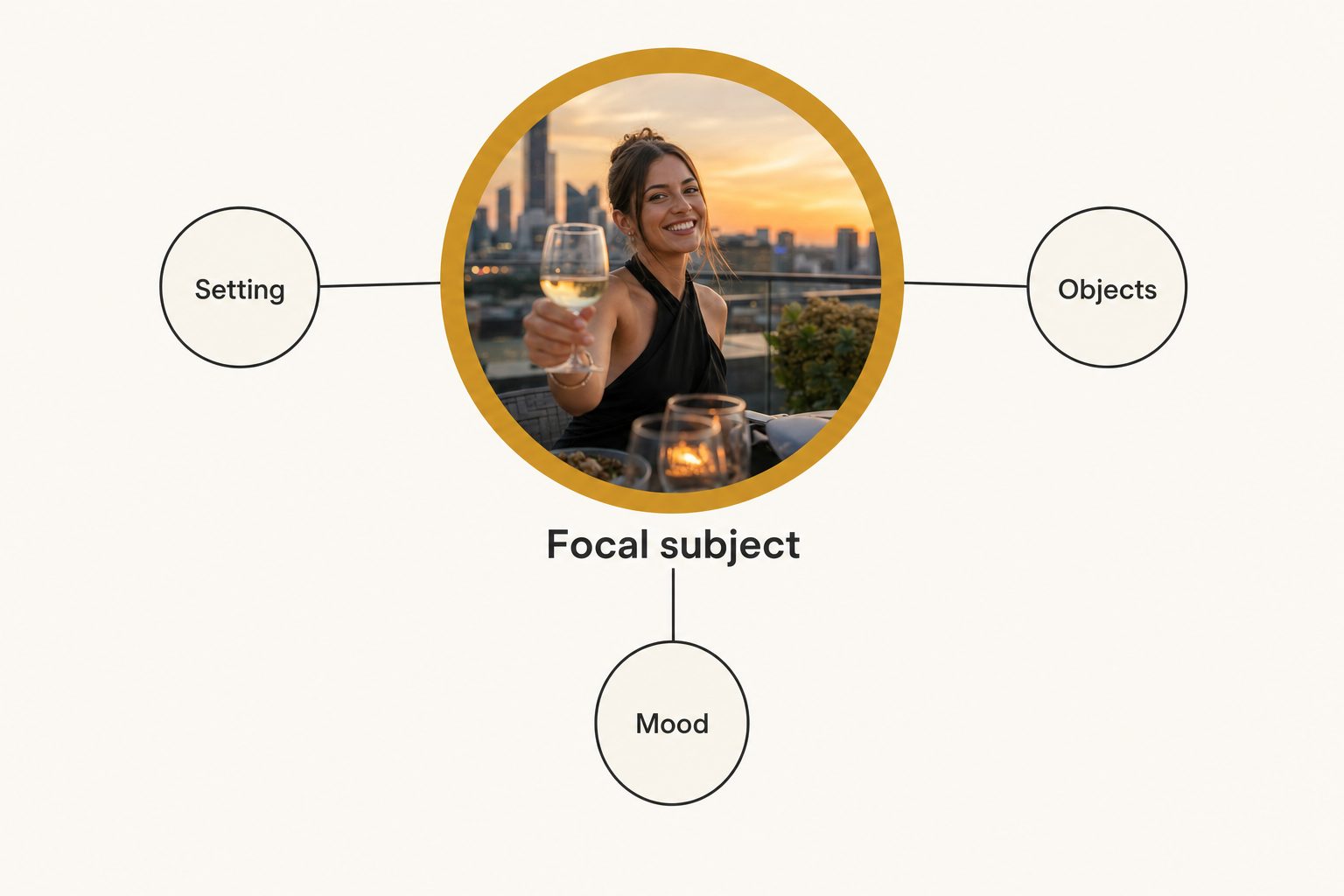
- Focal first. Name the single dominant element of the scene. For the photo above, that is "a woman raising a glass on a rooftop at sunset," not "person" and not "building."
- Context second. Tag everything else as supporting detail: "city skyline, candles, table setting, warm evening light."
- Rank focal above context. Search treats a focal-subject match as stronger than a context match, so "rooftop toast" surfaces this shot instead of every photo with candles or a skyline in it.
Tools that skip the third step treat every tag as equal, which is why their search returns 200 photos when you wanted one. The full playbook is in the focal-subject tagging method.
What AI photo tagging can and can't see
AI photo tagging reads what is visible in the pixels and nothing else, so its gaps are predictable and you can plan around them.
- What it reads reliably. The main subject, the setting, common objects, colors, the general mood, and indoors versus outdoors. A good descriptive model is right on these most of the time and stays consistent across thousands of photos, which a human keyworder rarely manages over a long session.
- What it cannot know. Anything you never told it: client names, project codenames, or which of two nearly identical rooms a shot came from. It will write "a couple embracing at an outdoor ceremony," never "the Hendersons at Maple Grove," so those details belong in a human-edited field.
- Where it gets confidently wrong. Photos with no clear subject, abstract or decorative frames, and plausible-but-wrong specifics like naming the wrong sneaker model. Because these misses are predictable, you can target them with a short review pass instead of auditing the whole library.
Note. A tool that promises to name specific people, product models, or dates from a photo alone is overpromising. The model can describe what is visible. It cannot recover facts that are not in the pixels.
How to judge an AI photo tagging tool before you buy
Score any tool against the four steps instead of its marketing, and the buying decision gets simple.
- Step 1: where it reads from. Does it connect to where your photos already live, or make you move everything into a new system? If your library is in Drive or Dropbox, a tool that reads in place saves you a migration.
- Step 2: the model. Run the five-photo test above. The chatbot you already pay for does a version of this step only: it can describe photos you upload a few at a time, but it cannot open your folders, tag your files, or keep a searchable index (more on whether ChatGPT can organize your photos).
- Step 4: who can search. Can a whole team search one library, or does the index live on one person's machine? Desktop tools suit one person, and their team editions share a catalog by syncing devices or by taking turns.
Pick a connected online catalog if your photos live in a shared Drive or Dropbox folder and a team needs to find shots later. Pick a desktop tool if you work solo inside an editing app. The full decision, across every category of tool, is in the complete guide to bulk AI photo tagging.
The best way to understand how AI photo tagging works is to run it on photos you know. Tagrly reads your first 500 photos, no credit card, whether you connect Google Drive or Dropbox or upload them from your computer. Try it on your own library: every plan runs the same full analysis, so the free pass shows what a full scan would return.
Frequently asked questions
How does AI photo tagging work in simple terms?
It is four steps: connect, read each photo with a vision model, save the results to an index, and search. A tool reaches your photos in Google Drive, Dropbox, or an upload, then sends each image to a vision model, software trained on millions of labeled pictures. The model returns a description and keywords, naming the main subject first and the context after it. Those results are saved to a searchable index with a preview copy, so you can type what you remember, like 'rooftop toast at sunset,' and get the matching shots back. Over a read-only connection, Drive or Dropbox files are never changed or moved; uploaded photos are copies the tool stores.
Does AI understand what is in a photo, or is it guessing?
It is closer to pattern recognition than understanding, but modern models are good enough that the difference rarely matters for search. A vision model has seen millions of labeled images during training, so it has learned strong links between pixel patterns and words. When it sees a new photo, it predicts the words most likely to describe it. On common subjects like people, food, buildings, and outdoor scenes, that prediction is right most of the time. It struggles with anything that needs knowledge it was never given, such as a client's name or which of two similar rooms a shot came from. So it is a confident, consistent guesser: right on the obvious, unreliable on the private.
What is the difference between AI tagging and just running an object detector?
An object detector answers 'what objects are in this image' and returns a flat list like 'person, table, plant.' A descriptive vision model answers 'what is this a photo of' and returns a focal subject plus context, like 'a bride laughing during a toast, family seated in the background.' The difference is enormous for search. If every tag counts equally, a search for one shot returns every photo that merely contains that element: hundreds, on a large library. The focal-subject approach names the one dominant subject first and ranks it above the supporting context, so the right photo surfaces before the near-misses. The model a tool runs is the biggest single factor in whether tagging produces useful search or noise.
Do my photos get uploaded or copied when a tool tags them?
It depends on the route. When a tool connects to Google Drive or Dropbox, it streams each photo over the provider's API, sends it to the vision model, and writes the results to its own index. Tagrly connects both read-only and keeps the description, keywords, alt text, and a hosted copy of each photo, while your files stay in the same folders, unchanged. When you upload photos from your computer instead (single photos, a folder, or a zip), the tool receives copies, and Tagrly stores those uploaded copies. Either way, read a tool's data handling before you send it client work.
How is AI photo tagging different from face recognition?
Face recognition answers 'who is this person' by matching a face against a set of known people you have named. AI photo tagging answers 'what is this a photo of' across the whole scene: the subject, the setting, the objects, the mood. They solve different problems. Face recognition is what event photographers use to deliver each guest their own photos. Scene tagging is what a team uses to find any shot by what it shows, long after the shoot. Some tools do both, but they are separate capabilities, and a tool being strong at one tells you little about the other.
Try Tagrly on your own photo library
Connect your Google Drive or Dropbox folder and Tagrly will tag every photo in bulk. Search by what is actually in the image, share specific shots with clients, and never lose a photo again.
- Free for your first 500 photos
- Read-only access, revoke anytime
- No credit card