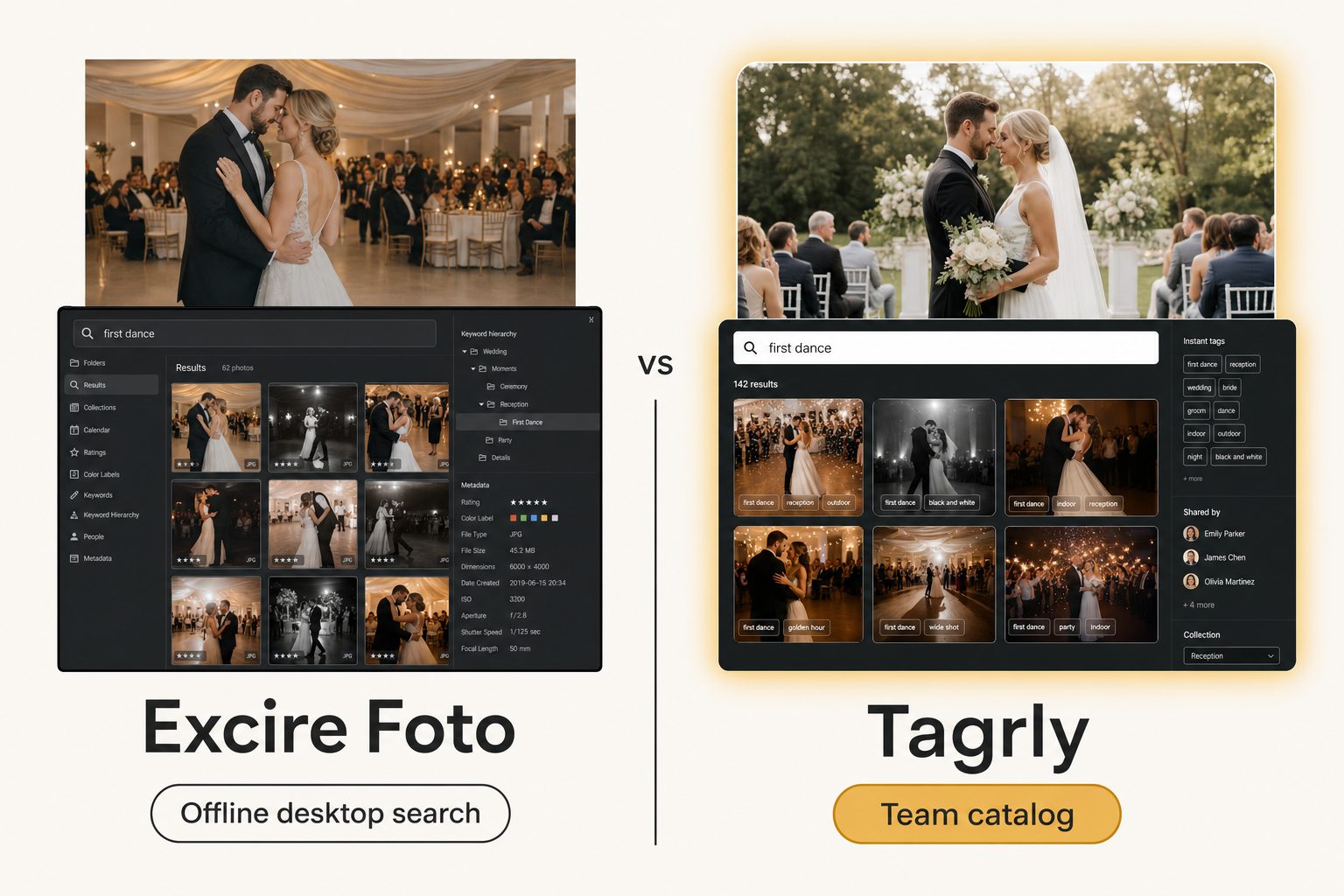
Your photos sit on a fast local drive, and Excire Foto already indexed every one of them, so you can type "golden retriever on a beach" and pull the shot in seconds, fully offline. That part works beautifully.
Then the studio grows. The finished photos move to a shared Google Drive the whole team shoots into, a second editor and a marketing lead join, and the AI search you love is stuck in one Excire index on one computer. This post is for that moment, when you are weighing Excire Foto alternatives.
What Excire Foto is and what it costs
Excire Foto is a desktop photo organizer that runs its AI fully offline, sold as a one-time license. You point it at the photos on your computer, and it analyzes each one locally to build a searchable index. The Excire Foto product page puts it plainly: everything runs locally, and your photos stay on your computer.
The current version, Excire Foto 2027, covers the features a personal library needs:
- Content search. Type a free-text description and find matching shots, no manual keywords needed.
- Automatic keywords. Tags are applied on import and can be edited or hidden.
- Faces and text. It recognizes people, filters by expression or age group, and reads text inside images like signs and labels.
- Culling tools. Sharpness detection, quality sorting, and duplicate removal help you pick keepers.
- Map and timeline views. Browse by where and when a photo was taken.
There are two products under the brand. Excire Foto is the standalone app. Excire Search is a plugin that brings the same AI search inside Adobe Lightroom Classic and can write keywords back to your files.
What Excire Foto costs
Excire prices its desktop tools as buy-once licenses, one of the main reasons people choose it. As of September 2026, Excire's shop and its US checkout list:
- Excire Foto 2027. $249, one-time, license valid for Mac and Windows.
- Excire Search 2026. $229, one-time, the Lightroom Classic plugin.
- Upgrades. Owners of an earlier paid version get a discount code for the new release.
- Office Edition. A subscription for teams at 289 euros per user per year for the first two licenses, then 99 euros per year for each additional license, with a monthly option.
For one person searching their own library, a buy-once license beats a recurring subscription within a couple of years. Prices move with each yearly release and with sales, so check the shop before you budget.
Why people look for Excire Foto alternatives
People rarely leave Excire Foto because the search is bad. They leave because the job changed, and the reasons cluster into three:
- The library moved to the cloud. The photos are now a years-deep work archive in Google Drive or Dropbox. A desktop tool indexes local and network drives, and pulling everything back down to one machine defeats the point of moving it.
- Several people need to search at once. A second editor, a social lead, and a client coordinator all need shots on the same afternoon, from wherever they work.
- The output needs to go on a website. Excire's keywords are built for finding and culling. They are not a publishable sentence per photo, which is what marketing needs when a shot lands on a blog or press page.
If none of those describe you, Excire Foto is probably still the right tool and you can stop reading here.
The one-user-at-a-time wall
Excire's team product solves the second person, but not the second person at the same time. The Excire Foto Office Edition adds user roles, central license management, and databases stored on a network drive, and it keeps everything on-premises with no cloud.
Its own FAQ answers the concurrency question directly: simultaneous access to the shared database is not possible. When the database is in use, the app shows who has it open so colleagues can coordinate. That works for a small office taking turns on one archive. It breaks down when three people need the same library on the same deadline, or when the photos live in Drive or Dropbox instead of on the office network.
Three kinds of Excire Foto alternatives
The alternatives split into three groups, and the right one depends on which reason above sent you looking.
Other offline desktop organizers
If your job has not changed and you just want a different local search tool, you stay in Excire's own tier:
- ON1 Photo Keyword AI. A close rival that writes AI keywords into your files, with a Lightroom path.
- Mylio Photos+. A personal library synced across your own devices, with face recognition.
- Peakto. A Mac meta-catalog that unifies existing libraries in one search.
- digiKam. A free, open-source organizer for Windows, Mac, and Linux.
This is a lateral move, and it is the right one when the job is still "search my own library on my own machine." Our roundup of Lightroom alternatives for organizing photos covers this desktop tier in more depth.
Self-hosted or privacy-first libraries
If the appeal of Excire is mostly "do not send my photos to anyone's cloud," self-hosted tools go further. Immich is a free library you run on a home server with smart search and phone apps, and Ente offers end-to-end encrypted storage. Both keep your originals under your control, at the cost of running the server yourself, and both are built for individuals and families rather than a work team.
Team catalogs
If the photos live in Drive or Dropbox and a team searches them repeatedly by what is in each shot, the better-shaped alternative is a catalog that reads your storage and builds one shared search surface. Tagrly sits here. This is a change of category rather than a lateral move, and our image catalog software buyer's guide maps every tier, from free folders to enterprise platforms.
Where Tagrly fits as an Excire Foto alternative
Tagrly fits when finished photos sit in Google Drive or Dropbox and several people need to find them at the same time from a browser. It connects read-only to the folders you pick, reads each photo with a vision model, and writes the results to a shared searchable catalog. The Drive connection uses the drive.readonly scope, so it can read your photos but never change, move, or delete them.
Two things it does that a desktop organizer does not:
- Focal-subject tagging. Every photo gets one dominant-subject label ranked above its background, so "rooftop sunset" surfaces photos that are about a rooftop sunset, not every photo with a sky in it. In Tagrly's own testing on a 5,000-photo set, focal-subject tagging returned the right photo as the top search result in roughly 9 of 10 queries, and that is what AI photo search runs on.
- Editorial-grade alt text. A full, publishable sentence per photo instead of a keyword list, which matters when the photos end up on a website.
We define both methods in the complete guide to AI photo tagging. The scan runs unattended in the background, and what is already read is searchable while the rest is still going.
Tip. Want to judge the tagging on your own photos instead of a marketing screenshot? Tagrly's free tier tags the first 500 photos in any Drive or Dropbox folder, no credit card. Connect a sample folder and read the tags it writes back.
The limits matter too. Tagrly does not run offline, does not keep photos on a local drive under your sole control, and has no culling, sharpness sorting, or face management. If your whole job is "search my own library offline and pay once," Excire Foto is the better fit.
Tagrly vs. Excire Foto, side by side
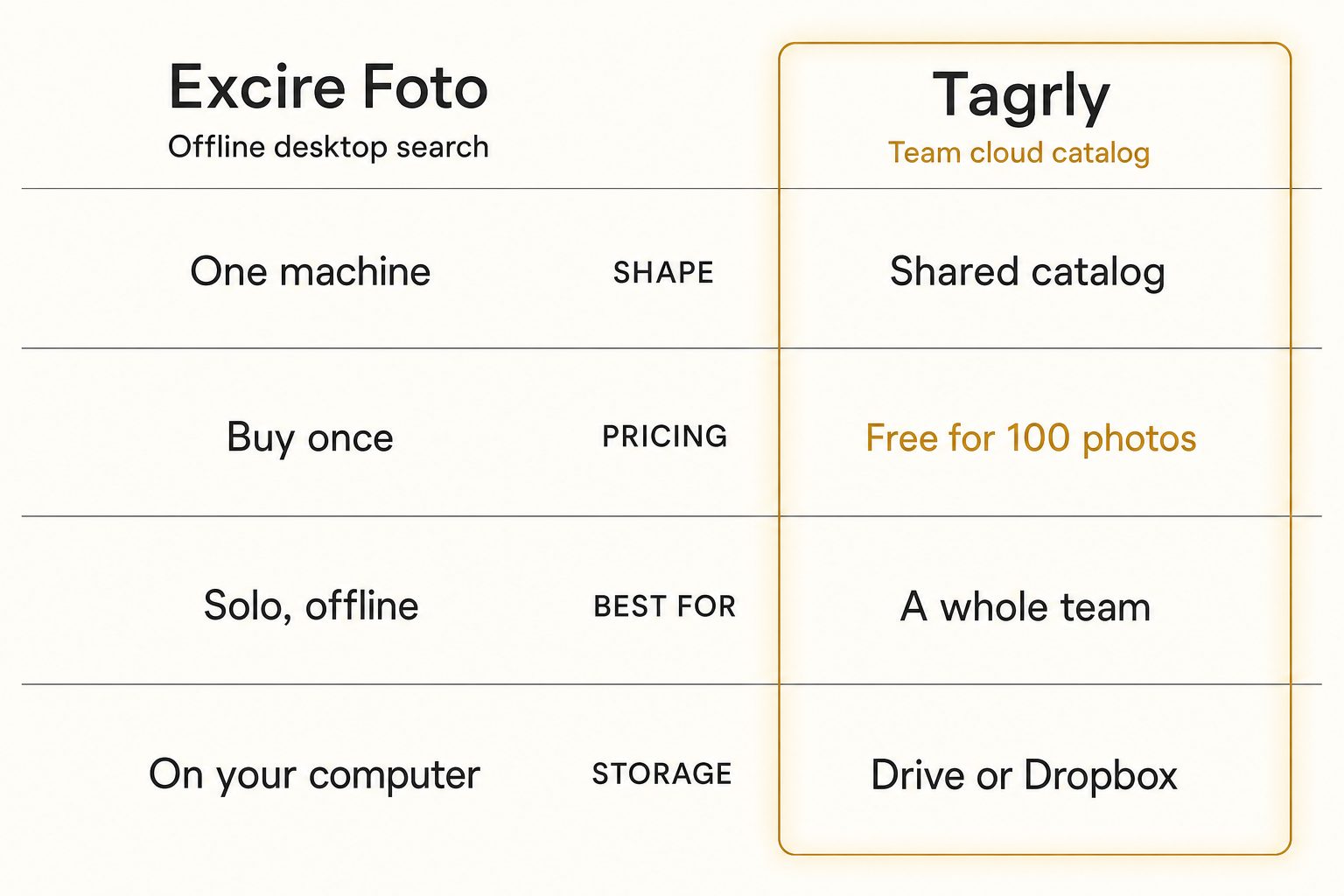
Excire Foto and Tagrly answer the same question differently: where do the photos live, and who needs to find them at once?
| Excire Foto | Tagrly | |
|---|---|---|
| Shape | Offline desktop search tool | Connected cloud catalog |
| Where it runs | Locally on your computer, no cloud | In the browser, nothing to install |
| Connects to Drive / Dropbox | No (local and network drives) | Yes (read-only, in place) |
| Team option | Office Edition, one user at a time on a shared database | Whole team searches at once |
| Pricing model | $249 one-time; Office Edition per-user yearly | Monthly subscription + free first 500 photos |
| Face recognition + culling | Yes | No |
| Editorial alt text for publishing | Keyword-style | Yes (every photo) |
| Best audience | Solo photographers or a small office on one network | Teams with a shared cloud library |
The table sums up the split. Excire runs fully offline, keeps photos on your own hardware, and adds faces and culling a catalog does not. Tagrly reads cloud storage in place, lets a team search at the same time, and writes a publishable sentence per photo. For the deeper version of the shared-library problem, see our guide to setting up a shared photo library for a small team.
Warning. Watch the word "shared." In Excire's Office Edition it means one database on a network drive that colleagues take turns opening. In a cloud catalog it means everyone searching the same library from a browser at once. Both are real options, but they solve different problems.
How to choose: pick X if Y
The deciding question is where your photos live and whether more than one person needs to search them at the same time.
- Pick Excire Foto if you are a solo photographer or hobbyist, your photos sit on a local drive, and you want strong AI and face search that runs fully offline for a one-time price.
- Pick Excire Foto Office Edition if a small office keeps one archive on a network drive, on-premises storage is a requirement, and people can take turns using the database.
- Pick ON1 Photo Keyword AI if you want buy-once desktop search with keywords written into your files; see our Tagrly vs. ON1 Photo Keyword AI comparison.
- Pick Mylio Photos+, Peakto, or digiKam if you want a library synced across your own devices, a Mac meta-catalog, or a free open-source organizer.
- Pick Immich or another self-hosted option if the no-cloud angle is what draws you to Excire and you are comfortable running a home server.
- Pick Tagrly if your photos live in Google Drive or Dropbox, two or more people need to find them by what is in each shot, and you want editorial-grade alt text for public pages. The free first 500 photos let you check the output first; see pricing once you know your library size.
For most solo photographers with a local library, the answer is Excire Foto, bought once. For a team whose best Excire Foto alternative has to search a shared Drive or Dropbox at the same time, the answer is a cloud catalog. For the wider category, see the photo metadata generators comparison and our Tagrly vs. Lightroom Classic comparison.
Frequently asked questions
What is the best alternative to Excire Foto?
It depends on what is pushing you off Excire Foto. If you want a different offline desktop search tool and your photos still live on your own machine, the closest swaps stay in that local tier: ON1 Photo Keyword AI, Mylio Photos+, Peakto, or the free digiKam. If the real problem is that your photos now live in a shared Google Drive or Dropbox and several people need to search them at the same time, that is a different job and a different category. Tagrly is one example of the team-catalog approach, priced as a monthly subscription with the first 500 photos free. Searching your own library on your own computer keeps you on a desktop organizer; giving a team one searchable surface over a shared cloud library moves you to a catalog.
What is the main difference between Tagrly and Excire Foto?
Where it runs and who can search at once. Excire Foto is a desktop application for Mac and Windows. It analyzes your photos locally with no cloud, builds an AI index on your machine, and lets you search by content, faces, text in the image, and location. Tagrly connects read-only to the Google Drive or Dropbox you already use, tags every photo in bulk with AI descriptions and editorial alt text, and gives a whole team one shared catalog they search from a browser at the same time. Excire answers 'search my library on my computer, fully offline.' Tagrly answers 'let our team find any photo in a shared cloud archive.'
Does Excire Foto have a version for teams?
Yes. Excire Foto Office Edition is a per-user subscription for companies, with user roles, central license management, and databases stored on a network drive. It keeps Excire's offline design: every photo is analyzed on-premises, nothing goes to a cloud. The catch is concurrency. Excire's own FAQ says simultaneous access to the shared database is not possible, and it shows who is using the database so colleagues can take turns. That suits a small office sharing one archive on a local network. It does not suit a team that needs several people searching at once, or photos that live in Google Drive or Dropbox rather than on a network drive.
How much does Excire Foto cost?
As of September 2026, Excire's US checkout lists Excire Foto 2027 at $249 as a one-time purchase covering Mac and Windows, and the Excire Search 2026 plugin for Lightroom Classic at $229. Owners of an earlier paid version get an upgrade discount. The Office Edition for teams is a subscription: Excire lists 289 euros per user per year for the first two licenses and 99 euros per year for each license after that, with a monthly option. Prices change with each yearly release and with sales, so check Excire's shop before you budget. For one person, a buy-once license is cheaper over several years than any subscription.
Can Excire Foto search a photo by what is in it, like 'rooftop sunset'?
Yes, for a library on your own machine, and it is good at it. Excire does free-text content search, automatic keywording on import, face and people recognition, and reads text inside images, all processed locally with no cloud upload. So you can search your library by scene, subject, person, or a sign in the frame, and it works offline. What it does not do is give a whole team one search box over a cloud library that nobody copied onto a computer. A query like 'the four rooftop sunset shots from the launch' works inside your own Excire index, but not as something five coworkers run from a browser against the same shared Drive.
When is Excire Foto the right choice over a catalog like Tagrly?
When the library lives on your own computer or a local network drive, and privacy or a one-time cost matters more than simultaneous team search. Pick Excire Foto if you are a solo photographer or hobbyist who wants strong AI search and face recognition that runs fully offline and would rather buy once than subscribe. Pick the Office Edition if a small office keeps one archive on a network drive and people can take turns using it. A cloud catalog does not run offline and would charge you monthly for sharing you do not need. Some studios run both: Excire on the owner's local library, a catalog for the shared work archive.
Try Tagrly on your own photo library
Connect your Google Drive or Dropbox folder and Tagrly will tag every photo in bulk. Search by what is actually in the image, share specific shots with clients, and never lose a photo again.
- Free for your first 500 photos
- Read-only access, revoke anytime
- No credit card