
Three years after the wedding, the email arrives: "We lost everything in a move. Do you still have the photo of us under the willow tree?"
You do. It is one frame out of about 40,000, in one of nearly a hundred folders named after couples, and finding it is going to cost an afternoon you do not have.
This guide is about the archive: the years-deep library of every wedding you have ever shot. Delivering one wedding to one couple is a different job with different tools, and we cover that end to end in the wedding photographer client gallery workflow. The question here is what happens to all of it afterward.
Why wedding photography archives go dark
A wedding archive goes dark because the delivery has an owner and the archive does not. The gallery gets built, the couple downloads their photos, and the master copy gets filed and forgotten. Every photo is still there, but almost none of it is findable.
We call the tipping point the 1,000-photo wall, and it is the founding idea of our complete guide to AI photo tagging. Below roughly a thousand photos, memory covers you. Above it, the library goes opaque, and every archive request becomes a scroll through thumbnails from a wedding you shot four seasons ago.
Wedding photographers hit that wall early. Run the math on a modest calendar: 20 weddings a season at roughly 500 delivered selects each is 10,000 finished photos a year, so the archive reaches the wall by its second wedding.
The four ways old wedding photo requests arrive
Old wedding photo requests arrive in four shapes, and a folder tree cleanly answers only one of them.
| Request | Typical ask | Does the folder tree answer it? |
|---|---|---|
| By couple | A couple wants a canvas print of their willow tree shot. | Yes. Open their folder. |
| By venue | A barn venue wants six images for its new site. | Partly. It finds the weddings there, not the shots. |
| By moment | Your portfolio refresh needs your best sparkler exits. | No. They are scattered across every wedding. |
| By detail | An album template needs ring shots on an invitation suite. | No. Same problem. |
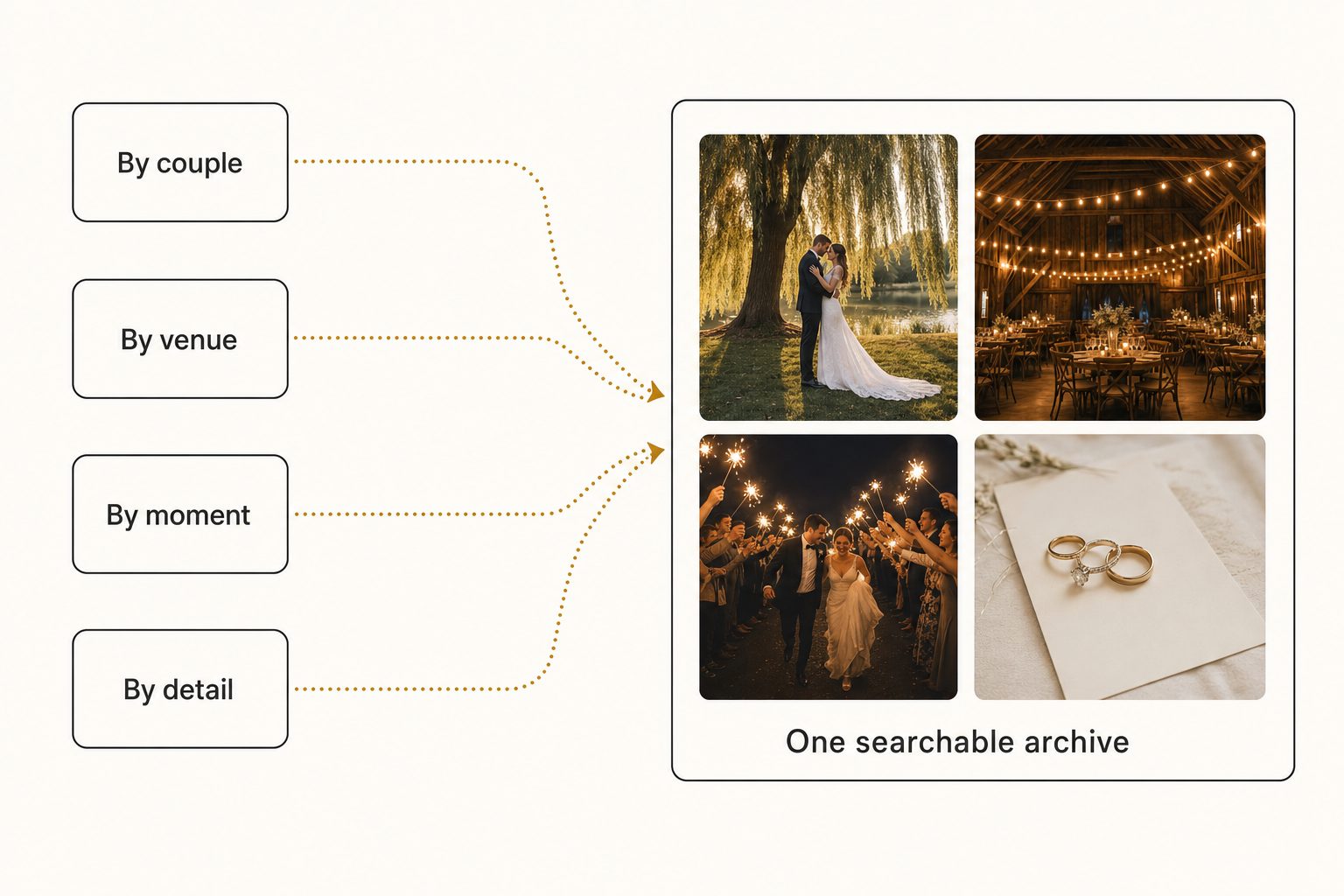
Moment and detail requests cut across your whole career, and they are the ones that sell portfolios, albums, and styled shoots. No amount of filing discipline fixes that, because you cannot predict at filing time every way you will need a photo later.
Start free: a wedding photo folder structure that holds up
A consistent folder structure costs nothing, and every later step builds on it, so set it up before you buy any tool. One that holds up has three levels:
- One folder per year.
2026, so a browse starts in the right season. - One folder per wedding. Date first, then couple, then venue:
2026-06-14-rivera-chen-oakhill. The venue is cheap insurance, because venue requests are common. rawandselectsinside. Finished edits only inselects, because that is the folder you will search later.
Date-first names sort in shooting order on their own, and our photo file naming conventions guide carries the same logic down to individual files.
Cull hard before archiving, so the selects folder stays a clean set instead of a wall of near-duplicates. A dedicated culling browser such as Photo Mechanic is built for that pass: pick the keepers, reject the rest, and bring only the selects into your editor.
Keep the archive in cloud storage you own, like Google Drive or Dropbox, with a local backup copy. If your archive requests are mostly couples asking for their own photos, this free layer is enough, so do not buy software for a problem you do not have yet.
Warning. The folder layer only ever answers "which wedding." Drive's search operators filter by title, owner, file type, date, and the words inside a file, and none of them describes what a photo shows. A search for "sparkler exit" returns nothing unless someone typed those words into a filename, on every matching photo, by hand.
Make the wedding archive searchable by what each shot shows
A search layer that reads every photo is what answers the venue, moment, and detail requests that folders cannot. An image catalog builds it in three moves:
- Connect. It links to the Drive or Dropbox folder where your archive already lives, with read-only access, so nothing moves or changes.
- Read. It sends each photo once to a vision model and writes down what it shows: the focal subject, the setting, the light, the moment.
- Search. You type what you remember, like "willow tree, couple, golden hour" or "rings on invitation suite," and the matching frames come back from every wedding at once.
The quality of that reading pass decides everything. A weak tagger writes "person, dress, outdoor" and your search drowns. A strong one applies focal-subject tagging, naming the dominant element first ("couple under a willow tree, golden hour") and ranking it above the background, so a search returns the shot the photo is of, not every frame that happens to contain a tree.
In Tagrly's own testing on a 5,000-photo set, focal-subject tagging surfaced the correct top match in roughly 9 of 10 searches, which is what makes searching a wedding archive in plain words worth setting up. The same reading also writes editorial-grade alt text, full sentences you can paste straight into a blog post or a venue submission.
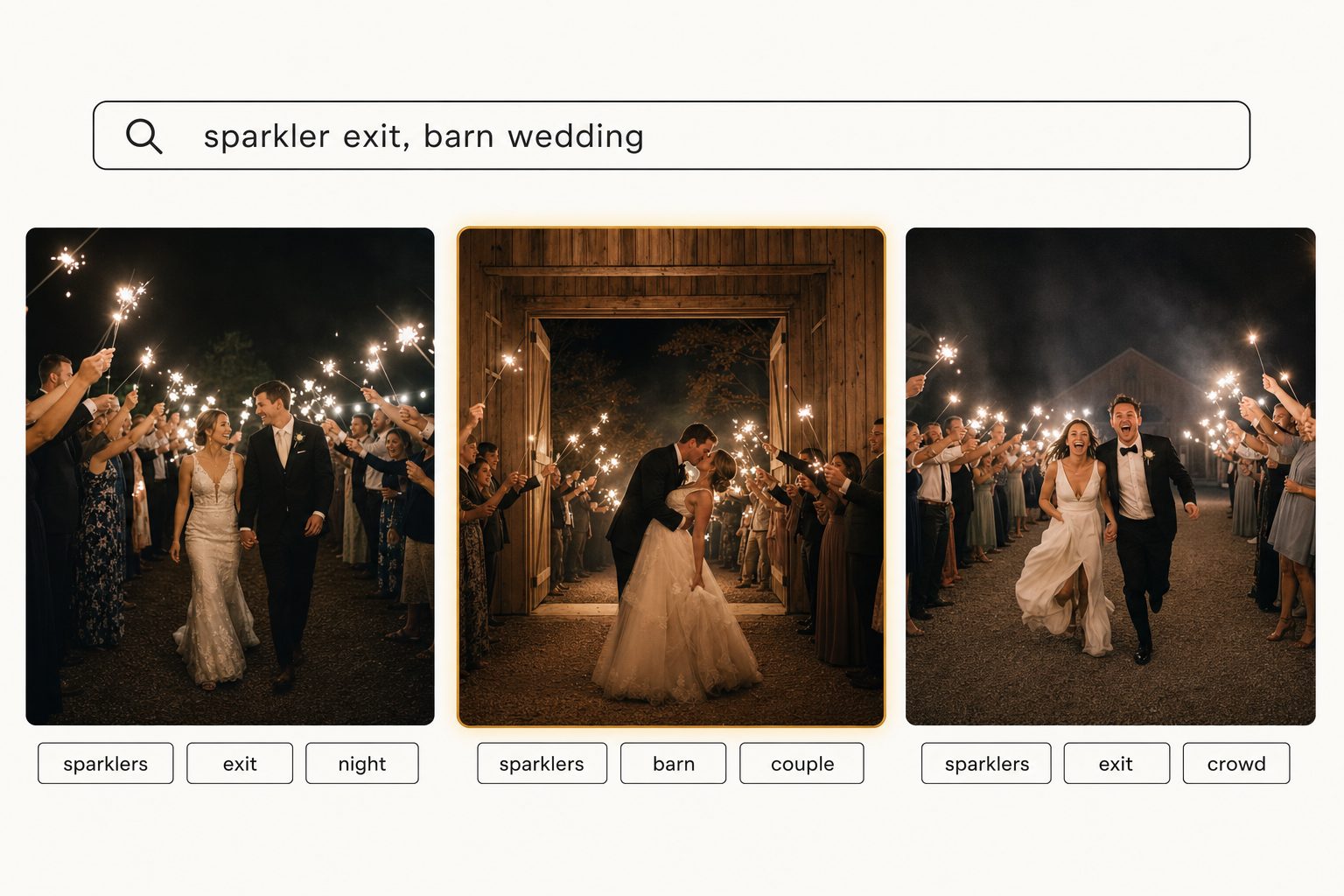
Whatever tool you pick, judge it on real output from your own photos before you pay, because tagging quality varies widely between tools.
Tip. Tagrly's free tier tags the first 500 photos in any Drive or Dropbox folder, no credit card. Point it at one old wedding folder and search for a shot you remember. If the right frame comes back, you know what the whole archive would feel like.
Keep the archive separate from galleries and venue libraries
Your archive is a different job from the two tools it gets confused with, and keeping them straight saves you from buying the wrong one.
- Client galleries are the delivery layer. Pixieset, Pic-Time, and ShootProof present one wedding to one couple, with download controls and optional expiry, and the gallery workflow guide covers that stage in full. A gallery knows about one event, so it cannot search across your career.
- Venue libraries are the venue's job. Tagging ceremony moments and decor across a single venue's event library has its own playbook in AI photo tagging for wedding venues. Hotels and resorts that host weddings keep a property library of their own spaces, dressed and lit for sales, and our hospitality photo library guide covers that side.
This guide sits above both: the photographer's own archive, every couple, every venue, every season, one searchable library.
Which wedding photo organization setup fits you
The right setup depends on where your archive lives and which kinds of requests keep pulling you back into it.
- Pick folders and naming alone if archive requests are rare and mostly come from couples asking for their own wedding. Folders answer those for free, so add nothing until moment and detail requests start costing you real hours.
- Pick a local-first desktop organizer (Excire Foto, Mylio Photos+) if your archive lives on your own computer or drives and you want AI search on your own machine or synced across your devices. Both now sell team editions, but Excire's runs on a shared network database and Mylio's on device sync, not search in place on Drive or Dropbox. Our Tagrly vs. Mylio and Tagrly vs. Excire Foto comparisons cover the details.
- Pick a connected image catalog if your archive already lives in Google Drive or Dropbox and the requests keep coming: reprints, venue pulls, portfolio culls, album upsells. Tagrly is one option here, with plans priced for working photographers rather than enterprise teams.
- Keep your proofing gallery either way. Delivery and organization are different jobs, and most studios run one tool for each.
Wedding photography photo organization comes down to accepting that folders answer "which wedding" and something has to answer "which shot." Build the free folder layer first, then add a search layer when the archive outgrows your memory.
The surest test is to run a catalog over one season's selects and search for the shot a client asked about last month. For the full method behind content search at any scale, see the hub guide to finding any photo in your library.
Frequently asked questions
How do wedding photographers organize years of photos so old shots stay findable?
Use two layers. The first is a consistent folder structure for storage: year, then date and couple, with a separate selects folder inside each wedding, named the same way every time. The second is a search layer that has read every photo and recorded what it shows. Folders answer 'which wedding,' which covers reprint requests from a couple you remember. They cannot answer 'which shot' questions like 'every sparkler exit I have ever photographed,' because that answer is scattered across dozens of folders. Past roughly 1,000 photos, an image catalog that tags each frame by content is what turns those requests from an afternoon of scrolling into a single search.
What is the best folder structure for a wedding photography archive?
The one you will actually follow every time. A structure that holds up is a top-level folder per year, a folder per wedding named with the date and the couple (2026-06-14-rivera-chen), and inside it a raw folder and a selects folder. The selects folder is the one you will search later, so keep it clean: finished edits only, no near-duplicates. Add the venue name to the folder if you shoot many venues, because venue requests are common. The catch is that any folder structure can only answer questions you predicted when you filed the wedding. Requests by moment or detail cut across every folder at once, and no naming convention survives that.
Can I search my wedding archive by what is actually in each photo?
Yes, once every photo has been read and tagged by content. An AI image catalog connects to the Google Drive or Dropbox folder where your archive lives, reads each photo once with a vision model, and records the focal subject and the scene: sparkler exit, barn reception, ring detail on an invitation suite, couple under a willow tree. From then on you type a plain description and the matching frames come back ranked, strongest match first, across every wedding at once and regardless of which couple's folder the shot landed in. Tagging quality varies between tools, so test any of them on a wedding you remember well before you pay.
Do I have to move my wedding photos out of Google Drive or Dropbox to organize them?
No, and you should avoid tools that require it. The better catalog tools connect to the storage you already use with read-only access, read the photos in place, and never move, copy, or edit your originals. Your folder structure stays exactly as you built it. A tool that makes you migrate a multi-terabyte wedding archive into its own storage creates a long upload project, an ongoing sync problem, and a hostage situation if you ever want to leave. Read-only access also means the tool cannot damage the archive that your whole business depends on.
How is wedding photo organization different from a client gallery?
They are opposite ends of the same pipeline. A client gallery (Pixieset, Pic-Time, ShootProof) faces outward: it presents one wedding to one couple, controls downloads, and is often set to expire. Photo organization faces inward: it is how you, the photographer, find any shot from any wedding years later, for reprints, portfolio pulls, venue submissions, and album upsells. A gallery cannot answer 'find every barn-door exit I shot in 2024' because it only knows about one event. Most working photographers need both: a gallery for this month's delivery and an organized, searchable archive for everything that comes after.
Try Tagrly on your own photo library
Connect your Google Drive or Dropbox folder and Tagrly will tag every photo in bulk. Search by what is actually in the image, share specific shots with clients, and never lose a photo again.
- Free for your first 500 photos
- Read-only access, revoke anytime
- No credit card